📘 FATEK manuals • Free online PDFs
Sigla FATEK

FATEK Manuals & User Guides

FATEK is a Taiwanese manufacturer of industrial automation control products, including Programmable Logic Controllers (PLCs), Human Machine Interfaces (HMIs), and IoT solutions.

Tip: include the full model number printed on your FATEK label for the best match.

About FATEK manuals on Manuals.plus

FATEK Automation Corp., established in 1992, is a leading designer and manufacturer of Industrial Automation Control Systems. Based in Taiwan, the company has built a strong reputation for high-quality, reliable, and user-friendly automation products. Their core product lines include the popular FBs and B1 series Programmable Logic Controllers (PLCs), Human Machine Interfaces (HMIs), IoT solutions, and SCADA application software.

FATEK products are widely used in industrial machinery, factory automation, and process control applications globally. The company focuses on providing holistic solutions that integrate stability with advanced functionality, such as comprehensive Ethernet and GSM communication modules for remote monitoring and control.

FATEK manuals

Cele mai recente manuale de la manuals+ create pentru acest brand.

Manual de utilizare pentru modulul Ethernet FATEK FA-10H-1

20 august 2023
Depanare modul Ethernet Întrebări frecvente FATEK Automation PLC1.ir A) Nu se poate găsi modulul Ethernet utilizând EtherConfig Întrebări frecvente (A) Nu se poate căuta modulul Ethernet - Cauză posibilă Sistem de operare Microsoft Firewall Software antivirus…

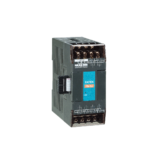
Manual de utilizare pentru modulul Ethernet FATEK FBs-CM25

20 august 2023
FBs-CM25/CM55/CBE Ethernet Module User’s Manual Ver. 2.1 Fate Automation Corp. 7/1/2004 Preface The network communication with its flexible connectivity and mobility can easily penetrate the barrier of the information island.…

FATEK HEM-WLC-RFID RFID Communication Module Datasheet

Fișa cu date
Datasheet for the FATEK HEM-WLC-RFID, an industrial RFID communication module compatible with various RFID cards and FATEK/ZENIT HMI. Includes technical specifications, dimensions, installation guide, and pin configuration.

FATEK manuals from online retailers

Fatek PLC Controller FBs-20MNR2-AC User Manual

FBs-20MNR2-AC (FBs-20MN) • September 15, 2025
This comprehensive user manual provides detailed instructions for the installation, operation, maintenance, and troubleshooting of the Fatek PLC Controller FBs-20MNR2-AC (FBs-20MN).

Fatek PLC Controller, FBs-32MCT2-AC User Manual

FBs-32MCT2-AC (FBs-32MCT) • September 3, 2025
Comprehensive user manual for the Fatek FBs-32MCT2-AC PLC Controller, covering setup, operation, maintenance, troubleshooting, and specifications.

Fatek FBs-24MAT2-AC PLC Controller User Manual

FBs-24MAT2-AC (FBs-24MAT) • August 18, 2025
Comprehensive user manual for the Fatek FBs-24MAT2-AC PLC Controller, covering setup, operation, maintenance, troubleshooting, and specifications.

Fatek FBs-20MAT2-AC PLC Controller User Manual

FBs-20MAT2-AC (FBs-20MAT) • July 28, 2025
Comprehensive instruction manual for the Fatek FBs-20MAT2-AC PLC Controller, covering setup, operation, maintenance, troubleshooting, and detailed specifications.

FATEK FBs Series Programmable Logic Controller User Manual

FBS Series • May 8, 2026
Comprehensive user manual for FATEK FBs Series Programmable Logic Controllers, including setup, operation, maintenance, troubleshooting, and detailed specifications for various models like FBS-14MAR2-AC, FBS-10MAT2-AC, FBS-20MCR2-AC, FBS-24MCT2-AC.

FATEK video guides

Urmăriți videoclipuri despre configurare, instalare și depanare pentru această marcă.

FATEK support FAQ

Întrebări frecvente despre manuale, înregistrare și asistență pentru această marcă.

  • What software is used to program FATEK PLCs?

    FATEK PLCs are typically programmed using the WinProladder software, which supports ladder logic programming and configuration for various modules like Ethernet and GSM interfaces.

  • How do I find the default IP address of a FATEK Ethernet module?

    Ethernet modules like the CBEH or CBE often have default IP addresses such as 192.168.2.3 or 192.168.1.3. Users can check and modify these settings using the EtherConfig tool if the module is not detected due to firewall or network settings.

  • Why can't I find my FATEK Ethernet module using EtherConfig?

    Common reasons include the Windows Firewall blocking the application, antivirus software interference, or the PC having multiple network interface cards enabled. Temporarily disabling the firewall or adding EtherConfig to the allowed apps list usually resolves this.

  • Does FATEK provide global warranty support?

    Yes, FATEK offers a global warranty for its products. Specific terms and duration can be found on their official website under the warranty news section.