1. Introducere
The KONNWEI MAXOBD OBD2 Scanner is a professional diagnostic tool designed to read and clear diagnostic trouble codes (DTCs) from your vehicle's engine control unit (ECU). It provides access to various vehicle systems, allowing users to monitor live data, perform I/M readiness tests, and retrieve vehicle information. This manual provides detailed instructions for the proper use and maintenance of your MAXOBD scanner.
2. Informații de siguranță
Before operating the MAXOBD OBD2 Scanner, please read and understand all safety messages and instructions in this manual. Failure to do so may result in personal injury or damage to the vehicle or the scanner.
- Efectuați întotdeauna testele auto într-un mediu sigur.
- Purtați protecție pentru ochi care îndeplinește standardele ANSI.
- Țineți hainele, părul, mâinile, uneltele, echipamentele de testare etc., departe de toate piesele în mișcare sau fierbinți ale motorului.
- Operați vehiculul într-o zonă de lucru bine ventilată; gazele de evacuare sunt otrăvitoare.
- Puneți transmisia în poziția PARCARE (pentru transmisie automată) sau în NEUTRAL (pentru transmisie manuală) și asigurați-vă că frâna de parcare este cuplată.
- Keep a fire extinguisher suitable for gasoline/electrical fires nearby.
- Nu conectați și nu deconectați niciun echipament de testare în timp ce contactul este pornit sau motorul este pornit.
3. Produs terminatview
The MAXOBD scanner features a clear display and intuitive button layout for easy navigation and operation. It connects directly to your vehicle's OBD-II port to retrieve diagnostic information.
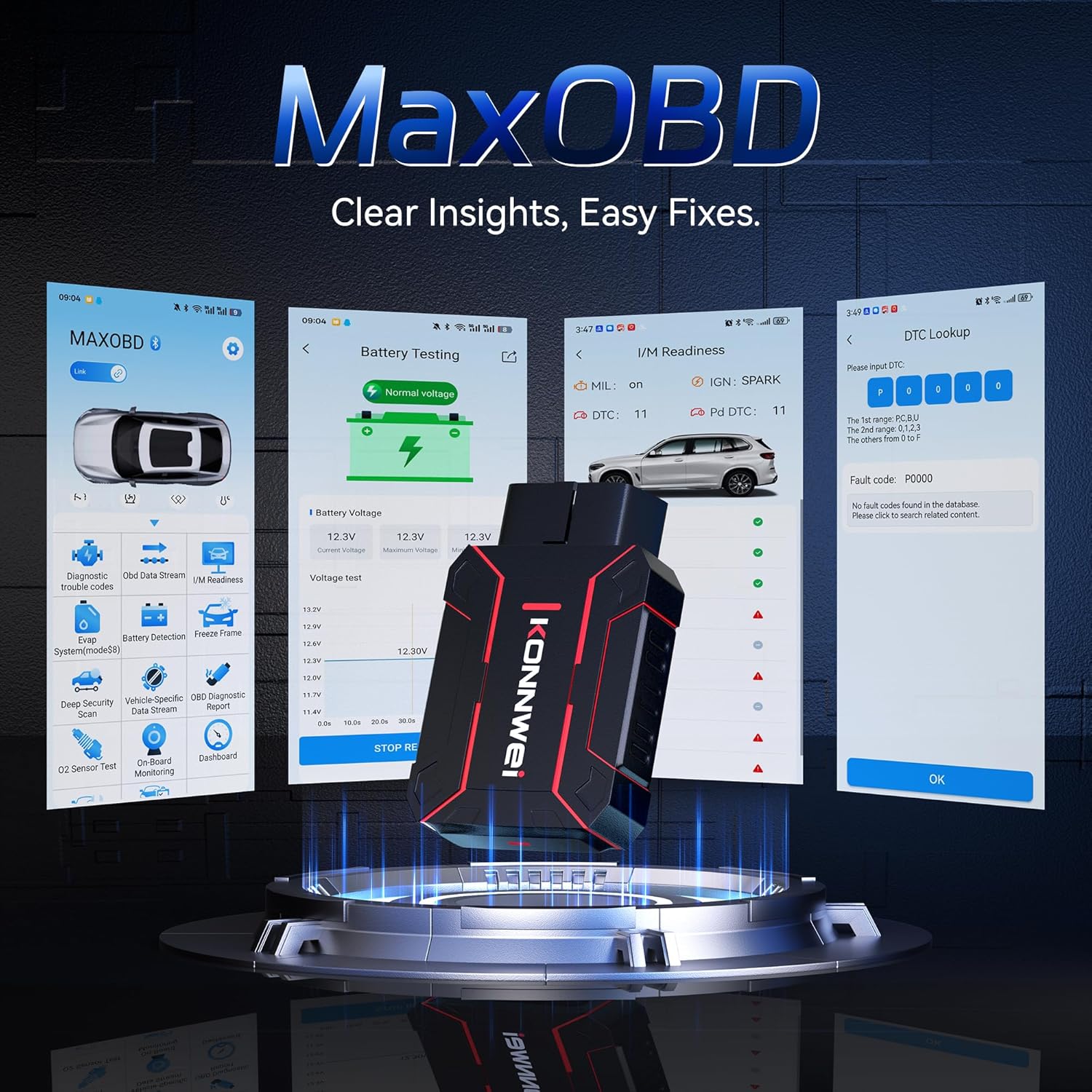
Image: The KONNWEI MAXOBD OBD2 Scanner device, illustrating its physical form and various diagnostic screen interfaces such as battery testing, I/M readiness, and DTC lookup.
Componente cheie:
- Conector OBD-II: Se conectează la conectorul de legătură de date (DLC) al vehiculului.
- Display LCD: Afișează rezultatele testelor și opțiunile din meniu.
- Butoane de navigare: Folosit pentru a derula meniurile și a selecta opțiuni.
- Enter/Exit Buttons: Confirm selections or return to previous screens.
4. Configurare
Follow these steps to set up your MAXOBD OBD2 Scanner:
- Localizați portul OBD-II al vehiculului: Conectorul de legătură de date (DLC) cu 16 pini este de obicei amplasat sub bordul mașinii, pe partea șoferului. Consultați manualul de service al mașinii pentru locația exactă dacă nu îl găsiți.
- Conectați scanerul: Plug the MAXOBD scanner's OBD-II connector firmly into the vehicle's DLC. Ensure a secure connection.
- Pornire: Once connected, the scanner will automatically power on. If it does not, turn the vehicle's ignition to the 'ON' position (engine off).
5. Instrucțiuni de utilizare
The MAXOBD scanner offers various diagnostic functions. Use the navigation buttons to move through menus and the Enter button to select options.

Image: A visual representation of a vehicle highlighting various systems (Engine, ABS, SAS, SRS, DPF, TPMS) that the MAXOBD scanner can perform a full system scan on.
Funcții din meniul principal:
- Citiți codurile: Retrieves Diagnostic Trouble Codes (DTCs) from the vehicle's ECU. These codes indicate specific issues detected by the vehicle's onboard diagnostic system.
- Ștergeți codurile: Clears all DTCs from the vehicle's ECU and turns off the Malfunction Indicator Lamp (MIL). Ensure the underlying issue is resolved before clearing codes.
- Disponibilitate I / M: Verifică starea sistemelor de monitorizare a emisiilor pentru a determina dacă acestea sunt pregătite pentru un test de emisii.
- Flux de date: Displays real-time operational parameters from the vehicle's sensors and components. This can include engine RPM, vehicle speed, oxygen sensor readings, and more.
- Blocare cadru: Captures a snapshot of sensor data at the moment a DTC was set. This data can help identify the conditions under which a fault occurred.
- Test senzor O2: Retrieves O2 sensor monitoring test results for the most recently completed tests from the vehicle's onboard computer.
- Test monitor de bord: Obține rezultate pentru componentele și sistemele sistemului de propulsie legate de emisii care nu sunt monitorizate continuu.
- Testul sistemului EVAP: Inițiază un test de scurgeri pentru sistemul de control al emisiilor prin evaporare al vehiculului.
- Informații despre vehicul: Afișează numărul de identificare al vehiculului (VIN), ID-ul calibrării (CALID) și numărul de verificare a calibrării (CVN).
Efectuarea unei scanări de diagnosticare:
- Connect the scanner to the vehicle's DLC and turn the ignition to 'ON'.
- From the main menu, select 'Read Codes' and press Enter.
- The scanner will communicate with the vehicle and display any detected DTCs.
- Use the navigation buttons to scroll through the codes and their descriptions.
- To clear codes, return to the main menu, select 'Erase Codes', and confirm.
6. Întreținere
Proper maintenance ensures the longevity and reliable operation of your MAXOBD scanner.
- curatenie: Folosiți un moale, damp o lavetă pentru curățarea exteriorului scanerului. Nu utilizați substanțe de curățare abrazive sau solvenți.
- Depozitare: Store the scanner in a dry, clean environment away from extreme temperatures and direct sunlight. Keep it in its original packaging or a protective case when not in use.
- Actualizări de software: Verificați periodic oficialul KONNWEI website for available software updates to ensure your scanner has the latest vehicle compatibility and features. Follow the instructions provided on the website for updating the device.
7. Depanare
If you encounter issues with your MAXOBD scanner, refer to the following common problems and solutions:
| Problemă | Cauza posibila | Soluţie |
|---|---|---|
| Scanerul nu pornește. | Loose connection; vehicle ignition off; faulty OBD-II port. | Ensure the scanner is securely plugged into the DLC. Turn vehicle ignition to 'ON'. Test on another vehicle if possible. |
| Mesajul „Eroare de legătură” sau „Eroare de comunicare”. | Loose connection; vehicle not OBD-II compliant; ignition off; communication protocol issue. | Verify connection. Ensure vehicle is OBD-II compliant (most vehicles 1996 and newer). Turn ignition to 'ON'. Try a different vehicle if available. |
| Ecranul este gol sau înghețat. | Eroare de software; întrerupere de curent. | Disconnect and reconnect the scanner. If the issue persists, contact customer support. |
If the problem persists after attempting these solutions, please contact KONNWEI customer support for further assistance.
8. Specificații
- Marca: KONNWEI
- Model: maxobdTM
- Sursa de alimentare: Alimentat cu baterie (prin portul OBD-II)
- Sistem de operare: Linux
- Dimensiunea ecranului: 2.8 inchi
- Tip de compatibilitate auto: Universal Fit (for OBD-II compliant vehicles)
- Dimensiuni pachet: 10.04 x 7.28 x 2.76 inci
9. Garanție și asistență
KONNWEI products are designed for reliability and performance. For warranty information, please refer to the documentation included with your purchase or visit the official KONNWEI website. For technical support, troubleshooting assistance, or any other inquiries, please contact KONNWEI customer service through their official channels.
KONNWEI Official Website: Vizitați magazinul KONNWEI pe Amazon


