1. Introducere
The GEEKOM A7 MAX is a compact and powerful mini PC designed for a wide range of tasks, from office productivity and creative work to gaming and 4K video editing. It features an AMD Ryzen 9 7940HS processor, 16GB DDR5 RAM, and a 1TB PCIe Gen4 x4 SSD, along with AMD Radeon 780M Graphics. This manual provides essential information for setting up, operating, maintaining, and troubleshooting your device.
Video: GEEKOM A7 Max Product Overview. This video provides a visual introduction to the GEEKOM A7 Max Mini PC, highlighting its compact design and key features.
2. Ce se află în cutie
- 1 x A7 MAX Mini PC
- 1 x cablu HDMI
- 1 x VESA Mount
- 1 x adaptor de alimentare
- 1 x Ghid de utilizare
3. Produs terminatview
The GEEKOM A7 MAX Mini PC is housed in an all-aluminum chassis, offering a sleek and durable design. It integrates high-performance components within a compact form factor.
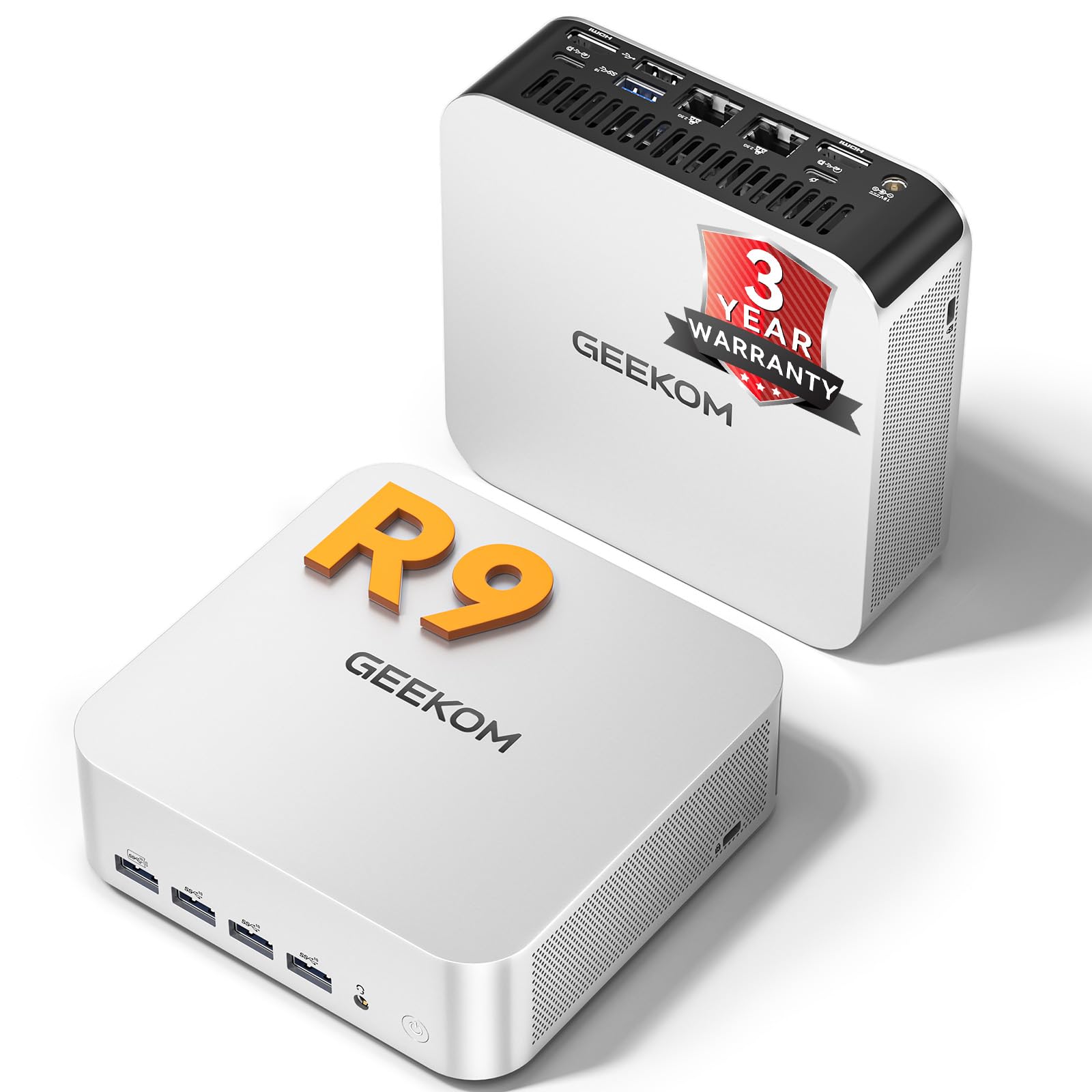
Image: The GEEKOM A7 MAX Mini PC, showcasing its compact size and elegant design.
3.1 Caracteristici cheie
- Procesor: AMD Ryzen 9 7940HS (8-core/16-thread, up to 5.2GHz)
- Grafică: AMD Radeon 780M (integrated, with ray tracing support)
- Memorie: 16GB DDR5 RAM (expandable up to 128GB)
- Depozitare: 1TB M.2 PCIe Gen4 x4 SSD (expandable up to 4TB)
- Sistem de operare: Windows 11 Pro preinstalat
- Conectivitate: Dual 40Gbps USB4 ports, 5x USB 3.2, Dual Type-C, Dual HDMI, Dual 2.5G LAN, Wi-Fi 6E, Bluetooth 5.2, UHS-II SD card slot
- Răcire: Enhanced IceBlast 2.0 Cooling System

Imagine: Un pesteview of the GEEKOM A7 MAX's main features, including processor, graphics, storage, memory, and connectivity options.
3.2 Aspectul porturilor
Familiarize yourself with the available ports on the front and rear of the GEEKOM A7 MAX for proper connectivity.

Image: A diagram illustrating the front and rear port configurations of the GEEKOM A7 MAX Mini PC, detailing USB, HDMI, LAN, and other connections.
- Porturi frontale: 4x USB 3.2 Gen 2 Type-A, 1x SD Card Reader, 1x 3.5mm Audio Jack, 1x Power Button
- Porturi din spate: 1x DC In, 2x 2.5G RJ45 LAN, 2x USB4 (40Gbps, PD input/output), 1x USB 3.2 Gen 2 Type-A, 1x USB 2.0 Type-A, 2x HDMI 2.0, 1x Kensington Lock
4. Ghid de instalare
- Conectați periferice: Connect your keyboard, mouse, and monitor(s) to the appropriate USB and HDMI/USB4 ports.
- Conexiune de alimentare: Connect the power adapter to the DC In port on the rear of the mini PC, then plug the adapter into a power outlet.
- Pornire: Press the power button on the front of the device. The power indicator light will illuminate.
- Configurare inițială: Follow the on-screen instructions to complete the Windows 11 Pro setup. Your device comes pre-installed with Windows 11 Pro.
- Conexiune retea: Connect an Ethernet cable to one of the 2.5G LAN ports or connect to a Wi-Fi network during the Windows setup process.
5. Instrucțiuni de utilizare
5.1 Moduri de performanță
The GEEKOM A7 MAX offers four performance modes to optimize power consumption and performance based on your needs:
- Mod silențios (35W): Ideal for light tasks, browsing, and media consumption, minimizing fan noise.
- Mod echilibrat (45W): Default mode for everyday use, balancing performance and efficiency.
- Mod de performanță (54W): Suitable for more demanding applications and moderate gaming.
- High-Speed Mode (70W): Automatically activates under high load for peak performance in intensive tasks like gaming or video editing.

Image: Visual representation of the four intelligent performance modes (Quiet, Balanced, Performance, High-Speed) available on the GEEKOM A7 MAX.
5.2 Configurarea cu mai multe afișaje
The GEEKOM A7 MAX supports up to four displays simultaneously, allowing for a highly efficient workstation. Connect displays using the 2x HDMI 2.0 ports and 2x USB4 ports.

Image: A setup showing the GEEKOM A7 MAX connected to four monitors, demonstrating its quad-display capability for enhanced productivity and entertainment.
5.3 Stocare și memorie
The device features 16GB of DDR5 memory and a 1TB NVMe SSD, providing a balanced configuration for most users. The memory is expandable up to 128GB, and the SSD can be upgraded to 4TB if needed.
Video: Explanation of optimal RAM and SSD configurations. This video discusses why the 16GB RAM + 1TB SSD setup is often the ideal choice for mini PCs, balancing performance and cost-effectiveness.
6. Întreținere
6.1 Sistem de răcire
The GEEKOM A7 MAX features an Enhanced IceBlast 2.0 Cooling System with dual copper heat pipes and an enlarged silent fan. This system is designed for efficient heat dissipation and quiet operation (under 36dB). A built-in dust-cleaning mechanism helps maintain long-term stability.

Imagine: O explozie view of the GEEKOM A7 MAX's cooling system, highlighting the copper heat pipes, silent fan, and optimized airflow for efficient heat management.
Video: GEEKOM IceBlast Improved Cooling System. This video demonstrates the advanced cooling technology used in GEEKOM mini PCs to maintain optimal temperatures and quiet operation.
6.2 Îngrijire generală
- Păstrați dispozitivul într-o zonă bine ventilată pentru a preveni supraîncălzirea.
- Avoid exposing the mini PC to direct sunlight, high humidity, or extreme temperatures.
- Curățați exteriorul cu o lavetă moale și uscată. Nu utilizați agenți de curățare lichizi sau materiale abrazive.
- Ensure all cables are securely connected to prevent accidental disconnections.
7. Depanare
7.1 Fara putere
- Verificați dacă adaptorul de alimentare este conectat corect atât la mini PC, cât și la priză.
- Verificați dacă priza funcționează conectând un alt dispozitiv.
- Asigurați-vă că butonul de pornire este apăsat ferm.
7.2 Fără afișare
- Confirm that the HDMI or USB4 cable is properly connected to both the mini PC and the monitor.
- Check if the monitor is powered on and set to the correct input source.
- Încearcă un alt cablu sau alt monitor, dacă este posibil.
7.3 Încetinirea sau blocarea sistemului
- Închideți aplicațiile inutile care rulează în fundal.
- Asigurați-vă că dispozitivul are o ventilație adecvată și nu se supraîncălzește.
- Check for available Windows updates and driver updates.
- Rulați o scanare a sistemului pentru malware sau viruși.
7.4 Alte probleme
For persistent issues or problems not listed here, please refer to the Warranty and Support section for assistance.
8. Specificații
| Caracteristică | Detaliu |
|---|---|
| Procesor | AMD Ryzen 9 7940HS (8 nuclee, 16 fire de execuție, până la 5.2 GHz) |
| Grafică | AMD Radeon 780M (integrată) |
| RAM | 16GB DDR5 RAM (Expandable up to 128GB) |
| Depozitare | 1TB M.2 PCIe Gen4 x4 SSD (Expandable up to 4TB) |
| Sistem de operare | Windows 11 Pro |
| Rezoluția maximă a ecranului | 7680 x 4320 pixeli (8K) |
| Porturi USB | 2x USB4 (40Gbps), 5x USB 3.2, 1x USB 2.0 |
| Ieșire video | 2x HDMI 2.0, 2x USB4 (supports up to 4 displays) |
| Rețele | Dual 2.5G RJ45 LAN, Wi-Fi 6E, Bluetooth 5.2 |
| Cititor de carduri | UHS-II SD Card Slot (up to 2TB) |
| Dimensiuni | 7.8 x 7.44 x 4.76 inci |
| Greutate | 3.56 lire sterline |
9. Garanție și asistență
The GEEKOM A7 MAX Mini PC comes with a 3-year warranty, reflecting the manufacturer's confidence in its quality and reliability. This includes 1 year of free replacement and 2 years of free repair.

Image: A graphic detailing GEEKOM's 3-year warranty policy, including free replacement and repair periods, and 24/7 assistance.
9.1 Contactarea asistenței
- Asistență pentru vânzători Amazon: Log into your Amazon buyer's account, find your order, and click 'Get help' to contact the seller for product assistance.
- GEEKOM After-sales Team: De asemenea, puteți trimite un e-mail la shirley.li@geekom.tw pentru sprijin direct.
9.2 Asigurarea calității
The GEEKOM A7 MAX has obtained CE, FCC, CB, and CCC certifications, ensuring quality and safety. The product undergoes rigorous testing, including drop tests, humidity tests, vibration tests, and temperature tests, to ensure durability and reliability.
Video: GEEKOM's Rigorous Quality Validation Process. This video showcases the extensive testing and quality control measures GEEKOM products undergo to ensure durability and performance.


