1. Introducere
The Angry miao AM Infinity Mouse is a high-performance wireless gaming mouse designed for precision and responsiveness. It features a lightweight magnesium-aluminum alloy construction, advanced sensor technology, and versatile connectivity options to enhance your gaming experience.
2. Conținutul pachetului
Verificați dacă toate articolele sunt prezente în colet:
- AM Infinity Mouse
- Magnetic Charging Dock / 8K Wireless Receiver Hub
- USB-C to USB-A Braided Cable
- Hot-Swappable Battery
- Replacement Rubber Feet (5x)
- Anti-slip Sticker (1x)
- Manual de utilizare
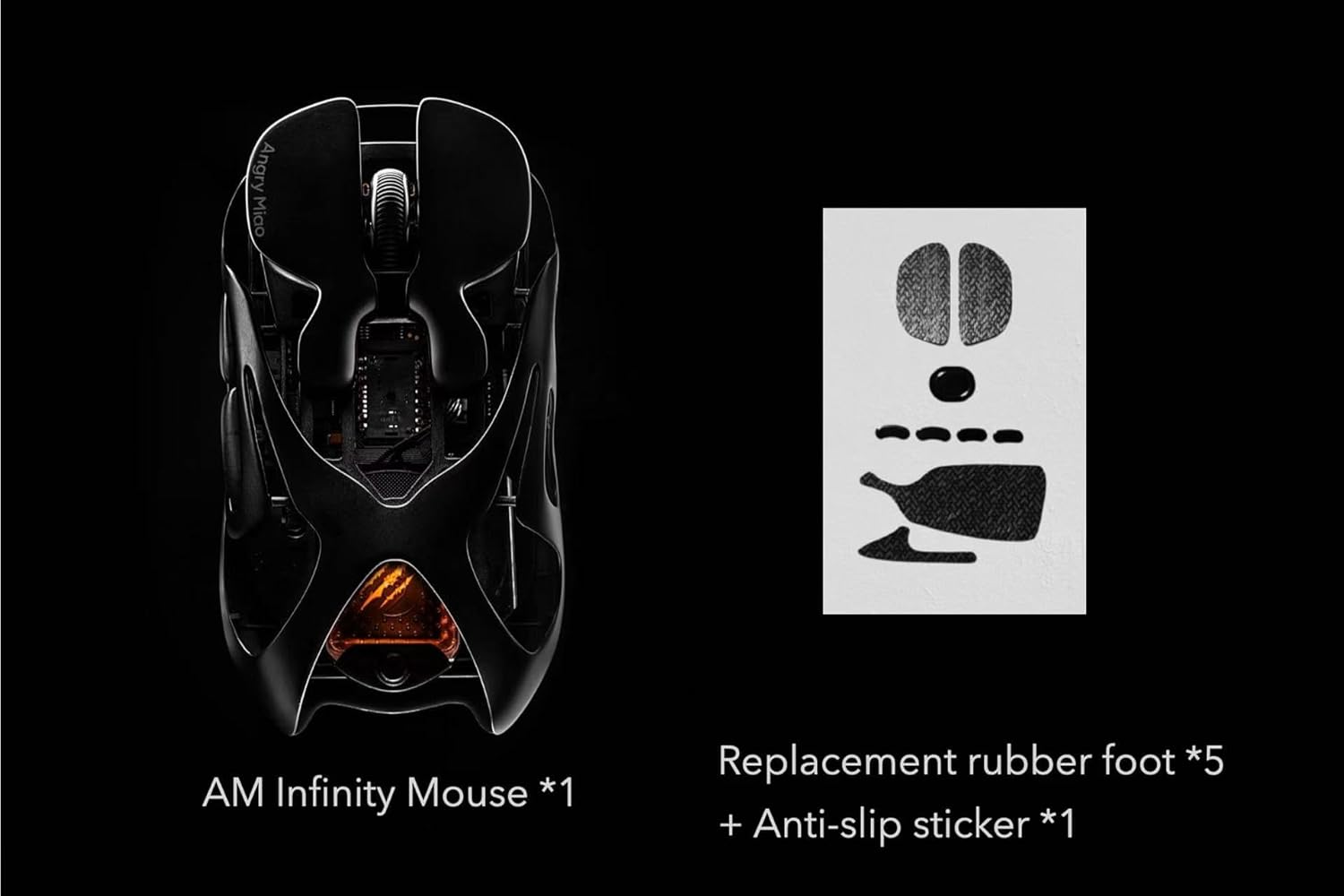
Image: Contents of the AM Infinity Mouse package, including the mouse, charging dock, cable, battery, and additional accessories.
Video: An unboxing demonstration of the AM Infinity White Mouse, showcasing its components and initial setup.
3. Configurare
3.1 Încărcarea mouse-ului
- Connect the USB-C end of the braided cable to the magnetic charging dock.
- Connect the USB-A end of the cable to a powered USB port on your computer or a USB wall adapter.
- Place the AM Infinity Mouse onto the magnetic charging dock. The mouse will magnetically align and begin charging. The RGB lighting on the mouse will indicate charging status.
3.2 Opțiuni de conectivitate
The AM Infinity Mouse supports three connectivity modes:
- Wireless 2.4 GHz: For optimal gaming performance, use the included 8K wireless receiver hub. Plug the receiver into a USB port on your computer. The mouse will automatically connect.
- Bluetooth 5.0: For general use and compatibility with various devices, switch the mouse to Bluetooth mode. Pair it with your device via Bluetooth settings.
- USB-C cu fir: Connect the mouse directly to your computer using the USB-C braided cable for a stable, zero-latency connection and simultaneous charging.
3.3 Hot-Swappable Battery Installation
The AM Infinity Mouse features a hot-swappable magnetic battery system for quick replacement.
- To remove the battery, gently pull the magnetic battery module from the bottom of the mouse.
- Insert a charged battery module into the compartment. The magnetic connection will secure it in place.

Imagine: Un prim-plan view of the white AM Infinity mouse's underside, showing the magnetic hot-swappable battery compartment.
Video: A demonstration of the hot-swappable magnetic battery and the 8K receiver hub of the AM Infinity Mouse.
4. Instrucțiuni de utilizare
4.1 Funcțiile butoanelor
The AM Infinity Mouse features 7 programmable buttons:
- Click stânga: Acțiune primară.
- Click dreapta: Acțiune secundară.
- Clic cu rotița de derulare: Acțiune buton central.
- Scroll Wheel Up/Down: Derulare.
- Buton înainte: Implicit pentru navigarea înainte în browsere/aplicații.
- Buton înapoi: Implicit pentru navigarea înapoi în browsere/aplicații.
- Buton Ciclu DPI: Located on the top, cycles through preset DPI levels.

Image: A hand comfortably gripping the white AM Infinity Mouse, illustrating its ergonomic design and button placement.
4.2 Ajustarea DPI și a ratei de interogare
The mouse's DPI (Dots Per Inch) can be adjusted up to 30,000, and the polling rate up to 8,000Hz for precise control. Use the dedicated DPI cycle button or the advanced driver software to customize these settings.
4.3 Software de personalizare
Download and install the Angry miao advanced driver software from the official website to unlock full customization options. The software allows you to:
- Configure all 7 programmable buttons.
- Adjust DPI levels and create custom profiles.
- Modify polling rate and debounce time.
- Personalize RGB lighting effects.
- Creați și gestionați macrocomenzi.
Video: A demonstration of the AM Infinity Mouse's customization software, showing options for DPI, polling rate, debounce time, and RGB lighting.
5. Întreținere
5.1 Curățare
Pentru a menține performanța și aspectul optime:
- Folosiți o lavetă moale și uscată pentru a șterge suprafața mouse-ului.
- For hard-to-reach areas, use compressed air or a cotton swab.
- Evitați utilizarea substanțelor chimice dure sau a materialelor abrazive.
5.2 Îngrijirea bateriei
Ensure proper battery care for longevity:
- Charge the battery regularly, especially if the mouse will be stored for an extended period.
- Use only the provided charging dock and cable.
- Store spare batteries in a cool, dry place.
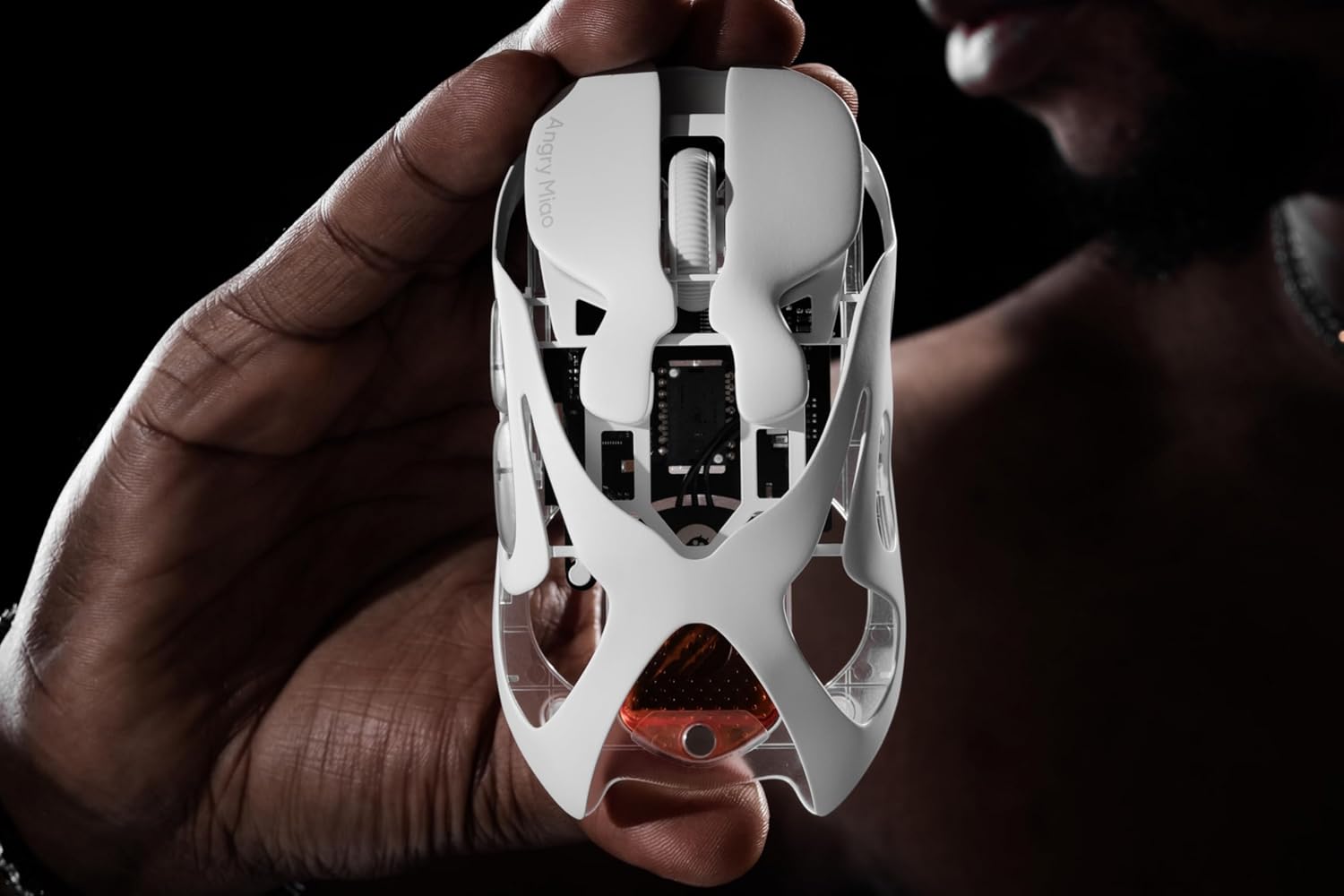
Image: The underside of the white AM Infinity Mouse, showing the sensor and the transparent base, which can be cleaned with a soft cloth.
6. Depanare
6.1 Probleme de conectivitate
- No connection (2.4GHz): Ensure the 8K receiver is securely plugged into a USB port and the mouse is switched to 2.4GHz mode. Try a different USB port.
- Fără conexiune (Bluetooth): Ensure the mouse is in Bluetooth pairing mode and visible to your device. Remove previous pairings and re-pair if necessary.
- Conexiune intermitentă: Check for interference from other wireless devices. Ensure the mouse is within range of the receiver/device.
6.2 Probleme de performanță
- Lag/Stuttering: Ensure the mouse is fully charged. Update mouse drivers and firmware. Close unnecessary background applications.
- Urmărire inexactă: Clean the mouse sensor. Ensure you are using a suitable mouse pad. Adjust DPI settings in the software.
7. Specificații
- Greutate: 49 grams (wireless mode), 39 grams (wired mode)
- Material: Aliaj de magneziu-aluminiu
- Senzor: Senzor optic PAW3950
- DPI: Până la 30,000
- Rata de sondare: Până la 8,000 Hz
- Comutatoare: TTC Optical Micro Switches (rated for 100 million clicks)
- Conectivitate: Tri-mode (2.4GHz wireless, Bluetooth 5.0, USB-C wired)
- Butoane: 7 butoane programabile
- Baterie: Hot-swappable magnetic battery system
- Iluminat: Iluminare RGB personalizabilă
8. Garanție și asistență
The Angry miao AM Infinity Mouse comes with a standard manufacturer's warranty. For detailed warranty information, product support, or service inquiries, please refer to the official Angry miao website-ul lor web sau contactați direct serviciul lor de asistență pentru clienți. Păstrați dovada achiziției pentru solicitările de garanție.


