1. Introducere
This manual provides detailed instructions for the safe and efficient operation of your Bigme B6 Color Ebook Reader. Please read this manual thoroughly before using the device and retain it for future reference.
Conținutul pachetului
- Cititor de cărți electronice Bigme B6
- Carcasă de protecție
- Manual de utilizare (acest document)
- Cablu de încărcare

Image 1.1: Bigme B6 Color Ebook Reader and included protective case.
2. Produs terminatview
Familiarize yourself with the components and features of your Bigme B6 device.
Caracteristici cheie
- Afişa: 6-inch Color E-paper display, 300 PPI resolution.
- Procesor: Octa-core CPU for responsive performance.
- Memorie și stocare: 4GB RAM and 64GB internal storage, expandable via Micro-SD card (up to 1TB).
- Sistem de operare: Android 14, providing access to various applications.
- Conectivitate: Bluetooth and Wi-Fi for wireless communication.
- Audio: Integrated Hi-Fi Speakers.
- Proiecta: Ultra-subțire profile at 6.98mm.
- Confortul ochilor: Features Zero Blue Light and Flicker-Free technology, TUV Rheinland certified for reduced eye strain.

Imaginea 2.1: Pesteview of the Bigme B6 Ebook Reader's main features.
3. Configurare
3.1 Încărcare inițială
Before first use, fully charge your Bigme B6. Connect the device to a power source using the provided charging cable. The charging indicator will show the charging status.
3.2 Pornire/Oprire
- To power on: Press and hold the power button until the screen illuminates.
- To power off: Press and hold the power button, then select "Power Off" from the options.
- To sleep/wake: Briefly press the power button.
3.3 Conexiune la rețea (Wi-Fi)
- Din ecranul principal, navigați la Setări.
- Selecta Rețea și Internet.
- Comutați Wifi la ON.
- Selectați rețeaua Wi-Fi dorită din listă.
- Introduceți parola dacă vi se solicită și atingeți Conectați-vă.
3.4 Configurația inițială a sistemului
Upon first power-on or after a factory reset, follow the on-screen prompts to select your language, connect to Wi-Fi, and set up your Google account (optional, for app store access).
4. Instrucțiuni de utilizare
4.1 Navigare de bază
- Touch screen: Tap to select items, swipe to scroll, pinch to zoom.
- Ecranul principal: Displays installed applications and widgets.
- Panoul de notificare: Glisează în jos din partea de sus a ecranului pentru a accesa setările rapide și notificările.
- Centru de control: Access system settings like Wi-Fi, Bluetooth, brightness, and refresh modes.
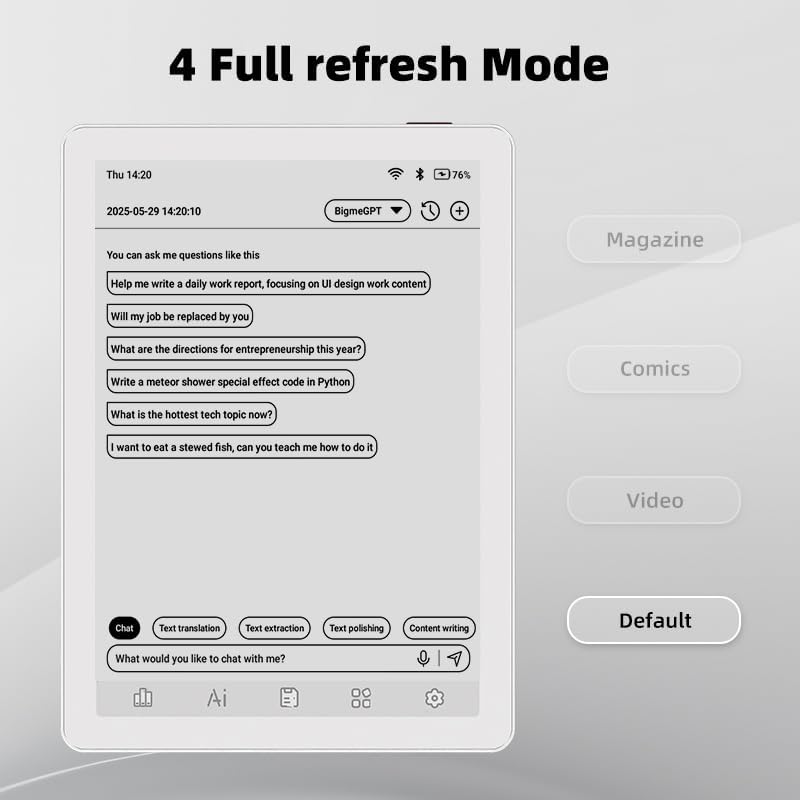
Image 4.1: The Bigme B6 home screen displaying various application icons.

Image 4.2: Accessing the Control Center for quick adjustments to device settings.
4.2 Reading eBooks
The Bigme B6 supports over 19 eBook formats, including PDF, TXT, EPUB, MOBI, and more. You can load books via USB or download them directly through reading applications.
- Open a reading application (e.g., the default reader or a downloaded app like Kindle or Libby).
- Select the book you wish to read from your library.
- Tap the left or right side of the screen to turn pages.
- Tap the center of the screen to access reading options (font size, line spacing, contrast, etc.).
- To highlight text: Press and hold on a word, then drag the selection handles to cover the desired text. Options for highlighting or notes will appear.

Image 4.3: Reading an eBook and highlighting text with color on the Bigme B6.
4.3 Gestionarea aplicațiilor
As an Android 14 device, you can install applications from the Google Play Store or other compatible sources.
- Instalarea aplicațiilor: Deschideți App Store icon (Google Play Store) on your home screen, search for the desired app, and follow the installation prompts.
- Dezinstalarea aplicațiilor: Du-te la Setări > Aplicații, selectați aplicația și atingeți Dezinstalează.
4.4 Audiobooks and Media Playback
The device supports audiobook playback through its built-in Hi-Fi speakers or connected Bluetooth headphones.
- Playing Audiobooks: Use a compatible audiobook application.
- Connecting Bluetooth Headphones: Du-te la Setări > Dispozitive conectate > Bluetooth, enable Bluetooth, and pair with your headphones.

Image 4.4: The Bigme B6 supports audiobooks, allowing for hands-free listening.
4.5 Display Refresh Modes
The Bigme B6 offers multiple refresh modes to optimize display performance for different content types.
- Access refresh modes from the Control Center or Display Settings.
- Common modes include:
- Implicit: Standard reading mode.
- Revistă: Optimized for images and text in magazines.
- Comics: Enhanced for comic book viewing.
- Video: Provides a smoother refresh rate for video content (note: e-paper displays have limitations for video).

Image 4.5: Selecting from various refresh modes to suit different content types.
5. Întreținere
5.1 Curăţarea dispozitivului
- Folosiți o lavetă moale, fără scame, pentru a șterge ușor ecranul și carcasa dispozitivului.
- Pentru pete persistente, ușor dampClătiți laveta cu apă sau cu un produs de curățare a ecranelor special conceput pentru electronice.
- Evitați utilizarea substanțelor chimice dure, a materialelor abrazive sau a umidității excesive.
5.2 Îngrijirea bateriei
- Încărcați dispozitivul în mod regulat, dar evitați să îl lăsați complet descărcat pentru perioade lungi de timp.
- Do not expose the device to extreme temperatures, as this can affect battery life.
- Use only the provided or a certified charging cable and adapter.
5.3 Depozitare
When not in use for extended periods, store the device in a cool, dry place, away from direct sunlight and extreme temperatures. It is recommended to charge the device to about 50% before long-term storage.
6. Depanare
| Problemă | Cauza posibila | Soluţie |
|---|---|---|
| Dispozitivul nu pornește. | Baterie descărcată; dispozitiv blocat. | Încărcați dispozitivul timp de cel puțin 30 de minute. Efectuați o repornire forțată ținând apăsat butonul de pornire timp de 10-15 secunde. |
| Screen is unresponsive or slow. | Temporary software glitch; too many apps running. | Restart the device. Close unnecessary background applications. Check for system updates. |
| Nu se poate conecta la Wi-Fi. | Parolă incorectă; problemă cu routerul; Wi-Fi dezactivat. | Ensure Wi-Fi is enabled and the password is correct. Restart your Wi-Fi router. Try connecting to a different network. |
| Bateria se descarcă rapid. | High screen brightness; many background apps; frequent Wi-Fi/Bluetooth use. | Reduce screen brightness. Close unused applications. Disable Wi-Fi and Bluetooth when not needed. Adjust refresh mode settings. |
| Applications crash or freeze. | App incompatibility; insufficient memory. | Update the application. Clear the app's cache (Settings > Apps > [App Name] > Storage & cache). If issues persist, uninstall and reinstall the app. |
7. Specificații
| Numele modelului | US-B6 |
| Afişa | 6-inch Color E-paper, Electronic Ink, 300 PPI |
| Sistem de operare | Android 14 |
| RAM | 4 GB |
| Stocare internă | 64 GB |
| Stocare extensibilă | Micro-SD card (up to 1TB support) |
| Conectivitate | Bluetooth, WiFi |
| Baterie | 1 baterie non-standard (inclusă) |
| Dimensiuni (L x l x G) | 5.88" x 4.25" x 0.28" (14.94 cm x 10.8 cm x 0.71 cm) |
| Greutatea articolului | 6.2 uncii (175.77 grame) |
| Formate de cărți electronice acceptate | PDF, TXT, EPUB, EPUB3, HTML, HTM, AZW3, FB2, DOC, DOCX, MOBI, OEB, CBR, RPC, RTF, DJVU, ZIP |
8. Garanție și asistență
8.1 Informații despre garanție
Please refer to the warranty card included with your product for specific warranty terms and conditions. The warranty typically covers manufacturing defects for a specified period from the date of purchase.
8.2 Asistență pentru clienți
For technical assistance, troubleshooting not covered in this manual, or warranty claims, please contact Bigme customer support. Contact details can usually be found on the Bigme official website-ul sau pe ambalajul produsului.
De asemenea, puteți vizita Bigme Store on Amazon pentru informații suplimentare despre produs și resurse de asistență.


