1. Introducere
This manual provides comprehensive instructions for the setup, operation, maintenance, and troubleshooting of your GMKtec Mini PC G3S. Please read this manual thoroughly before using the device to ensure optimal performance and longevity.

Figure 1: GMKtec Mini PC G3S, showcasindatorită designului său compact și a numeroaselor porturi.
2. Conținutul pachetului
Verificați dacă toate articolele enumerate mai jos sunt prezente în ambalajul produsului:
- GMKtec Nucbox G3 S Mini PC (16GB RAM, 512GB SSD)
- Suport VESA cu șuruburi
- Cablu HDMI
- Adaptor de alimentare
- Manual de utilizare
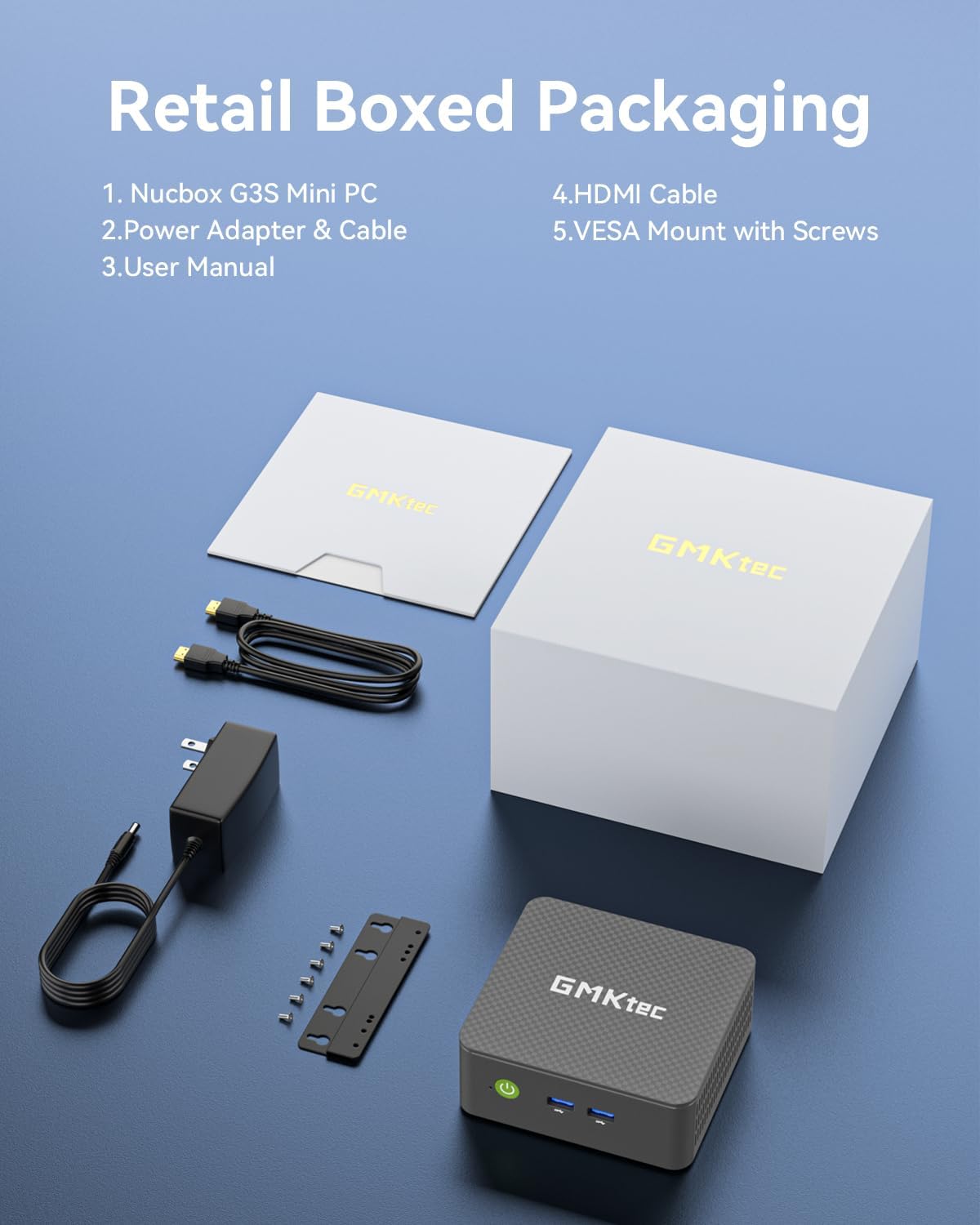
Figure 2: All components included in the GMKtec Mini PC G3S retail packaging.
3. Caracteristici fizice și porturi
The GMKtec Mini PC G3S is designed with a variety of ports for versatile connectivity:
- Panoul frontal: Power Button, 2x USB 3.2 (Gen 2) ports.
- Panou lateral: Kensington Lock slot, Micro SD Card Reader.
- Panoul din spate: 2x HDMI 2.0 ports (4K@60Hz support), 1x USB 2.0 port, 1x USB 3.2 (Gen 2) port, 1x Gigabit Ethernet (RJ45 1000MbE) port, 1x 3.5mm Audio Jack, DC 12V 3A Power Input.

Figura 3: Detaliat view of the front and rear ports on the GMKtec Mini PC G3S.
4. Ghid de instalare
Urmați acești pași pentru configurarea inițială a Mini PC-ului:
- Conectați periferice: Connect your monitor(s) to the HDMI ports using the provided HDMI cable. Connect a USB keyboard and mouse to the available USB ports.
- Conexiune de alimentare: Connect the power adapter to the DC 12V 3A input port on the rear of the Mini PC, then plug the adapter into a power outlet.
- Pornire: Apăsați butonul de alimentare situat pe panoul frontal al Mini PC-ului. Indicatorul luminos de alimentare se va aprinde.
- Pornire inițială: The system will boot into Windows 11 Pro. Follow the on-screen instructions to complete the initial Windows setup, including language, region, network connection, and user account creation.
- Instalare suport VESA (opțional): If desired, attach the VESA mount to the back of a compatible monitor using the provided screws, then secure the Mini PC to the VESA mount. This allows for a clutter-free desktop setup.

Figure 4: The GMKtec Mini PC G3S demonstrating VESA mount compatibility and compact desk placement.
5. Funcționare
5.1. Suport pentru afișaje duale 4K
The Mini PC G3S supports dual 4K@60Hz displays via its two HDMI 2.0 outputs. This allows for extended desktop environments, enhancing productivity for multitasking.
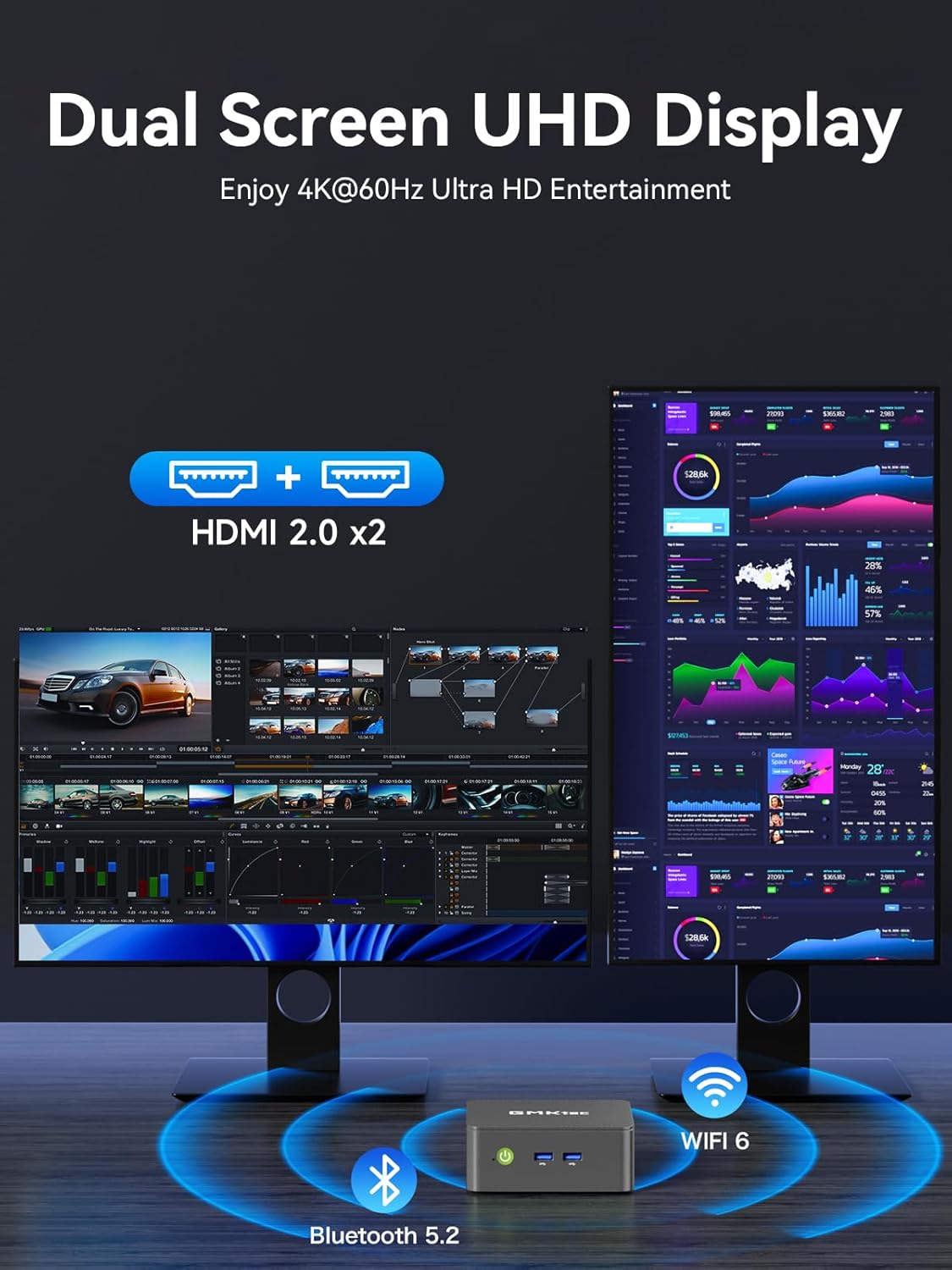
Figure 5: The Mini PC G3S powering a dual 4K display setup for enhanced workspace.
5.2. Conectivitate la rețea și wireless
Dispozitivul oferă opțiuni robuste de conectivitate:
- Cu fir: Gigabit Ethernet (RJ45 1000MbE) for stable and high-speed internet access.
- Fără fir: Integrated WiFi 5 (802.11ac) for wireless internet and Bluetooth 5.0 for connecting wireless peripherals.
5.3. Moduri de performanță
The Mini PC G3S features adjustable performance modes to suit different usage scenarios. These modes can be accessed and configured via the BIOS settings:
- Mod silențios: Optimized for minimal fan noise, suitable for light tasks and quiet environments.
- Normal Mode (Default): Balanced performance for everyday computing.
- Modul de performanță: Maximizes CPU and GPU performance for demanding applications.
To adjust modes, press the Esc key during boot-up to enter the BIOS page, then navigate to BIOS Setup to select your preferred mode.
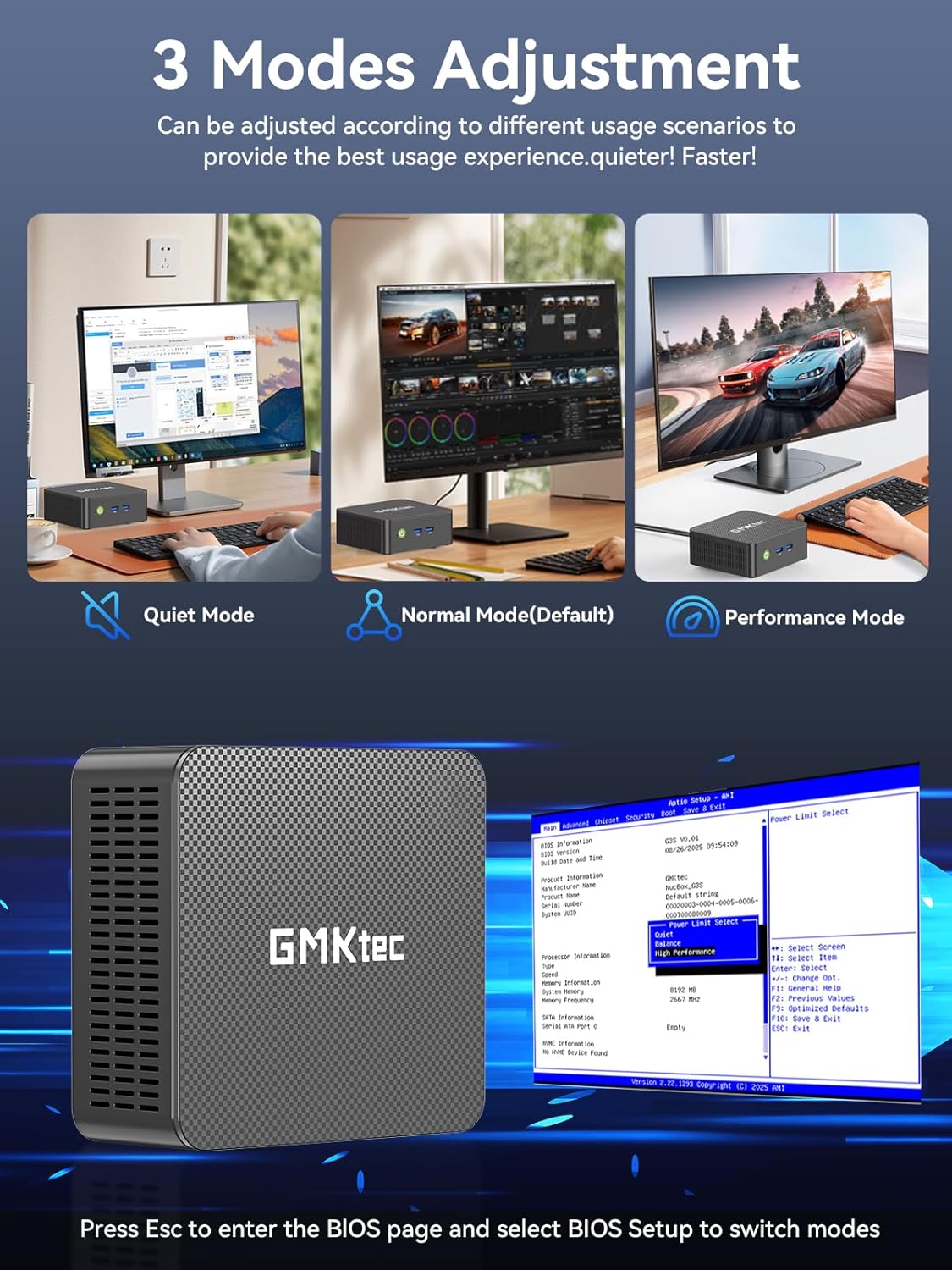
Figure 6: Illustration of the three performance modes and the BIOS entry screen.
6. Extindere stocare
The GMKtec Mini PC G3S comes with a 512GB M.2 2242 SSD and 16GB DDR4 RAM. For additional storage, the device supports expansion:
- M.2 2280 PCIe: Expandable up to 8TB.
- M.2 2242 SATA: Expandable up to 2TB.
Consult a qualified technician for storage upgrades to ensure proper installation and avoid damage to the device.

Figura 7: Intern view illustrating the RAM and dual SSD slots for storage expansion.
7. Specificatii tehnice
| Caracteristică | Caietul de sarcini |
|---|---|
| Procesor | 12th Gen Intel N95 (up to 3.4GHz, 4 Cores/4 Threads, 6MB Cache) |
| Grafică | Grafică Intel UHD (până la 1200 MHz) |
| RAM | 16GB DDR4 SO-DIMM |
| Depozitare | 512GB M.2 2242 SATA SSD |
| Extindere stocare | 1x M.2 2280 PCIe Gen3*2 (Max 8TB), 1x M.2 2242 SATA (Max 2TB) |
| Ieșire video | 2x HDMI 2.0 (4K la 60Hz) |
| Porturi USB | 3x USB 3.2 (Gen 2), 1x USB 2.0 |
| Reţea | Gigabit Ethernet (RJ45 1000MbE), WiFi 5 (802.11ac), Bluetooth 5.0 |
| Sistem de operare | Windows 11 Pro |
| Dimensiuni | Aproximativ 6.46 x 6.3 x 4.21 inci |
| Greutate | Aproximativ 2.07 lire sterline |
8. Întreținere
To ensure the longevity and optimal performance of your GMKtec Mini PC G3S, follow these maintenance guidelines:
- curatenie: Regularly clean the exterior of the Mini PC with a soft, dry cloth. Use compressed air to clear dust from ventilation grilles to prevent overheating. Ensure the device is powered off and unplugged before cleaning.
- Actualizări de software: Keep your operating system and drivers updated to the latest versions. This improves security, stability, and performance.
- Ventilare: Ensure the Mini PC is placed in a well-ventilated area and that its vents are not obstructed. Proper airflow is crucial for heat dissipation.
- Alimentare electrică: Folosiți doar adaptorul de alimentare original furnizat împreună cu dispozitivul.
9. Depanare
Dacă întâmpinați probleme cu Mini PC-ul, consultați următoarele soluții comune:
- Fără afișare:
- Ensure the monitor is powered on and correctly connected to the Mini PC via HDMI.
- Verificați dacă este selectată sursa de intrare corectă pe monitor.
- Încercați un alt cablu HDMI sau un alt monitor, dacă este disponibil.
- Fără putere:
- Check that the power adapter is securely connected to both the Mini PC and a working power outlet.
- Asigurați-vă că butonul de pornire este apăsat ferm.
- Probleme de conectivitate la rețea:
- For wired connections, ensure the Ethernet cable is properly connected and the router is functioning.
- For Wi-Fi, check that Wi-Fi is enabled in Windows settings and you are connected to the correct network with the correct password.
- Reporniți routerul/modemul și mini PC-ul.
- Performanță lentă:
- Închideți aplicațiile inutile care rulează în fundal.
- Ensure the system is updated and free of malware.
- Consider switching to 'Performance Mode' in BIOS settings if sustained high performance is required.
If problems persist, please contact GMKtec customer support.
10. Garanție și asistență
GMKtec oferă o Garanție limitată de 1 an for each Mini PC, effective from the date of purchase. This warranty covers defects due to design and workmanship. For any issues or inquiries, please utilize the following support channels:
- Serviciul Clienți Amazon: Conectați-vă la contul dvs. Amazon, navigați la „Comenzile dvs.” și selectați „Puneți întrebări despre produs” pentru asistență.
- GMKtec After-Sales Team: Contact support directly via email at support@gmktec.com.
- 24/7 Client Support: GMKtec provides continuous client support for your convenience.

Figura 8: Pesteview of available customer support options for GMKtec products.
Videoclip oficial al produsului
Video 1: Un produs oficial încheiatview of the GMKtec Mini PC G3S, highlighting its features and capabilities.