1. Introducere
This manual provides detailed instructions for the operation and maintenance of your ZAQE Clip MP3 Player X20. Please read this manual thoroughly before using the device to ensure proper function and to maximize your user experience. Keep this manual for future reference.
2. Ce se află în cutie
Upon opening your ZAQE Clip MP3 Player X20 package, please verify that all the following items are included:
- ZAQE Clip MP3 Player X20
- Cablu de încărcare USB
- Căști cu fir
- Manual de utilizare (acest document)
Dacă lipsesc sau sunt deteriorate articole, vă rugăm să contactați serviciul de asistență pentru clienți.

Image: Contents of the ZAQE Clip MP3 Player X20 package, including the player, charging cable, earphones, and user manual.
3. Produs terminatview
3.1 Aspectul dispozitivului
The ZAQE Clip MP3 Player X20 features a compact design with intuitive controls and a secure clip for portability.
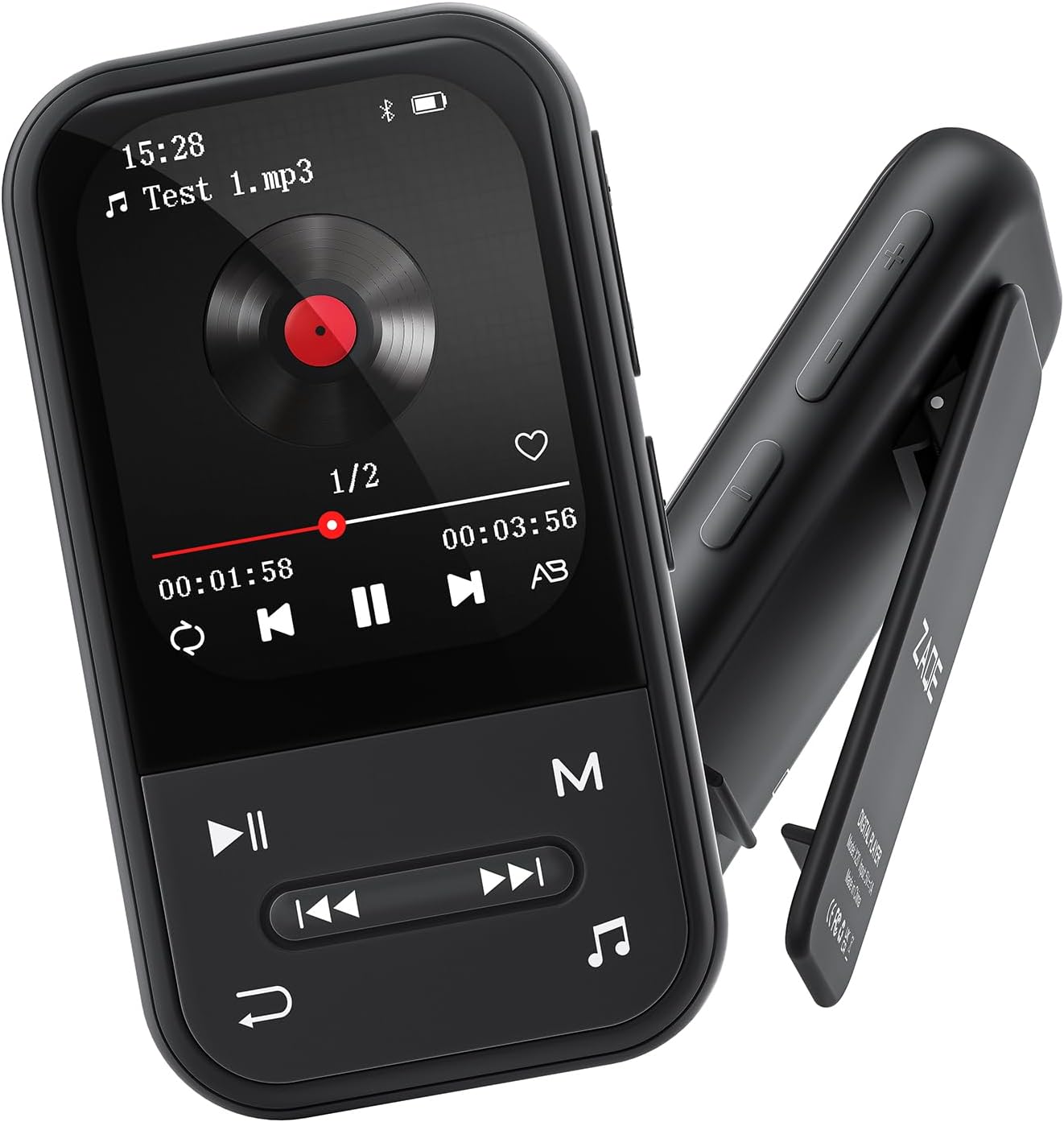
Imagine: Față și laterală view of the ZAQE Clip MP3 Player X20, highlighting its compact design and rear clip.
3.2 Interfață de afișare
The device features a 2.0-inch TFT color display with a user-friendly interface for easy navigation through its various functions.
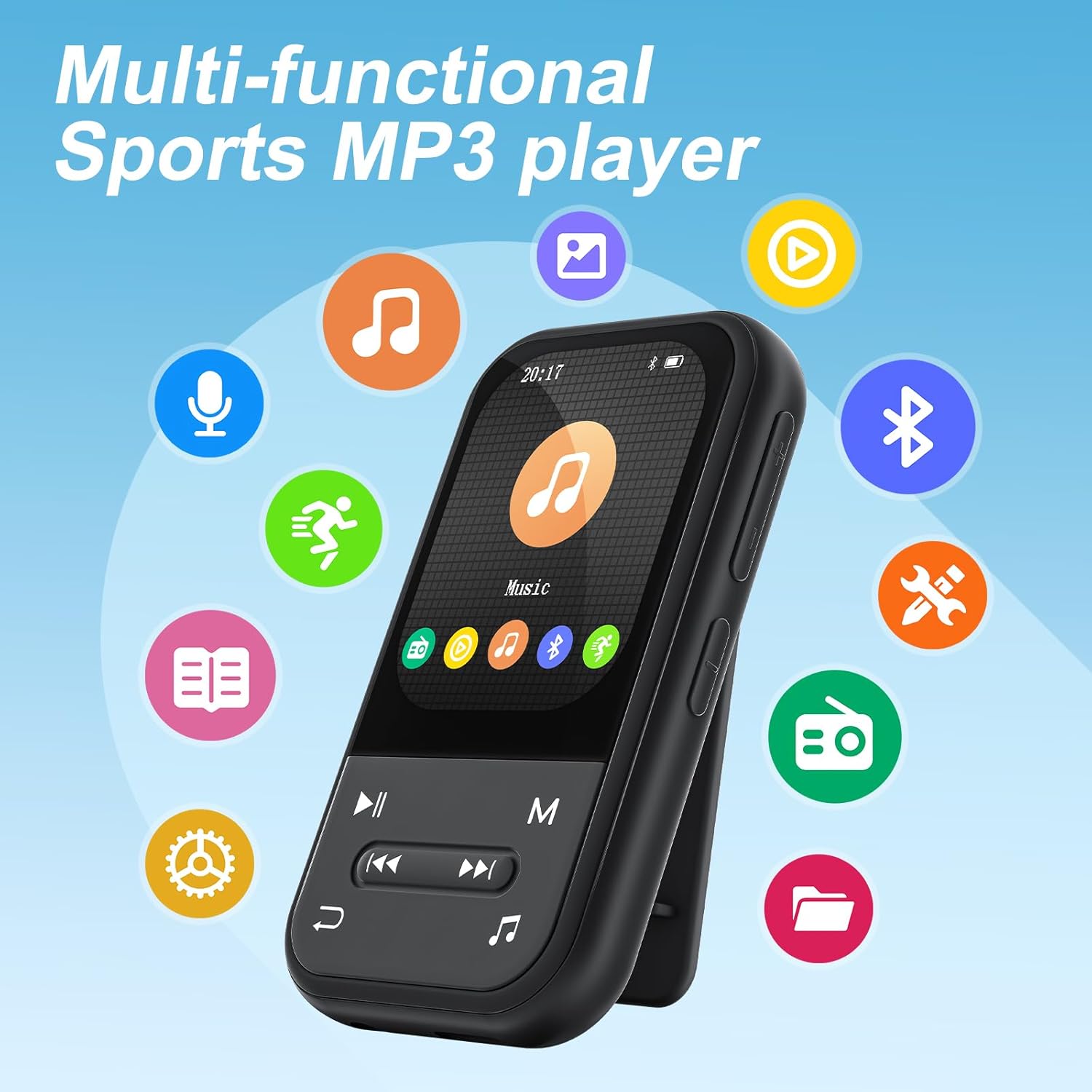
Image: The ZAQE Clip MP3 Player X20 displaying its main interface, surrounded by icons representing its various functions such as music, video, Bluetooth, FM radio, and pedometer.
4. Noțiuni introductive
4.1 Încărcarea dispozitivului
Before first use, fully charge the MP3 player. Connect the provided USB charging cable to the device's charging port and to a USB power adapter (not included) or a computer's USB port. The battery indicator on the screen will show charging status.
4.2 Pornire/Oprire
- Pentru a porni: Apăsați și mențineți apăsat butonul de pornire/oprire până când ecranul se aprinde.
- Pentru a opri: Apăsați și țineți apăsat butonul de Pornire/Oprire până când apare mesajul de oprire, apoi confirmați.
4.3 File Transfer
Pentru a transfera muzică, videoclipuri sau alte filecătre playerul MP3:
- Conectați playerul MP3 la computer folosind cablul USB.
- The device will appear as a removable disk on your computer.
- Trageți și plasați conținutul dorit files into the appropriate folders on the MP3 player (e.g., 'Music' for audio files).
- Scoateți dispozitivul în siguranță din computer înainte de a deconecta cablul USB.

Image: The ZAQE Clip MP3 Player X20 supports 128GB internal storage and expandable memory.
4.4 Introducerea unui card MicroSD
The ZAQE Clip MP3 Player X20 supports expandable storage up to 128GB via a MicroSD card (not included). Locate the MicroSD card slot on the device and gently insert the card until it clicks into place. Ensure the card is inserted in the correct orientation.
5. Instrucțiuni de utilizare
5.1 Navigare de bază
Use the physical buttons on the device to navigate through menus and select options. The central button typically acts as 'Enter' or 'Confirm', while directional buttons allow movement. The 'Back' button returns to the previous screen.
5.2 Redarea muzicii
From the main menu, select the 'Music' icon to access your audio library. You can browse by artist, album, genre, or all songs. During playback, controls for play/pause, skip track, and volume adjustment are available.
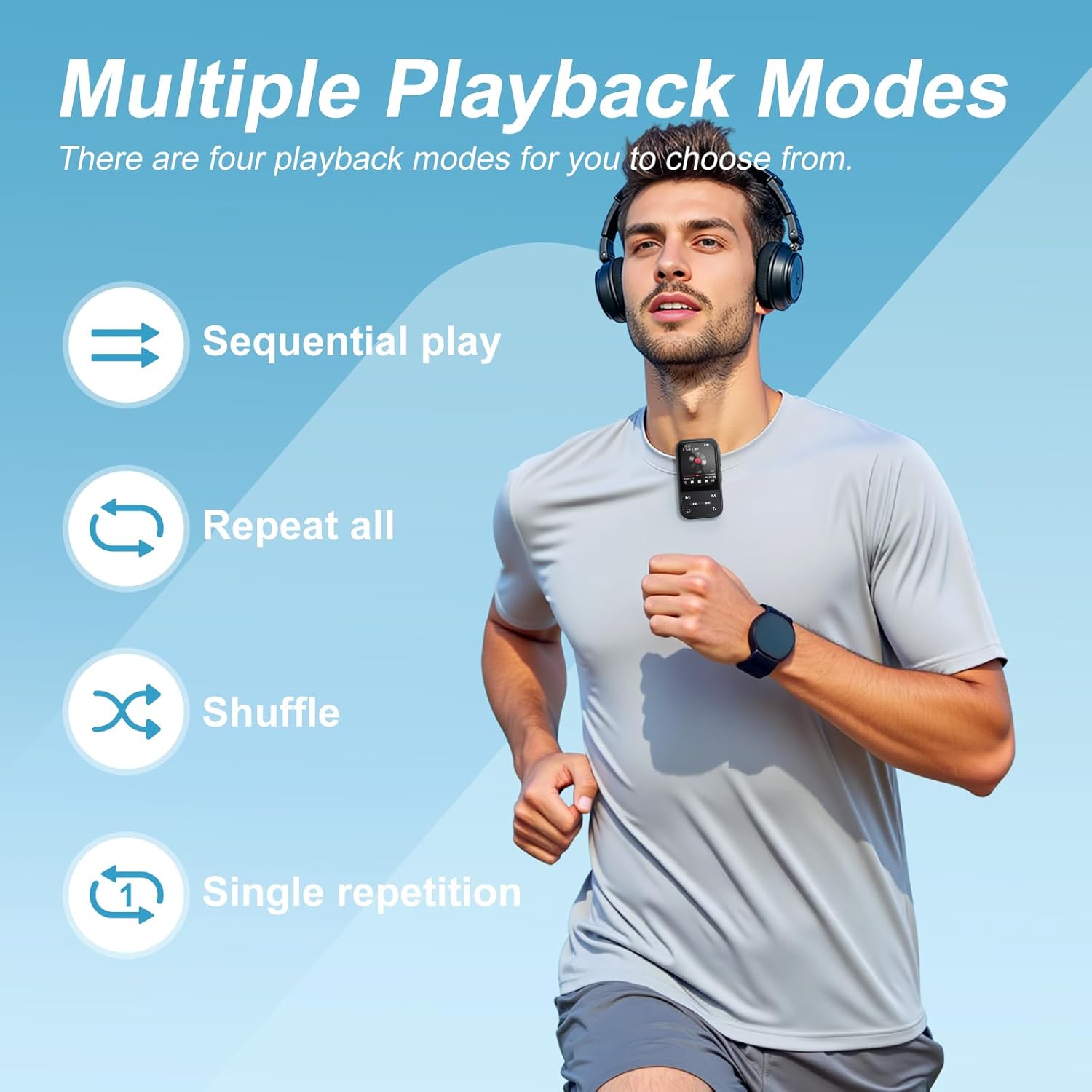
Image: The ZAQE Clip MP3 Player X20 offers multiple playback modes for music.

Image: Quick access to the music interface on the ZAQE Clip MP3 Player X20.
5.3 Conectivitate Bluetooth
The device features Bluetooth 5.3 for wireless audio streaming.
- Navigate to the 'Bluetooth' menu from the main screen.
- Turn on Bluetooth and select 'Caută dispozitive'.
- Asigurați-vă că boxele sau căștile Bluetooth sunt în modul de asociere.
- Selectați dispozitivul din listă pentru a-l asocia.
Nota: This device cannot pair with smartphones or tablets.
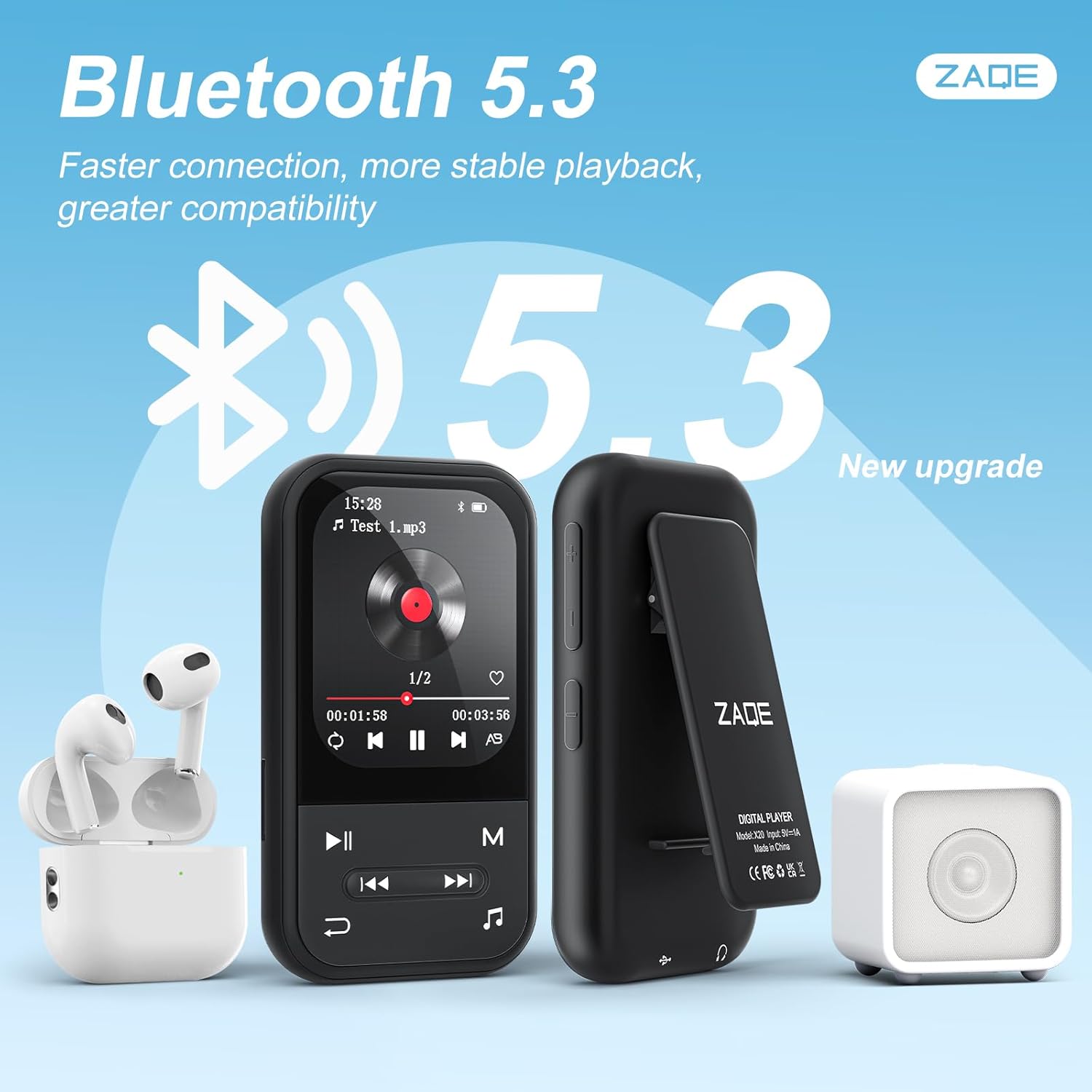
Image: ZAQE Clip MP3 Player X20 connected to Bluetooth headphones and speaker.
5.4 Radio FM
To use the FM Radio function, plug in the wired earphones (included) as they act as the antenna. Navigate to the 'FM Radio' icon, then scan for available stations.
5.5 Înregistrare vocală
Select the 'Voice Recorder' icon to access the recording function. You can start, pause, and save recordings. Recorded files are typically saved in WAV or MP3 format.
5.6 Funcția pedometru
The built-in pedometer tracks your steps. Access this feature via the 'Pedometer' icon. Ensure the device is securely clipped to your clothing for accurate tracking.

Image: The ZAQE Clip MP3 Player X20 is ideal for sports and activities.
5.7 Cititor de cărți electronice
The device supports e-book reading. Transfer compatible text files to the 'E-Book' folder on the player. Select the 'E-Book' icon to browse and read your files.
5.8 Additional Tools
The ZAQE Clip MP3 Player X20 includes several useful tools:
- Ceas cu alarmă: Setați alarme pentru mementouri sau apeluri de trezire.
- Calendaristic: View the current date and manage simple schedules.
- Cronometru: Use for timing activities or workouts.
6. Întreținere
- Păstrați dispozitivul uscat. Umiditatea poate deteriora componentele electronice.
- Curățați ecranul și carcasa cu o lavetă moale și uscată. Evitați substanțele de curățare abrazive.
- Evitați temperaturile extreme.
- Nu scăpați și nu expuneți dispozitivul la impacturi puternice.
- Este important să faceți backup în mod regulat files pentru a preveni pierderea datelor.
7. Depanare
| Problemă | Cauza posibila | Soluţie |
|---|---|---|
| Dispozitivul nu pornește. | Baterie descărcată. | Încărcați dispozitivul timp de cel puțin 30 de minute. |
| Nu se poate transfera files. | Conexiune USB incorectă sau problemă cu driverul. | Asigurați-vă că este conectat corect cablul USB. Încercați un alt port USB sau un alt computer. |
| Dispozitivul Bluetooth nu se conectează. | Dispozitivul nu este în modul de asociere sau este prea departe. | Ensure your Bluetooth device is in pairing mode and within range. Restart both devices. |
| No sound from FM Radio. | Earphones not connected or not functioning as antenna. | Ensure wired earphones are properly plugged in. They serve as the antenna. |
| Cardul MicroSD nu este recunoscut. | Card improperly inserted or incompatible format. | Reinsert the card. Ensure it is formatted to FAT32 or exFAT. |
8. Specificații
| Marca | ZAQE |
| Model | X20 (Clip Player) |
| Capacitate de stocare a memoriei | 128 GB (Internal) + Expandable via Micro SDHC |
| Dimensiunea ecranului | 2.0 inchi |
| Tehnologia de afișare | TFT |
| Versiune Bluetooth | 5.3 |
| Formate audio acceptate | MP3, OGG, APE, FLAC, WAV, AAC, ACELP |
| Durata de viață a bateriei | Up to 40 Hours (audio playback) |
| Greutatea articolului | 1 de grame (0.035 uncii) |
| Dimensiuni pachet | 4.72 x 4.69 x 0.94 inci |
9. Garanție și asistență
ZAQE products are designed for reliability and performance. For warranty information, technical support, or customer service inquiries, please refer to the contact details provided on the product packaging or visit the official ZAQE website-ul.
Vă rugăm să păstrați dovada achiziției pentru cererile de garanție.


