Introducere
This manual provides essential instructions for setting up, operating, maintaining, and troubleshooting your BOSGAME P3 Mix Mini PC. Please read this guide thoroughly before using your device to ensure optimal performance and longevity.
Înființat
1. Despachetarea și conținutul pachetului
Carefully unpack your BOSGAME P3 Mix Mini PC and verify all components are present. The package should contain the following items:
- 1x P3 MIX Mini PC
- 1x cablu HDMI
- 1x VESA Mount & Screws
- 1x adaptor de alimentare
- 1x Manual de utilizare (acest document)
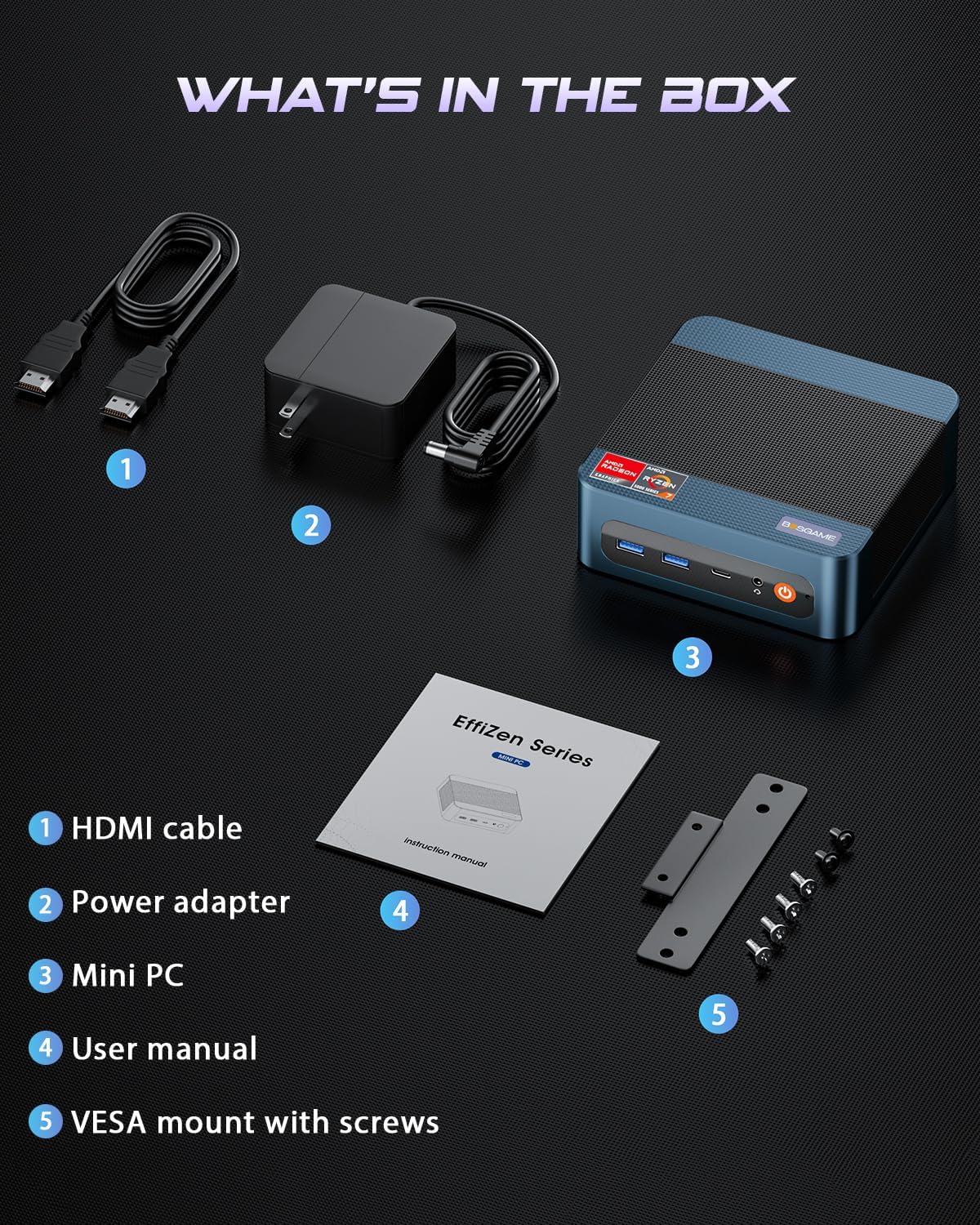
Imagine: All items included in the BOSGAME P3 Mix Mini PC package.
2. Conectarea perifericelor
Înainte de pornire, conectați perifericele esențiale:
- Monitor: Connect your monitor(s) using the HDMI, DisplayPort (DP), or USB4.0 ports. The Mini PC supports up to three displays simultaneously.
- Tastatură și mouse: Conectați tastatura și mouse-ul USB la porturile USB disponibile.
- Reţea: For wired internet, connect an Ethernet cable to one of the Dual 2.5G LAN ports. For wireless, ensure Wi-Fi 6E is enabled in the operating system.
- Putere: Connect the power adapter to the DC 19V 6.3 port on the Mini PC, then plug it into a power outlet.

Imagine: Pesteview of the BOSGAME P3 Mix Mini PC's multiple connectivity ports.
3. Pornirea inițială
Press the power button located on the front of the Mini PC. The device will boot up, and the operating system (Windows/Ubuntu/Linux compatible) will load. Follow any on-screen instructions for initial setup.
Video: Un oficial pesteview of the BOSGAME Ryzen 5 7640HS Mini PC, demonstrating its features and connectivity.
Instrucțiuni de operare
1. Configurarea afișajului
The BOSGAME P3 Mix Mini PC supports up to three displays simultaneously, offering flexibility for various tasks such as stock trading, video editing, or multi-application workflows. Connect displays using a combination of the HDMI 2.0, DisplayPort 1.4, and USB4.0 ports.
- HDMI2.0: Suportă rezoluție de până la 4K la 60Hz.
- DisplayPort 1.4: Suportă rezoluție de până la 4K la 60Hz.
- USB 4.0: Suportă rezoluție de până la 8K la 60Hz.
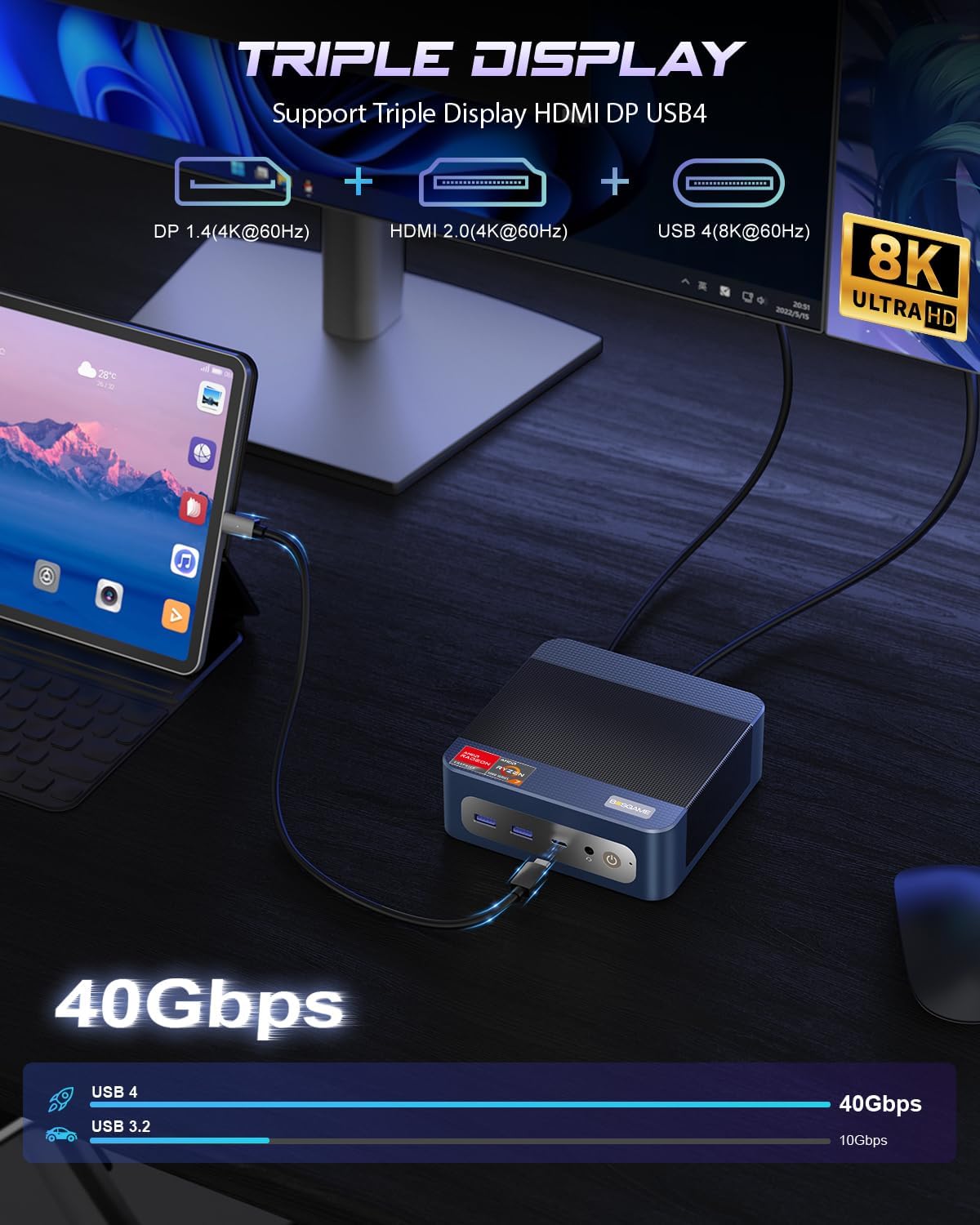
Imagine: Triple display setup capability of the Mini PC.
2. Rețea și conectivitate
The Mini PC offers robust networking options for stable and high-speed connections:
- Dual 2.5G LAN: Two RJ45 Ethernet ports provide up to 2.5Gbps network transmission rate each, allowing for a 5Gbps aggregate speed for demanding network tasks or internal corporate networks.
- Wi-Fi 6E (Intel AX210): Supports higher frequency bands (2.4 GHz, 5 GHz, and 6 GHz) with theoretical maximum data rates up to 9.6Gbps, offering faster and more stable wireless connectivity than Wi-Fi 5.
- Bluetooth 5.2: Provides improved data transfer speed (up to 2Mbps) and extended range (4x over BT4.2), ensuring stable connections to wireless headsets, keyboards, mice, and other Bluetooth devices.
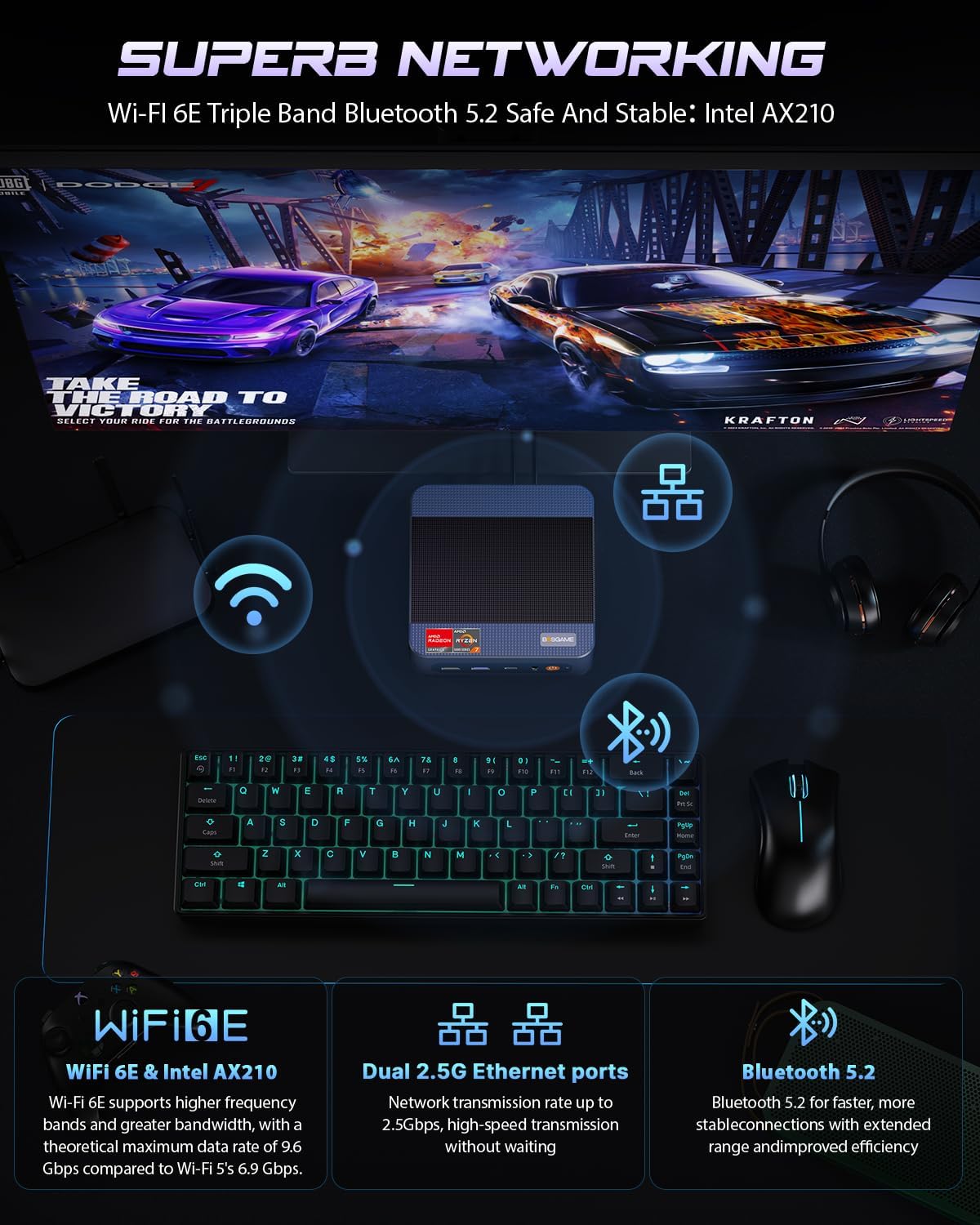
Imagine: Advanced networking capabilities including Wi-Fi 6E, Dual 2.5G LAN, and Bluetooth 5.2.
3. Funcționalitate USB4.0
The USB4.0 port offers versatile high-speed connectivity:
- Transfer de date: Up to 40Gbps for ultra-fast file transferuri.
- Ieșire video: Supports 8K resolution at 60Hz.
- External GPU (eGPU) Support: Connect external graphics processing units for enhanced performance in AI training, gaming, or other graphics-intensive applications.
- Livrare de energie: Bi-directional 65W power delivery for ultimate performance and flexibility.

Imagine: USB4.0 capabilities including 8K display, eGPU support, and 65W power delivery.
Întreținere și upgrade
1. RAM and SSD Upgrades
The BOSGAME P3 Mix Mini PC features an easily disassembled design, allowing for convenient upgrades of RAM and SSD storage. The device supports:
- SSD M.2 2280: Dual slot SSD M.2 2280 with a maximum capacity of 4TB per slot (8TB total).
- DDR5 4800MHz RAM: Dual Channel SO-DIMM*2 with a maximum capacity of 128GB per slot (256GB total).
To upgrade or replace components, follow these steps:
- Remove the screws from the base plate.
- Carefully open the base plate.
- Move the system fan to access the RAM and SSD slots.
- Replace or install the desired RAM modules or M.2 SSDs.
- Reassemble the Mini PC by reversing these steps.

Imagine: Step-by-step guide for upgrading RAM and SSD storage.
2. Curățenie generală
To maintain optimal performance, regularly clean the exterior of the Mini PC with a soft, dry cloth. Ensure ventilation openings are free from dust accumulation. Do not use liquid cleaners or solvents.
Depanare
If you encounter issues with your BOSGAME P3 Mix Mini PC, refer to the following common troubleshooting steps:
- Fără putere:
- Asigurați-vă că adaptorul de alimentare este conectat corect atât la Mini PC, cât și la o priză funcțională.
- Verificați dacă butonul de alimentare este apăsat ferm.
- Fără ieșire de afișare:
- Check all display cable connections (HDMI, DP, USB4.0) to the monitor and Mini PC.
- Asigurați-vă că monitorul este pornit și setat la sursa de intrare corectă.
- Încercați să conectați un alt port de afișare sau monitor, dacă este disponibil.
- Probleme de conectivitate la rețea:
- For wired connections, ensure the Ethernet cable is properly connected and the router is functioning.
- For Wi-Fi, check if Wi-Fi is enabled in the operating system and if you are connected to the correct network with the correct password.
- Reporniți routerul/modemul și mini PC-ul.
- Performanță lentă:
- Închideți aplicațiile inutile care rulează în fundal.
- Ensure the Mini PC has adequate ventilation and is not overheating.
- Check for available operating system updates and driver updates.
- Consider upgrading RAM or SSD if performance issues persist under heavy workloads.
Dacă acești pași nu rezolvă problema, vă rugăm să contactați serviciul de asistență pentru clienți pentru asistență suplimentară.
Specificații
Detailed technical specifications for the BOSGAME P3 Mix Mini PC (Model: P3, R5 7640HS 32GB/1TB variant):

Imagine: AMD Ryzen 5 7640HS Processor details and performance comparison.
| Caracteristică | Detaliu |
|---|---|
| Procesor | AMD Ryzen 5 7640HS (6 Cores/12 Threads, up to 5.0 GHz) |
| Grafică | AMD Radeon 760M (integrată) |
| RAM | 32GB DDR5 4800MHz (2x16GB, expandable up to 256GB) |
| Depozitare | 1TB PCIe 4.0 SSD (Dual M.2 2280 slots, expandable up to 8TB total) |
| Sistem de operare | OS11 Support (Windows/Ubuntu/Linux compatible) |
| Ieșire video | HDMI 2.0 (4K@60Hz), DisplayPort 1.4 (4K@60Hz), USB4.0 (8K@60Hz) - Triple Display Support |
| Rețele | Dual 2.5G RJ45 LAN, Wi-Fi 6E (Intel AX210), Bluetooth 5.2 |
| Porturi USB | 1x USB 2.0, 3x USB 3.0 (USB 3.2*3 10Gbps), 1x USB4.0 (40Gbps) |
| Audio | 3.5mm Audio Jack |
| Dimensiuni | 6.5 x 6.5 x 4.13 inci (dimensiunile pachetului) |
| Greutate | 2.77 lire sterline (greutate articol) |
Garanție și suport
1. Garanție limitată
BOSGAME offers a Garanție limitată de 1 an for the P3 Mix Mini PC, covering manufacturing defects and hardware malfunctions under normal use conditions. Please retain your proof of purchase for warranty claims.
2. Asistență pentru clienți
For technical assistance, troubleshooting, or warranty inquiries, please contact BOSGAME customer service:
- E-mail: Qingzhuomao@163.com
- Suport online: Refer to your Amazon order details to "Ask Product Question" for direct seller support.
- Ore de serviciu: 24 de ore pe zi, 7 zile pe săptămână.
- Suport tehnic: Se oferă asistență tehnică pe viață.