1. Introducere
This manual provides essential instructions for setting up, operating, maintaining, and troubleshooting your FIREBAT Android 15 Tablet. Please read this guide thoroughly to ensure optimal performance and longevity of your device.

Image: The FIREBAT Android 15 Tablet, showcasing its 10.95-inch In-Cell display, 1920x1200 resolution, 18W fast charging, and 8000mAh battery.
The FIREBAT Android 15 Tablet features a 10.95-inch In-Cell IPS touchscreen with a 1920x1200 resolution, powered by a UNISOC Spreadtrum T606 octa-core processor. It includes 12GB RAM (4GB physical + 8GB virtual) and 128GB internal storage, expandable via TF card up to 1TB. The tablet runs on the Android 15 operating system and is equipped with a 5MP front camera and a 13MP rear camera. An 8000mAh battery supports up to 10 hours of usage and 18W PD fast charging.
2. Ce se află în cutie
La despachetare, verificați dacă sunt prezente toate articolele:
- 1 x FIREBAT AR1 Tablet
- 1 x Protective Film (Pre-installed)
- 1 x Protective Case (Pre-installed)
- 1 x 9V/2A 18W US Power Charger
- 1 x Manual de utilizare (Acest document)
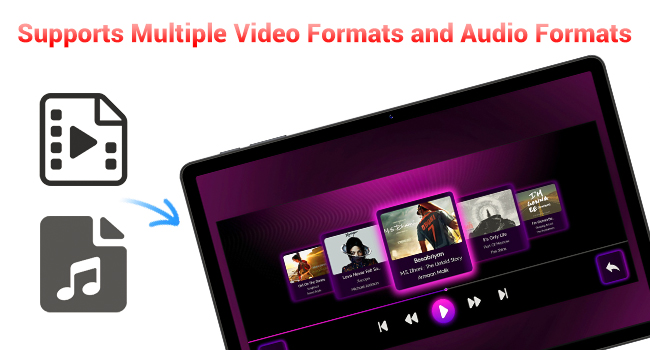
Image: A visual representation of the items included in the FIREBAT Tablet package: the tablet, power charger, and user manual.
Video: An unboxing video demonstrating the contents of the FIREBAT Android 15 Tablet package, including the tablet, protective case, charger, and user guide.
3. Configurare
3.1 Încărcare inițială
Before first use, fully charge your tablet using the provided USB-C cable and 18W power adapter. Connect the USB-C cable to the tablet's USB-C port and the power adapter to a wall outlet. The charging indicator will show the charging status.
3.2 Pornire/Oprire
- Pentru a porni: Press and hold the Power button located on the side of the tablet until the FIREBAT logo appears.
- Pentru a opri: Apăsați și mențineți apăsat butonul de Pornire/Oprire până când apare meniul opțiunilor de alimentare. Selectați „Oprire” și confirmați.
- Pentru a reporni: From the power options menu, select "Restart."
3.3 Configurare inițială
La prima pornire, urmați instrucțiunile de pe ecran pentru a:
- Selectați limba dvs.
- Conectați-vă la o rețea Wi-Fi (este compatibilă cu 802.11ac).
- Conectați-vă cu contul dvs. Google sau creați unul nou.
- Configurați blocarea ecranului (PIN, model, parolă).
3.4 Protective Case and Film
Your tablet comes with a pre-installed protective film and a customized protective case. The case is designed to fully encase the tablet, offering protection for both the back and the screen when closed. It can also be folded to act as a stand for hands-free viewing.

Image: The FIREBAT Tablet featuring its delicate texture metal shell, designed for enhanced heat dissipation and improved protection.
4. Utilizarea tabletei
4.1 Navigare pe ecran tactil
The 10.95-inch In-Cell IPS touchscreen offers sensitive and precise touch response. Use standard gestures such as tap, swipe, pinch-to-zoom, and long-press to navigate the interface and interact with applications.

Image: The tablet's In-Cell technology, which embeds touch sensors directly into LCD pixels for a thinner design and more sensitive touch response.
Sistem de operare Android 15 4.2
Your tablet runs on the latest Android 15 operating system, providing enhanced privacy, security, and customization options. Enjoy wider application compatibility and faster response times.
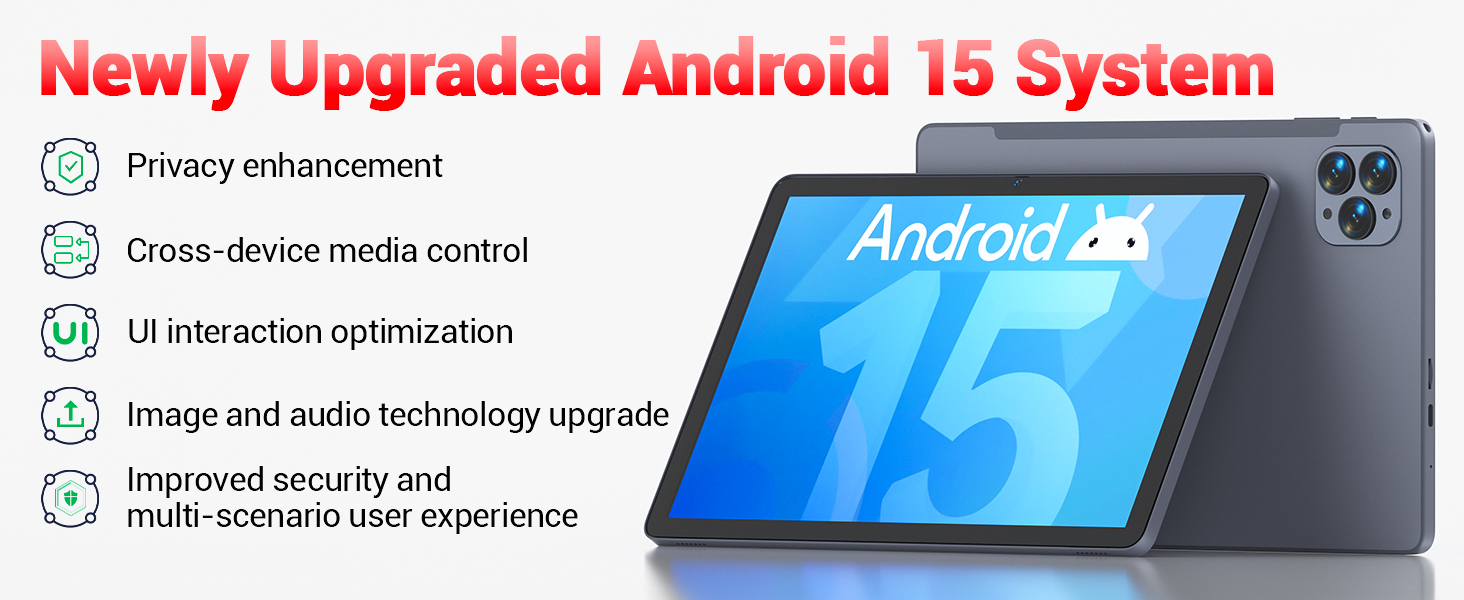
Image: The tablet's Android 15 system, highlighting features such as privacy enhancement, cross-device media control, UI optimization, and improved security.
4.3 Performanță și multitasking
The UNISOC Spreadtrum T606 octa-core processor (dual-core A75 1.6GHz + hexa-core A55 1.6GHz) and MediaTek Mali-G57-3EE-single-core 650MHz GPU ensure smooth operation for most applications and efficient multitasking. The 12GB LPDDR4x memory (4GB physical + 8GB virtual) further enhances performance.

Image: A detailed diagram illustrating the UNISOC Spreadtrum T606 octa-core processor, emphasizing its 2-core + 6-core design for balanced performance and power saving.
4.4 Utilizarea camerei
The tablet is equipped with a 5MP front camera and a 13MP rear camera. Open the Camera app to capture photos, record videos, and make video calls. Adjust settings within the app for optimal results.

Image: The tablet displaying a video call, highlighting the functionality of its 5MP front and 13MP rear cameras for clear communication and photography.
4.5 Managementul stocării
The tablet includes 128GB of high-speed internal storage. If more space is needed, you can expand it up to 1TB using a TF (microSD) card. Insert the TF card into the designated slot on the side of the tablet.
4.6 Conectivitate
- Wi-Fi 5: Connect to 2.4G/5G Wi-Fi networks for internet access.
- Bluetooth 5.0: Asociați cu dispozitive compatibile Bluetooth, cum ar fi căști, difuzoare sau tastaturi.
- Radio FM: Utilize the built-in FM radio feature for listening to local broadcasts.
4.7 Media and Applications
The tablet supports various video and audio formats, and is compatible with a wide range of e-book and office software. Widevine L1 support ensures high-quality streaming from compatible services.
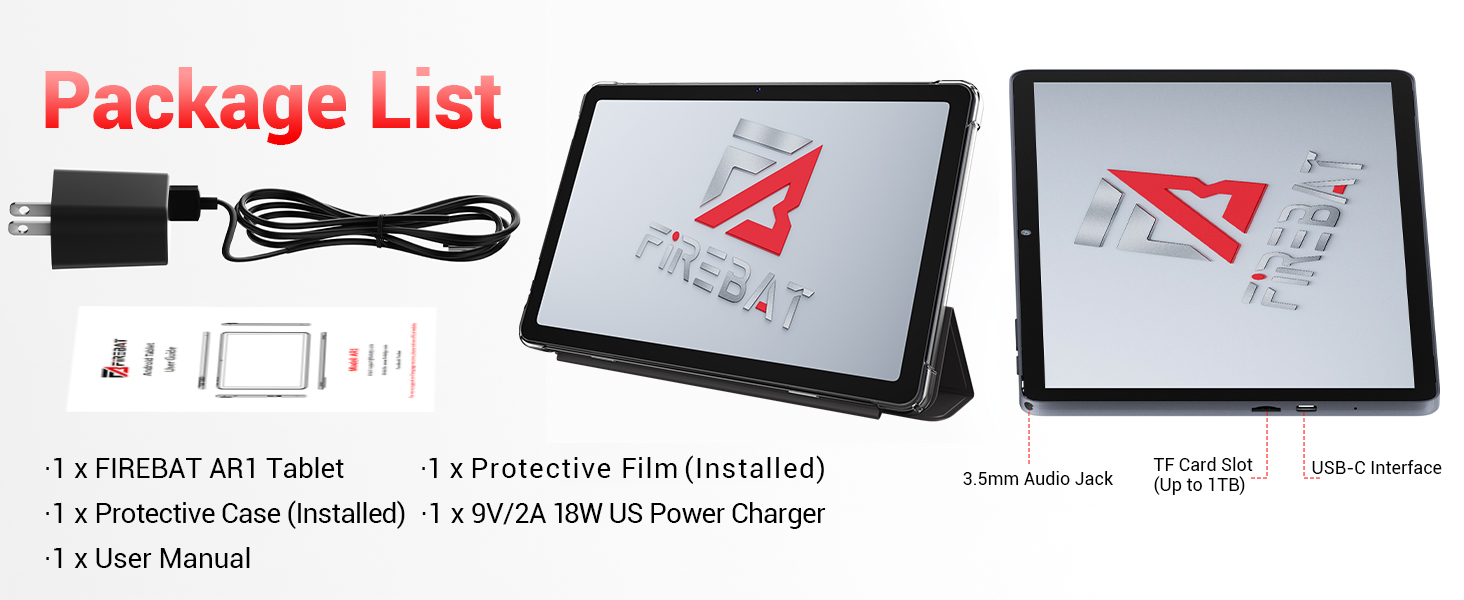
Image: The tablet's capability to support multiple video and audio formats, enhancing its multimedia functionality.
Image: The tablet displaying various e-book and office software applications, demonstrating its versatility for productivity and reading.
Video: A demonstration of the FIREBAT Android 15 Tablet's features, including its responsive touchscreen, protective case functionality, and overall performance for various applications.
5. Întreținere
5.1 Curățarea tabletei
Folosiți o lavetă moale, fără scame, pentru a curăța ecranul și corpul tabletei. Pentru petele persistente, ștergeți ușor.ampen the cloth with water or a screen-safe cleaner. Avoid using harsh chemicals or abrasive materials.
5.2 Actualizări de software
Verificați și instalați periodic actualizări de sistem pentru a vă asigura că tableta dvs. are cele mai recente funcții, corecții de securitate și îmbunătățiri de performanță. Navigați la Setări > Sistem > Actualizare sistem pentru a verifica actualizările.
5.3 Îngrijirea bateriei
Pentru a prelungi durata de viață a bateriei:
- Evitați temperaturile extreme.
- Nu lăsați tableta complet încărcată sau complet descărcată pentru perioade lungi de timp.
- Folosiți încărcătorul furnizat pentru o încărcare optimă.
6. Depanare
Dacă întâmpinați probleme cu tableta, consultați următoarele soluții comune:
| Problemă | Soluţie |
|---|---|
| Tableta nu pornește | Asigurați-vă că bateria este încărcată. Conectați încărcătorul la încărcător timp de cel puțin 30 minute, apoi încercați să îl porniți din nou. |
| Performanță lentă | Close unused applications, clear cache, or restart the tablet. Consider uninstalling unnecessary apps. |
| Probleme de conectivitate Wi-Fi | Reporniți routerul Wi-Fi și tableta. Uitați de rețea și reconectați-vă. Asigurați-vă că vă aflați în raza de acțiune. |
| Ecranul tactil nu răspunde | Restart the tablet. If the issue persists, perform a factory reset (data will be erased). |
| Se blochează aplicațiile | Ensure apps are updated. Clear the app's cache and data (Settings > Apps > [App Name] > Storage). Reinstall if necessary. |
For persistent issues, contact customer support or refer to the official FIREBAT website pentru asistență suplimentară.
7. Specificații
| Caracteristică | Detaliu |
|---|---|
| Numele modelului | Tabletă Android 15 |
| Sistem de operare | Android 15 |
| Dimensiunea ecranului | 10.95 inchi |
| Rezoluția ecranului | 1920 x 1200 pixels (In-Cell IPS) |
| Procesor | UNISOC Spreadtrum T606 Octa-Core (2x A75 1.6GHz, 6x A55 1.6GHz) |
| GPU | MediaTek Mali-G57-3EE-single-core 650MHz |
| RAM | 12GB LPDDR4x (4GB physical + 8GB virtual) |
| Stocare internă | 128 GB |
| Stocare extensibilă | Până la 1 TB prin card TF |
| Cameră frontală | 5MP |
| Camera spate | 13MP |
| Capacitatea bateriei | 8000mAh |
| Încărcare | 18W PD Fast Charging (USB-C) |
| Conectivitate wireless | Wi-Fi 5 (802.11ac), Bluetooth 5.0 |
| Alte caracteristici | FM Radio, Widevine L1, 3D G-sensor |
| Dimensiuni | 10 x 6.6 x 0.3 inci |
| Greutatea articolului | 1.1 lire sterline |
8. Garanție și asistență
For warranty information and customer support, please refer to the documentation included with your purchase or visit the official FIREBAT webPăstrați dovada achiziției pentru reclamații în garanție.


