1. Introducere
This manual provides detailed instructions for the installation, operation, and maintenance of your VIKVIZ 5MP PTZ IP PoE Security Camera. Please read this manual thoroughly before using the product to ensure proper setup and functionality. Keep this manual for future reference.
2. Produs terminatview
The VIKVIZ 5MP PTZ IP PoE Camera is an advanced outdoor surveillance solution designed for comprehensive monitoring. It features high-definition imaging, extensive pan/tilt/zoom capabilities, and intelligent detection functions.
Caracteristici cheie:
- 5MP HD Image & 18X Optical Zoom: Provides clear 3840*2160@20fps resolution with a 4.7mm~84.6mm lens for detailed viewing de obiecte îndepărtate.
- Funcționalitate Pan & Tilt: Offers 360° pan and 90° tilt for full area coverage without blind spots.
- Viziune de noapte IR: Equipped with 6 infrared LED lights for clear images up to 328 feet (100 meters) in low light or total darkness.
- Human Auto Tracking & Detection: Supports human/vehicle detection and automatic tracking, reducing false alarms and sending real-time snapshots.
- PoE (Power over Ethernet): Simplifies installation with a single network cable for both power and data transmission.
- Rezistență la intemperii IP66: Certified for outdoor use, resistant to dust and water immersion.
- Audio bidirecțional: Built-in microphone and speaker enable real-time conversation.
- Remote P2P Access: Easy access via the Videolink mobile app for live view, redare și alerte.
- Depozitare: Supports up to 512GB MicroSD card (not included) and compatibility with NVRs and FTP servers.
- H.265+ Encoding: Efficient video compression saves bandwidth and storage space.
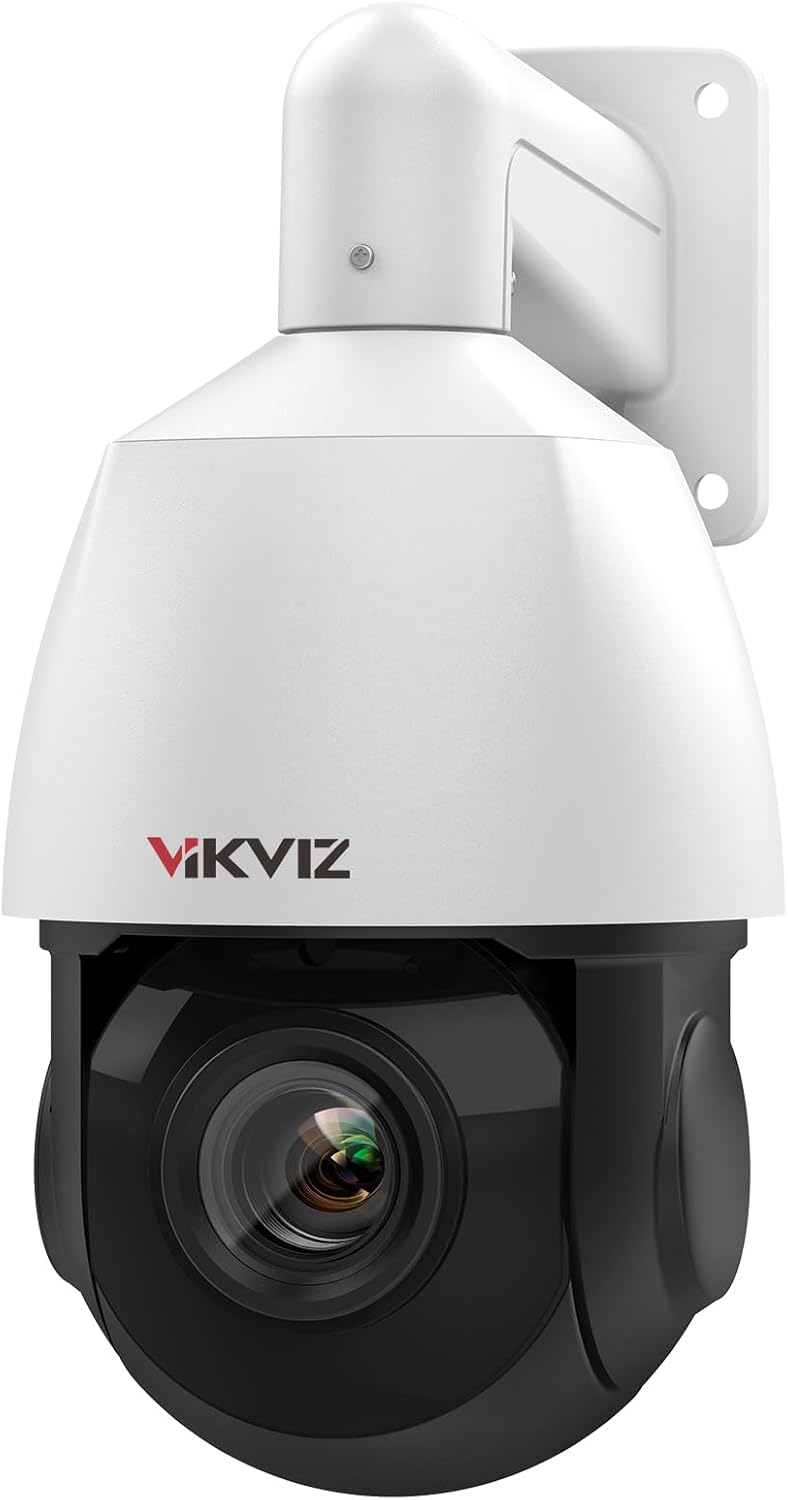
Figura 2.1: Față view of the VIKVIZ 5MP PTZ IP PoE Security Camera.

Figura 2.2: Pesteview of the camera's main features including 5MP HD, two-way audio, human auto tracking, IP66 protection, H.265+ encoding, P2P mobile viewing, and MicroSD storage.
3. Conținutul pachetului
Verificați dacă toate articolele enumerate mai jos sunt incluse în colet. Dacă lipsesc sau sunt deteriorate articole, vă rugăm să contactați serviciul de asistență pentru clienți.
- VIKVIZ 5MP PTZ IP PoE Camera
- Manual de instructiuni
- Set șurub de montare
- Power Adapter (for non-PoE setup)
- Stand / Mounting Bracket
- Capac impermeabil
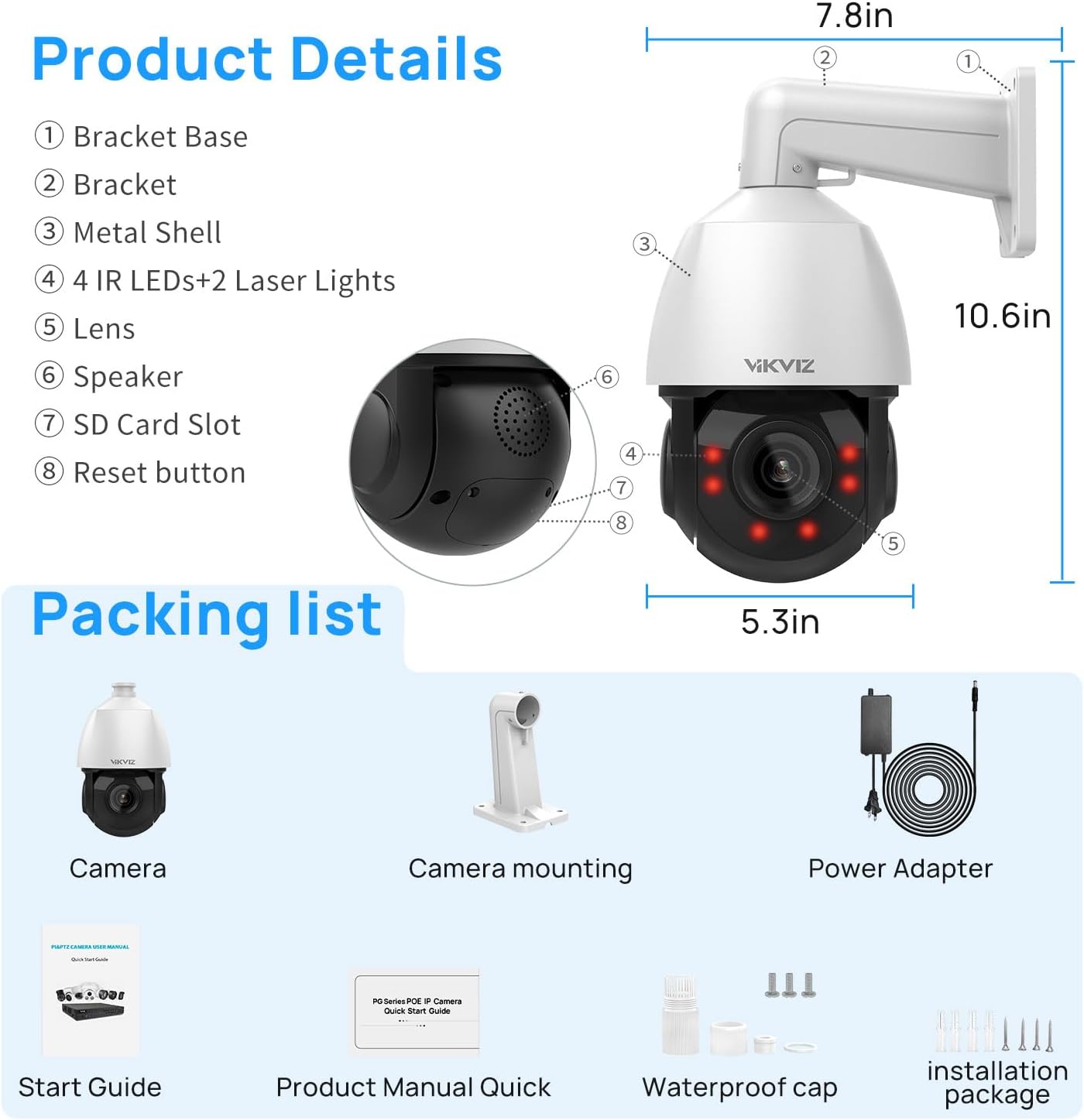
Figure 3.1: Illustration of the camera's components and the items included in the package, such as the camera, mounting accessories, power adapter, and manuals.
4. Instalare și configurare
4.1 Opțiuni de montare
The camera supports both ceiling mount and wall mount installations. Choose a location that provides the desired viewing angle and is within range of your network and power source (if not using PoE).
- Fixați suportul de montare pe suprafața aleasă folosind șuruburile furnizate.
- Atașați camera la suportul de montare.
- Adjust the camera's orientation as needed before final tightening.
4.2 Conectarea la rețea și la alimentare
The camera offers two primary connection methods:
- PoE (Power over Ethernet): Connect a single Ethernet cable from a PoE-enabled NVR or PoE switch directly to the camera's Ethernet port. This cable will provide both power and data.
- Standard Power & Network: Connect the provided power adapter to the camera's power input and plug it into an electrical outlet. Then, connect an Ethernet cable from your router or switch to the camera's Ethernet port.
Ensure all connections are secure and, for outdoor installations, use the waterproof cap for the Ethernet connection to protect against environmental elements.

Figure 4.1: The camera supports PoE for simplified wiring and is IP66 weatherproof for outdoor durability.
5. Instrucțiuni de utilizare
5.1 Acces inițial și configurare
After connecting the camera, you can access it via a compatible NVR, a web browser, or the Videolink mobile application. Refer to the quick start guide for initial network discovery and login credentials.
5.2 Controlul Panoramic, Tilt și Zoom (PTZ)
The camera offers extensive PTZ capabilities:
- Tigaie: 360° horizontal rotation for wide area coverage.
- Înclinare: 90° vertical rotation to adjust the viewunghiul de ing.
- Zoom optic: 18X optical zoom (4.7mm~84.6mm lens) allows you to magnify distant objects without loss of image quality.
- Zoom digital: 30X digital zoom provides further magnification, though with potential pixelation.
Control PTZ functions through your NVR interface, web browser, or the Videolink app.

Figure 5.1: The camera's 18X optical zoom allows for clear magnification of distant details, such as vehicle license plates.
5.3 Human/Vehicle Detection and Auto Tracking
The camera can intelligently distinguish between human and vehicle movement, reducing false alarms from other sources like animals or swaying branches. When a person or vehicle enters the detection area, the camera can:
- Automatically track the subject's movement.
- Send real-time snapshots and alerts to your mobile device.
- Declanșați înregistrarea.
Detection areas and sensitivity can be adjusted in the camera's settings.

Figure 5.2: Smart motion detection identifies humans and vehicles, triggering timely alerts and actions.

Figure 5.3: The camera's human tracking and auto cruise features provide continuous monitoring of subjects and predefined patrol routes.
5.4 Sunet bidirecțional
The integrated microphone and speaker allow for two-way communication. You can listen to audio from the camera's location and speak through the camera using the mobile app or compatible software.

Figure 5.4: Two-way audio enables direct communication through the camera, facilitating interaction with visitors or deterring intruders.
5.5 Opțiuni de înregistrare
The camera supports multiple recording methods:
- Card MicroSD: Insert a MicroSD card (up to 512GB, not included) into the camera's slot for local storage.
- NVR (Recorder video de rețea): Connect the camera to a compatible NVR for continuous or event-based recording. The camera supports RTSP and ONVIF protocols for broad compatibility.
- Server FTP: Configure the camera to upload recordings to an FTP server for remote storage.
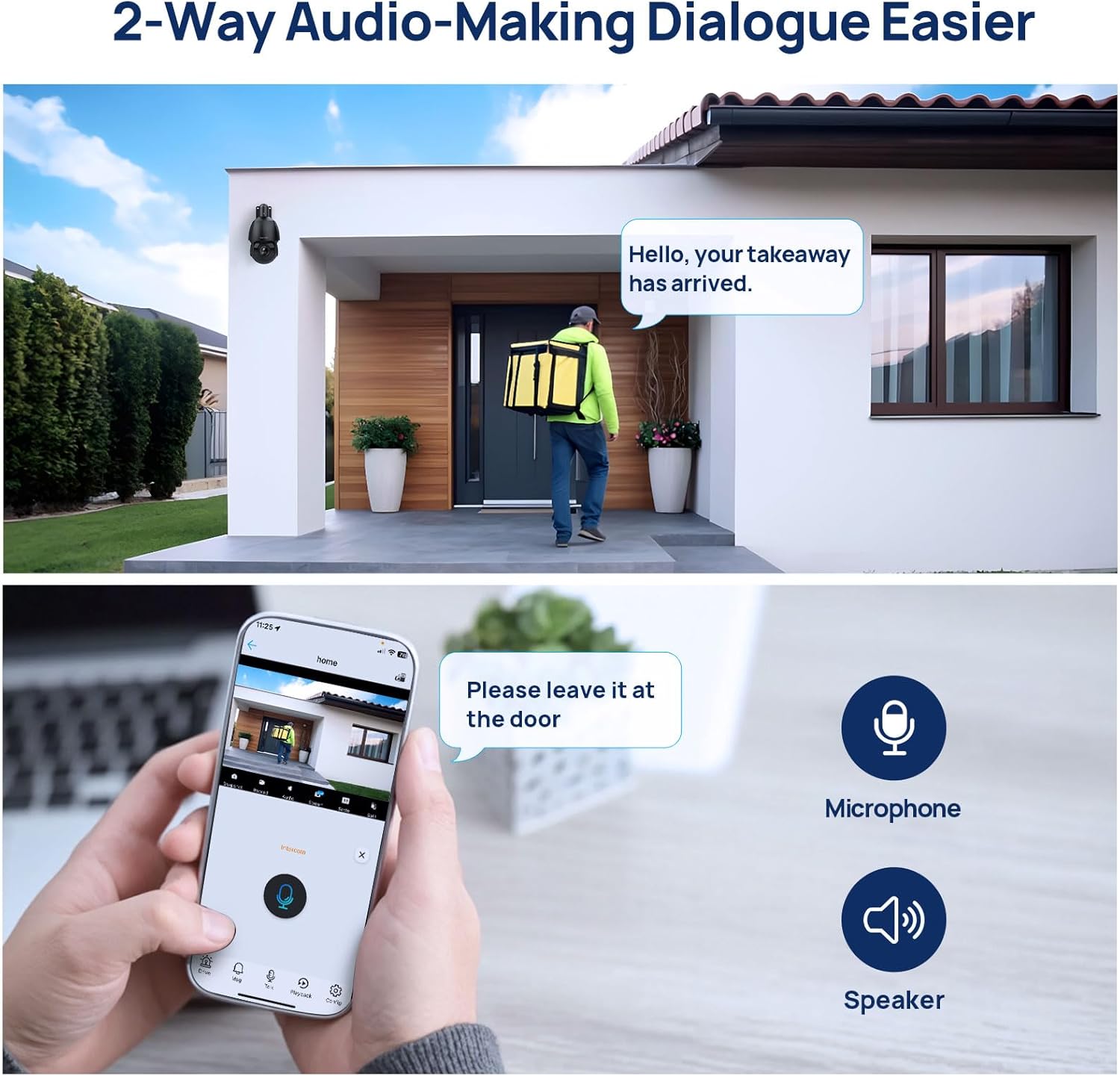
Figure 5.5: The camera offers flexible recording options including MicroSD card, NVR integration, and FTP server support.
6. Întreținere
Întreținerea regulată asigură performanța optimă și durata de viață a camerei dumneavoastră.
- curatenie: Periodically clean the camera lens and dome with a soft, damp Evitați produsele de curățare abrazive care ar putea zgâria suprafața.
- Actualizări firmware: Verifică-l pe cel al producătorului website or the Videolink app for available firmware updates. Keeping the firmware updated can improve performance, add features, and enhance security.
- Verificarea cablului: Regularly inspect all cables for signs of wear or damage, especially for outdoor installations. Ensure waterproof caps are securely in place.
- Verificări de mediu: Although IP66 rated, ensure the camera is not exposed to extreme conditions beyond its operating limits. Clear any obstructions that might block the camera's view sau ventilație.
7. Depanare
Dacă întâmpinați probleme cu camera, consultați următoarele probleme și soluții frecvente:
| Problemă | Cauza posibila | Soluţie |
|---|---|---|
| Fără flux de imagini/video | No power; Network cable disconnected; Incorrect IP address/network settings. | Check power connection (PoE or adapter). Verify Ethernet cable is securely connected. Ensure camera is on the same network as your viewing device. Use the discovery tool or app to find the camera's IP address. |
| PTZ functions not responding | Network connectivity issues; Firmware outdated; Mechanical obstruction. | Check network connection. Reboot the camera. Ensure no physical obstructions are impeding movement. Update camera firmware. |
| Poor image quality or focus issues | Dirty lens; Auto-focus struggling; Low light conditions. | Clean the camera lens. Allow the auto-focus mechanism time to adjust (can take up to 15 seconds). Ensure sufficient lighting for optimal image clarity. |
| Alarme false de la detectarea mișcării | Sensitivity too high; Detection area too broad; Environmental factors (e.g., swaying trees, animals). | Adjust motion detection sensitivity settings. Refine the detection area to exclude irrelevant zones. Utilize human/vehicle detection to filter out non-human/vehicle movements. |
| Cannot access camera via app/NVR | Incorrect network configuration; Firewall blocking connection; App/NVR compatibility issues. | Verify camera and viewing device are on the same network segment. Check firewall settings on your router or NVR. Ensure your NVR supports ONVIF/RTSP protocols. Try accessing via web browser first. |
8. Specificatii tehnice
Below are the detailed technical specifications for the VIKVIZ 5MP PTZ IP PoE Security Camera.
| Caracteristică | Caietul de sarcini |
|---|---|
| Model | B0FN44CQH7 |
| Maxim WebCam Rezoluția imaginii | 5 MP (3840*2160@20fps) |
| Zoom optic | 18x |
| Zoom digital | 30x |
| Pan unghi | 360 de grade |
| Unghi de înclinare | 90 de grade |
| Gama de vedere nocturnă | 328 picioare (100 metri) |
| Evaluarea internațională de protecție | IP66 |
| Tehnologia de conectivitate | Ethernet (PoE) |
| Protocol de conectivitate | Ethernet, ONVIF |
| Codificare video | H.265, H.264 |
| Dimensiunea maximă acceptată pentru memorie flash | 512 GB (MicroSD) |
| Capacități de înregistrare audio-vizuală | Audio (Two-Way Talk) |
| Tip de montare | Montare pe tavan, montare pe perete |
| Material | Metal |
| Sursa de alimentare | Electric cu fir (12V CC) |
| Greutatea articolului | 4.18 lire sterline |
| Dimensiuni pachet | 11 x 7.4 x 7.4 inci |
9. Garanție și asistență pentru clienți
VIKVIZ products are designed for reliability and performance. For specific warranty details, please refer to the warranty card included in your package or visit the official VIKVIZ website-ul.
If you require technical assistance, have questions about your product, or need to report a defect, please contact VIKVIZ customer support. You can often find support contact information or FAQs by visiting the VIKVIZ Store on Amazon sau oficialul lor website-ul.


