1. Introducere și Pesteview
The AOC ACG 2502 Wireless Gaming Headset is designed to provide a versatile and immersive audio experience across various gaming platforms and devices. Featuring dual-mode wireless connectivity (2.4GHz and Bluetooth 5.4), 7.1 virtual surround sound, and a noise-cancelling microphone, this headset offers high-quality audio and clear communication for extended gaming sessions.

Image: The AOC ACG 2502 Wireless Gaming Headset, showcasing its design and included connectivity accessories.
2. Ce se află în cutie
- 1 x ACG2502 Gaming Headset
- 1 x cablu de încărcare tip C
- 1 x USB Transmitter (2.4GHz wireless dongle)
- 1 x Type-C to 3.5mm Audio Cable
- 1 x Manual de utilizare
3. Caracteristicile produsului
- Dual-Mode Wireless with Ultra-Low Latency: Enjoy both 2.4 GHz and Bluetooth 5.4 connectivity with a guaranteed maximum latency of 20 ms for rock-solid audio synchronization.
- 4-in-1 Universal Connectivity: Equipped with USB-A, Type-C, Bluetooth 5.4, and 3.5 mm wired modes, allowing connection to consoles, mobile devices, and PCs. Note: Bluetooth modes are incompatible with PS5 and PS4. Only the 3.5mm wired mode is compatible with Xbox Series X/S; other Xbox models are not supported.
- High-Resolution 7.1 Virtual Surround Sound: Features dual acoustic chambers and 50 mm graphene diaphragms, plus a built-in DAC delivering 96 kHz/24-bit output for precise directional audio.
- Lightweight, Ergonomic Comfort: Weighing just 239 g, the headset includes protein-leather earcups with breathable foam and an adjustable headband for fatigue-free extended use.
- Long-Lasting Battery with Fast Charge: Provides up to 45 hours of gameplay on a single charge. A full recharge takes approximately 2 hours via USB-C, with the ability to game while charging.
- Triple-Stage Noise Cancelling Microphone: The boom mic features foam isolation, DSP filters for echo and background noise elimination, and AI-driven voice enhancement for clear communication.
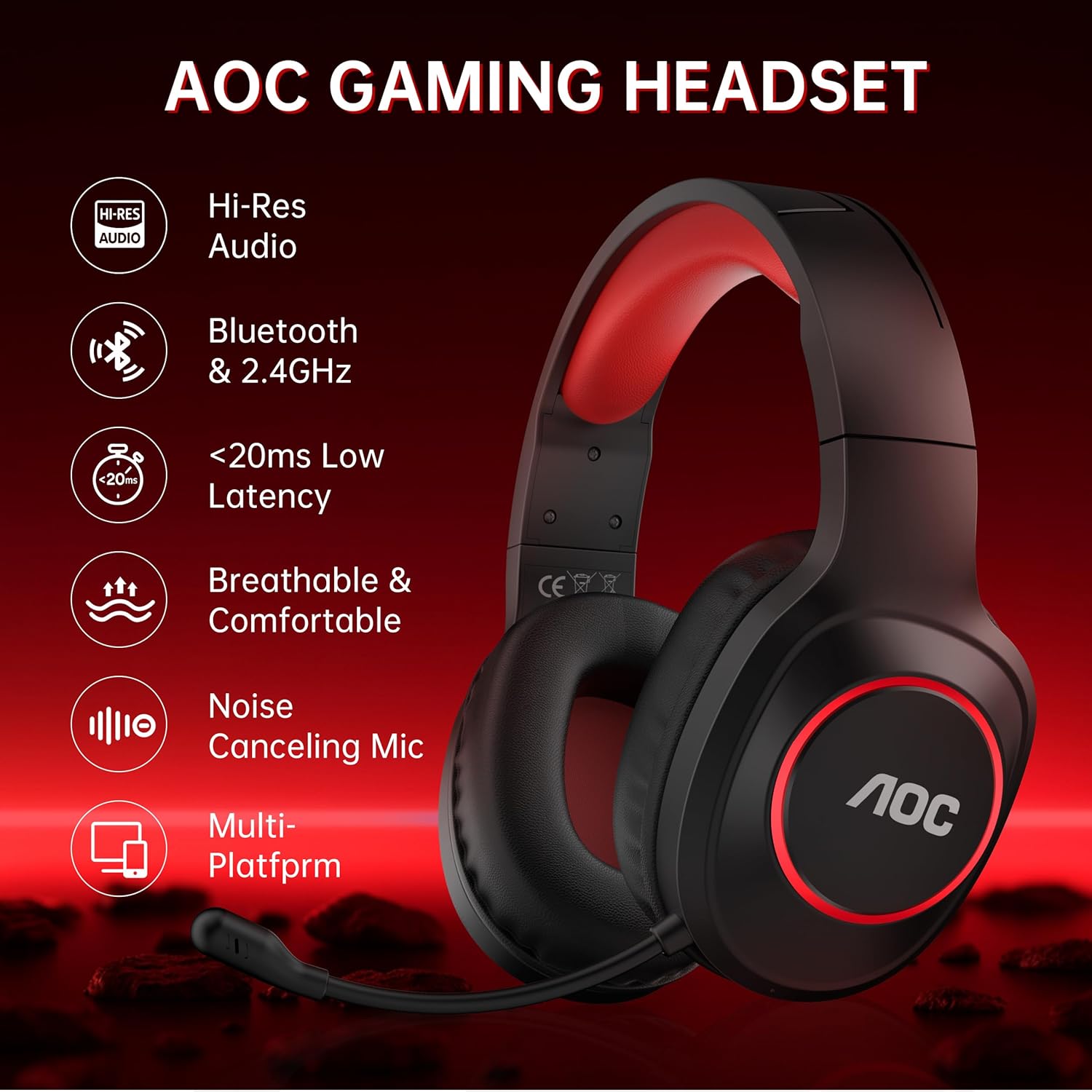
Image: Key features of the AOC Gaming Headset, including Hi-Res Audio and multi-platform compatibility.
4. Configurare și conectivitate
4.1 Încărcare inițială
Before first use, fully charge the headset. Connect the Type-C charging cable to the charging port on the headset and the other end to a USB power source. The indicator light will be red while charging and turn blue when fully charged. A full charge takes approximately 2.5 hours.
4.2 2.4GHz Wireless Connection (USB Transmitter)
- Plug the USB Transmitter into an available USB-A or Type-C port on your PC, PS5/PS4, or Nintendo Switch.
- Press and hold the Power Button on the headset for 3 seconds to turn it on.
- Double-click the Power Button to switch to "Adapter mode." The headset will announce "Adapter mode," and its indicator light will flash white.
- Once successfully connected, the headset's indicator light will turn solid white, and the transmitter's blue light will stay on.
Note: The microphone is disabled when connected to Nintendo Switch via 2.4GHz.

Image: The 2.4GHz USB wireless dongle, emphasizing low latency connectivity.
4.3 Conexiune Bluetooth 5.4
- Press and hold the Power Button on the headset for 3 seconds to turn it on.
- Double-click the Power Button to switch to "Bluetooth mode." The headset will announce "Bluetooth mode," and the indicator light will blink blue, indicating it's in pairing mode.
- On your mobile device or PC, open Bluetooth settings and search for "AOC ACG2502" to connect.
- După asocierea reușită, puteți reda muzică sau puteți efectua apeluri vocale.
Note: Bluetooth modes are incompatible with PS5 and PS4.
4.4 Conexiune cu fir de 3.5 mm
Connect the Type-C to 3.5mm audio cable to the headset's Type-C port and the 3.5mm end to your device (e.g., Xbox Series X/S controller, PC, mobile device). This mode does not require battery power.
Note: Only the 3.5mm wired mode is compatible with Xbox Series X/S; all other Xbox models are not supported.

Image: Visual guide for connecting the headset to various platforms using different modes.
5. Instrucțiuni de utilizare
The headset features intuitive controls located on the left earcup.
- Buton de alimentare:
- Press and hold for 3 seconds to power On/Off.
- Single click to play/pause audio or answer a call.
- Double click to end or reject a call.
- Double click to switch between 2.4GHz and Bluetooth modes.
- Volum + Buton: Click to increase volume. Press and hold to continuously raise volume.
- Buton Volum: Click to decrease volume. Press and hold to continuously lower volume.
- Microphone & Light Switch:
- Single click to mute/unmute the microphone.
- Double click to toggle ambient RGB lighting On/Off.
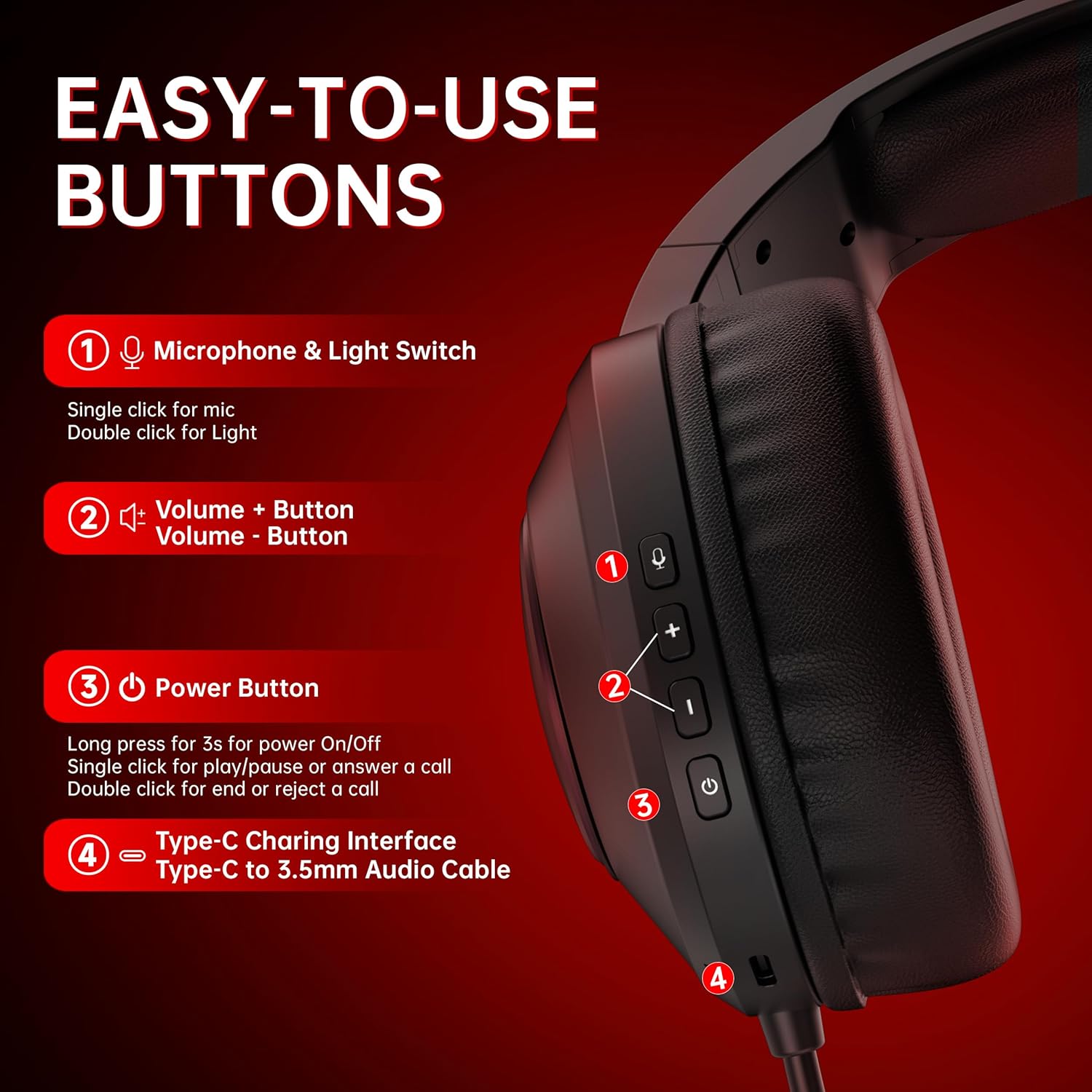
Imagine: Detaliată view of the headset's control buttons for easy operation.
6. Încărcare
The headset offers up to 45 hours of battery life on a single charge. When the battery is low, the indicator light will flash red, and you will hear a "Battery low" sound. Connect the Type-C charging cable to recharge. The headset can be used while charging, ensuring uninterrupted gameplay.

Image: Illustration of the headset's 45-hour battery life.
7. Utilizarea microfonului
The detachable boom microphone features triple-stage noise cancelling technology to ensure clear voice transmission. This includes foam isolation to block ambient sounds, DSP filters to eliminate echo and background noise, and AI-driven voice enhancement. The microphone is adjustable and can be moved up or down as needed.
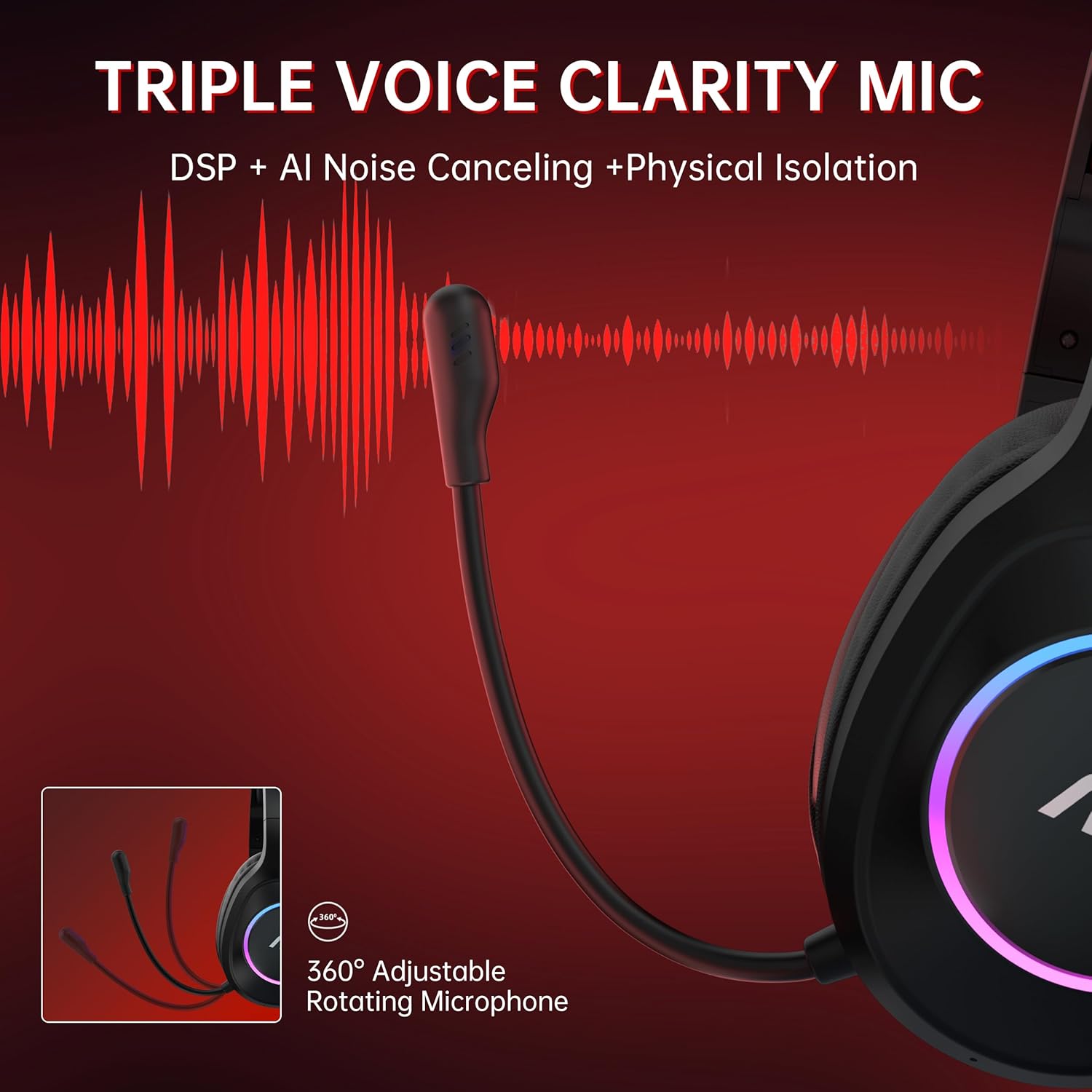
Image: The headset's adjustable microphone and its noise-cancelling capabilities.
8. Specificații
| Caracteristică | Detaliu |
|---|---|
| Numele modelului | ACG 2502 |
| Tehnologia de conectivitate | 2.4GHz, Bluetooth 5.4, Wired (3.5mm) |
| Latență audio | 20 Milliseconds (max) |
| Durata de viață a bateriei | Până la 45 ore |
| Timp de încărcare | Aproximativ. 2.5 ore |
| Dimensiunea driverului audio | 50 milimetri |
| Impedanta difuzorului | 32 ohmi |
| Raspuns in frecventa | 20 Hz - 20 kHz |
| Sensibilitate | 90 dB |
| Tip microfon | All-round, Noise Cancelling |
| Transmission Distance (2.4GHz) | 10 metri |
| Gama Bluetooth | 33 de picioare (aproximativ 10 metri) |
| Greutate | 15.2 uncii (aprox. 431 g) |
| Material | Acrylonitrile Butadiene Styrene (ABS), Polyurethane (PU) |
9. Întreținere
- curatenie: Folosiți o lavetă moale și uscată pentru a curăța setul cu cască. Evitați utilizarea substanțelor chimice dure sau a materialelor abrazive.
- Depozitare: Depozitați setul cu cască într-un loc răcoros și uscat, ferit de lumina directă a soarelui și de temperaturi extreme.
- Îngrijirea bateriei: Pentru a prelungi durata de viață a bateriei, evitați descărcarea completă frecventă a căștilor. Încărcați-le regulat, chiar dacă nu le utilizați pentru perioade lungi de timp.
- Organizare de cabluri: Manevrați cablurile cu grijă pentru a preveni deteriorarea. Evitați îndoirile bruște sau tragerea excesivă.
10. Depanare
- Fără sunet/Calitate audio slabă:
- Asigurați-vă că setul cu cască este pornit și încărcat.
- Verify the correct connectivity mode (2.4GHz, Bluetooth, or Wired) is selected and properly connected to your device.
- Check device volume settings and headset volume controls.
- If using 2.4GHz, ensure the USB transmitter is securely plugged in and its indicator light is solid blue.
- If using Bluetooth, ensure the headset is paired and connected in your device's Bluetooth settings.
- Test with the 3.5mm wired connection to isolate if the issue is wireless-related.
- Microfonul nu funcționează:
- Ensure the microphone is not muted (single click the Microphone & Light Switch).
- Verify the microphone is securely attached.
- Verificați setările de intrare audio ale dispozitivului pentru a vă asigura că este selectat microfonul căștilor.
- Remember the microphone is disabled when connected to Nintendo Switch via 2.4GHz.
- Nu se poate conecta/împerechea:
- Ensure the headset is in the correct pairing mode (flashing white for 2.4GHz, flashing blue for Bluetooth).
- Move closer to the device to ensure you are within range.
- Turn off and on both the headset and the device's wireless function.
- Clear previous Bluetooth pairings on your device and attempt to pair again.
- Bateria se descarcă rapid:
- Asigurați-vă că setul cu cască este complet încărcat înainte de utilizare.
- Reduce RGB lighting usage, as this consumes additional power.
- Dacă problema persistă, contactați asistența pentru clienți.
11. Garanție și asistență
The AOC ACG 2502 Wireless Gaming Headset comes with a 1-year free replacement or repair warranty. AOC also provides Asistență clienți 24/7 si a Politică de returnare fără probleme în 60 de zile. For any issues or inquiries, please refer to the contact information provided in the included user manual or visit the official AOC support website-ul.


