FCOB SP530E WiFi Bluetooth LED Controller and COB LED Strip Light User Manual
Model: SP530E
1. Introducere
This manual provides detailed instructions for the installation, operation, and maintenance of your FCOB SP530E WiFi Bluetooth LED Controller and accompanying 6000K Daylight White COB LED Strip Light. Please read this manual thoroughly before use to ensure proper functionality and safety.
2. Informații de siguranță
- Asigurați-vă că sursa de alimentare voltage matches the product specifications (24V). Incorrect voltage poate deteriora dispozitivul.
- Do not expose the controller or LED strip to moisture or extreme temperatures.
- Deconectați alimentarea înainte de a efectua orice conexiune sau de a efectua lucrări de întreținere.
- Avoid bending the LED strip sharply to prevent damage to the internal circuitry.
- A nu se lăsa la îndemâna copiilor.
3. Conținutul pachetului
Verificați dacă toate articolele sunt prezente în colet:
- SP530E WiFi Bluetooth LED Controller
- 6000K Daylight White COB LED Strip Light (32.8FT)
- Conectori de alimentare DC
- Cleme și șuruburi de montare
- Șurubelniță mică

Image 3.1: Contents of the FCOB SP530E LED Controller and Strip Light kit, including the controller, COB LED strip, power connectors, mounting clips, and a screwdriver.
4. Specificații
- Model de controler: SP530E
- Conectivitate: WiFi, Bluetooth LE5.0
- Vol. De intraretage: DC 5-24V
- Canale de ieșire: 6-channel (PWM), SPI
- Curent maxim de ieșire: 10A
- Temperatura de lucru: -20°C până la 60°C
- Tip bandă LED: Bandă de lumină COB LED
- Lungimea benzii LED: 32.8 FT (10 metri)
- Densitate LED: 320 LED-uri/metru
- Temperatura de culoare: 6000K alb lumina zilei
- Unghiul fasciculului: 180°
- Decupabil: Every 1.97 inches (5cm) at marked lines
- Dimensiunea prizei DC: 5.5 mm x 2.1 mm
5. Configurare și instalare
5.1 LED Strip Preparation
- Măsurați și tăiați: If a shorter length is required, cut the COB LED strip only at the designated cutting marks (usually indicated by a scissor icon or copper pads).

Image 5.1: Illustration showing correct and incorrect cutting points for the LED strip. Always cut along the marked lines to ensure functionality.
- Suprafață curată: Ensure the mounting surface is clean, dry, and smooth for optimal adhesive performance.
- Curățați și lipiți: Remove the backing from the adhesive tape on the back of the LED strip and firmly press the strip onto the desired surface.
- Fixați cu cleme: For added security, use the provided mounting clips and screws, especially for longer runs or uneven surfaces.
5.2 Controller Wiring
The SP530E controller supports both PWM (non-addressable) and SPI (addressable) LED strips, including combined setups. Refer to the labels on the controller for correct wiring.
- PWM LED Strips (e.g., Monochrome, CCT, RGB, RGBW, RGBCCT): Connect the corresponding wires from your LED strip to the V+, R, G, B, CW, WW terminals on the controller. Ensure polarity is correct.
- SPI LED Strips (e.g., WS2811, WS2812B): Connect the Data (DAT) wire from your SPI strip to the DAT terminal on the controller. Connect the Ground (GND) wire to the GND terminal.
- Conexiune de alimentare: Connect the DC power adapter (not included) to the DC Power Jack Socket (5.5mm x 2.1mm) on the controller. Ensure the power supply is rated for 24V and has sufficient current capacity for your LED strips.

Image 5.2: The SP530E controller is compatible with various PWM and SPI LED strip types, including single color, CCT, RGB, RGBW, and RGBCCT configurations. The image also shows the associated mobile application interface.
6. Funcționare
6.1 Metode de control
The SP530E controller offers multiple ways to manage your LED lighting:
- Controlul APP: Connect via 2.4GHz WiFi or Bluetooth LE5.0 using the dedicated mobile application (Banlanx APP). This allows for comprehensive control over colors, effects, brightness, and scheduling.
- 2.4G RF Remote / Smart Panel Control: Compatible with separately purchased 2.4G RF touch remotes or wall-mounted smart panels for convenient local control.
- Control vocal terță parte: Integrate with smart home systems like Amazon Alexa or Google Home for voice-activated control (requires initial setup through the mobile app).

Image 6.1: Visual representation of the three primary control methods: mobile application, 2.4G RF remote/smart panel (sold separately), and third-party voice assistants like Amazon Alexa and Google Home.
6.2 Mobile Application (Banlanx APP)
Download the Banlanx APP from your device's app store. Follow the in-app instructions to pair your SP530E controller via WiFi or Bluetooth.
- Moduri dinamice: Choose from various pre-programmed dynamic lighting effects.
- Culori solide: Select any static color from a color wheel or adjust white light temperature.
- Efecte muzicale: Synchronize lighting with music using player streaming, mobile microphone, or the controller's built-in microphone.
- Efecte DIY: Create and customize your own lighting patterns and sequences.
- Cronometre: Set schedules for turning lights on/off or activating specific modes.
- Reglarea luminozității: Adjust the overall brightness level from 0% to 100%.

Image 6.2: Screenshots of the Banlanx mobile application, showcasing features such as dynamic modes, music synchronization, parameter settings, timers, and pattern customization.

Image 6.3: The SP530E controller's music effects feature, allowing synchronization of LED strip or matrix lighting with audio input from player streaming, mobile microphone, or the built-in microphone.
6.3 Brightness Dimming
The controller allows for precise brightness adjustment of the connected LED strips. This can be controlled via the mobile application, RF remote, or voice commands.
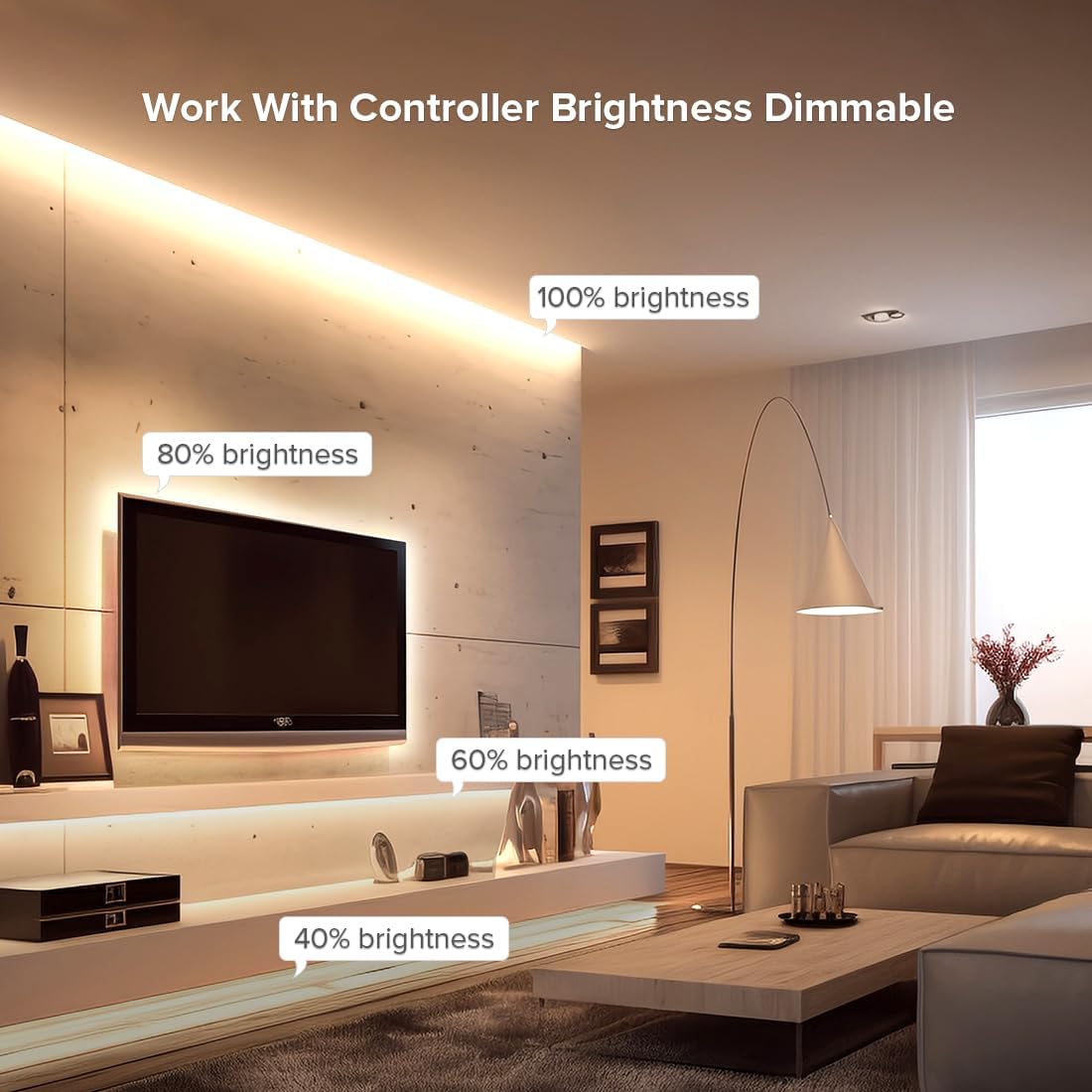
Imaginea 6.4: Un fostample of an LED strip installed in a living room setting, demonstrating various brightness levels (100%, 80%, 60%, 40%) achievable with the controller.
7. Întreținere
- curatenie: Gently wipe the LED strip and controller with a dry, soft cloth. Do not use harsh chemicals or abrasive cleaners.
- Inspecţie: Periodically check connections for any signs of wear or damage.
- Depozitare: If storing the product for an extended period, ensure it is kept in a dry, cool environment away from direct sunlight.
8. Depanare
| Problemă | Cauza posibila | Soluţie |
|---|---|---|
| Banda LED nu se aprinde | No power; incorrect wiring; faulty strip/controller | Check power supply connection; verify wiring polarity; test with another strip/controller if available. |
| Incorrect colors or effects | Incorrect strip type selected in app; wiring issue | Ensure correct LED strip type (PWM/SPI, RGB/CCT, etc.) is configured in the Banlanx APP. Recheck wiring. |
| Controller not connecting to app | WiFi/Bluetooth off; incorrect network; controller too far | Ensure WiFi/Bluetooth is enabled on your phone. Connect to a 2.4GHz WiFi network. Move closer to the controller. Reset controller if necessary (refer to app for reset procedure). |
| Strip sections not working after cutting | Cut at wrong location | Only cut at designated marks. Sections cut incorrectly cannot be repaired. |
9. Garanție și asistență
For warranty information and technical support, please refer to the FCOB official website-ul web sau contactați distribuitorul. Păstrați bonul fiscal ca dovadă a achiziției.


