1. Introducere
This manual provides detailed instructions for the setup, operation, and maintenance of your ATTACK SHARK X8 Ultra Wireless Gaming Mouse. Designed for high-performance gaming, the X8 Ultra features a lightweight design, multiple connectivity options, and advanced sensor technology.

Imaginea 1.1: Sus view of the ATTACK SHARK X8 Ultra Wireless Gaming Mouse.
2. Conținutul pachetului
Verificați dacă toate articolele sunt prezente în colet:
- ATTACK SHARK X8 Ultra Wireless Gaming Mouse
- 8K USB-C Receiver
- USB-A to USB-C Charging Cable (Paracord)
- Replacement Mouse Feet Skates
- Bandă de prindere
- Manual de utilizare (acest document)
3. Mouse Layout and Features
Familiarize yourself with the key components and features of your X8 Ultra mouse.

Imaginea 3.1: Pesteview of the X8 Ultra's internal components and external features.
- Butoane clic stânga/dreapta: Equipped with Omron micro switches for tactile feedback and durability.
- Rotiță de defilare: Provides smooth scrolling with subtle tactile bumps.
- Butoane laterale: Programmable buttons located on the left side for additional functions.
- Butonul DPI: Located on the underside of the mouse, allows cycling through preset DPI levels.
- Connectivity Switch: Located on the underside, allows switching between 2.4GHz wireless, Bluetooth, and wired modes.
- PAW3950MAX Sensor: Senzor optic de înaltă precizie pentru urmărire precisă.
- Nordic 52840 MCU: Advanced microcontroller for efficient performance and low latency.
- Nano-Ice Coating: Surface treatment designed to keep grip cool during extended use.
4. Ghid de instalare
4.1 Încărcarea mouse-ului
- Conectați capătul USB-C al cablului de încărcare la mouse.
- Conectați capătul USB-A al cablului de încărcare la un port USB disponibil de pe computer sau la un adaptor USB de perete.
- The mouse LED indicator will show charging status. A full charge provides up to 300 hours of intermittent use.
4.2 Conectarea mouse-ului
The X8 Ultra supports three connection modes: 2.4GHz Wireless, Bluetooth, and Wired USB.
Mod wireless de 2.4 GHz:
- Locate the 8K USB-C receiver.
- Conectați receptorul la un port USB disponibil de pe computer.
- Set the connectivity switch on the underside of the mouse to the "2.4G" position.
- Mouse-ul ar trebui să se conecteze automat.

Image 4.1: The 8K USB-C receiver for 2.4GHz wireless connection.
Mod Bluetooth:
- Set the connectivity switch on the underside of the mouse to the "BT" position.
- Pe computer, deschideți setările Bluetooth și căutați dispozitive noi.
- Select "ATTACK SHARK X8 Ultra" from the list of available devices to pair.
Mod USB cu fir:
- Conectați capătul USB-C al cablului de încărcare la mouse.
- Conectați capătul USB-A al cablului de încărcare la un port USB disponibil al computerului.
- Set the connectivity switch on the underside of the mouse to the "Wired" position.
- Mouse-ul va funcționa ca un dispozitiv cu fir și se va încărca simultan.
5. Instrucțiuni de utilizare
5.1 Ajustare DPI
The X8 Ultra features a PixArt PAW3950MAX sensor with adjustable DPI from 50 to 42,000. To change DPI settings:
- Press the DPI button on the underside of the mouse to cycle through preset DPI levels.
- The LED indicator on the mouse will change color to indicate the current DPI setting.
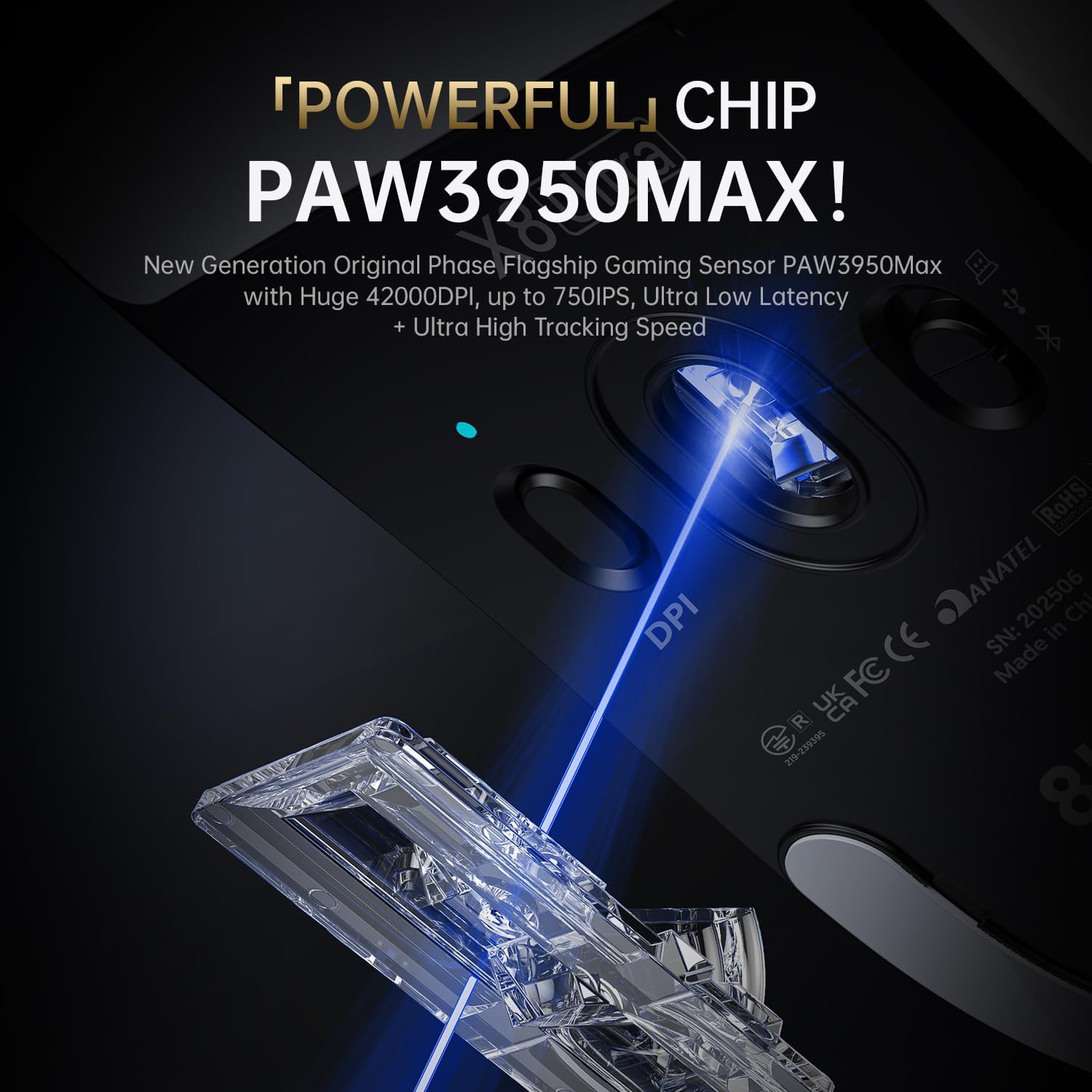
Image 5.1: The PixArt PAW3950MAX sensor for precise tracking.
5.2 Cloud Driver Software
For advanced customization, including DPI adjustment, polling rate, button remapping, macro recording, and competitive mode settings, use the web-based Cloud Driver software.
- Ensure your mouse is connected to your computer (preferably via 2.4GHz wireless or wired mode for full functionality).
- Deschide-ți web browser and navigate to the official ATTACK SHARK website (de exemplu, www.attackshark.pro).
- Locate the Cloud Driver section for the X8 Ultra model.
- Follow the on-screen instructions to customize your mouse settings. Settings are saved directly to the mouse's memory.

Image 5.2: The Cloud Driver interface for advanced mouse configuration.
5.3 Rata de sondare
The X8 Ultra supports an 8KHz wireless polling rate for ultra-low latency and faster response. In wired mode, it operates at 1KHz. The polling rate can be adjusted via the Cloud Driver software.

Image 5.3: Explanation of 8K Polling Rate technology.
6. Întreținere
6.1 Curățare
- Folosiți o lavetă moale și uscată pentru a șterge suprafața mouse-ului.
- Pentru murdăria persistentă, dreaptă ușoramproți cârpa cu apă sau cu o soluție de curățare blândă.
- Avoid using harsh chemicals or abrasive materials that could damage the mouse's finish or sensor.
- Regularly clean the optical sensor area on the underside of the mouse with a cotton swab to ensure optimal tracking performance.
6.2 Îngrijirea bateriei
- Pentru a prelungi durata de viață a bateriei, evitați descărcarea completă frecventă a mouse-ului.
- Depozitați mouse-ul într-un loc răcoros și uscat atunci când nu îl utilizați pentru perioade lungi de timp.
- If the mouse will not be used for a long time, charge it to about 50% before storage.
6.3 Replacing Mouse Feet Skates
The package includes replacement PTFE mouse feet skates for maintaining smooth glide. When the existing skates show significant wear:
- Carefully peel off the old mouse feet using a thin tool.
- Curățați suprafața unde au fost atașate patinele pentru a îndepărta orice reziduu de adeziv.
- Peel the backing from the new skates and carefully apply them to the corresponding areas on the mouse's underside.
- Apăsați ferm pentru a asigura o aderență adecvată.

Image 6.1: PTFE anti-slip footpads for smooth mouse movement.
7. Depanare
| Problemă | Soluție posibilă |
|---|---|
| Mouse not responding in wireless mode. |
|
| Conexiune cu întârziere sau intermitentă. |
|
| Inaccurate tracking. |
|
| Cloud Driver software not detecting mouse. |
|
8. Specificații
Key technical specifications for the ATTACK SHARK X8 Ultra Wireless Gaming Mouse:

Image 8.1: Detailed technical specifications for the X8 Ultra and other X8 series models.
| Caracteristică | Detaliu |
|---|---|
| Model | X8 Ultra |
| Senzor | PixArt PAW3950MAX |
| Interval DPI | 50 - 42,000 DPI |
| Viteza de miscare | IPS 750 |
| Accelerare | 60G |
| Durata de viață a butonului | 100 de milioane de clicuri |
| Micro comutator | Comutator Omron |
| Rata de sondare | Wireless 8000Hz / Wired 1000Hz |
| MCU | Nordic 52840 |
| Conectivitate | Wired / 2.4GHz Wireless / Bluetooth |
| Greutate | 55 g |
| Capacitatea bateriei | 500 mAh |
| Dimensiuni | Aproximativ 125.5 x 63 x 40 mm (4.96 x 2.5 x 1.6 inchi) |
9. Garanție și asistență
Produsele ATTACK SHARK sunt concepute pentru fiabilitate și performanță. Pentru informații despre garanție, asistență tehnică sau solicitări de service, vă rugăm să consultați pagina oficială ATTACK SHARK. website-ul lor sau contactați direct serviciul lor de asistență pentru clienți.
Oficial Website: www.attackshark.pro
Magazin de marcă: ATTACK SHARK Amazon Store
Vă rugăm să păstrați dovada achiziției pentru cererile de garanție.


