1. Introducere
Welcome to the user manual for your XINLEI Mobile TV Stand, model ML70A. This stand is designed to provide a versatile and stable mounting solution for most 32-75 inch flat or curved screen televisions. Please read this manual thoroughly before assembly and use to ensure proper installation and safe operation.
2. Informații importante privind siguranța
Vă rugăm să respectați următoarele măsuri de siguranță pentru a preveni vătămările corporale sau deteriorarea produsului dumneavoastră:
- Nu depășiți capacitatea maximă de greutate a 88 lbs (40 kg).
- Ensure the VESA mounting pattern of your TV is compatible (Min 100x100mm, Max 600x400mm).
- Always lock the casters when the stand is in a stationary position to prevent accidental movement.
- Assemble the stand on a soft, clean surface to avoid scratches.
- Țineți copiii și animalele de companie departe în timpul asamblarii.
- If any parts are missing or damaged, do not attempt to assemble. Contact customer support.
3. Conținutul pachetului
Verify that all components are present before beginning assembly. While a detailed parts list is not provided, typical components include:
- X-shaped base components
- Dual support columns
- TV mounting brackets
- Lockable casters (wheels)
- Assembly hardware (screws, washers, nuts, Allen wrench)
- Manual de instructiuni
4. Specificațiile produsului
| Caracteristică | Detaliu |
|---|---|
| Model | ML70A |
| Marca | XINLEI |
| Dimensiuni TV compatibile | 32-75 inci |
| Capacitate maximă de greutate | 88 lbs (40 kg) |
| Compatibilitate VESA | Min. 100x100mm, Max. 600x400mm |
| Interval de reglare a înălțimii | 40.91" până la 49.76" (4 niveluri) |
| Tip de bază | X-shaped with dual columns |
| Mobilitate | 360° Lockable Casters |
| Material | Metal |
| Greutatea articolului | 17.22 lire sterline |
| Dimensiuni pachet | 17.24 x 11.97 x 5.87 inci |
5. Configurare și asamblare
Follow these steps carefully for proper assembly. It is recommended to have two people for certain steps, especially when mounting the TV.
Pasul 1: Asamblați baza
Connect the X-shaped base components and attach the dual columns. Ensure all screws are tightened securely.

Image description: This image shows the X-shaped base of the TV stand with dual columns attached, highlighting its stability and large bearing area.
Pasul 2: Atașați rotile
Screw the lockable casters into the designated holes on the base.

Descrierea imaginii: Un prim-plan view of the lockable casters on the TV stand's base, indicating their 360-degree rotation and locking mechanism. This image also shows cable management features.
Step 3: Install TV Mounting Brackets
Attach the TV mounting brackets to the back of your television using the appropriate screws and spacers for your TV's VESA pattern. Ensure the brackets are centered and level.
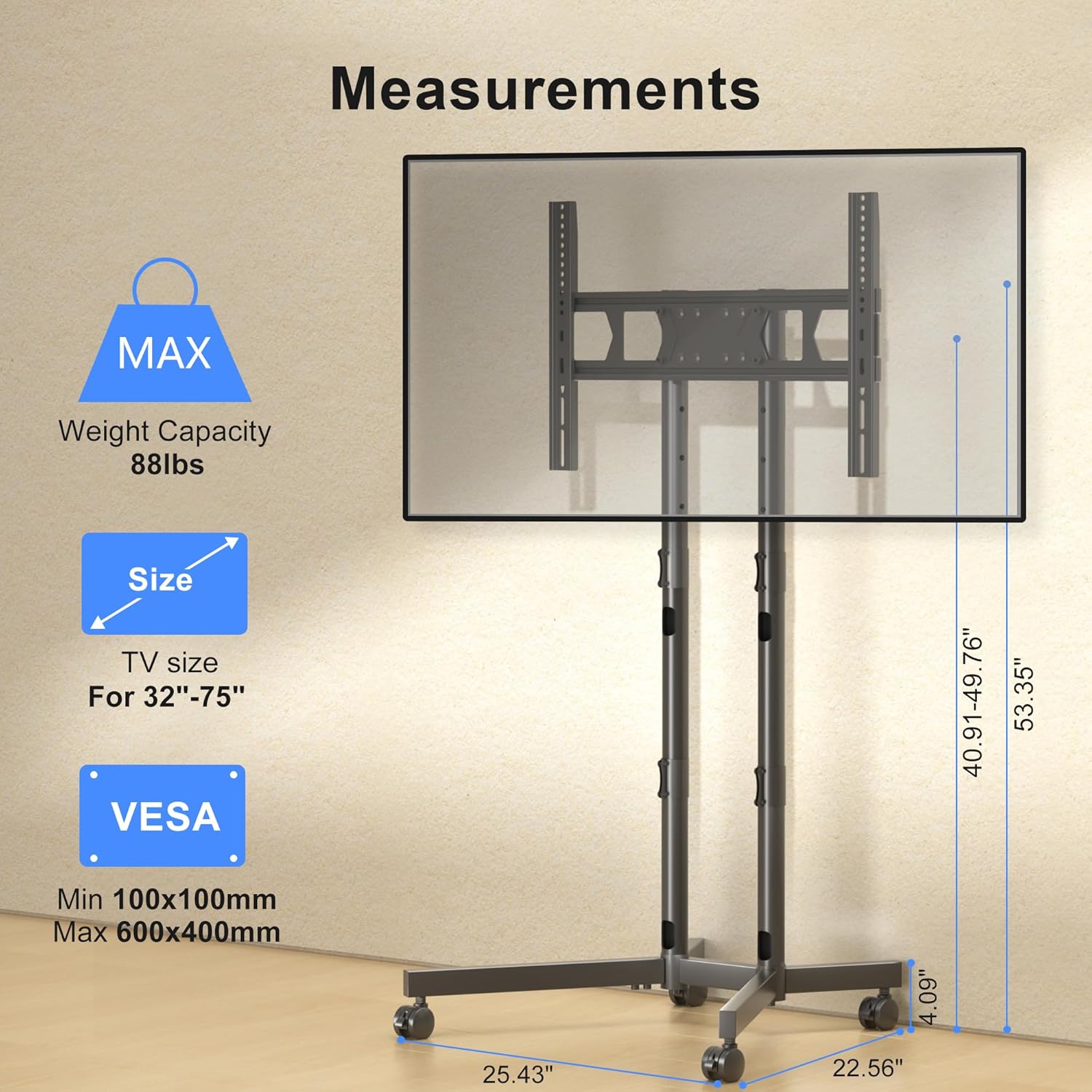
Image description: This diagram illustrates the TV mounting brackets and provides key measurements, VESA compatibility, and maximum weight capacity for the stand.
Step 4: Mount the TV to the Stand
Carefully lift the television and hook the mounting brackets onto the dual columns of the stand. Secure the TV using the safety lock mechanism.
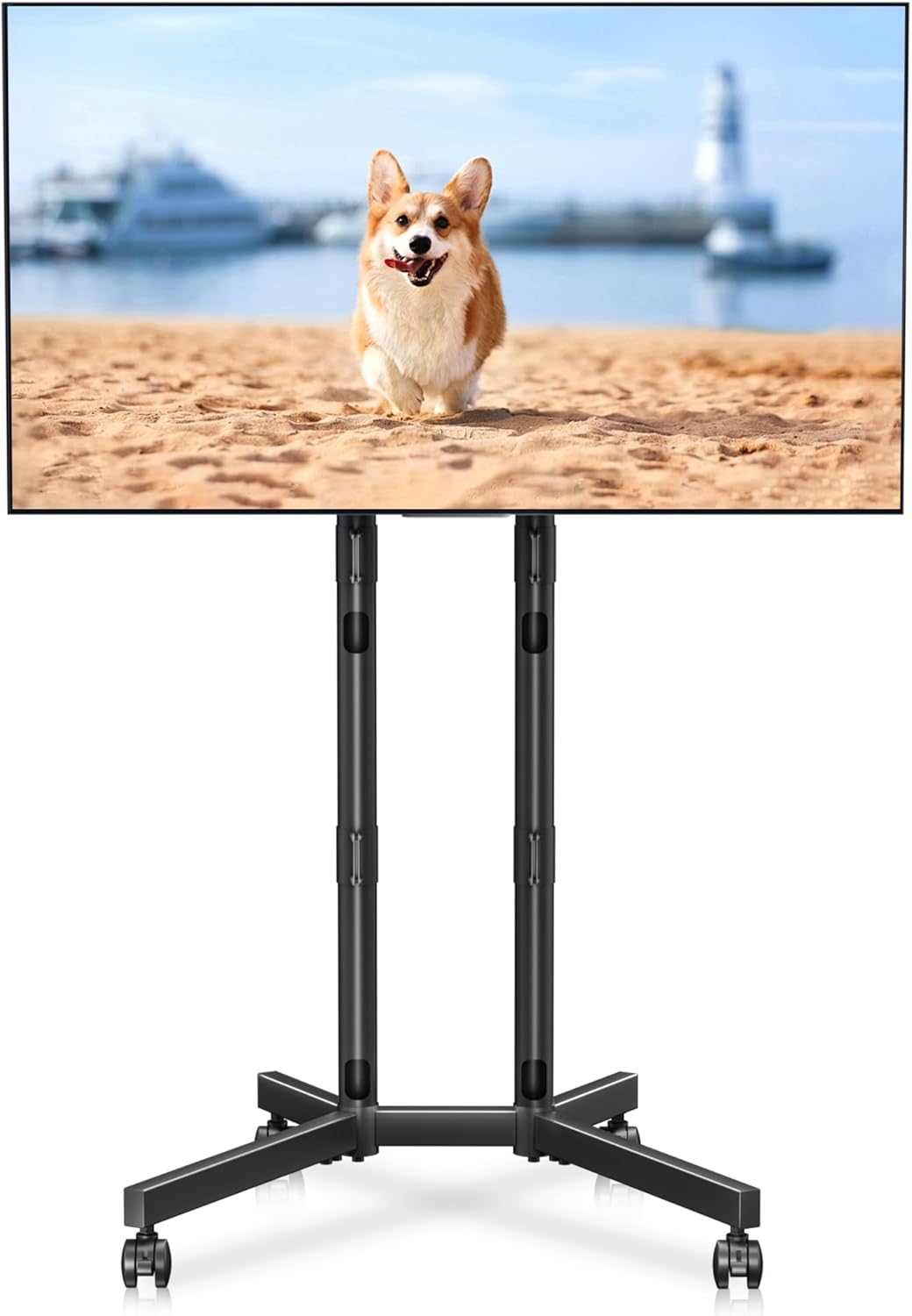
Image description: A fully assembled XINLEI Mobile TV Stand with a large screen television mounted, demonstrating the product's overall appearance and function.
Pasul 5: Managementul cablurilor
Route TV cables through the integrated cable management holes in the columns for a tidy appearance.
Image description: A detailed view highlighting the cable management feature, showing cables neatly routed through the stand's support columns.
6. Instrucțiuni de utilizare
Reglarea înălțimii
The stand offers 4 levels of height adjustment. To adjust, unlock the safety pins on the columns, raise or lower the TV to the desired height, and re-insert the safety pins securely.

Image description: An illustration demonstrating the four levels of height adjustment available on the TV stand, allowing users to optimize viewing height for different seating positions.
Mutarea Standului
To move the stand, unlock all four casters. Gently push the stand to its new location. Once positioned, lock all casters to prevent unintended movement.
Image description: A close-up of the lockable casters on the X-shaped base, essential for safely moving and securing the TV stand.
7. Întreținere
To ensure the longevity and proper function of your TV stand:
- Verificați periodic toate șuruburile și conexiunile pentru a vă asigura că rămân strânse.
- Curățați suportul cu o cârpă moale și uscată. Evitați substanțele de curățare abrazive sau solvenții.
- Inspect casters periodically for debris and ensure they roll smoothly.
8. Depanare
- Problem: The TV stand is unstable.
- Soluţie: Ensure all assembly screws are fully tightened. Verify that the TV weight and VESA pattern are within the specified limits. Make sure the casters are locked when the stand is stationary.
- Problem: Difficulty moving the stand.
- Soluţie: Check that all four casters are unlocked. Clear any obstructions from the caster wheels.
- Problem: TV is not level after mounting.
- Soluţie: Re-check the installation of the TV mounting brackets on the back of the TV. Adjust the height of the columns if necessary to ensure the TV is level.
9. Garanție și asistență pentru clienți
For warranty information or technical assistance, please refer to the contact details provided with your purchase documentation or visit the official XINLEI website-ul. Păstrați chitanța de achiziție pentru cererile de garanție.


