1. Introducere
This manual provides detailed instructions for the setup, operation, maintenance, and troubleshooting of your ATTACK SHARK X8 SE Wireless Gaming Mouse. Designed for performance and comfort, the X8 SE features tri-mode connectivity, a high-precision sensor, and a lightweight design for an optimal gaming experience.

Imagine: Sus view of the ATTACK SHARK X8 SE Wireless Gaming Mouse in Berry color.
2. Conținutul pachetului
Vă rugăm să vă asigurați că toate articolele sunt prezente în colet:
- ATTACK SHARK X8 SE Wireless Gaming Mouse
- Cablu de încărcare USB-C
- Receptor wireless de 2.4 GHz
- Manual de utilizare (acest document)
3. Configurare și conectivitate
The X8 SE mouse offers three connectivity modes: Wired, 2.4GHz Wireless, and Bluetooth. Choose the mode that best suits your needs.
3.1. Încărcarea mouse-ului
Before first use, it is recommended to fully charge the mouse. Connect the provided USB-C cable to the mouse's charging port and to a USB power source (e.g., computer USB port, USB wall adapter). The LED indicator will show charging status.

Image: The underside of the mouse, illustrating the USB-C charging port and the power/mode switch.
3.2. Mod cu fir
Connect the USB-C cable directly from the mouse to your computer's USB port. The mouse will function immediately and charge simultaneously.
3.3. Mod wireless 2.4GHz
- Locate the 2.4GHz wireless receiver, typically stored in a compartment on the underside of the mouse.
- Conectați receptorul la un port USB disponibil de pe computer.
- Switch the mode selector on the bottom of the mouse to the 2.4GHz wireless icon.
- Mouse-ul ar trebui să se conecteze automat.

Image: Visual representation of the three connectivity modes: Wired, 2.4GHz Wireless, and Bluetooth.
3.4. Mod Bluetooth
- Switch the mode selector on the bottom of the mouse to the Bluetooth icon.
- The mouse will enter pairing mode (LED may flash).
- Pe computer, navigați la setările Bluetooth și căutați dispozitive noi.
- Select "ATTACK SHARK X8 SE" from the list of available devices to pair.
4. Utilizarea mouse-ului
4.1. Ajustarea DPI-ului
The mouse features a PixArt PAW3311 gaming sensor with adjustable DPI from 50 to 25,000. Use the dedicated DPI button (usually on the underside or top of the mouse, depending on configuration) to cycle through preset DPI levels. The LED indicator may change color to signify the current DPI setting.
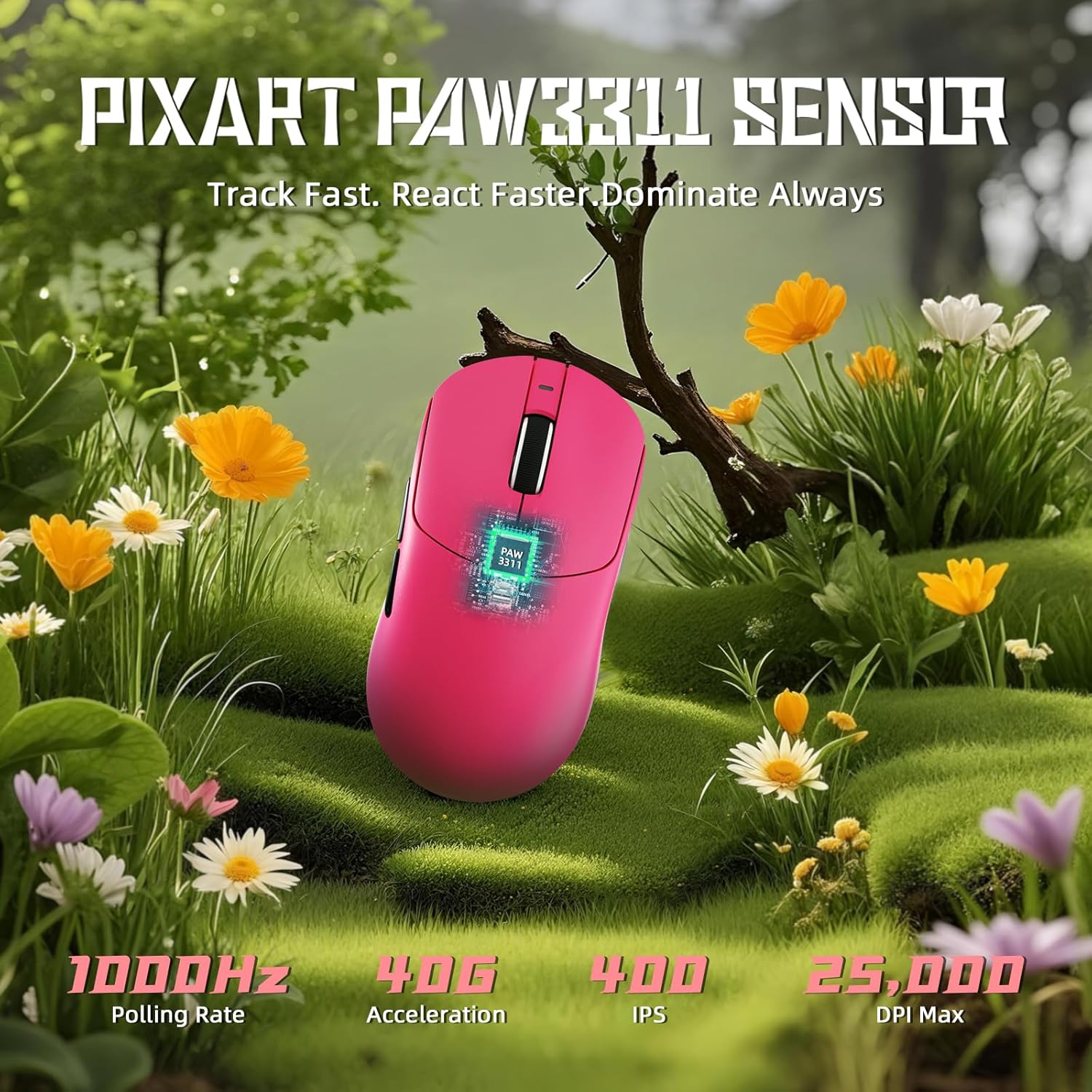
Image: Diagram illustrating the PixArt PAW3311 sensor and its performance metrics.
4.2. Rata de sondare
The X8 SE supports a 1KHz (1000Hz) polling rate in both wired and 2.4GHz wireless modes, ensuring responsive and accurate cursor movements.
4.3. Customizable Buttons and Software
The mouse features programmable buttons. To customize button functions, DPI settings, polling rate, macro recording, and key mapping, utilize the cloud-driven web driver. Access the driver via the official ATTACK SHARK website. This eliminates the need for traditional software installation.
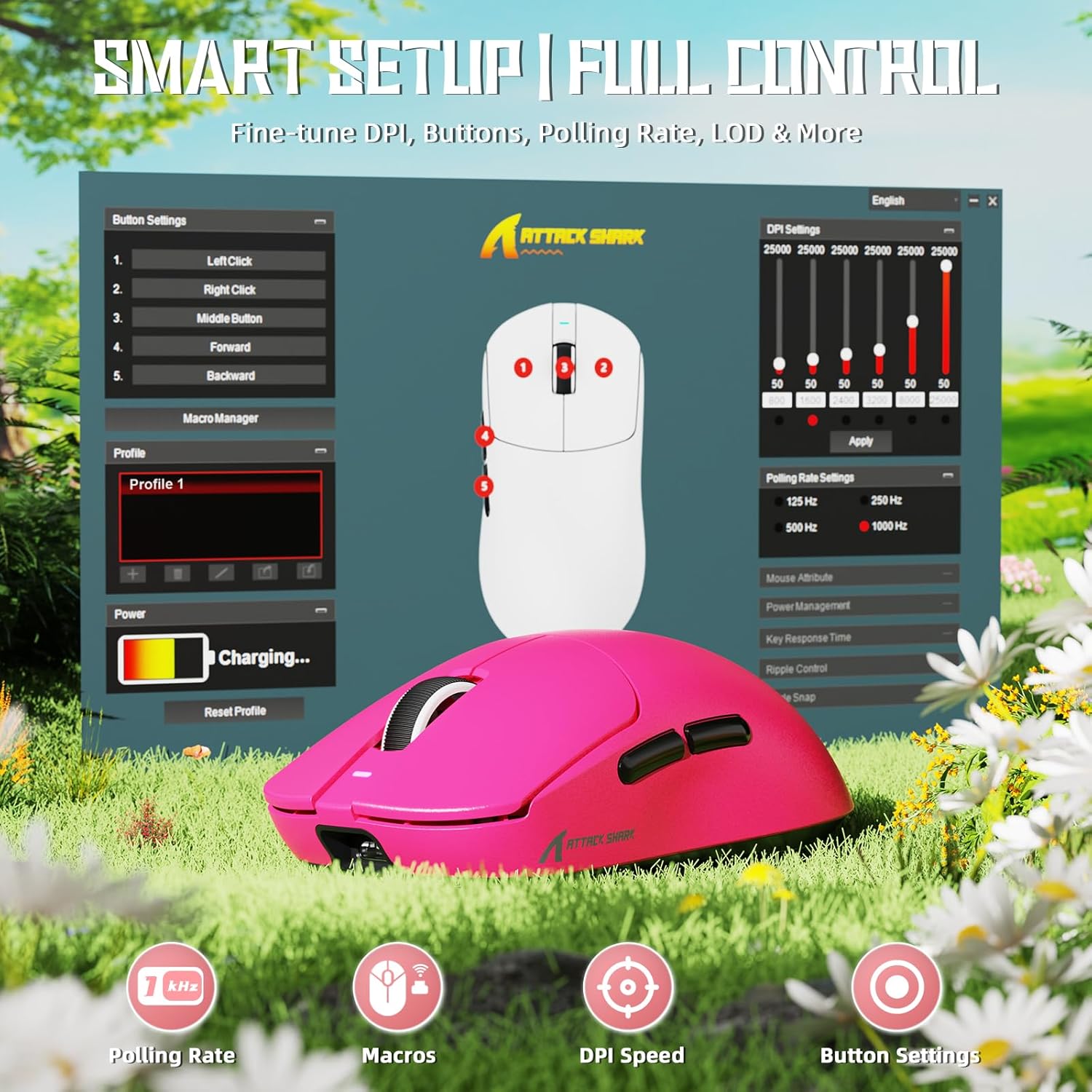
Image: Screenshot of the cloud-based driver interface for advanced customization.
4.4. Ergonomics and Grip Styles
The X8 SE is designed for users with medium to large hands, offering a comfortable grip for various styles including palm, claw, and fingertip grips.

Image: Illustration demonstrating palm, claw, and fingertip grip styles on the mouse.
5. Întreținere
5.1. Curatenie
Pentru a curăța mouse-ul, folosiți o lavetă moale și uscată. Pentru murdăria persistentă, folosiți o cârpă ușor uscată.amp cloth with mild soap can be used, ensuring no liquid enters the mouse. The Nano-ice coating is designed to resist sweat and maintain a clean feel.

Image: The mouse's Nano-ice coating helps maintain a clean surface.
5.2. Îngrijirea bateriei
The X8 SE features a 500mAh large-capacity battery. For optimal battery life, avoid fully discharging the mouse frequently. Recharge when the battery indicator suggests low power. A single charge can last up to 300 hours of intermittent use.
5.3. Mouse Feet
The mouse is equipped with PTFE anti-slip footpads for smooth gliding. If the glide performance degrades over time, replacement mouse feet may be available from the manufacturer.
6. Depanare
6.1. Mouse-ul nu răspunde
- Modul cu fir: Asigurați-vă că cablul USB-C este conectat corect atât la mouse, cât și la computer. Încercați un alt port USB.
- Mod wireless de 2.4 GHz: Ensure the 2.4GHz receiver is plugged in and the mouse is switched to 2.4GHz mode. Try re-pairing by unplugging and re-plugging the receiver, then cycling the mouse power.
- Mod Bluetooth: Ensure Bluetooth is enabled on your computer and the mouse is in Bluetooth mode. Re-pair the device through your computer's Bluetooth settings.
- Baterie: Check if the mouse battery is charged. Connect the charging cable and observe the charging indicator.
6.2. Probleme de mișcare a cursorului
- Curățați zona senzorului mouse-ului de pe partea inferioară a acestuia.
- Asigurați-vă că utilizați mouse-ul pe o suprafață adecvată (de exemplu, un mouse pad).
- Ajustați setările DPI la un nivel confortabil.
- If using wireless modes, ensure there are no significant obstructions or sources of interference between the mouse and the receiver/computer.
6.3. Cloud Driver Not Accessible
- Asigurați-vă că aveți o conexiune activă la internet pe computer.
- Verificați corect URL for the ATTACK SHARK cloud driver.
- Încearcă altceva web browser.
7. Specificații
| Caracteristică | Detaliu |
|---|---|
| Model | X8 SE |
| Senzor | PixArt PAW3311 Gaming Sensor |
| Interval DPI | 50 - 25,000 DPI |
| Rata de sondare | 1000Hz (1KHz) |
| Conectivitate | Cu fir (USB-C), fără fir 2.4 GHz, Bluetooth |
| Greutate | Aproximativ 55 g |
| Capacitatea bateriei | 500mAh |
| Durata de viață a bateriei | Up to 300 hours (intermittent use) |
| Micro întrerupătoare | HUANO (80 Million Clicks lifespan) |
| Accelerare | 40G |
| Viteza de urmărire | IPS 400 |
| Dimensiuni | Aproximativ 4.96 x 2.5 x 1.6 inchi (125.5 x 63 x 40 mm) |

Image: Comparative technical specifications for the ATTACK SHARK X8 series, including the X8 SE model.
8. Garanție și asistență
ATTACK SHARK products are designed for reliability and performance. For warranty information, technical support, or to access the cloud driver, please visit the official ATTACK SHARK website-ul sau contactați serviciul pentru clienți.
Official ATTACK SHARK Store: ATTACK SHARK Store on Amazon


