1. Informații de siguranță
Please read this manual carefully before using the product to ensure proper operation and to avoid damage. Keep this manual for future reference.
- Nu utilizați dispozitivul în timp ce conduceți. Reglați setările numai atunci când vehiculul este parcat în siguranță.
- Ensure the dash cam does not obstruct your view drumului sau să interfereze cu comenzile vehiculului.
- Use only original accessories provided with the product.
- Evitați expunerea dispozitivului la temperaturi extreme sau la lumina directă a soarelui pentru perioade lungi de timp.
- Țineți aparatul departe de apă și umiditate.
2. Conținutul pachetului
Verificați dacă toate articolele sunt prezente în colet:
- Mirror Dash Camera Unit
- Camera spate
- Încărcător auto
- Cablu de încărcare (USB-C)
- Modul GPS
- Card Micro SD de 64 GB
- Instrument de instalare (instrument de levier)
- Manual de utilizare
- Mounting Straps (for mirror)
- Adhesive Pads and Screws (for rear camera)

Image: All components included in the QOZ V969 Mirror Dual Dash Camera package.
3. Configurare și instalare
3.1 Installing the Mirror Dash Camera
- Attach the mirror dash camera to your existing rearview oglindă folosind curelele de cauciuc furnizate. Asigurați-vă că este fixată bine și că nu vă obstrucționează vederea. view.
- Adjust the integrated front camera lens to capture the desired view a drumului din fata.

Image: The mirror dash camera is designed to clip securely over your vehicle's existing rearview oglindă.
3.2 Instalarea camerei din spate
- Mount the rear camera at the back of your vehicle, typically above the license plate or inside the rear window. Use the provided adhesive pads and screws for secure attachment.
- Route the rear camera cable to the front of the vehicle, tucking it along the headliner and A-pillar trim using the installation tool to conceal the wiring.
- Connect the rear camera cable to the designated port on the mirror dash camera.
- Connect the red wire from the rear camera cable to your vehicle's reverse light power wire. This enables the display to automatically switch to the rear camera view la mers înapoi.

Image: Wiring diagram for connecting the rear camera to the main unit and the vehicle's reverse light for automatic activation.
3.3 Conectarea alimentării și a GPS-ului
- Insert the 64GB Micro SD card into the designated slot on the mirror dash camera.
- Connect the GPS module to its port on the mirror dash camera. Position the GPS module on the dashboard or near the windshield for optimal signal reception.
- Plug the car charger into your vehicle's 12V power outlet (cigarette lighter).
- Connect the USB-C charging cable from the car charger to the mirror dash camera.

Image: The dash camera package includes a 64GB SD card and a GPS module for route and speed tracking.
4. Instrucțiuni de utilizare
4.1 Pornire/Oprire
Camera de bord se va porni automat și va începe înregistrarea când contactul vehiculului este pornit. Se va opri automat când contactul este oprit.
4.2 10" IPS Touch Screen Interface
The 10-inch IPS touch screen provides a wide viewing angle and vivid color accuracy. Swipe left/right to switch between front camera view, camera spate view, or a split-screen display showing both simultaneously. Swipe up/down on the screen to adjust the camera's vertical viewunghiul de ing.
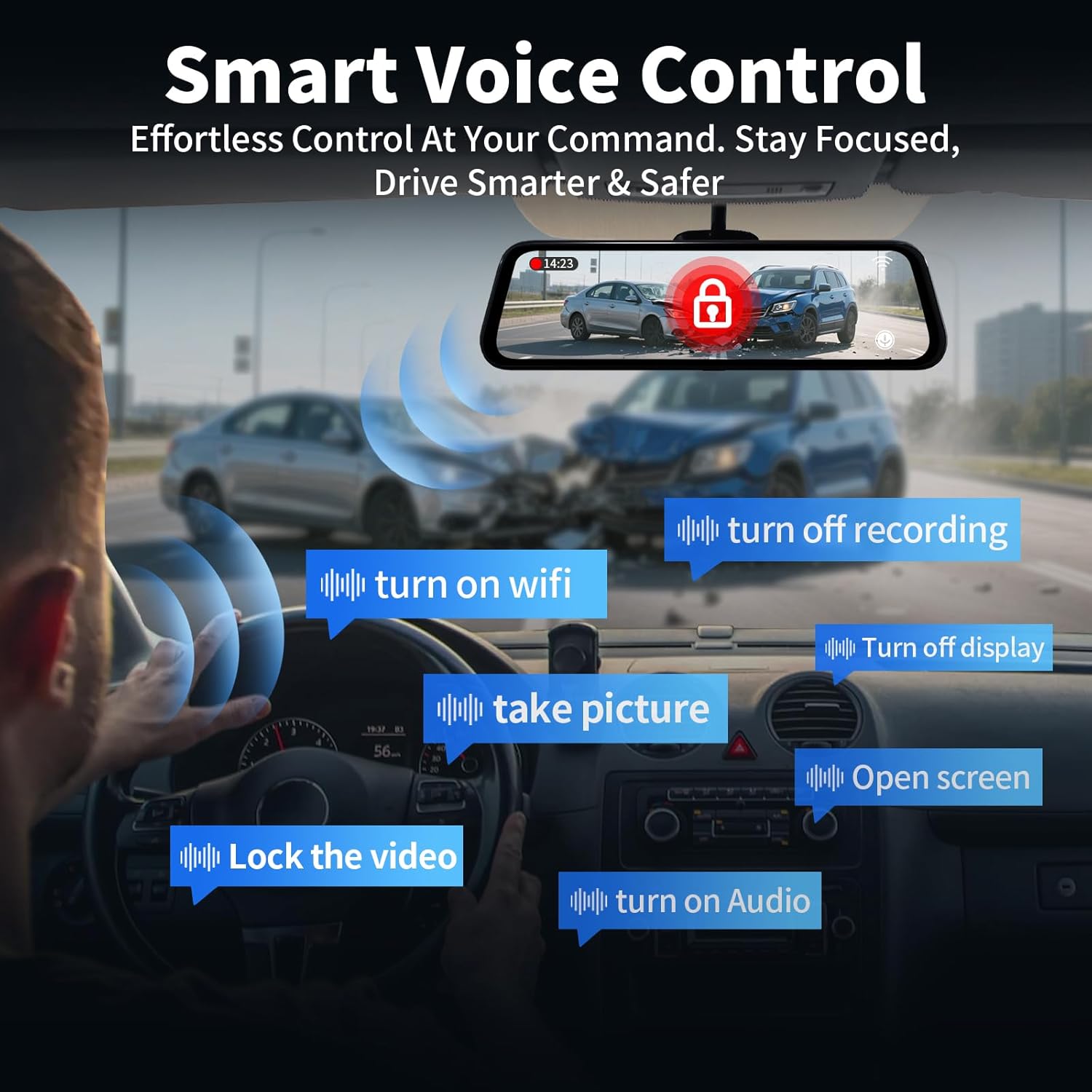
Image: The 10-inch IPS touch screen offers a clear and responsive interface for managing camera views și setări.
4.3 Control vocal
The dash cam supports voice commands for hands-free operation. Use the following commands:
- "Turn off screen" / "Turn on screen"
- "Show front camera" / "Show rear camera" / "Show both cameras"
- „Blochează videoclipul”
- „Fă o poză”
- „Activează sunetul” / „Dezactivează sunetul”
- „Activează Wi-Fi-ul” / „Dezactivează Wi-Fi-ul”
- "Turn off recording"
- "Open screen"

Image: Voice control allows for hands-free operation of key dash cam functions, enhancing driving safety.
Video: Demonstration of voice control features for the QOZ 4K+2.5K Mirror Dash Cam.
4.4 Built-in Wi-Fi & APP Control
Connect the dash cam to your smartphone via Wi-Fi using the dedicated app (available on iOS and Android). Through the app, you can view trăi footage, playback recorded videos, manage settings, and download files directly to your device. This allows for easy sharing of travel experiences.
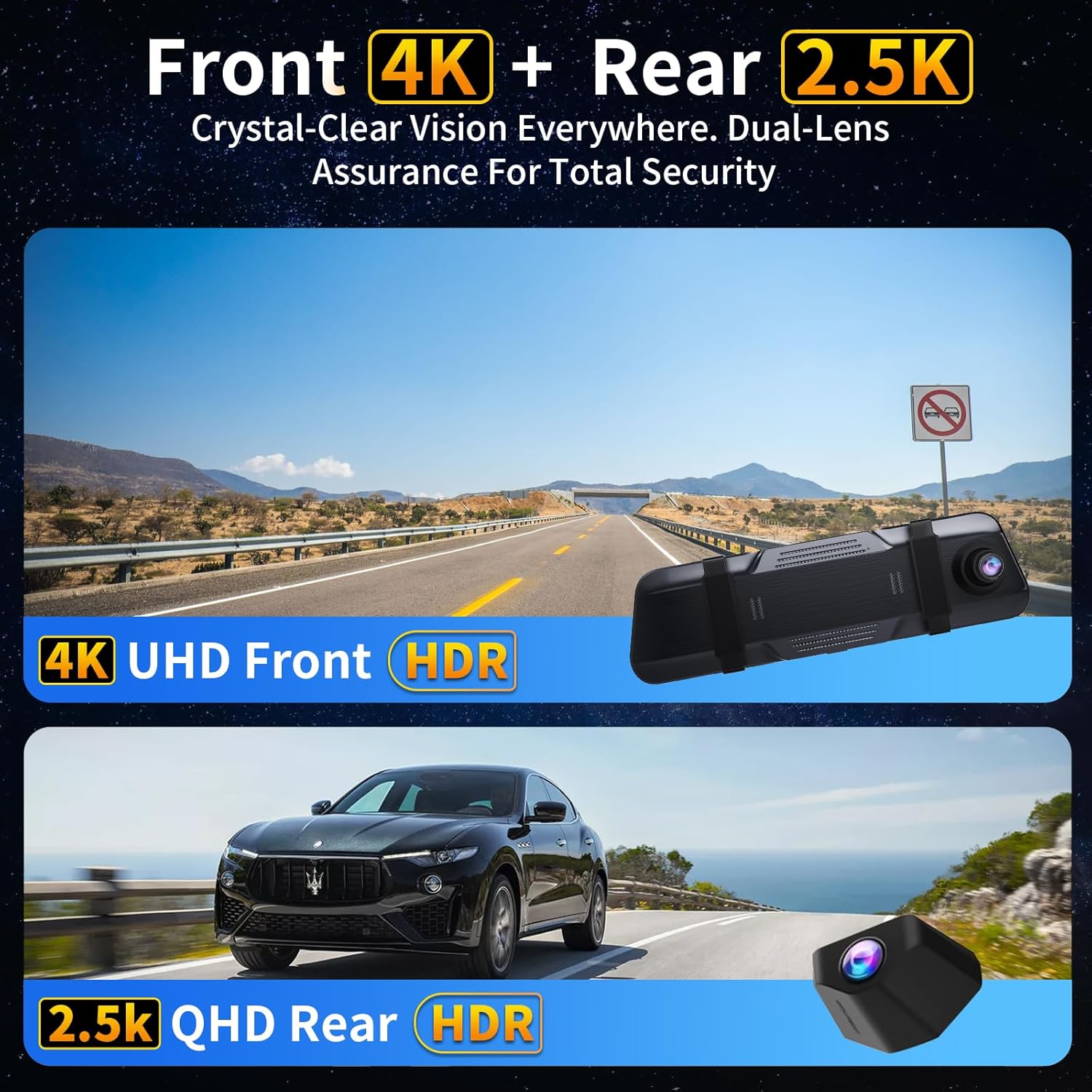
Image: The dash camera connects to a smartphone app via 5.8GHz Wi-Fi for viewing, playback, and management.
4.5 Înregistrare în buclă
Camera de bord înregistrează continuu videoclipuri în segmente (de exemplu, 1, 2 sau 5 minute). Când cardul SD este plin, cea mai veche memorie deblocată files are automatically overwritten to ensure uninterrupted recording. Locked filesunt protejate împotriva suprascrierii.
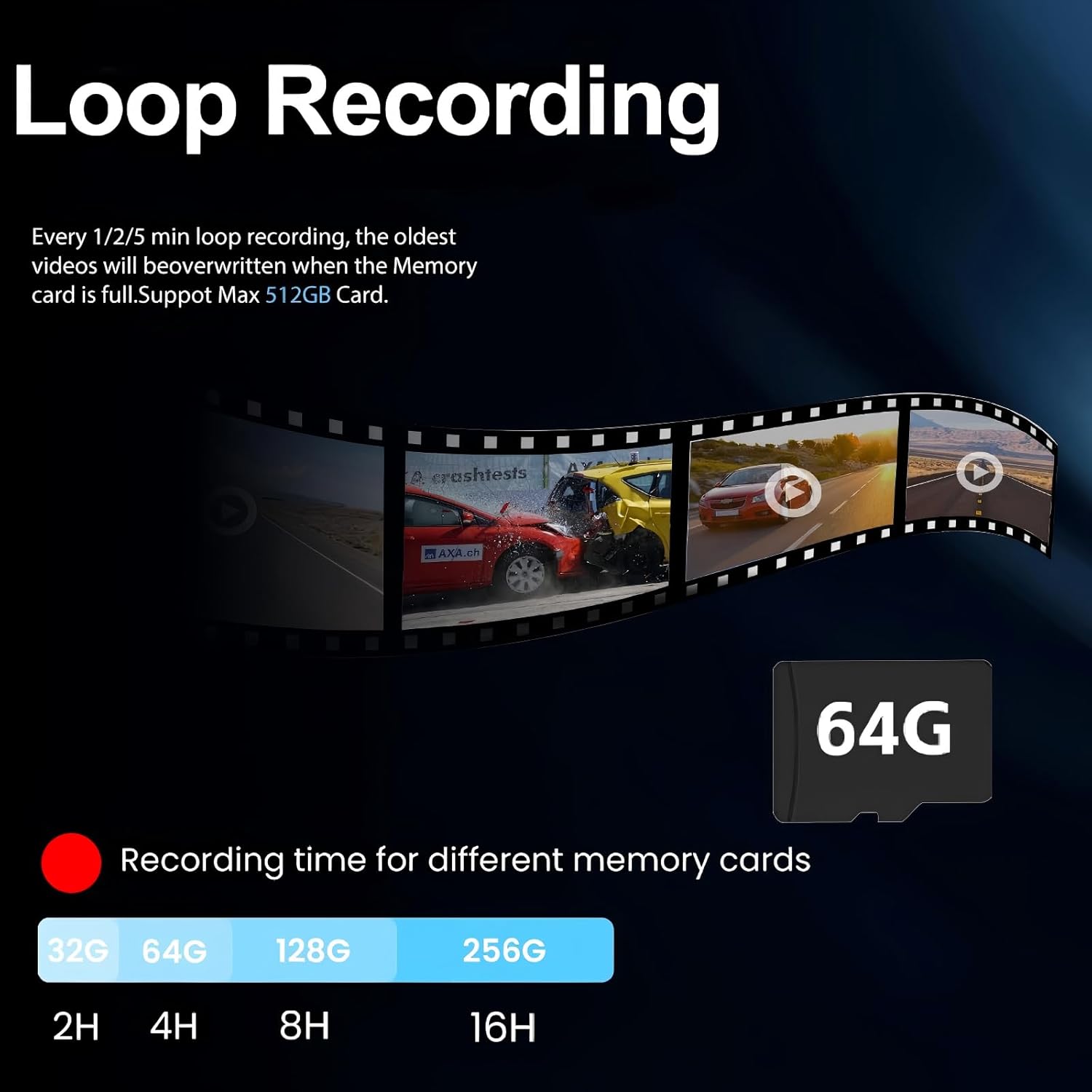
Image: Loop recording ensures continuous video capture by overwriting the oldest files când cardul de memorie este plin.
4.6 Senzor G (Înregistrare de urgență)
The built-in G-Sensor detects sudden impacts or collisions. When triggered, it automatically locks the current video segment, preventing it from being overwritten by loop recording. These locked fileservesc drept probe cruciale în caz de accident.

Image: The G-Sensor automatically locks video footage upon detecting a collision, securing important evidence.
Monitor de parcare 4.7 24H
Cu kitul opțional de cablare fixă (ASIN: B0DCYYLL6T, sold separately), the dash cam can monitor your vehicle 24 hours a day. It detects collisions, vandalism, or suspicious activity while parked and automatically saves critical video clips to the memory card.

Image: The 24-hour parking monitor provides continuous surveillance, requiring an optional hardwire kit.
4.8 WDR & Super Night Vision
The Wide Dynamic Range (WDR) technology balances exposure in varying light conditions, preventing overexposure in bright areas and underexposure in dark areas. Super Night Vision enhances clarity in low-light environments, ensuring sharp details like license plates are captured 24/7.
Image: WDR and Super Night Vision technologies ensure clear and detailed recordings in various lighting conditions, day or night.
4.9 Adjustable Rear Cam Display
The rear camera display can be adjusted to adapt to different installation methods and vehicle types. Options include vertical flip and mirror flip to ensure the correct orientation of the rear view.

Image: The adjustable rear camera display allows for various viewing orientations, including vertical and mirror flips.
5. Întreținere
- Formatarea cardului SD: Regularly format the Micro SD card (at least once a month) to ensure optimal performance and prevent data corruption. This can usually be done through the dash cam's settings menu.
- curatenie: Folosiți o lavetă moale și uscată pentru a curăța ecranul și lentilele camerei. Evitați utilizarea de produse de curățare abrazive sau solvenți.
- Actualizări firmware: Verifică-l pe cel al producătorului website periodically for firmware updates to ensure your device has the latest features and bug fixes.
6. Depanare
- "SD Card Full" Error: If you encounter this message, ensure loop recording is enabled. If it persists, format the SD card. If the issue continues, the SD card may be faulty and require replacement.
- Camera de bord nu pornește: Check the car charger connection and ensure the vehicle's 12V power outlet is functioning.
- Calitate video slabă: Ensure camera lenses are clean. Check the recording resolution settings (set to 4K front and 2.5K rear for optimal quality).
- GPS-ul nu urmărește: Ensure the GPS module is properly connected and placed in an area with clear sky view.
7. Specificații
| Numele modelului | V969-Voice Control Mirror Dash Cam |
| Dimensiunile produsului | 10 x 1 x 4 inci |
| Greutatea articolului | 1.98 lire sterline |
| Rezoluție captură video | 4K Front + 2.5K Rear |
| Câmp de View | 170 Degrees (Front) + 150 Degrees (Rear) |
| Tehnologia de conectivitate | Wi-Fi (5.8 GHz) |
| Caracteristici speciale | App Control, Built-In Display, Built-In GPS, Night Vision, Parking Monitor, Voice Control, Loop Recording, G-Sensor, WDR |
| Componente incluse | Car Charger, Charging Cable, Installation Tool, User Manual, 64GB Card, GPS Module |
8. Garanție și asistență
For warranty information, technical support, or any inquiries regarding your QOZ V969 Mirror Dual Dash Camera, please contact the manufacturer directly. Refer to the contact information provided in the product packaging or on the official QOZ website-ul.


