Introducere
Thank you for choosing the MIATONE Seattle T-01A PRO Bluetooth Headphones. This manual provides essential information for setting up, operating, and maintaining your headphones. Please read it carefully before use to ensure optimal performance and longevity of your device.
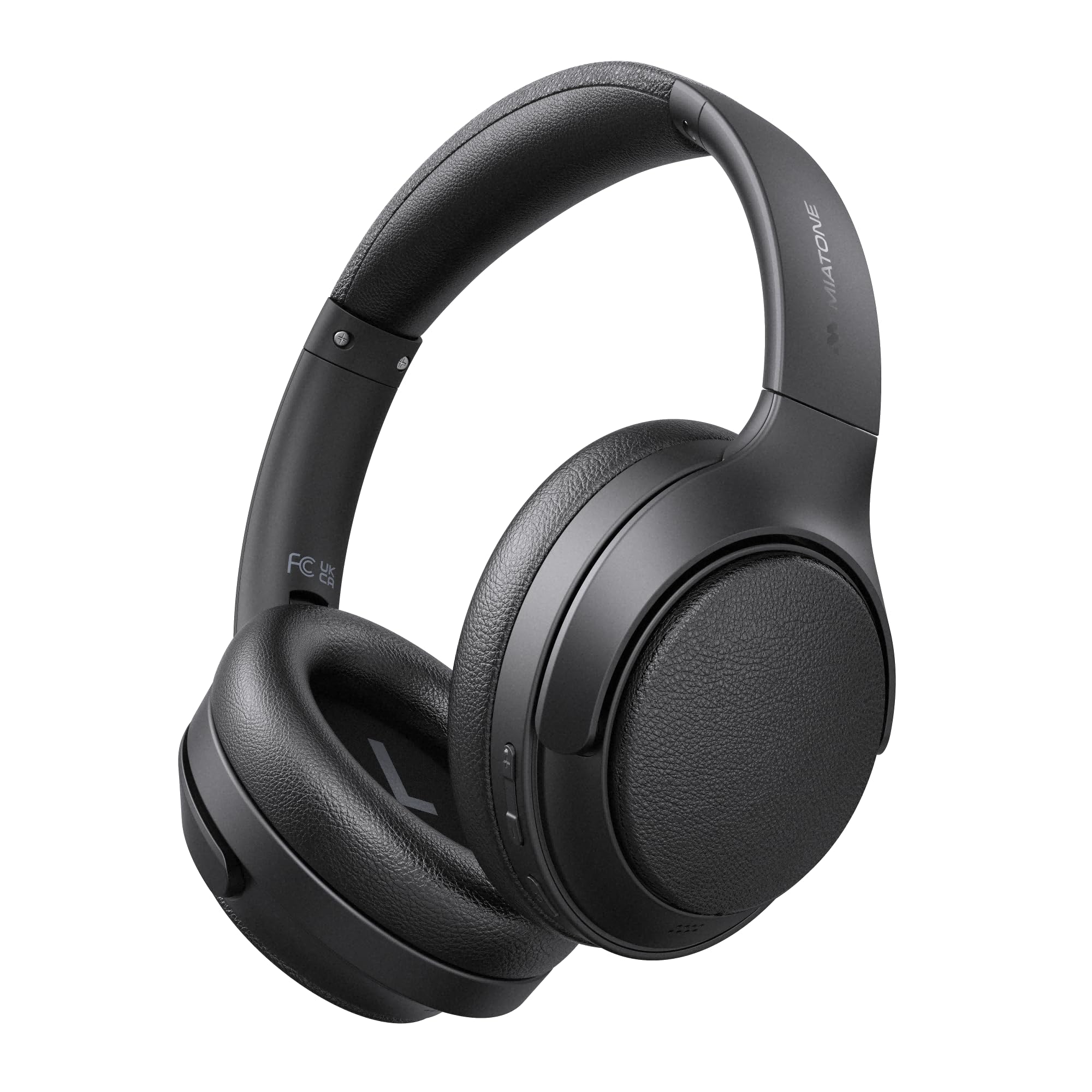
Image: MIATONE Seattle T-01A PRO Bluetooth Headphones in black, showcasing designul lor elegant.
Conținutul pachetului
Asigurați-vă că toate articolele sunt prezente în colet:
- MIATONE Seattle T-01A PRO Headphones x 1
- USB-C to USB-A Charging Cable x 1
- Cablu audio AUX de 3.5 mm x 1
- Carcasa de transport x 1
- Manual de utilizare x 1

Image: Contents of the MIATONE Seattle T-01A PRO package, including headphones, cables, carrying case, and manual.
Produs terminatview
The MIATONE Seattle T-01A PRO headphones feature a comfortable, foldable design with soft earcups and an adjustable headband for extended wear. They incorporate advanced audio technology for a superior listening experience.
Caracteristici cheie:
- Anulare activă a zgomotului hibridă (ANC): Reduces ambient noise by up to 48dB.
- 5 AI Microphones: Ensures clear voice calls even in noisy environments.
- Drivere dinamice duale: 40mm and 10mm LCP drivers deliver rich bass and clear treble.
- Durată lungă de viață a bateriei: Up to 60 hours of playback (45 hours with ANC).
- Conexiune multipunct: Conectați-vă la două dispozitive simultan.
- Wired & Wireless Modes: Supports Bluetooth 5.4 and 3.5mm AUX connection.

Image: Diagram illustrating the adjustable headband, foldable shaft, multi-axis rotation, and soft earpads for enhanced comfort and portability.

Imagine: Explodată view of the headphone earcup, highlighting the 40mm and 10mm LCP dual dynamic drivers.
Înființat
1. Încărcarea căștilor
Before first use, fully charge the headphones. Connect the provided USB-C charging cable to the headphone's charging port and the other end to a USB power adapter (not included) or a computer's USB port. The LED indicator will show charging status and turn off when fully charged.
- A 5-minute quick charge provides up to 10 hours of playback.
- Încărcarea completă durează aproximativ 2 ore.

Image: Visual representation of the headphones' extended battery life, indicating up to 60 hours of playback.
2. Pornire/Oprire
- Pornire: Press and hold the Power button for 2 seconds until the LED indicator flashes.
- Oprire: Apăsați și mențineți apăsat butonul de pornire timp de 3 secunde până când indicatorul LED se stinge.
3. Asociere Bluetooth
When powered on for the first time, the headphones will automatically enter pairing mode. The LED indicator will flash blue and red alternately.
- Activați Bluetooth pe dispozitivul dvs. (smartphone, tabletă, computer).
- Caută "MIATONE Seattle" in the list of available devices.
- Select "MIATONE Seattle" to connect. The LED indicator will turn solid blue when connected.
4. Conexiune multipunct
The headphones support connecting to two Bluetooth devices simultaneously.
- Pair the headphones with the first device (e.g., smartphone).
- Dezactivați Bluetooth pe primul dispozitiv. Căștile vor reintra în modul de asociere.
- Pair the headphones with the second device (e.g., PC).
- Reactivați Bluetooth pe primul dispozitiv. Căștile se vor conecta automat la ambele dispozitive.
Note: Audio playback will only come from one device at a time. You can switch between devices by pausing playback on one and starting it on the other.

Image: Diagram showing the headphones connected simultaneously to a smartphone and a laptop via multipoint Bluetooth.
5. Conexiune prin cablu (mod AUX)
To use the headphones in wired mode, connect one end of the 3.5mm AUX audio cable to the headphone's AUX port and the other end to your audio source's 3.5mm jack. The headphones will automatically switch to AUX mode. Bluetooth functions will be disabled in wired mode.

Image: Illustration of both wired (AUX) and wireless (Bluetooth 5.4) connection options for the headphones.
Instrucțiuni de operare
1. Active Noise Cancelling (ANC) Modes
The headphones offer Hybrid ANC and Ambient Sound modes.
- ANC activat: Press the ANC button once to activate Active Noise Cancelling. This mode reduces external noise by up to 48dB, ideal for travel or noisy environments.
- Mod sunet ambiental: Press the ANC button again to switch to Ambient Sound mode. This allows you to hear your surroundings while still enjoying your audio.
- ANC dezactivat: Press the ANC button a third time to turn off all noise control features.

Image: A woman wearing the headphones, demonstrating the -48dB noise reduction capability in various environments like trains, airplanes, and cafes.
2. Funcții de apel
The integrated 5 AI microphones ensure clear communication.
- Răspundeți/Terminați apelul: Apăsați o dată butonul multifuncțional.
- Respinge apelul: Apăsați și mențineți apăsat butonul multifuncțional timp de 2 secunde.
- Activați Asistentul vocal: Apăsați de două ori butonul multifuncțional.

Image: A woman wearing the headphones, illustrating the effectiveness of the 5 AI microphones and AI noise cancelling for clear calls in various settings.
3. Redarea muzicii
- Redare/Pauză: Apăsați o dată butonul multifuncțional.
- Următoarea piesă: Apăsați și țineți apăsat butonul de creștere a volumului timp de 2 secunde.
- Pista anterioară: Apăsați și țineți apăsat butonul de reducere a volumului timp de 2 secunde.
4. Controlul volumului
- Creșterea volumului: Apăsați butonul de creștere a volumului o dată.
- Volum scăzut: Apăsați butonul de reducere a volumului o dată.
Întreţinere
1. Curatenie
- Ștergeți căștile cu o lavetă moale și uscată.
- Nu utilizați agenți de curățare abrazivi sau solvenți.
- Păstrați portul de încărcare curat de praf și resturi.
2. Depozitare
- Când nu le utilizați, depozitați căștile în husa de transport furnizată pentru a le proteja de praf și deteriorări.
- Evitați depozitarea la temperaturi extreme sau umiditate ridicată.

Image: Hands placing the foldable MIATONE Seattle headphones into their protective carrying case for convenient storage and transport.
Depanare
| Problemă | Cauza posibila | Soluţie |
|---|---|---|
| Nu se poate porni | Baterie descărcată | Încărcați complet căștile. |
| Nu se poate conecta prin Bluetooth | Headphones not in pairing mode / Bluetooth disabled on device | Ensure headphones are in pairing mode (flashing blue/red). Enable Bluetooth on your device and search again. |
| Nici un sunet | Volume too low / Not connected / AUX cable inserted | Increase volume. Ensure headphones are connected. If using Bluetooth, remove AUX cable. |
| ANC nu este eficient | ANC not activated / High-frequency noise | Press the ANC button to activate. ANC is most effective against low-frequency noise. |
| Calitate slabă a apelurilor | Microphone obstructed / Weak Bluetooth signal | Ensure microphones are clear. Move closer to your connected device. |
Specificații
| Caracteristică | Caietul de sarcini |
|---|---|
| Numele modelului | T-01A PRO |
| Controlul zgomotului | Anulare activă hibridă a zgomotului (până la 48dB) |
| Tehnologia de conectivitate | Wireless (Bluetooth 5.4), Wired (3.5mm AUX) |
| Dimensiunea driverului | 40mm + 10mm Dual Dynamic Drivers |
| Impedanta | 32 ohmi |
| Durata de viață a bateriei | Până la 60 de ore (ANC oprit), Până la 45 de ore (ANC activat) |
| Microfoane | 5 AI Microphones for calls |
| Caracteristici speciale | Multipoint Connection, Ambient Sound Mode, Foldable Design |
| Dimensiuni | 22.4 x 17.7 x 7.5 cm |
| Greutate | 540 g |
Garanție și suport
MIATONE products are designed for reliability and performance. For warranty information and customer support, please refer to the warranty card included in your package or visit the official MIATONE website-ul. Păstrați chitanța de achiziție pentru cererile de garanție.
For further assistance, please contact MIATONE customer service.


