1. Introducere
Thank you for choosing the RORSOU C6 Active Noise Cancelling Headphones. These headphones are designed to provide a superior audio experience with advanced noise-cancelling technology, comfortable wear, and versatile connectivity options. This manual will guide you through the setup, operation, and maintenance of your new headphones.

Image: RORSOU C6 Active Noise Cancelling Headphones, Rose Gold variant.
2. Conținutul pachetului
Vă rugăm să vă asigurați că toate articolele sunt prezente în colet:
- RORSOU C6 Active Noise Cancellation Bluetooth Headphones
- Cablu audio de rezervă de 3.5 mm
- Cablu de încărcare USB
- Manual de utilizare (acest document)
- Travel Protective Storage Bag
3. Produs terminatview și Controale
Familiarize yourself with the physical features and control buttons of your RORSOU C6 headphones.

Image: Detailed diagram illustrating the location and function of control buttons and ports on the RORSOU C6 headphones.
- Volum mărit (+) / Melodia următoare: Click for volume up, long press for next track.
- Reducere volum (-) / Piesa anterioară: Click for volume down, long press for previous track.
- Power Button / Play/Pause: Long press to power on/off, click to play/pause music.
- Butonul ANC: Click to activate/deactivate Active Noise Cancelling.
- Port de tip C: Pentru încărcarea căștilor.
- Mufă audio de 3.5 mm: Pentru conexiune audio prin cablu.
4. Configurare
4.1. Asociere Bluetooth
- Asigurați-vă că căștile sunt oprite.
- Long press the Power Button until the LED indicator flashes blue, indicating pairing mode.
- On your device (smartphone, tablet, PC), enable Bluetooth and search for "RORSOU C6" in the list of available devices.
- Select "RORSOU C6" to connect. The LED indicator will turn solid blue once connected.
4.2. Conexiune prin cablu
Pentru a utiliza căștile cu o conexiune prin cablu:
- Connect one end of the provided 3.5mm audio cable to the 3.5mm audio jack on the headphones.
- Connect the other end of the cable to your audio source's 3.5mm port.
- Căștile vor trece automat în modul cu fir.
5. Instrucțiuni de utilizare
5.1. Anularea activă a zgomotului (ANC)
The RORSOU C6 features advanced Active Noise Cancelling technology to reduce ambient noise.

Image: Visual representation of Active Noise Cancelling reducing external noise.
- To activate ANC, click the dedicated ANC button. You will hear an audible confirmation.
- To deactivate ANC, click the ANC button again.
5.2. Calitate audio
Equipped with 40mm dynamic drivers, the C6 headphones deliver high-fidelity audio with deep bass, rich mids, and crisp highs, ensuring every detail of your music is clear.
5.3. Durata de viață a bateriei și încărcarea
The headphones offer up to 60 hours of playtime on a single charge. A full charge takes approximately 2 hours using the provided USB charging cable.

Image: Close-up of the RORSOU C6 earcups and adjustable headband, emphasizing comfort.
5.4. Comfort and Portability
The RORSOU C6 headphones feature ultra-soft protein leather earcups and an adjustable headband for extended comfortable wear. Their lightweight and foldable design allows for easy storage in the travel protective bag, making them ideal for travel and daily use.
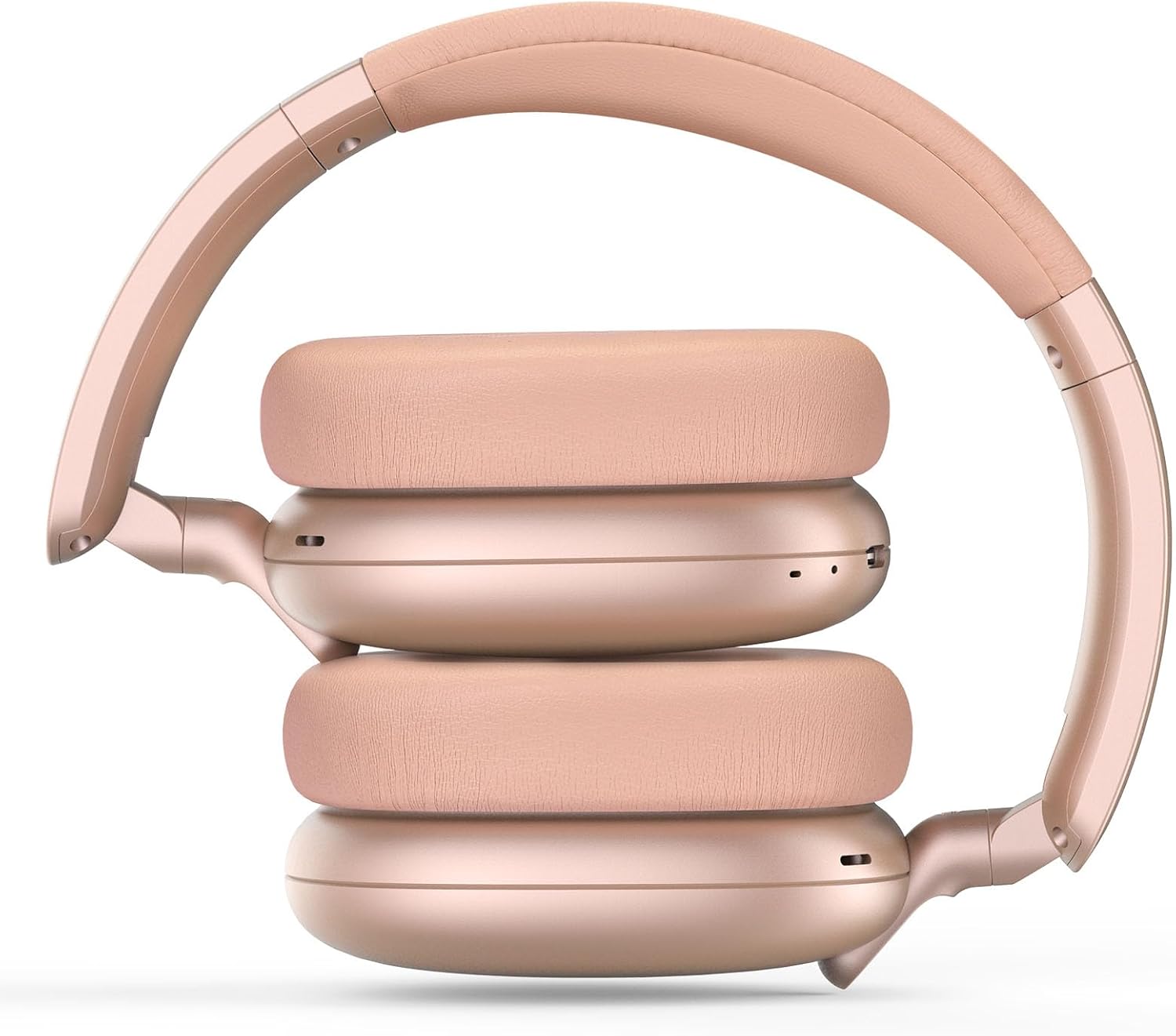
Image: RORSOU C6 headphones shown in their folded configuration, demonstrating portability.
6. Specificații
| Caracteristică | Caietul de sarcini |
|---|---|
| Numele modelului | C6 |
| Marca | RORSOU |
| Tehnologia de conectivitate | Bluetooth 5.4, Wired, Wireless |
| Tehnologia comunicațiilor fără fir | Bluetooth |
| Caracteristici de control al zgomotului | Anularea activă a zgomotului |
| Mufă pentru căști | 3.5 mm Jack |
| Dimensiunea driverului audio | 40 milimetri |
| Durata de viață a bateriei | 60 de ore |
| Timp de încărcare | 2 de ore |
| Greutatea articolului | 230 de grame (8.1 uncii) |
| Caracteristica specială | Adjustable Headband, Detachable Cable, Foldable, Lightweight, Noise Cancellation |
7. Întreținere
To ensure the longevity and optimal performance of your RORSOU C6 headphones, follow these maintenance guidelines:
- curatenie: Folosiți o cârpă moale și uscată pentru a curăța căștile. Evitați utilizarea substanțelor chimice dure sau a materialelor abrazive.
- Depozitare: When not in use, store the headphones in the provided travel protective storage bag to prevent dust and scratches.
- Evitați condițiile extreme: Nu expuneți căștile la temperaturi extreme, umiditate sau lumina directă a soarelui.
- Rezistenta la apa: These headphones are not water resistant. Avoid contact with liquids.
8. Depanare
If you encounter any issues with your RORSOU C6 headphones, please refer to the following common solutions:
- Fără putere: Ensure the headphones are fully charged. Connect them to a power source using the USB charging cable.
- Nu se poate conecta prin Bluetooth: Make sure the headphones are in pairing mode (flashing blue LED). Ensure Bluetooth is enabled on your device and it is within range (10 meters). Try restarting both the headphones and your device.
- Fără sunet: Check the volume levels on both the headphones and your connected device. If using a wired connection, ensure the 3.5mm cable is securely plugged into both ends.
- ANC nu funcționează: Ensure the ANC function is activated by pressing the ANC button.
- Calitate slabă audio: Ensure the headphones are within Bluetooth range of your device. If using a wired connection, try a different 3.5mm cable.
9. Garanție și asistență
RORSOU is dedicated to providing high-quality products with excellent after-sale service. Your RORSOU C6 headphones come with a 365-day Hassle-Free Limited Protection. If you have any questions or require support, please contact RORSOU customer service. We aim to respond within 12 hours.


