Introducere
Welcome to your new Baseus EH10 NC Bluetooth Headphones. These over-ear headphones feature -45dB Hybrid Active Noise Cancellation, Hi-Res and LDAC audio support, 5 AI microphones for clear calls, and multi-point connectivity. This manual provides detailed instructions for setup, operation, and maintenance to ensure optimal performance and longevity of your device.
Conținutul pachetului
- 1 x Baseus EH10 NC ANC Headphones
- 1 x cablu de încărcare (USB-C)
- 1 x Manual de utilizare (acest document)
Produs terminatview
The Baseus EH10 NC headphones are designed for comfort and superior audio quality. Familiarize yourself with the physical components for ease of use.
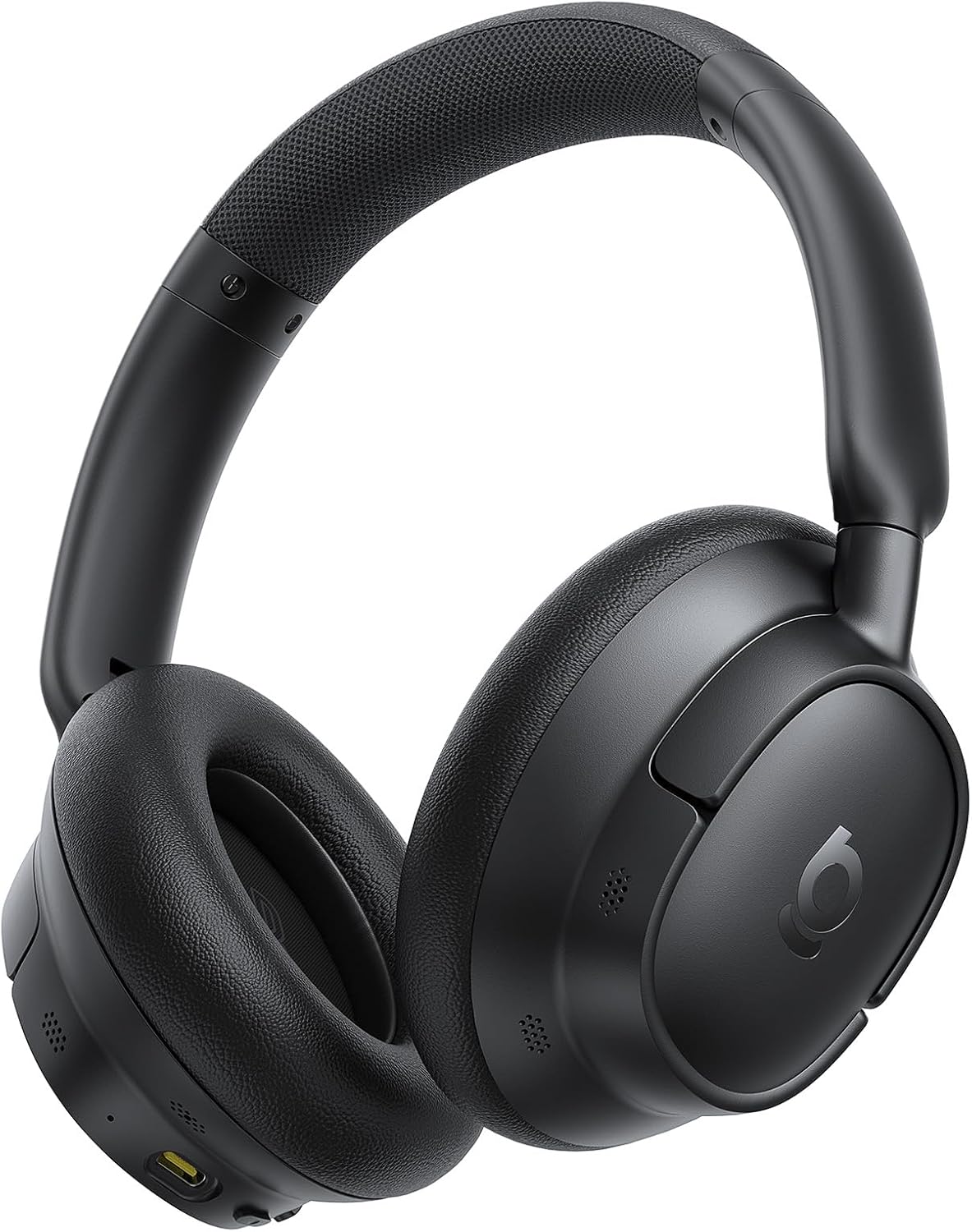
The image displays the Baseus EH10 NC over-ear headphones in black, showcasing the earcups, headband, and general design. The left earcup typically features control buttons and a charging port.

The front of the product packaging for the Baseus EH10 NC headphones, highlighting key features such as -45dB ANC, 40mm dynamic drivers, CloudComfort, 80-hour battery life, and Hi-Res Audio certification.

The back of the product packaging, illustrating features like SuperBass 2.0, long-lasting playtime, and CloudComfort. It also includes regulatory information and contact details for support.
Înființat
Încărcarea căștilor
The headphones come with a built-in rechargeable Lithium-Ion battery. Before first use, it is recommended to fully charge the headphones.
- Conectați cablul de încărcare USB-C furnizat la portul de încărcare al căștilor.
- Conectați celălalt capăt al cablului la o sursă de alimentare USB compatibilă (de exemplu, adaptor de perete, port USB al computerului).
- Indicatorul luminos va afișa starea de încărcare și se va stinge sau își va schimba culoarea când este complet încărcat.
A full charge provides up to 80 hours of playtime with ANC disabled, or 55 hours with ANC enabled. A quick 10-minute charge can provide approximately 10 hours of playtime.
Asociere Bluetooth
Pentru a conecta căștile la un dispozitiv prin Bluetooth:
- Asigurați-vă că căștile sunt oprite.
- Apăsați și țineți apăsat butonul de pornire până când indicatorul luminos clipește rapid, indicând modul de asociere.
- Pe dispozitivul dvs. (smartphone, tabletă, computer), activați Bluetooth și căutați dispozitivele disponibile.
- Select "Baseus EH10 NC" from the list of detected devices.
- Once connected, the indicator light will stop flashing and remain solid or turn off, depending on the model.
The headphones support Bluetooth 6.0 for stable wireless communication.
Instrucțiuni de operare
Anularea zgomotului activ (ANC)
The Baseus EH10 NC headphones feature -45dB Hybrid Active Noise Cancellation to reduce ambient noise. This allows for a more focused listening experience.
- ANC activat: Press the dedicated ANC button (or multi-function button, refer to specific button layout) to activate noise cancellation.
- Mod sunet ambiental: Press the ANC button again to switch to Ambient Sound Mode, which allows you to hear your surroundings while audio plays.
- ANC dezactivat: Press the ANC button a third time to turn off all noise control modes.
Redare audio
Use the control buttons on the earcup to manage your audio:
- Redare/Pauză: Apăsați o singură dată butonul multifuncțional.
- Următoarea piesă: Apăsați de două ori butonul multifuncțional.
- Pista anterioară: Apăsați de trei ori butonul multifuncțional.
- Volum sus/jos: Folosește butoanele de volum dedicate.
These headphones support Hi-Res and LDAC audio, providing high-fidelity sound. SuperBass 2.0 technology enhances low frequencies for a richer bass experience.
Managementul apelurilor
The headphones are equipped with 5 AI microphones and an ENC system for clear calls, even in noisy environments.
- Răspundeți/Terminați apelul: Apăsați o singură dată butonul multifuncțional.
- Respinge apelul: Apăsați și mențineți apăsat butonul multifuncțional timp de aproximativ 2 secunde.
Conectivitate multi-punct
The Baseus EH10 NC supports multi-point connection, allowing you to connect to two devices simultaneously. This enables seamless switching between audio sources.
- Pair the headphones with the first device as described in the "Bluetooth Pairing" section.
- Once connected, temporarily disconnect Bluetooth on the first device.
- Puneți căștile înapoi în modul de asociere și asociați-le cu al doilea dispozitiv.
- Reconectați Bluetooth pe primul dispozitiv. Căștile ar trebui să fie acum conectate la ambele dispozitive.
Audio will switch automatically between devices based on active playback or incoming calls.
Întreţinere
Curatenie
- Ștergeți căștile cu o lavetă moale, uscată și fără scame.
- Do not use abrasive cleaners, solvents, or strong chemicals, as these may damage the surface or internal components.
- Ensure no liquid enters the earcups, charging port, or microphone openings.
Depozitare
- Depozitați căștile într-un loc răcoros și uscat, ferit de lumina directă a soarelui și de temperaturi extreme.
- When not in use for extended periods, charge the battery periodically (e.g., once every three months) to maintain its lifespan.
- Avoid placing heavy objects on the headphones to prevent damage.
Depanare
If you encounter issues with your Baseus EH10 NC headphones, refer to the following common solutions:
- Fără putere: Asigurați-vă că sunt complet încărcate căștile. Conectați-le la o sursă de alimentare și verificați indicatorul de încărcare.
- Nu se poate realiza asocierea: Make sure the headphones are in pairing mode (indicator flashing) and within 10 meters of your device. Turn off and on Bluetooth on your device, then try pairing again.
- Fără sunet: Check volume levels on both the headphones and your connected device. Ensure the headphones are correctly paired and selected as the audio output device.
- ANC nu este eficient: Ensure the earcups form a good seal around your ears. Check that ANC is enabled and that you are in a suitable environment for noise cancellation.
- Probleme de calitate a apelurilor: Ensure the microphones are not obstructed. Move to an area with less background noise. Check your device's call settings.
- Conexiune intermitentă: Ensure there are no significant obstacles between the headphones and your device. Avoid environments with strong electromagnetic interference.
If the problem persists, try resetting the headphones (refer to the full product manual for specific reset instructions, if available) or contact customer support.
Specificații
| Caracteristică | Detaliu |
|---|---|
| Model | Baseus EH10 NC |
| Marca | Baseus |
| Tehnologia de conectivitate | Fără fir (Bluetooth 6.0) |
| Controlul zgomotului | Anulare activă a zgomotului (-45dB ANC hibrid) |
| Factor de formă | Peste ureche |
| Gama de frecvente | 20Hz - 40kHz |
| Durata de viață a bateriei | Până la 80 ore (ANC oprit), 55 ore (ANC activat) |
| Port de încărcare | USB-C |
| Microfoane | 5 AI Microphones with ENC |
| Suport audio | Hi-Res, LDAC |
| Distanța maximă de operare | 10 metri |
| Nivel de rezistență la apă | Hidrofug |
| Greutatea articolului | 0.42 kilograme |
| Dimensiuni pachet | 22.6 x 22.6 x 6.2 cm |
| Baterii incluse | Da (1 baterii litiu-ion) |
Garanție și suport
For product support, warranty information, or technical assistance, please contact Baseus customer service using the details below. Please retain your proof of purchase for any warranty claims.
Suport global:
- Telefon: +1 800 220 8056
- E-mail: care@baseus.com





