Introducere
This manual provides essential information for the setup, operation, and maintenance of your Hisense 100U8Q Mini LED Pro Smart TV. Please read it thoroughly to ensure proper use and to maximize your viewexperiență.
Informații importante privind siguranța
Respectați întotdeauna măsurile de siguranță de bază atunci când utilizați acest produs pentru a reduce riscul de incendiu, electrocutare și vătămare corporală. Păstrați acest manual pentru referințe ulterioare.
- Nu blocați orificiile de ventilație.
- Nu instalați lângă nicio sursă de căldură.
- Protejați cablul de alimentare împotriva călcării sau ciupitului.
- Utilizați numai atașamente/accesorii specificate de producător.
- Pentru toate lucrările de întreținere, adresați personalului de service calificat.
Ce este în cutie
Verificați dacă toate componentele sunt prezente:
- Hisense 100U8Q Mini LED Pro Smart TV
- Telecomanda
- Stand
- Manual de utilizare
Înființat
1. Asamblarea standului
Carefully place the TV screen-down on a soft, flat surface. Attach the stand to the TV using the provided screws, ensuring it is securely fastened.

Image: Hisense 100U8Q TV with stand dimensions. This image illustrates the physical dimensions of the 100-inch TV, including its width, height, and depth, both with and without the stand. It also shows the VESA wall mount size (1000x600 mm) and product weight (73.2 kg with stand, 70.7 kg without stand).
Nota: For wall mounting, use a VESA compatible bracket (1000x600 mm) and consult a professional installer.
2. Conectarea perifericelor
Connect your devices (e.g., gaming consoles, soundbars, cable boxes) to the appropriate ports on the back of the TV. The Hisense 100U8Q features multiple HDMI 2.1 ports for high-speed connectivity.

Imagine: Spate view of the Hisense 100U8Q TV showing various input/output ports. These include USB, CI Card Slot, Headphone, AV Input, HDMI 2.1 (including eARC), ANT (x2), Digital Audio Out, Ethernet, and Type-C.
- HDMI2.1: For high-resolution and high-refresh-rate devices (e.g., gaming consoles, PCs).
- USB: Pentru conectarea unităților flash USB pentru redarea fișierelor media.
- Ethernet: Pentru o conexiune la internet prin cablu.
- Tip C: For versatile connectivity, sharing, and charging.
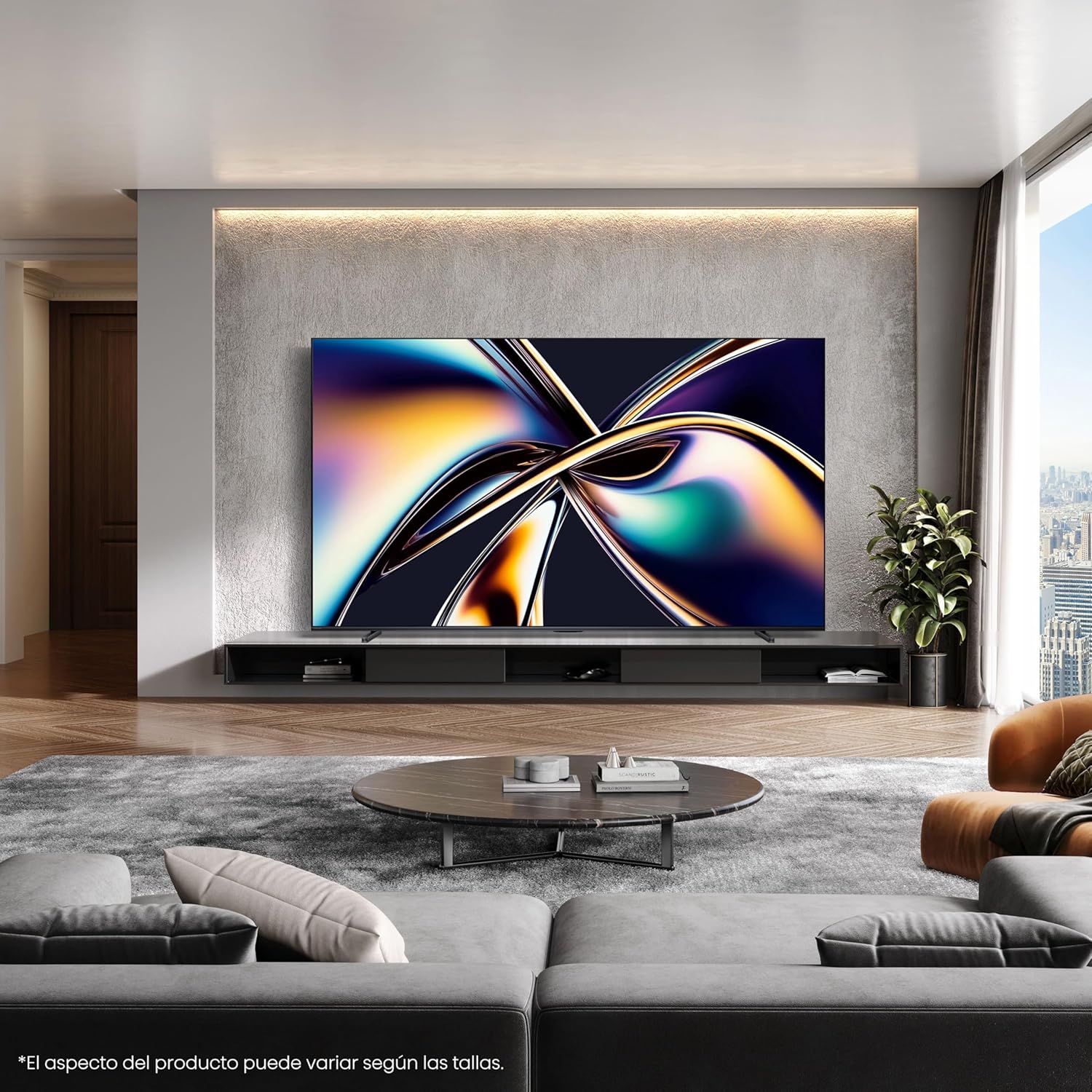
Imagine: Prim-plan view of the Type-C port on the side of the Hisense 100U8Q TV, highlighting its modern and versatile connectivity option.
3. Pornirea inițială și conectarea la rețea
Plug the TV into a power outlet. Follow the on-screen instructions to select your language, connect to your Wi-Fi network (or use Ethernet), and complete the initial setup process.
Instrucțiuni de operare
1. Funcții de control de la distanță
The included remote control allows you to navigate the TV's interface, adjust settings, and access smart features. The remote is solar-powered and can also be charged via USB-C.

Image: The Hisense TV remote control, featuring dedicated buttons for popular streaming services like Netflix, YouTube, and Disney+, voice control capabilities, a solar panel for charging, and a USB-C charging port.
- Buton de alimentare: Pornește/oprește televizorul.
- Tastatură de navigare (Sus/Jos/Stânga/Dreapta/OK): Pentru navigarea și selecția meniurilor.
- Volum sus/jos: Reglează nivelul sonor.
- Buton de control vocal: Activates voice commands (e.g., "Alexa built-in", "VIDAA Voice").
- Butoane de acces rapid: Acces direct la servicii de streaming populare.
2. Funcții Smart TV (VIDAA OS)
Your Hisense 100U8Q runs on the VIDAA OS, offering a user-friendly interface for accessing apps, streaming services, and smart home integration.

Image: The Hisense Smart TV home screen, displaying various streaming applications and content recommendations. It highlights integration with Apple HomeKit, Apple AirPlay, ConnectLife, Alexa built-in, and VIDAA Voice.
- App Store: Descărcați și instalați aplicații suplimentare.
- Control vocal: Use voice commands for navigation, content search, and smart home control.
- Disponibilitatea conținutului: Note that content and application availability may vary by region.
3. Gaming Mode (Ultra 165Hz)
For an optimized gaming experience, activate the Ultra Game Mode 165Hz. This mode reduces input lag and provides smoother graphics.
Video: This video demonstrates how to use the Game Bar feature on a Hisense TV. It shows connecting a gaming device, launching the Game Menu, checking FPS and HDR status, selecting Game Picture Mode for optimized visuals, adjusting screen ratio and position, and enabling FreeSync, Aim Point, and Map Zoom for enhanced gaming. This feature is crucial for utilizing the 165Hz refresh rate effectively.
- Connect your gaming device to an HDMI 2.1 port.
- Access the Game Menu to view FPS, HDR status, and adjust settings like Game Picture Mode, Screen Ratio, and AMD FreeSync.
- Utilize features like Aim Point and Map Zoom for competitive gaming.
Video: This video showcases Hisense TV technology, focusing on features like Mini-LED PRO for pure blacks and stellar brightness, Hi-View AI Engine PRO for intelligent scene recognition and remastering, 165Hz Ultra Game Mode for smooth gaming, 4.1.2 Multi-channel Surround Sound for immersive audio, and Anti-Reflection PRO for minimal light intrusion. It also highlights the TV's QLED colors and AI-powered energy saving.
4. Audio Settings (4.1.2 Multi-channel Sound)
The TV features 4.1.2 multi-channel sound with lateral speakers, rear subwoofers, and upward-firing speakers for an immersive audio experience with Dolby Atmos support.
- Access audio settings through the TV menu to customize sound profiles.
- Ensure Dolby Atmos content is played for the full immersive effect.
Întreţinere
1. Curățarea ecranului
Ștergeți ușor ecranul cu o lavetă moale, uscată și fără scame. Pentru petele persistente, ștergeți ușor ecranul.ampClătiți laveta cu apă sau cu un produs specializat de curățare a ecranelor. Evitați substanțele chimice dure.
2. Curățarea telecomenzii
Wipe the remote with a soft, dry cloth. For the solar panel, ensure it is clean and exposed to light for optimal charging.
3. Actualizări software
The TV may receive automatic software updates. Ensure your TV is connected to the internet to receive these updates, which improve performance and add new features.
Depanare
| Problemă | Soluție posibilă |
|---|---|
| Fără putere | Verificați dacă cablul de alimentare este conectat corect la televizor și la priză. Încercați o altă priză. |
| Fără imagine/sunet | Verify correct input source. Check HDMI/audio cable connections. Restart connected devices. |
| Telecomanda nu funcționează | Ensure the remote is charged (solar or USB-C). Check for obstructions between the remote and TV. |
| Conexiune Wi-Fi slabă | Move the router closer to the TV or use a wired Ethernet connection. Restart the router. |
If problems persist, consult the full online user manual or contact Hisense customer support.
Specificații
| Caracteristică | Detaliu |
|---|---|
| Numărul de model | 100U8Q |
| Dimensiunea ecranului | 100 inchi |
| Tehnologia de afișare | Mini LED |
| Rezoluţie | 4K |
| Rata de reîmprospătare | 165 Hz |
| Caracteristici speciale | Game Mode, Hi-View AI PRO Processor, 4.1.2 Multi-channel Sound, Anti-Reflection PRO |
| Conectivitate | Bluetooth, HDMI, Wi-Fi, Type-C |
| Dimensiuni (cu suport) | 223.9 x 128.1 x 4.3 cm (aprox. 88.1 x 50.4 x 1.7 inci) |
| Greutate (cu suport) | 73.2 kg (aproximativ 161.4 lbs) |
| Suport de perete VESA | 1000x600 mm |
| Evaluarea eficienței energetice | F |
For detailed energy information, refer to the EU EPREL database: https://eprel.ec.europa.eu/qr/2378016

Image: The EU Energy Label for the Hisense 100U8Q TV, showing its energy efficiency class F, power consumption (127 kWh/1000h for SDR, 380 kWh/1000h for HDR), and screen dimensions.
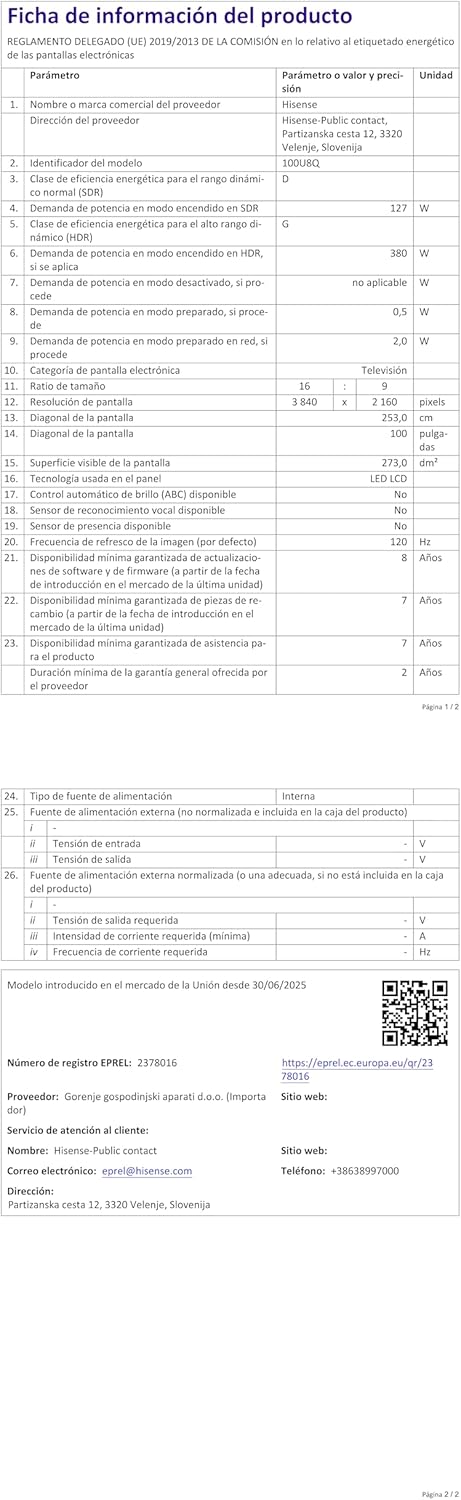
Image: The product information sheet for the Hisense 100U8Q TV, detailing various technical specifications, energy consumption, and warranty information in a tabular format.
Garanție și suport
Hisense provides a standard warranty for its products. Please refer to the warranty card included with your TV or visit the official Hisense website-ul pentru termeni și condiții detaliate.
- Perioada de garantie: Typically 2 years for parts and labor.
- Serviciu clienți: For technical assistance or service requests, contact Hisense customer support. Contact details can be found on the product information sheet or Hisense's official website-ul.
- Resurse online: Vizitați Magazinul Hisense pentru informații suplimentare despre produs și asistență.


