1. Produs terminatview
The Anona Pano 4K UHD Indoor Camera is a versatile security solution designed for monitoring pets, babies, and general indoor surveillance. It features 4K Ultra HD resolution, 360° pan and 110° tilt capabilities, dual-band Wi-Fi 6 connectivity, and advanced AI detection for persons, pets, and baby crying. This manual provides detailed instructions for setting up, operating, and maintaining your Anona Pano camera.
1.1 Caracteristici cheie
- Stunning 4K UHD & 8x Zoom: Captures ultra-clear videos with professional-grade lens and 8X digital zoom.
- AI Person/Pet/Crying Detection: Advanced algorithms detect and notify for human presence, pet activity, and baby crying.
- Ultra-Smooth 360° Pan & 110° Tilt: Provides comprehensive coverage with remote-controlled pan and tilt, including auto-tracking.
- Faster Dual-Band Wi-Fi 6: Ensures stable and smooth data transmission with support for both 2.4 GHz and 5 GHz Wi-Fi networks.
- Safer Local or Cloud Storage: Offers flexible storage options with support for up to 512 GB microSD card (not included) and encrypted cloud storage.
- Audio bidirecțional: Enables communication through the camera.
- Modul de confidențialitate: Allows instant cessation of recording and live view for privacy.
- Funcționează cu Alexa și Google Assistant: Integrates with smart home ecosystems for voice control and streaming.
1.2 Conținutul pachetului
Asigurați-vă că toate articolele sunt prezente în colet:
- Anona Pano Camera
- 5V2A Power Adapter (3m power cable)
- Placa de montare
- Screws & Anchors Kit
- Ghid de pornire rapidă

Image: Anona Pano 4K UHD Indoor Camera with a smartphone showing its live feed.
2. Ghid de instalare
2.1 Înainte de a începe
- Ensure your Wi-Fi network is available (supports 2.4 GHz and 5 GHz).
- Păstrați la îndemână numele rețelei Wi-Fi (SSID) și parola.
- Download the Anona App from your smartphone's app store (iOS or Android).
2.2 Pornirea camerei
- Connect the provided 5V2A power adapter to the camera's power port.
- Conectați adaptorul de alimentare la o priză de perete.
- The camera will power on, and its indicator light will begin to flash, indicating it's ready for setup.
2.3 Connecting to Wi-Fi via Anona App
- Open the Anona App on your smartphone.
- Creează un cont sau conectează-te dacă ai deja unul.
- Atingeți pictograma „+” pentru a adăuga un dispozitiv nou.
- Follow the on-screen instructions to select your camera model and connect it to your Wi-Fi network. This typically involves scanning a QR code displayed on your phone with the camera, or entering Wi-Fi credentials.
- Once connected, the camera's indicator light will turn solid, and you will see the live feed in the app.
2.4 Montarea camerei
The Anona Pano camera can be placed on a flat surface (tabletop) or mounted to a ceiling.
Plasare pe masă:
- Place the camera on a stable, flat surface within range of your Wi-Fi signal.
- Asigurați-vă că camera are o linie vizuală clară către zona pe care doriți să o monitorizați.
Montare pe tavan:
- Choose a suitable location on the ceiling.
- Use the provided mounting plate as a template to mark drill holes.
- Drill holes and insert the anchors if necessary.
- Secure the mounting plate to the ceiling using the provided screws.
- Atașați camera la placa de montare rotind-o până când se blochează în poziție.
- In the Anona App settings, enable "Image Rotation" if the camera is mounted upside down.
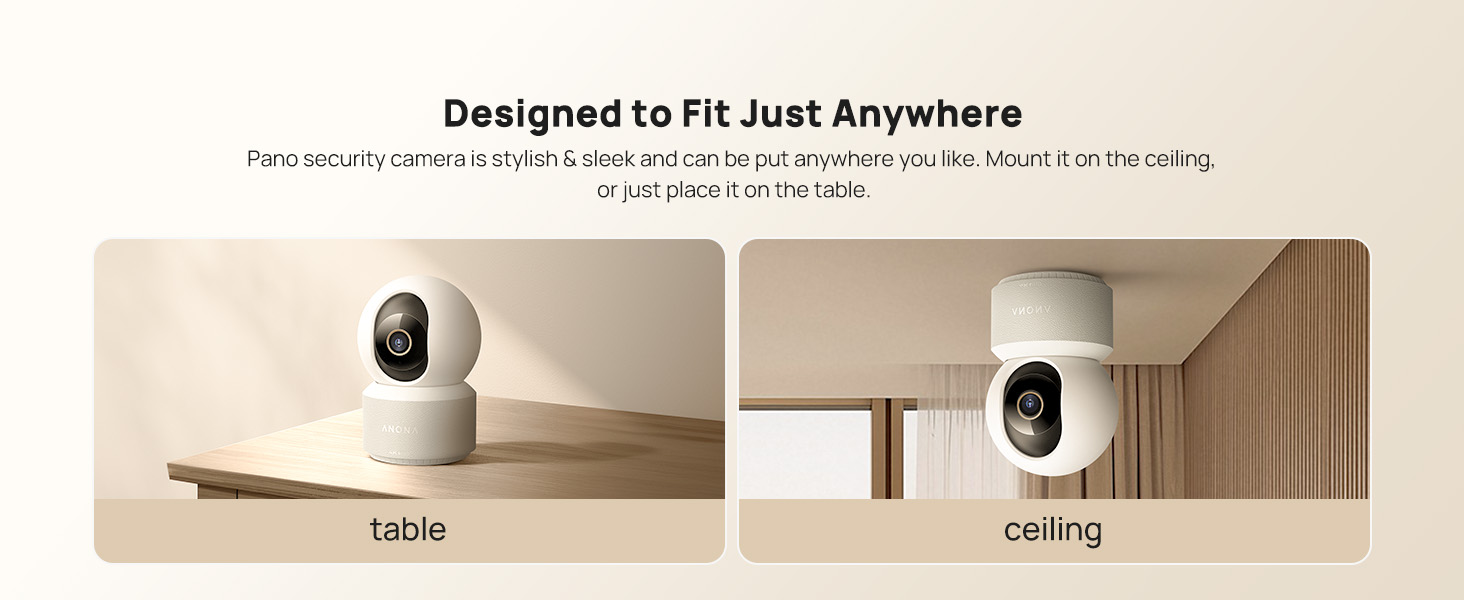
Image: The Anona Pano camera can be placed on a table or mounted to a ceiling.
3. Utilizarea camerei
3.1 În direct View și control panoramic/înclinat
- Open the Anona App and select your camera to view fluxul live.
- Use the directional controls within the app to pan the camera horizontally (360°) and tilt it vertically (110°) to adjust the viewunghiul de ing.

Image: The Anona Pano camera offers 360° pan and 110° tilt for full room coverage.
3.2 Auto-Tracking
Enable auto-tracking in the app settings. The camera will automatically detect and follow moving objects within its field of view, ensuring continuous recording of activity.
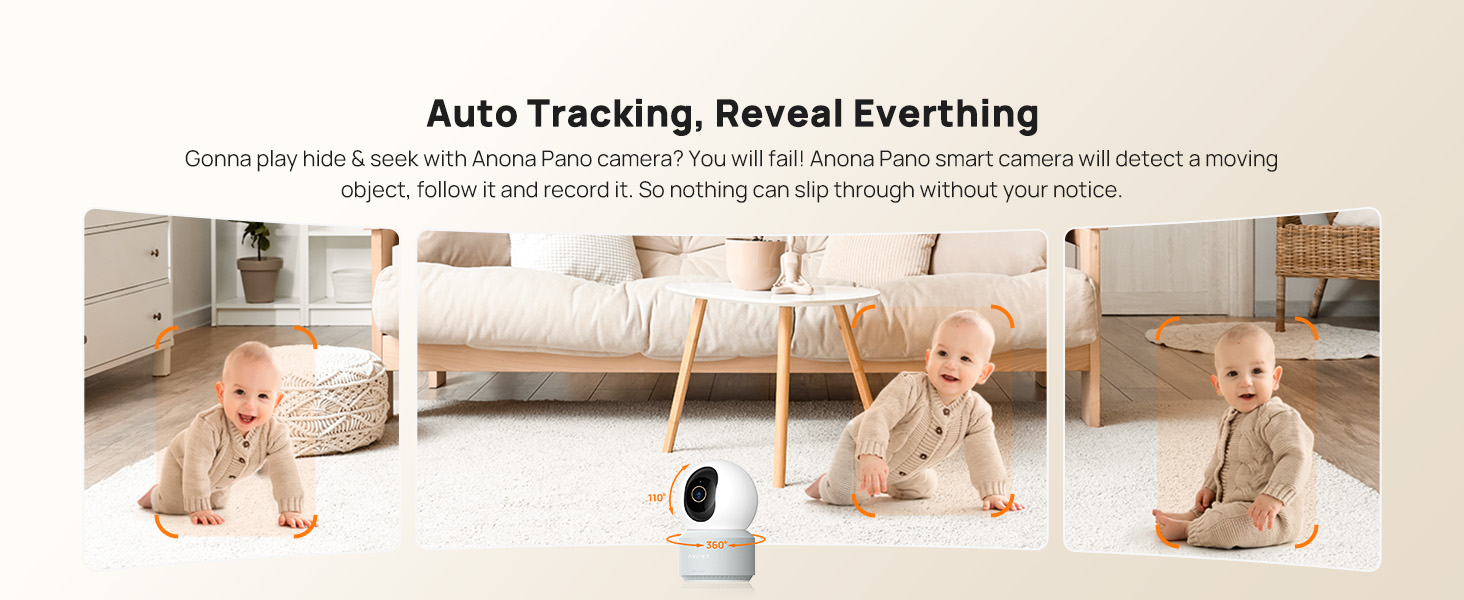
Image: The camera's auto-tracking feature follows moving subjects like a crawling baby.
3.3 Detectarea și alertele prin inteligență artificială
The Anona Pano camera utilizes AI algorithms for intelligent detection:
- Detectarea persoanei: Identifies human shapes and movements, sending real-time alerts.
- Detectarea animalelor de companie: Recognizes cats and dogs, alerting you to their activity.
- Detectarea plânsului bebelușului: Detects the sound of a baby crying and sends immediate notifications.
Configure alert settings and notification preferences within the Anona App.
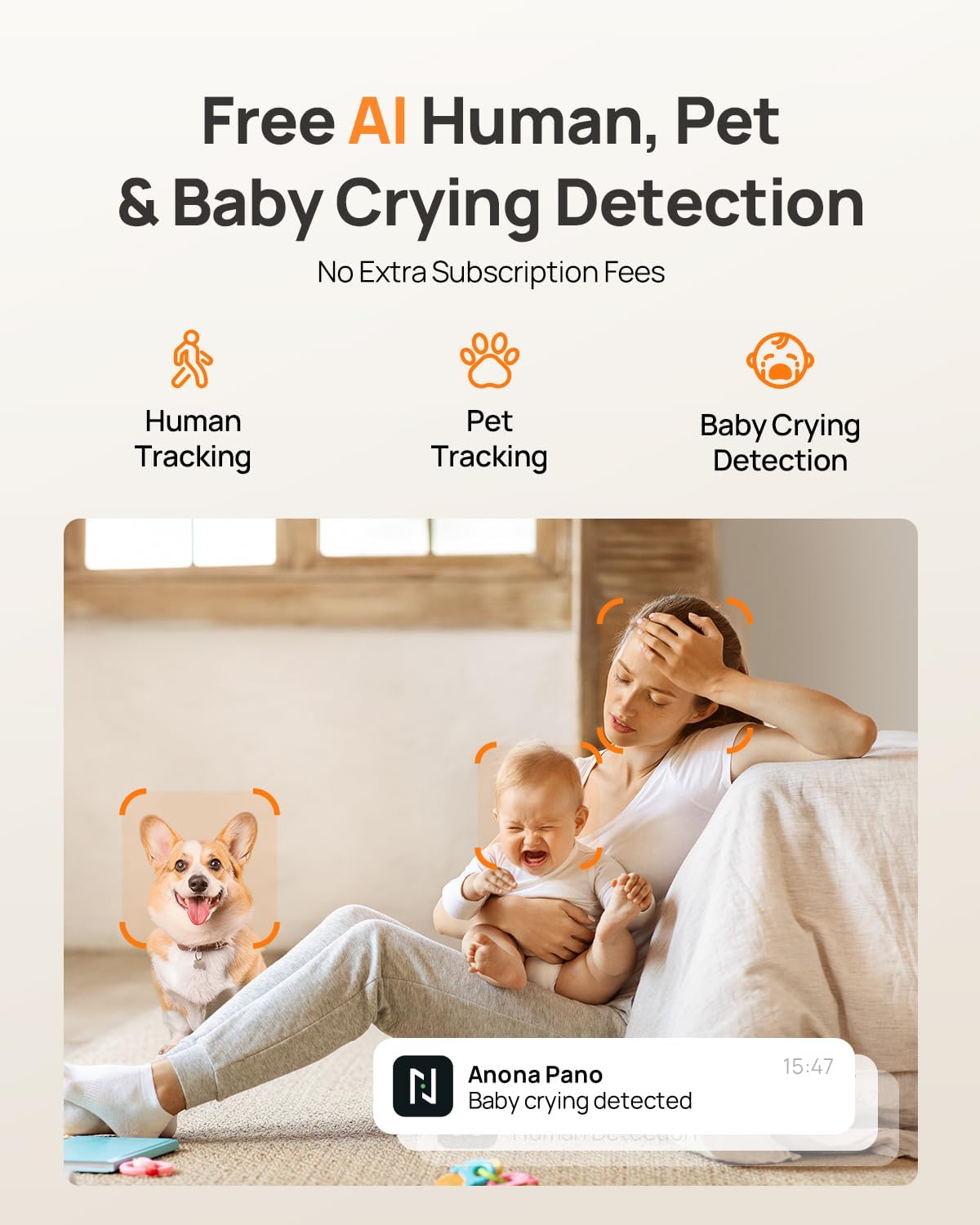
Image: AI detection for human, pet, and baby crying events, with app notification example.
3.4 Sunet bidirecțional
Use the two-way audio feature to communicate with individuals near the camera. Tap the microphone icon in the live view interface of the Anona App to speak, and listen through the camera's speaker.
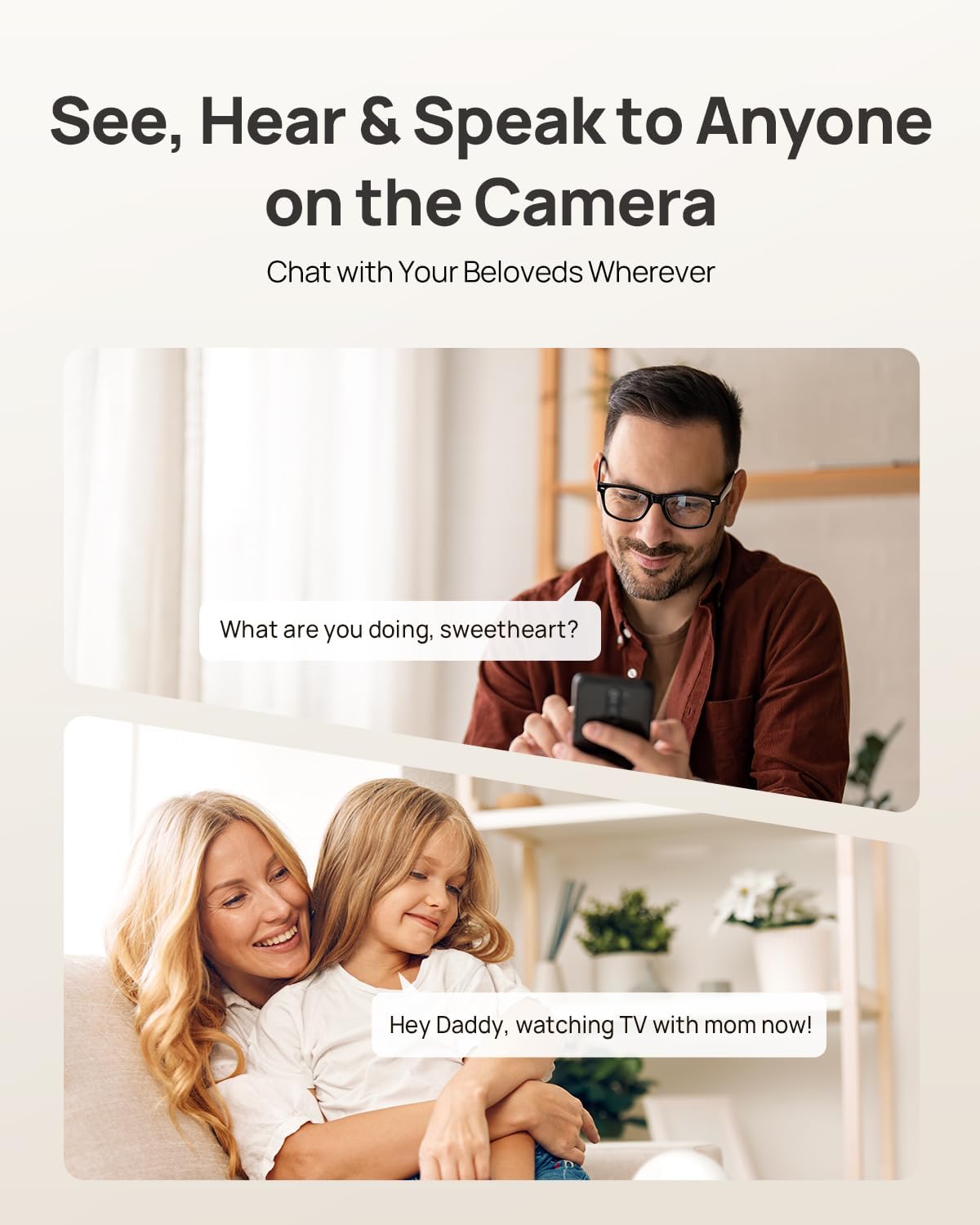
Image: Two-way audio allows communication with family members or pets via the camera.
3.5 Modul de confidențialitate
Activate Privacy Mode via a single tap in the Anona App. This feature instantly stops live view and recording, providing privacy without needing to unplug the camera.

Image: Privacy Mode can be activated with one tap in the app, stopping recording and live view.
3.6 Opțiuni de stocare
The Anona Pano camera supports two storage methods:
- Local Storage (MicroSD Card): Insert a microSD card (up to 512 GB, not included) into the camera's designated slot for local recording. This allows saving up to 150 days of motion-triggered videos or 14 days of 24/7 recordings.
- Stocare în cloud: Opt for Anona Cloud service to save videos securely with AES-128 encryption. Subscription may be required for cloud services.
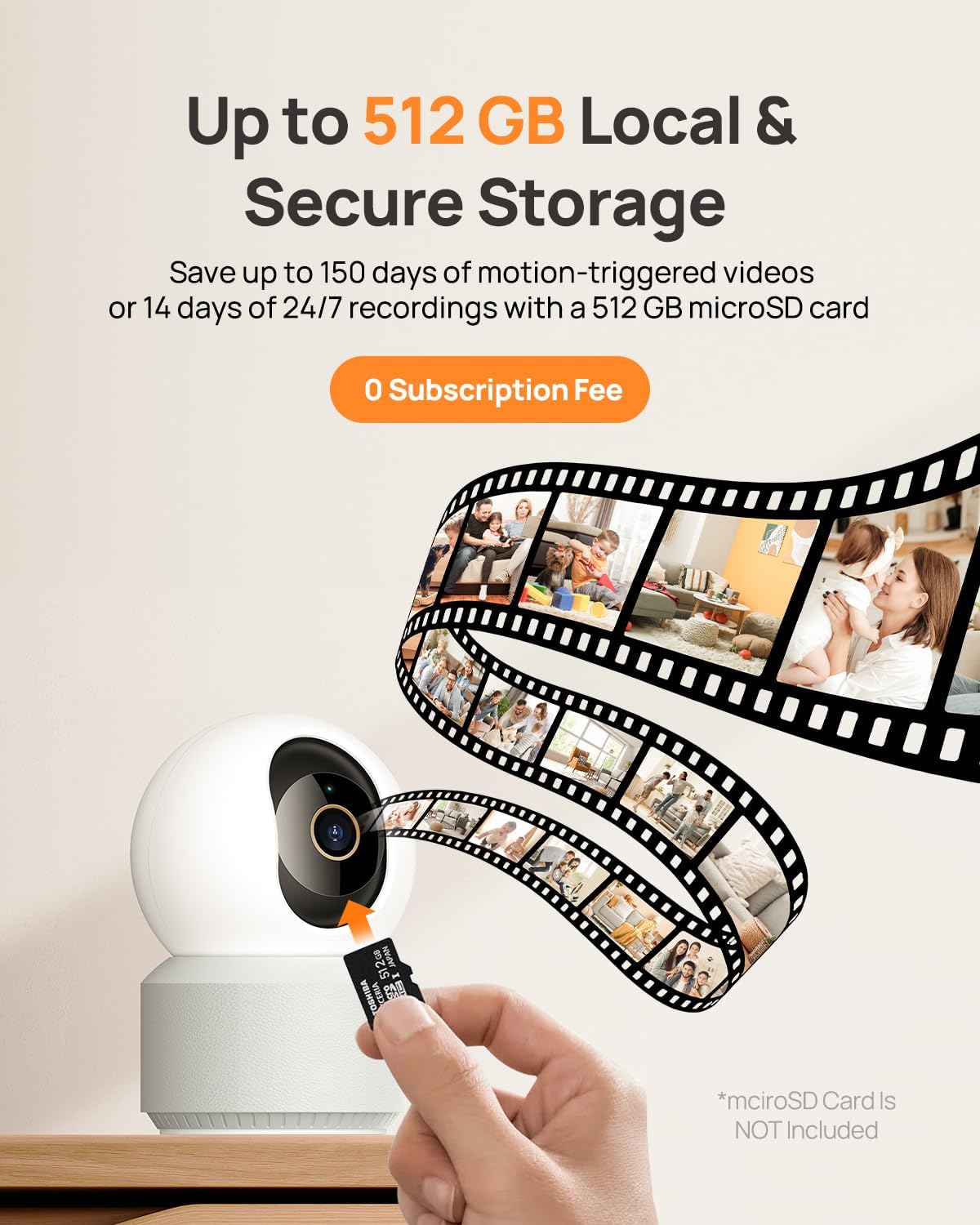
Image: The camera supports local storage via a microSD card (up to 512 GB).
3.7 Vedere nocturnă
The camera features F1.6 aperture and powerful IR LEDs for enhanced night vision, allowing clear 4K UHD footage even in low-light or pitch-black conditions up to 30 feet.
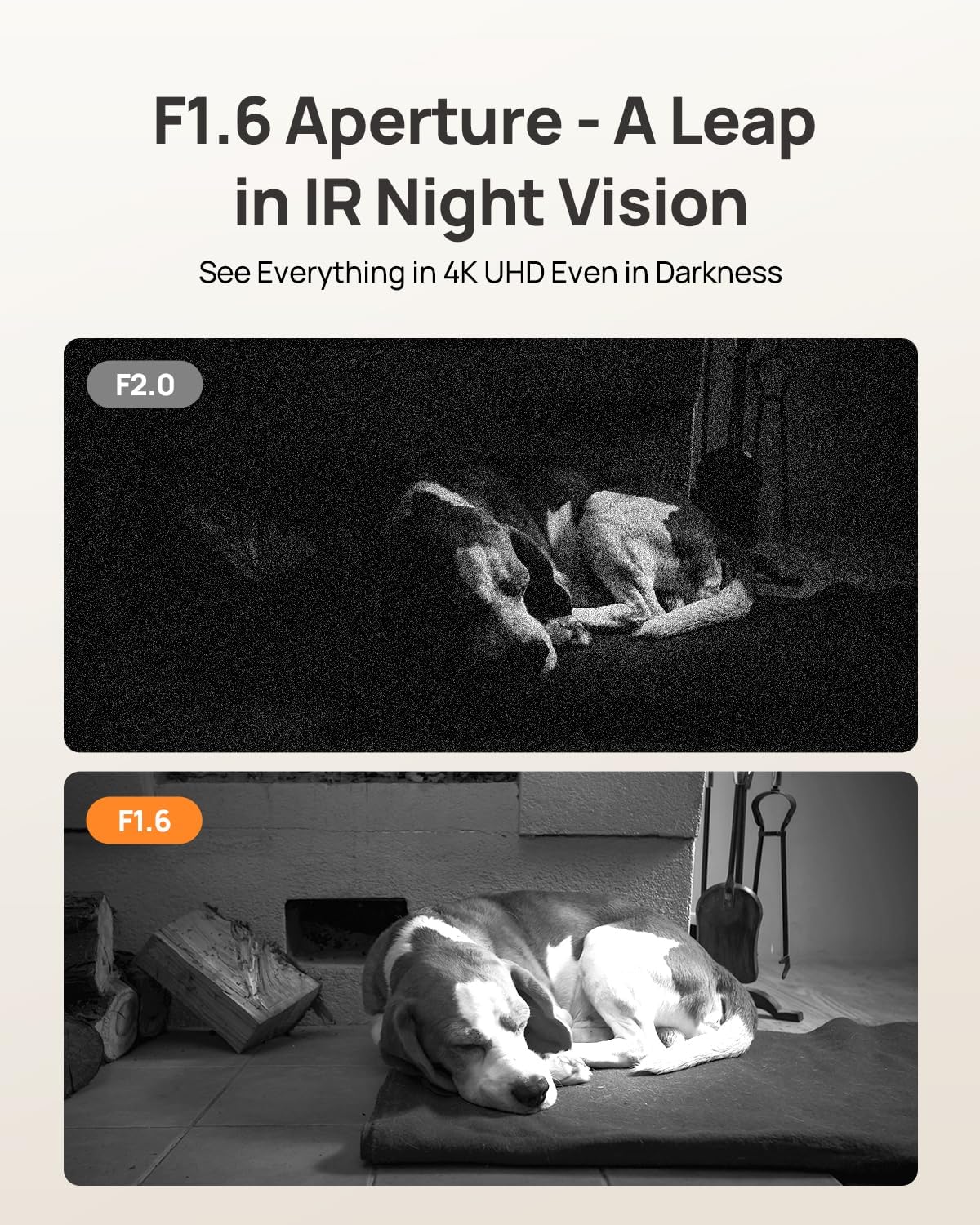
Image: F1.6 aperture provides superior night vision clarity compared to F2.0.
3.8 Integrare Smart Home
The Anona Pano camera is compatible with Amazon Alexa and Google Assistant. Link your camera through the respective smart home apps to enable voice commands and stream live video to compatible smart displays.
- Example command: "Hey Alexa, show me the Anona Pano camera!"
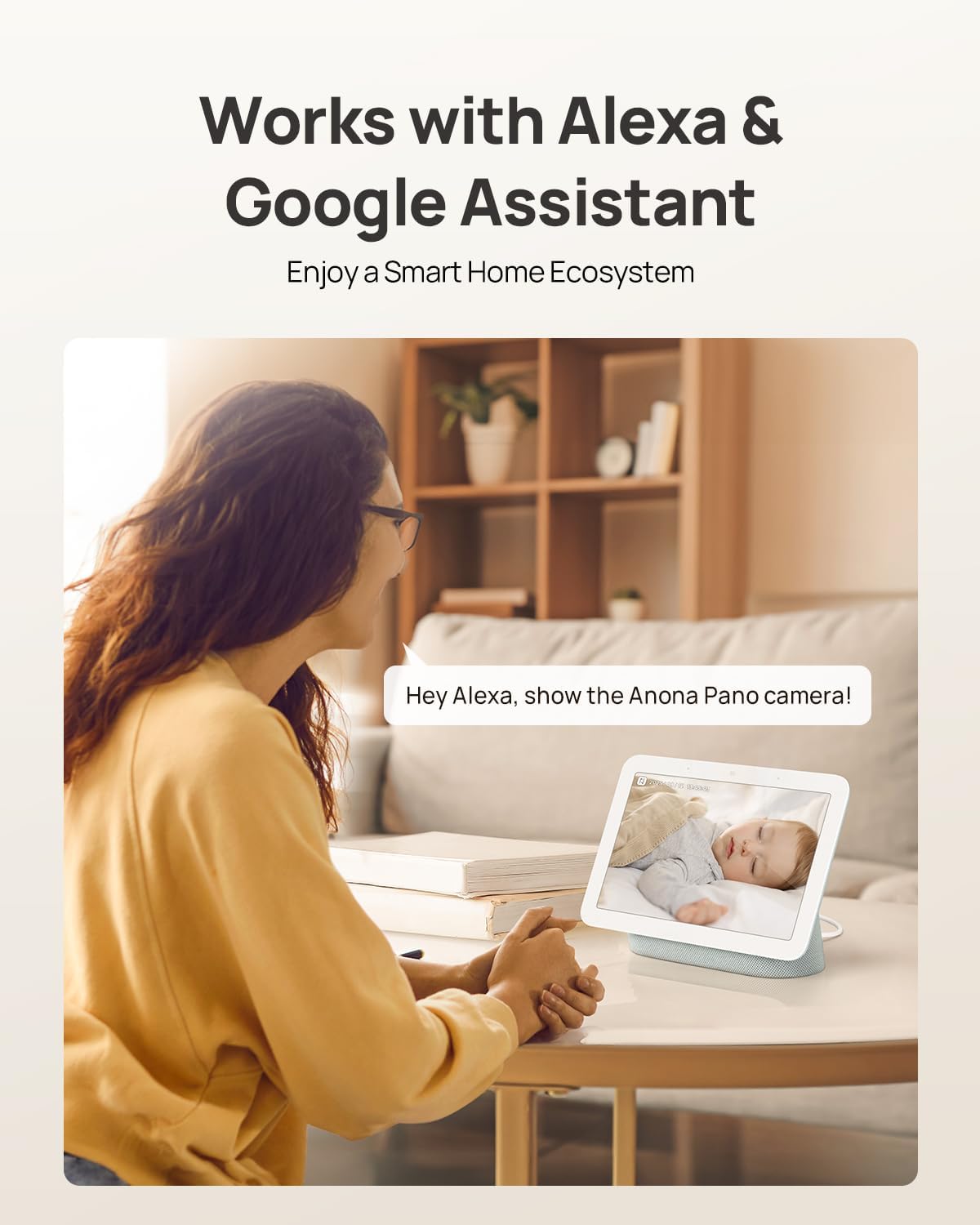
Image: The camera integrates with smart home devices like Amazon Echo Show or Google Nest Hub.
4. Întreținere
4.1 Curățarea camerei
- Asigurați-vă că aparatul foto este oprit înainte de curățare.
- Folosiți o lavetă moale și uscată pentru a șterge corpul camerei.
- For the lens, use a lens cleaning cloth specifically designed for optics to avoid scratches. Do not use harsh chemicals or abrasive cleaners.
4.2 de actualizări de firmware
Regularly check for firmware updates through the Anona App. Updates often include performance improvements, new features, and security enhancements. The app will typically notify you when an update is available and guide you through the process.
4.3 Managementul stocării
- Card MicroSD: Periodic review and back up important recordings from your microSD card. When the card is full, older footage will typically be overwritten.
- Stocare în cloud: Manage your cloud storage subscription and review alimente depozitatetage directly through the Anona App.
5. Depanare
5.1 Probleme comune și soluții
| Emisiune | Cauza posibila | Soluţie |
|---|---|---|
| Camera nu pornește | Adaptorul de alimentare nu este conectat sau priza este defectă. | Asigurați-vă că adaptorul de alimentare este conectat corect și încercați o altă priză. |
| Nu se poate conecta la Wi-Fi | Incorrect Wi-Fi password, camera too far from router, or network interference. | Verify Wi-Fi password, move camera closer to router, ensure router supports 2.4/5 GHz, and restart router. |
| Calitate video slabă | Weak Wi-Fi signal, dirty lens, or insufficient lighting. | Improve Wi-Fi signal strength, clean the camera lens, ensure adequate lighting or rely on night vision. |
| Detecția AI nu funcționează | Detection settings disabled in app, or objects are out of detection range/angle. | Check and enable detection settings in the Anona App. Adjust camera position for optimal coverage. |
| Probleme audio bidirecționale | Microphone/speaker muted in app, or network latency. | Ensure audio settings are enabled in the app. Check network connection for stability. |
| Cardul MicroSD nu înregistrează | Card not inserted correctly, card full, or card not formatted. | Reinsert card, check storage status in app, format card via app if necessary. Ensure card is compatible (up to 512 GB). |
For further assistance, refer to the Anona App's help section or contact customer support.
6. Specificațiile produsului
| Caracteristică | Detaliu |
|---|---|
| Numele modelului | Anona Pano |
| Utilizare în interior/exterior | De interior |
| Rezoluție captură video | 4K (8MP) |
| Zoom optic | 8x |
| Pan unghi | 360 de grade |
| Unghi de înclinare | 110 de grade |
| Tehnologia de conectivitate | Wireless (Wi-Fi) |
| Tehnologia comunicațiilor fără fir | Bluetooth, Wi-Fi (Dual-Band 2.4/5 GHz Wi-Fi 6) |
| Sursa de alimentare | Electric cu fir (5V) |
| Tip controler | App, Remote, Voice (Amazon Alexa, Google Assistant) |
| Tip de montare | Tabletop Mount, Freestanding, Ceiling Mount |
| Gama de vedere nocturnă | 30 picioare |
| Frame Rate | 15 de cadre pe secundă |
| Material | Plastic |
| Dimensiuni articol (L x l x H) | 3.23 x 3.11 x 4.77 inci |
| Greutatea articolului | 14.9 uncii (0.93 lire) |
| Dimensiunea maximă acceptată pentru memorie flash | 512 GB (Micro SD) |
| Caracteristici speciale | 2-Way Talk, 2.4/5G WiFi, 355° Pan & 110° Tilt, 4K 8MP Resolution, AI Person/Pet/Cry Detection |
7. Garanție și asistență
7.1 Garanția produsului
Anona products typically come with a manufacturer's warranty. Please refer to the warranty card included in your product packaging or visit the official Anona website for detailed warranty terms and conditions. Protection plans may also be available for extended coverage.
- Plan de protecție opțional pe 2 ani
- Plan de protecție opțional pe 3 ani
7.2 Asistență pentru clienți
If you encounter any issues or have questions regarding your Anona Pano camera, please contact Anona Customer Support. You can usually find contact information (email, phone, or support portal) on the official Anona website or within the Anona App's help section.
Pentru cele mai recente informații și resurse de asistență, vă rugăm să vizitați Anona Store on Amazon.


