Introducere
This manual provides essential information for the safe and efficient operation, maintenance, and troubleshooting of your Xiaomi Robot Vacuum 5 Pro. Please read this manual thoroughly before using the product and retain it for future reference.
Informații importante privind siguranța
To reduce the risk of injury or damage, read and follow all safety precautions. This device is for household use only.
- Do not use the robot vacuum on wet surfaces or in environments with standing water.
- Keep children and pets away from the robot vacuum during operation.
- Folosiți doar adaptorul de alimentare și stația de încărcare originale furnizate de producător.
- Asigurați-vă că cablul de alimentare nu este deteriorat sau încâlcit.
- Îndepărtați orice cabluri slăbite, obiecte mici sau obiecte fragile de pe podea înainte de curățare pentru a preveni încurcarea sau deteriorarea.
- Nu utilizați aspiratorul robot în apropierea flăcărilor deschise sau a materialelor inflamabile.
- Nu vă așezați pe aspiratorul robot și nu așezați obiecte grele pe el.
- Opriți aspiratorul robot și deconectați stația de încărcare înainte de a efectua orice operațiune de întreținere sau curățare.
Conținutul pachetului
Verificați dacă toate componentele sunt prezente în pachet:
- Xiaomi Robot Vacuum 5 Pro
- Self-cleaning Base Station
- Adaptor de alimentare
- Pensulă laterală
- Perie principală (preinstalată)
- Dustbin (pre-installed)
- Rezervor de apă (preinstalat)
- Lavetă de mop (x2)
- Manual de utilizare
Produs terminatview
Familiarize yourself with the components and features of your Xiaomi Robot Vacuum 5 Pro.
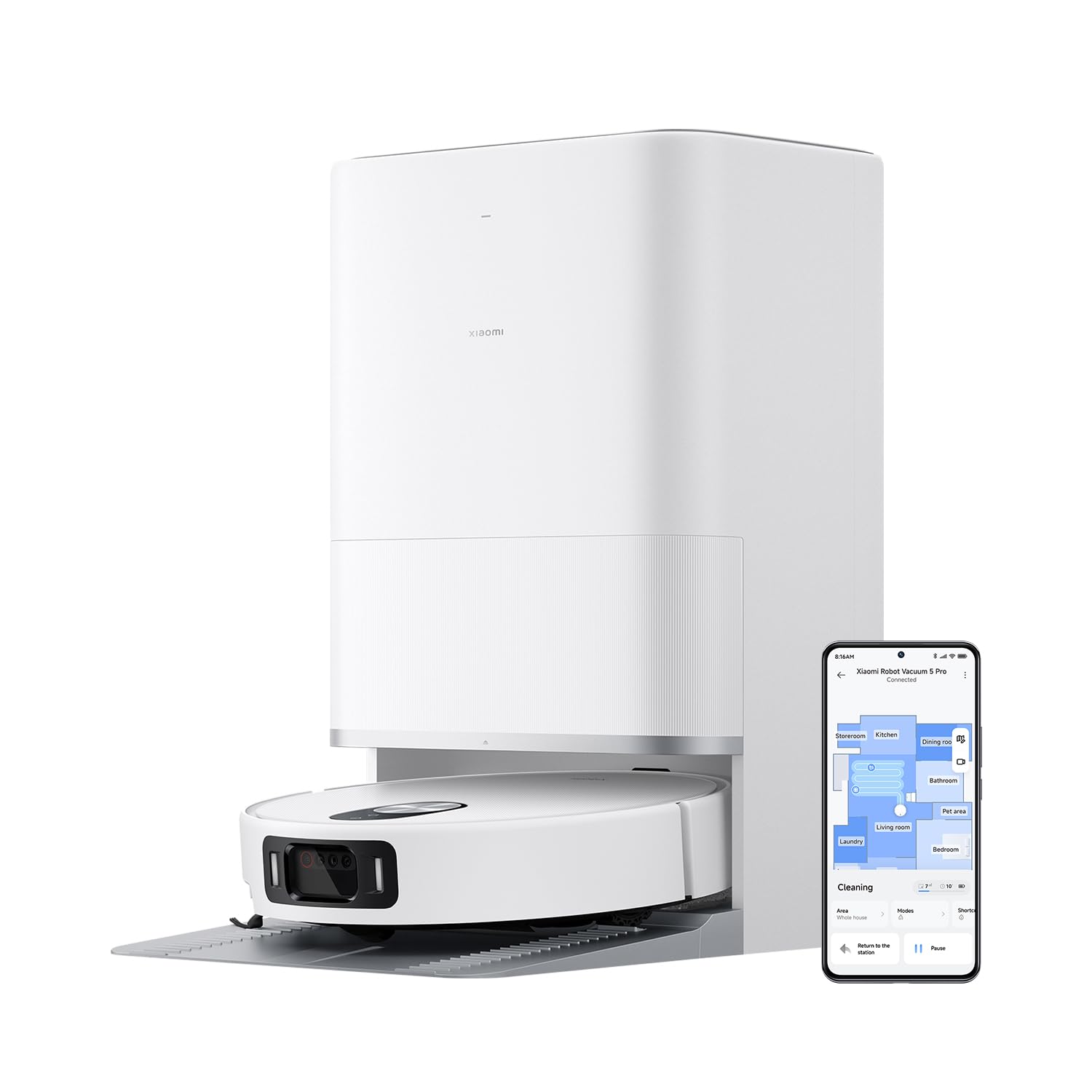
Figura 1: The Xiaomi Robot Vacuum 5 Pro docked in its self-cleaning base station, with a smartphone displaying the control app interface.
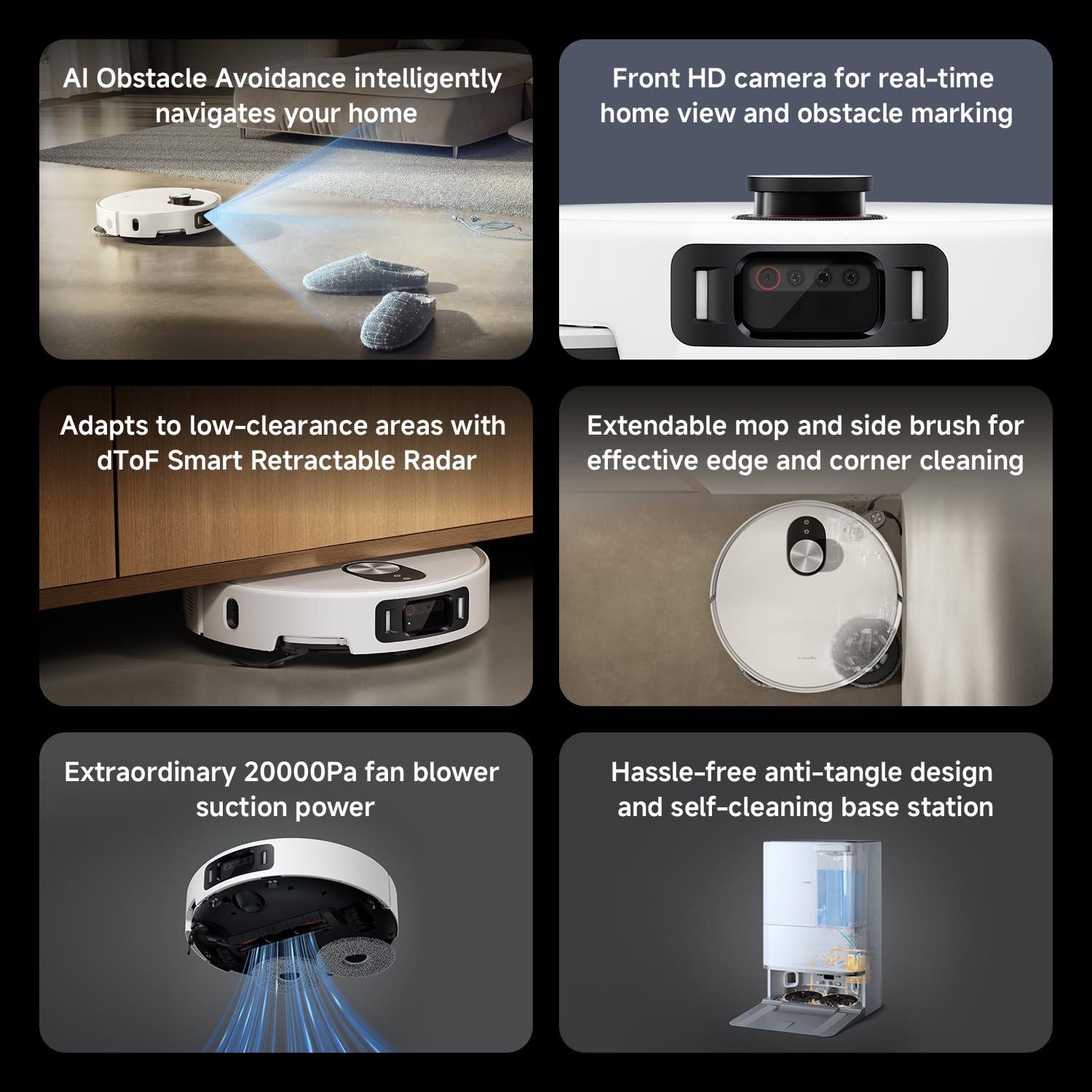
Figura 2: Pesteview of key features including AI obstacle avoidance, front HD camera, dToF radar, extendable mop, powerful suction, and the self-cleaning base station.
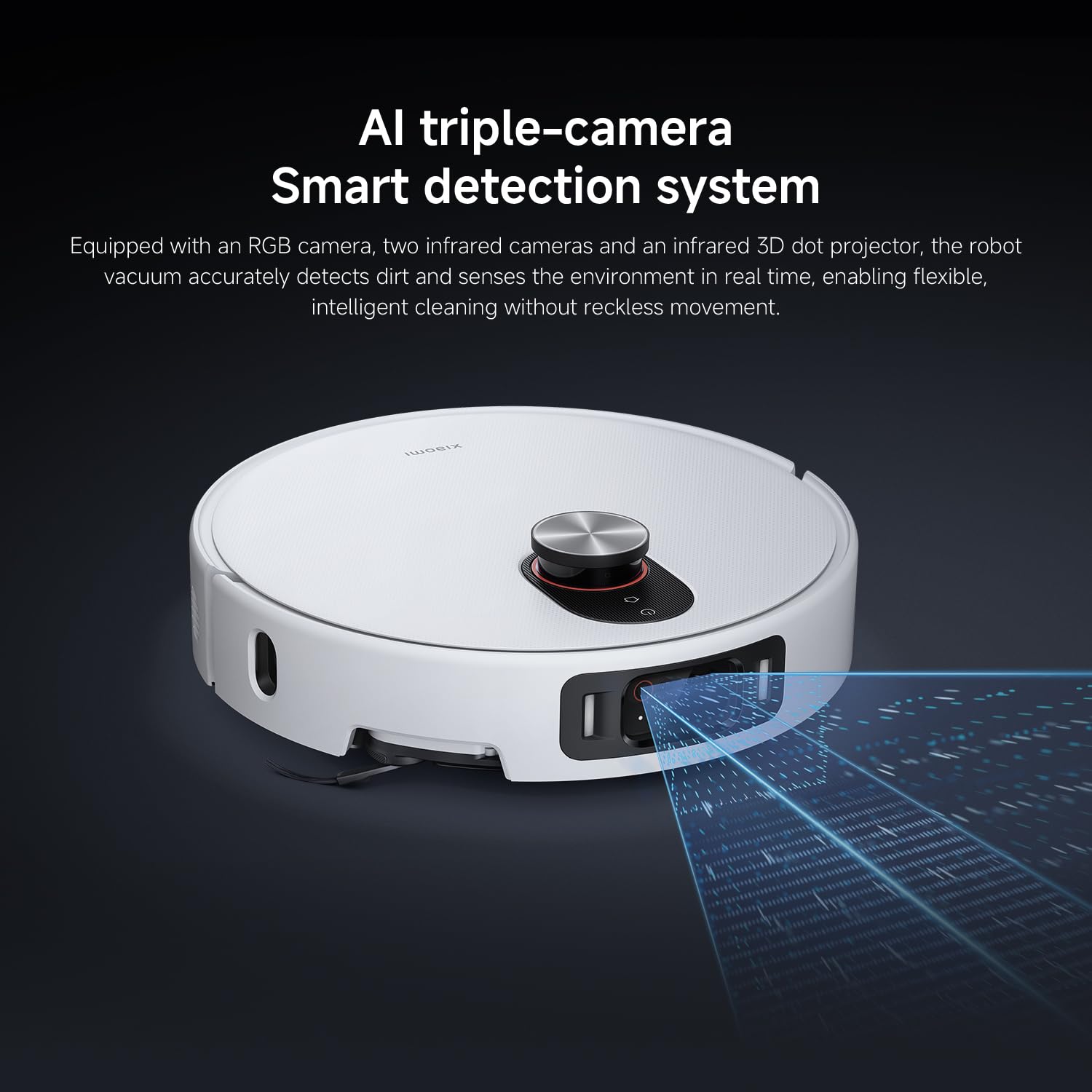
Figura 3: The AI triple-camera smart detection system, comprising an RGB camera, two infrared cameras, and an infrared 3D dot projector for accurate environment sensing.
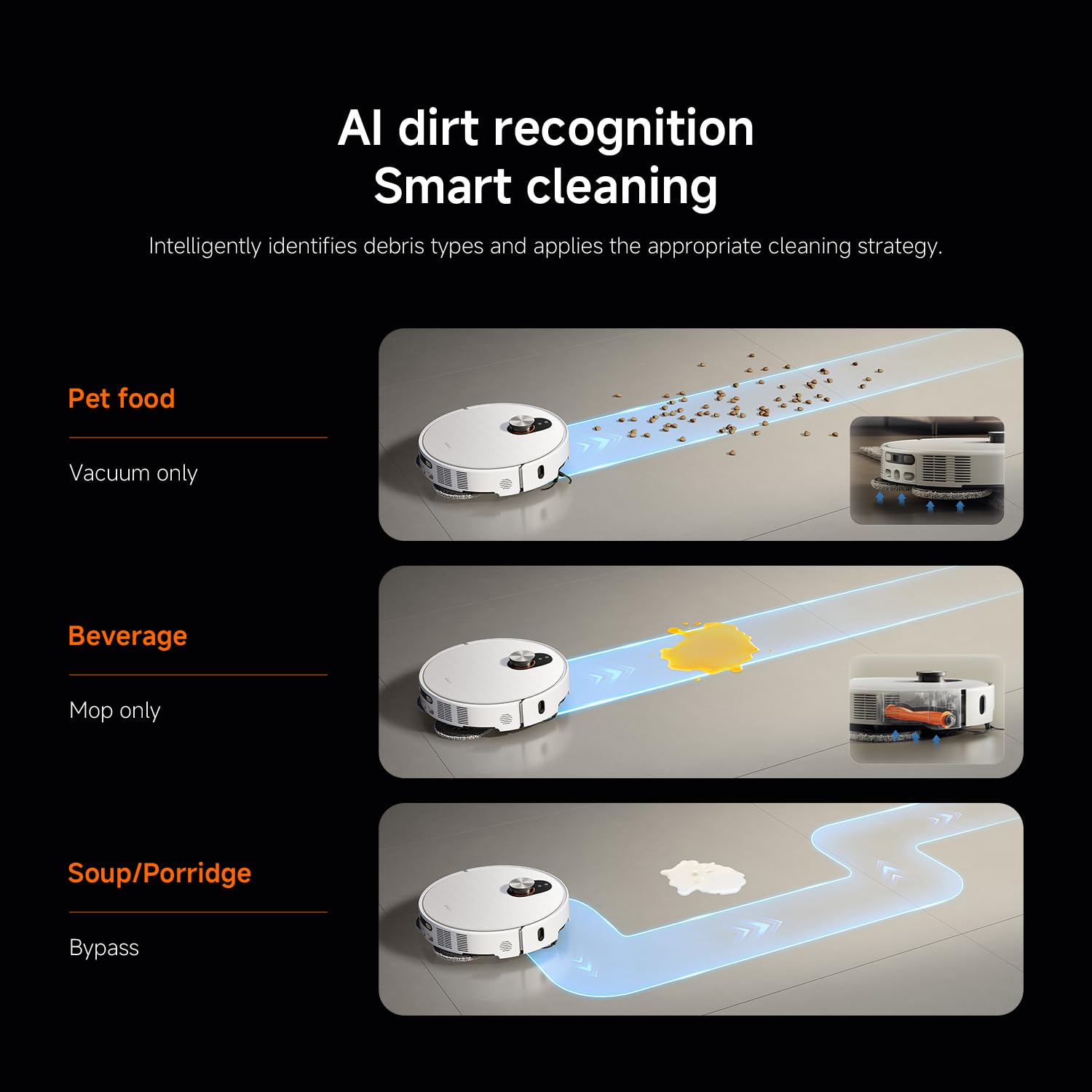
Figura 4: AI dirt recognition system intelligently identifying debris types and applying appropriate cleaning strategies (vacuum, mop, or bypass).
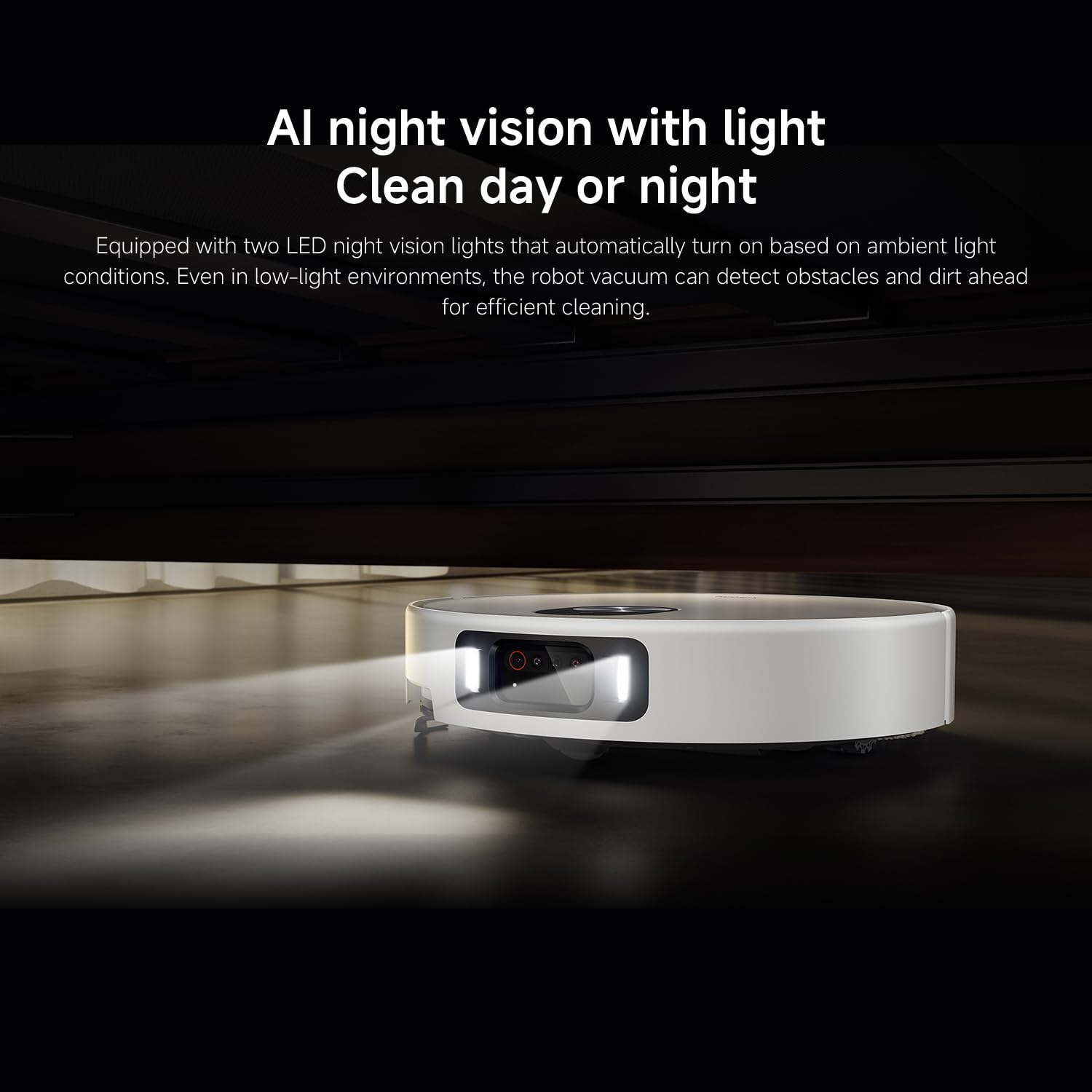
Figura 5: AI night vision with two LED lights, enabling the robot vacuum to detect obstacles and dirt efficiently in low-light conditions.
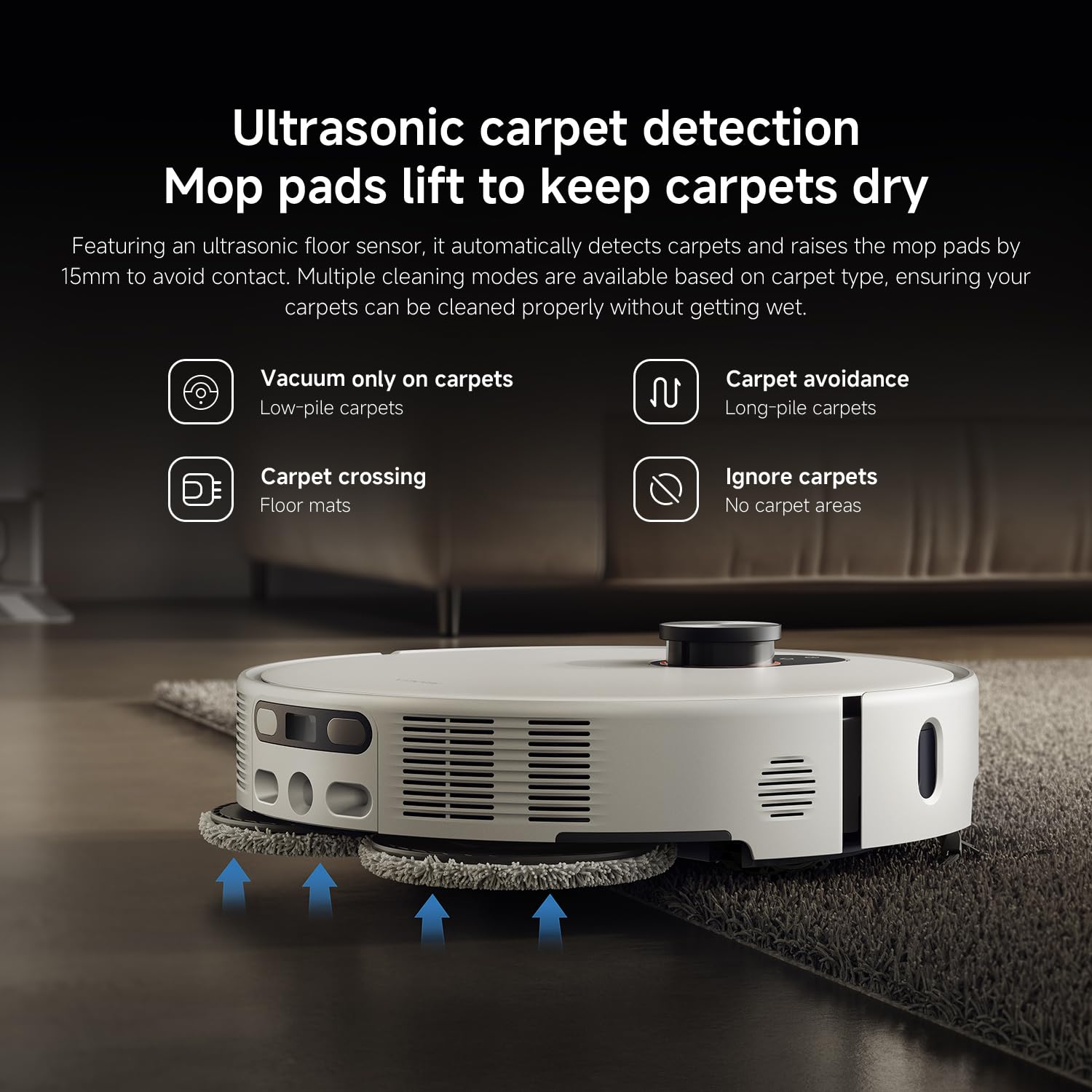
Figura 6: Ultrasonic carpet detection system, which automatically lifts mop pads by 15mm to avoid wetting carpets, offering multiple cleaning modes.
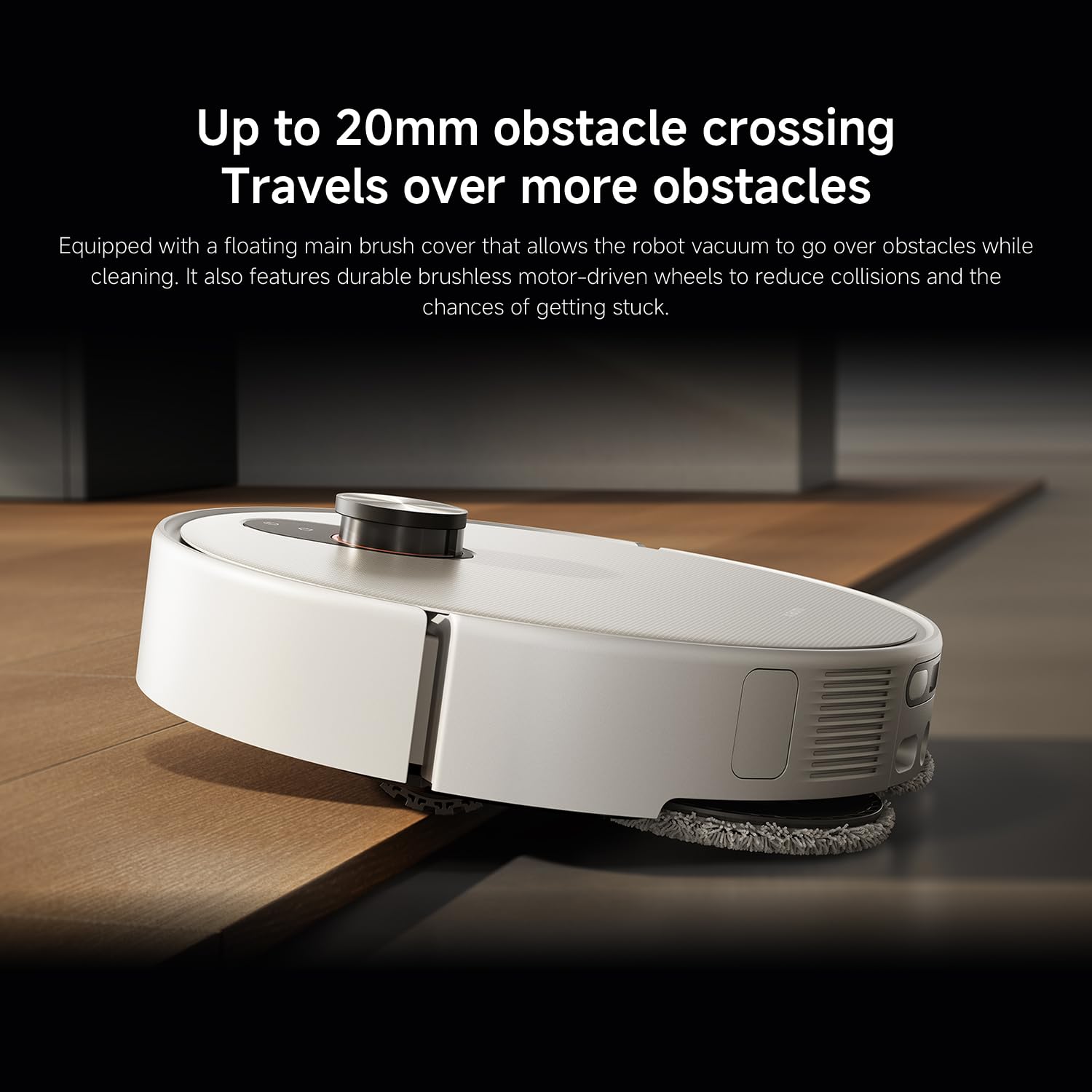
Figura 7: The robot vacuum's ability to cross obstacles up to 20mm high, facilitated by a floating main brush cover and durable wheels.
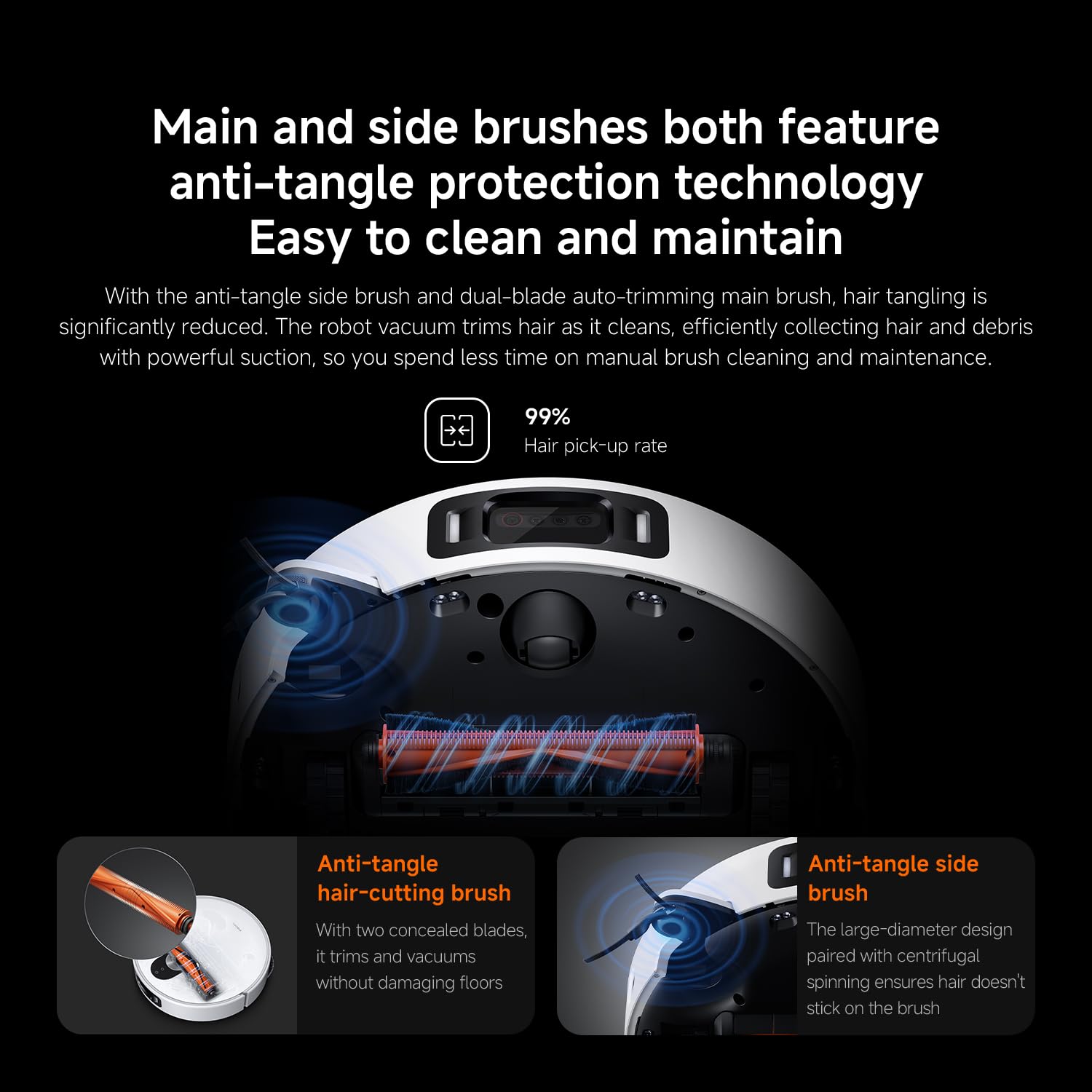
Figura 8: Main and side brushes featuring anti-tangle protection technology, including concealed blades for the main brush and a large-diameter design for the side brush.
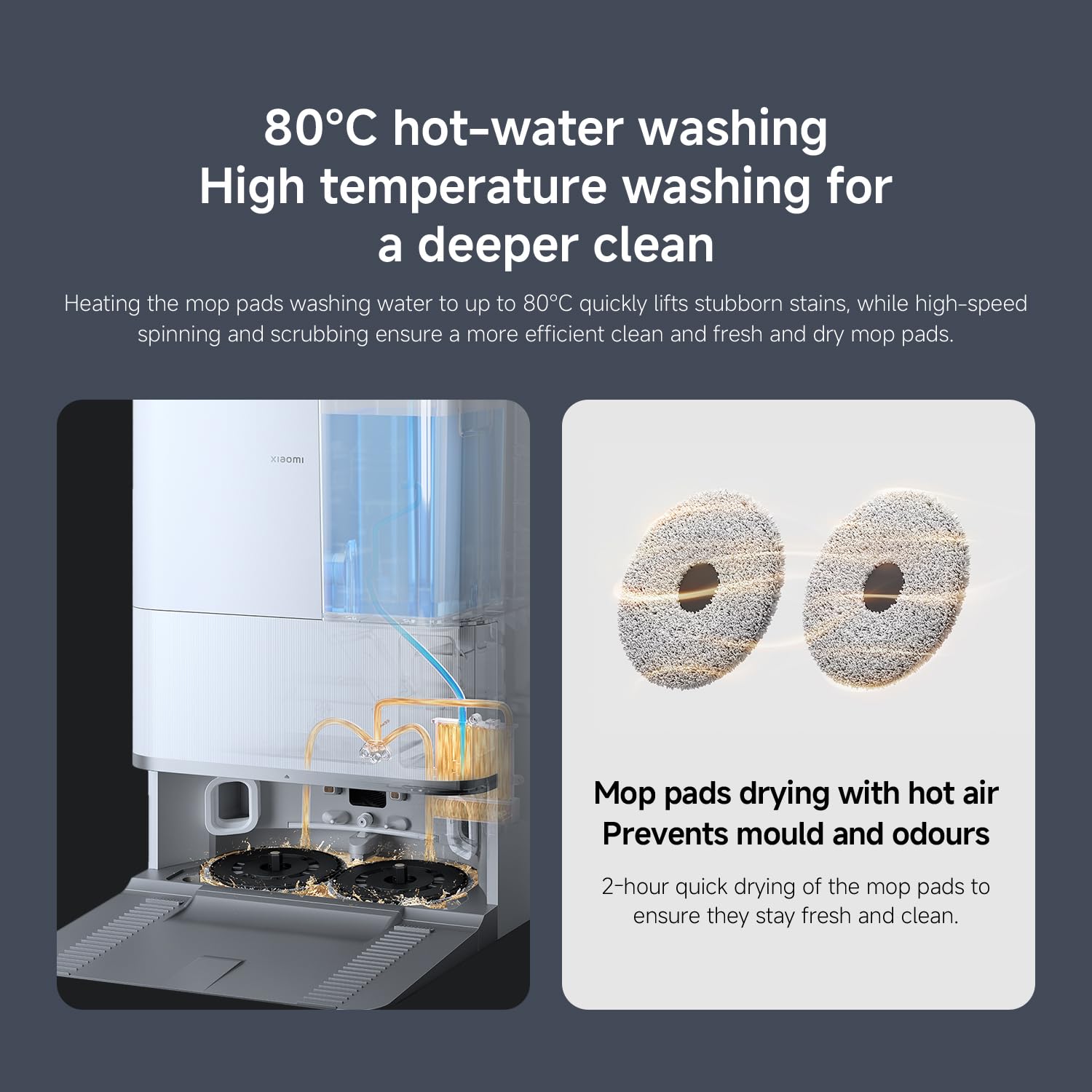
Figura 9: The self-cleaning base station performing 80°C hot-water washing for deep cleaning and 2-hour hot air drying of mop pads to prevent mold and odors.
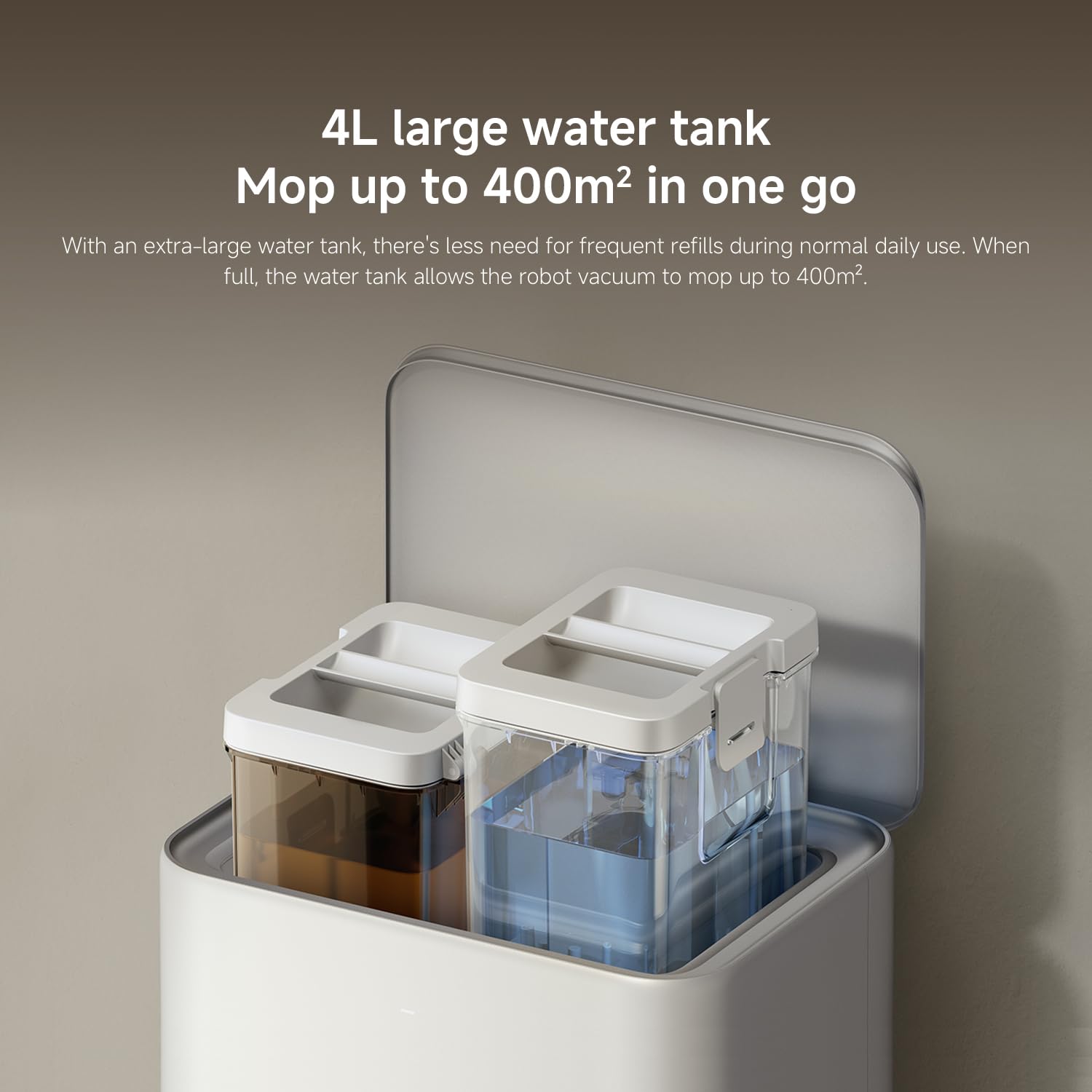
Figura 10: The 4L large water tank system within the self-cleaning base station, designed for extended mopping coverage without frequent refills.
Ghid de instalare
1. Despachetarea și plasarea
- Scoateți cu grijă toate componentele din ambalaj.
- Choose a suitable location for the self-cleaning base station. Ensure there is at least 0.5 meters of clear space on both sides and 1.5 meters in front of the base station.
- Place the base station against a wall on a hard, level surface. Do not place it on carpets.
- Connect the power adapter to the base station and plug it into a power outlet. Ensure the cable is neatly tucked away to prevent entanglement.
2. Încărcarea inițială
- Place the robot vacuum onto the charging contacts of the base station. Ensure the contacts align.
- The robot will automatically power on and begin charging. Allow it to fully charge before first use (approximately 6 hours). The indicator light on the robot will change when fully charged.
3. Descărcarea aplicației și conectarea
- Descărcați Xiaomi Home app from your smartphone's app store (App Store for iOS, Google Play Store for Android).
- Deschide aplicația și creează un cont sau autentifică-te.
- Atingeți pictograma „+” din colțul din dreapta sus pentru a adăuga un dispozitiv.
- Select "Xiaomi Robot Vacuum 5 Pro" from the list of available devices or scan the QR code on the robot.
- Follow the in-app instructions to connect the robot to your home Wi-Fi network. Ensure your phone is connected to a 2.4GHz Wi-Fi network during setup.
- Odată conectat, puteți controla robotul, view maps, set schedules, and access advanced features through the app.
Instrucțiuni de operare
1. Pornirea și oprirea curățării
- Începeți curățarea: Press the power button on the robot or tap "Clean" in the Xiaomi Home app. The robot will automatically map your home and begin cleaning.
- Întrerupeți curățarea: Apăsați orice buton de pe robot sau atingeți „Pauză” în aplicație.
- Reluați curățarea: Press the power button again or tap "Resume" in the app.
- Întoarcerea la bază: Press the home button on the robot or tap "Recharge" in the app. The robot will return to the self-cleaning base station.
2. Moduri de curățare
The Xiaomi Home app allows you to select various cleaning modes:
- Numai aspirare: For dry debris and general vacuuming.
- Numai mop: For wet cleaning with mop pads.
- Aspirați și ștergeți cu mopul: Aspirare și ștergere simultană a pardoselilor.
- Curățarea zonei: Select specific rooms or zones on the map to clean.
- Curățarea punctelor: Dirige robotul să curețe o anumită zonă mică.
3. Advanced Features via Xiaomi Home App
- Gestionarea hărții: View and edit your home's map. Set virtual walls and no-go zones to restrict the robot from certain areas.
- Curățare programată: Setați anumite ore pentru ca robotul să curețe automat.
- Preferințe de curățare: Adjust suction power, water flow level, and carpet cleaning modes (e.g., vacuum only on carpets, carpet avoidance).
- Monitorizare în timp real: Monitor the robot's cleaning progress and location in real-time.
- AI Dirt Recognition: The robot automatically adjusts its cleaning strategy based on detected dirt types.
- AI Night Vision: Enables cleaning in low-light conditions.
Întreţinere
Regular maintenance ensures optimal performance and extends the lifespan of your robot vacuum. Always turn off the robot and unplug the base station before performing maintenance.
1. Coș de gunoi și filtru
- Coș de gunoi gol: The self-cleaning base station will automatically empty the dustbin. However, manually check and empty the dustbin if the base station is not used or if the dustbin is full.
- Curățați filtrul: Tap the dustbin to remove loose dirt. Rinse the filter under running water. Ensure it is completely dry before re-installing (allow 24 hours). Replace the filter every 3-6 months, or as needed.
2. Water Tank and Mop Pads
- Umpleți rezervorul de apă: The base station will manage water levels. Ensure the clean water tank in the base station is filled.
- Curățați lavetele de mop: The base station automatically washes and dries the mop pads. Periodically remove and hand wash the mop pads for a deeper clean. Replace mop pads every 1-3 months, depending on usage.
3. Perii
- Perie principală: Remove the main brush cover and lift out the main brush. Use the cleaning tool to remove hair and debris. Check the bearings for any entanglement. Reinstall the brush. Replace every 6-12 months.
- Perie laterală: Unscrew the side brush and remove any tangled hair or debris. Reattach the brush. Replace every 3-6 months.
4. Senzori și contacte de încărcare
- Wipe all sensors (cliff sensors, wall sensors, dToF radar) and charging contacts on both the robot and the base station with a clean, dry cloth.
Depanare
Dacă întâmpinați probleme cu aspiratorul robot, consultați următoarele probleme și soluții comune:
| Problemă | Cauza posibila | Soluţie |
|---|---|---|
| Robotul nu pornește și nu se încarcă. | Baterie descărcată; contacte de încărcare murdare; adaptorul de alimentare nu este conectat. | Ensure robot is properly docked. Clean charging contacts. Check power adapter connection. |
| Robotul se blochează frecvent. | Obstacles on floor; low-clearance furniture; cliff sensors dirty. | Clear floor of cables and small items. Use virtual walls in app. Clean cliff sensors. |
| Performanță slabă de curățare. | Dustbin full; brushes tangled; filter clogged; low suction setting. | Empty dustbin. Clean main and side brushes. Clean/replace filter. Increase suction power in app. |
| Robotul nu se poate întoarce la stația de bază. | Base station obstructed; robot too far from base; charging contacts dirty. | Ensure clear path to base. Move robot closer to base. Clean charging contacts. |
| Lavetele de mop nu curăță eficient sau lasă urme. | Mop pads dirty; water tank empty; low water flow setting. | Clean or replace mop pads. Refill clean water tank. Adjust water flow in app. |
| Probleme de conectare la aplicație. | Parolă Wi-Fi incorectă; rețea Wi-Fi de 5 GHz; robotul este prea departe de router. | Ensure 2.4GHz Wi-Fi. Re-enter password. Move robot closer to router. Restart robot and router. |
Specificații
| Caracteristică | Detaliu |
|---|---|
| Marca | XIAOMI |
| Numărul de model | 65238 |
| Numărul piesei | BHR07WEGB |
| Voltage | 240 volți |
| Sursa de alimentare | Alimentat cu baterie |
| Baterii incluse | Da (1 baterie de 12V) |
| Factor de formă | Rundă |
| Dimensiunile produsului | 44.3 x 43.1 x 68.6 cm |
| Greutatea articolului | 15 kilograme |
| Recomandare de suprafață | Multi-suprafață |
| Data primului disponibil | 23 septembrie 2025 |
Garanție și suport
For warranty information and customer support, please refer to the warranty card included with your product or visit the official XIAOMI website. You can also contact XIAOMI customer service for assistance with product inquiries, technical support, or service requests.
Oficial Website: www.mi.com


