1. Introducere
This manual provides detailed instructions for the installation, operation, and maintenance of your Girafit GRF-T350SW 3K 5MP Indoor/Outdoor Pan/Tilt/Zoom Wi-Fi Security Camera. Please read this manual thoroughly before using the product to ensure proper functionality and safety. Keep this manual for future reference.
2. Produs terminatview
Caracteristici cheie
- 3K 5MP Resolution with 4X Digital Zoom: Oferă un videoclip clar și detaliattage.
- 360° Pan and 180° Tilt: Offers comprehensive coverage of your monitoring area.
- AI Person/Pet/Vehicle Detection: Advanced artificial intelligence for accurate identification of subjects, reducing false alerts.
- Auto Motion Tracking: Automatically follows detected subjects within the camera's field of view.
- Starlight Color Night Vision: Enhanced low-light performance for vivid color images at night.
- Audio bidirecțional: Microfon și difuzor încorporate pentru comunicare în timp real.
- Auto Alert Siren: Deters intruders with an audible alarm.
- Clasificare de rezistență la intemperii IP65: Potrivit pentru utilizare în exterior în diverse condiții meteorologice.
- Opțiuni flexibile de stocare: Supports encrypted US cloud storage and local Micro SD card storage (up to 256GB).
- 2.4GHz/5GHz Wi-Fi Connectivity: Dual-band Wi-Fi support for stable connection.
Ce este în cutie
- Girafit GRF-T350SW Camera Body
- Adaptor de alimentare
- Șuruburi și ancore de montare
- Șablon de montare
- Manual de utilizare

Figure 2.1: Girafit GRF-T350SW camera showing its pan and tilt capabilities.

Figure 2.2: The Girafit GRF-T350SW camera operating reliably in both rainy and sunny conditions, highlighting its IP65 weatherproof design.
3. Configurare
3.1 Instalare fizică
- Alegeți o locație: Select a suitable outdoor or indoor location that provides the desired viewing angle and is within range of your Wi-Fi network. Ensure the power outlet is accessible.
- Montați camera: Use the provided mounting template to mark drill holes. Secure the mounting bracket to the wall or ceiling using the screws and anchors. Attach the camera to the bracket.
- Conectare alimentare: Plug the power adapter into the camera and then into a power outlet. The camera will power on and initiate its startup sequence.
3.2 Instalarea aplicației și crearea contului
- Download the Girafit App: Caută 'Girafit' in your smartphone's app store (iOS or Android) and download the official application.
- Creați un cont: Deschide aplicația și urmează instrucțiunile de pe ecran pentru a înregistra un cont nou.
3.3 Conexiune de rețea
- Adăugați dispozitiv: In the Girafit app, tap the '+' icon to add a new device. Select your camera model.
- Urmați instrucțiunile din aplicație: The app will guide you through connecting the camera to your 2.4GHz or 5GHz Wi-Fi network. This typically involves scanning a QR code displayed on your phone with the camera lens.
- Finalizare: Once connected, the camera's status indicator will change, and you will see the live feed in the app.
4. Operare
4.1 Controlul panoramic, înclinării și zoomului
Din live view in the Girafit app, use the on-screen controls to remotely adjust the camera's viewing angle. The camera supports 360° horizontal pan and 180° vertical tilt. You can also digitally zoom in up to 4X to view detalii.

Figure 4.1: Visual comparison demonstrating the clarity of 3K 5MP resolution with 4X zoom compared to standard 3MP resolution.
4.2 Detectarea mișcării și urmărirea automată
The camera features advanced AI detection capabilities to identify humans, pets, and vehicles. When motion is detected, the camera can automatically track the subject, zoom in, record the event, and send push notifications to your smartphone.
- Activare detectare: Navigate to the camera settings in the app to enable AI Person/Pet/Vehicle Detection.
- Set Detection Zones: Definiți zone specifice din raza de acțiune a camerei view where you want motion detection to be active.
- Activate Auto Tracking: Enable auto tracking in the settings to allow the camera to follow detected subjects.
- Auto Alert Siren: Configure the camera to trigger an audible siren upon detection to deter unwanted visitors.

Figure 4.2: Illustration of the camera's automatic tracking feature, showing a person being followed with a 4X zoom.

Figure 4.3: The camera's AI accurately detecting a human, a pet, and a vehicle in a home environment.

Figure 4.4: The camera detecting activity in a defined hexagonal area and issuing an auto voice alert.
4.3 Vedere nocturnă
The GRF-T350SW offers multiple night vision modes for clear surveillance in low-light conditions.
- Starlight Color Night Vision: Utilizes a Starlight Sensor and f/1.6 aperture to capture more light, providing full-color video even in very dim environments.
- Mod infraroșu: Viziune nocturnă standard alb-negru folosind LED-uri infraroșii.
- Modul Spotlight: Activates built-in spotlights to illuminate the area and capture color video when motion is detected at night.
You can switch between these modes or set them to automatic in the app settings.

Figure 4.5: Visual representation of the camera's Starlight Color Night Vision, Infrared Mode, and Spotlight Mode capabilities.
4.4 Sunet bidirecțional
The integrated microphone and speaker allow for two-way communication. You can speak through the camera to visitors or deter intruders directly from your smartphone via the Girafit app.
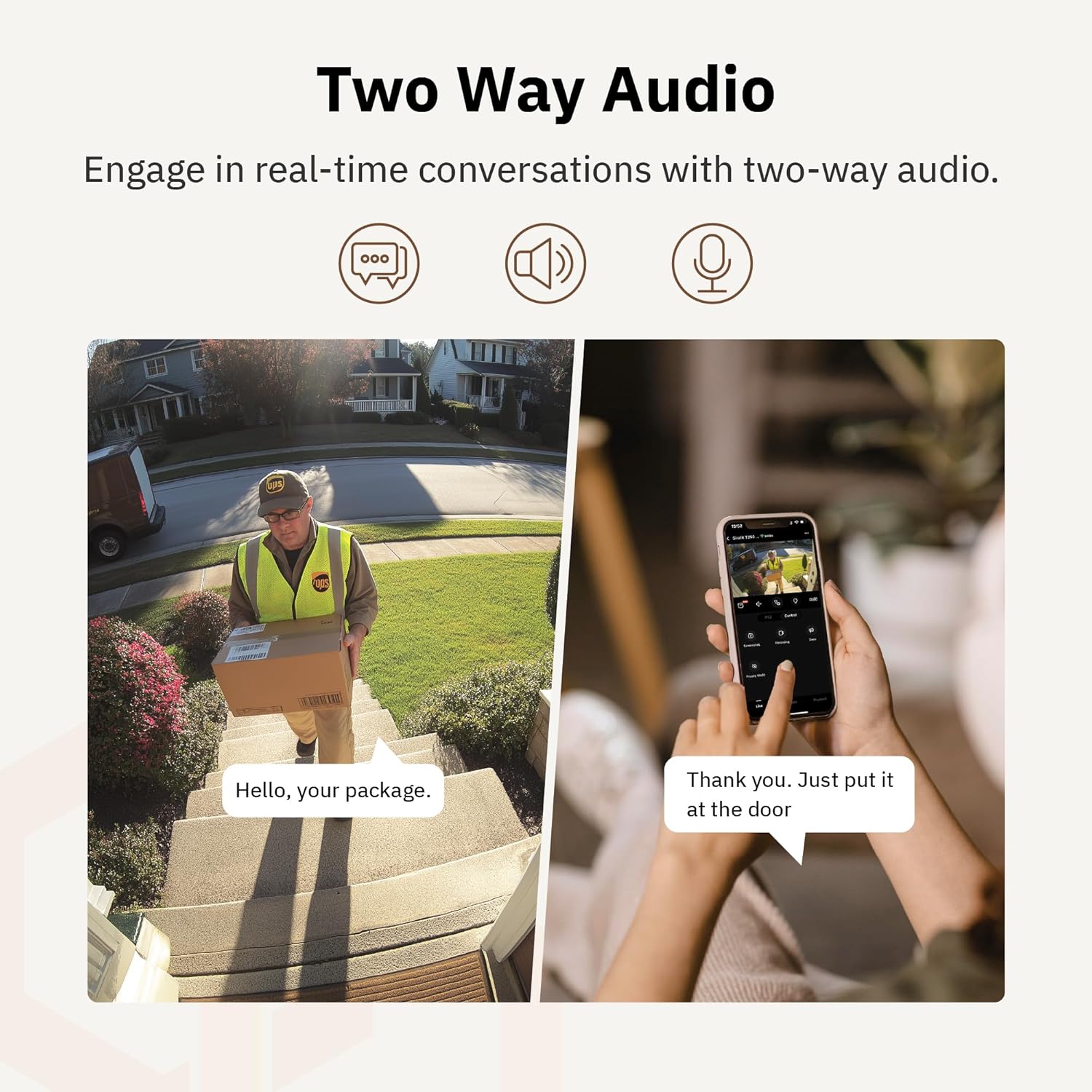
Figura 4.6: Un example of using two-way audio to communicate with a delivery person at the door.
4.5 Modul de confidențialitate
For enhanced privacy, the camera features a privacy mode. When activated, the camera lens physically tilts down by 180°, ensuring no live feed is captured or transmitted. This provides 100% privacy protection when needed.

Figure 4.7: The camera in privacy mode, with the lens tilted downwards to ensure no recording or live view.
4.6 Stocare video
The camera supports two primary methods for video storage:
- Card Micro SD: Insert a Micro SD card (up to 256GB, not included) into the designated slot on the camera for local storage of recordings.
- Stocare în cloud: Girafit offers encrypted cloud storage services in the US. Refer to the app for subscription options and details.
5. Întreținere
5.1 Curățare
To maintain optimal performance, periodically clean the camera lens and housing. Use a soft, damp cloth to wipe away dust and dirt. Avoid using harsh chemicals or abrasive materials that could damage the lens or finish.
5.2 de actualizări de firmware
Girafit regularly releases firmware updates to improve camera performance, add new features, and enhance security. Check the Girafit app periodically for available updates and follow the in-app instructions to install them. Ensure the camera has a stable power supply during updates.
6. Depanare
- Camera nu se conectează la Wi-Fi:
- Ensure your Wi-Fi network is 2.4GHz or 5GHz and the password is correct.
- Mută camera mai aproape de routerul Wi-Fi.
- Reporniți routerul și camera.
- Calitate video slabă:
- Verificați viteza conexiunii la internet.
- Curățați obiectivul camerei.
- Ensure the camera is receiving adequate power.
- Detectarea mișcării nu funcționează:
- Verificați dacă detectarea mișcării este activată în setările aplicației.
- Adjust detection sensitivity and detection zones.
- Asigurați-vă că nu există obstacole care blochează camera view.
- Probleme audio bidirecționale:
- Check microphone and speaker permissions for the Girafit app on your phone.
- Asigurați-vă că microfonul și difuzorul camerei nu sunt obstrucționate.
For further assistance, please contact Girafit customer support.
7. Specificații
| Caracteristică | Descriere |
|---|---|
| Numele modelului | GRF-T350SW |
| Rezoluție captură video | 3K (5MP) |
| Utilizare în interior/exterior | În aer liber |
| Tehnologia de conectivitate | Wi-Fi (2.4GHz/5GHz), Wired |
| Sursa de alimentare | Electric cu fir |
| Tip de montare | Montare pe perete |
| Caracteristica specială | 2-Way Audio, AI Detection (Human/Pet/Vehicle), Auto Tracking, Color Night Vision, IP65 Weatherproof |
| Dispozitive compatibile | Desktop, Laptop, Smartphone (Android/iOS) |
| Dimensiuni articol (L x l x H) | 2.63 x 2.63 x 4.76 inci |
| Greutatea articolului | 14.7 uncii |
| Opțiuni de stocare | Card Micro SD (până la 256 GB), Stocare în cloud |
| UPC | 764742517881 |
8. Garanție și asistență
Girafit products are designed for reliability and performance. For warranty information, please refer to the warranty card included with your product or visit the official Girafit website. For technical support, troubleshooting assistance, or any inquiries regarding your Girafit GRF-T350SW camera, please contact Girafit customer service through the contact information provided on the official website or within the Girafit app.


