1. Introducere
Thank you for choosing the Riflewell 7.0 Cu Ft Large Fingerprint Safe Box. This manual provides essential information for the safe and efficient operation of your new security safe. Please read these instructions carefully before use and retain them for future reference.
This safe is designed to protect your valuables, including documents, cash, pistols, and jewelry, with advanced fingerprint and password locking mechanisms, dual alarm systems, and robust construction.
2. Ce este inclus
La despachetare, vă rugăm să verificați dacă sunt prezente toate componentele următoare:
- 1 x Riflewell 7.0 Cu Ft Safe Box
- 4 x Chei de urgență
- 1 x USB Type-C Cable (for external power)
- 4 x Anti-slip Foot Pads
- 6 x Șuruburi de expansiune (pentru montare)
- 1 x Manual de utilizare (acest document)

3. Caracteristicile produsului
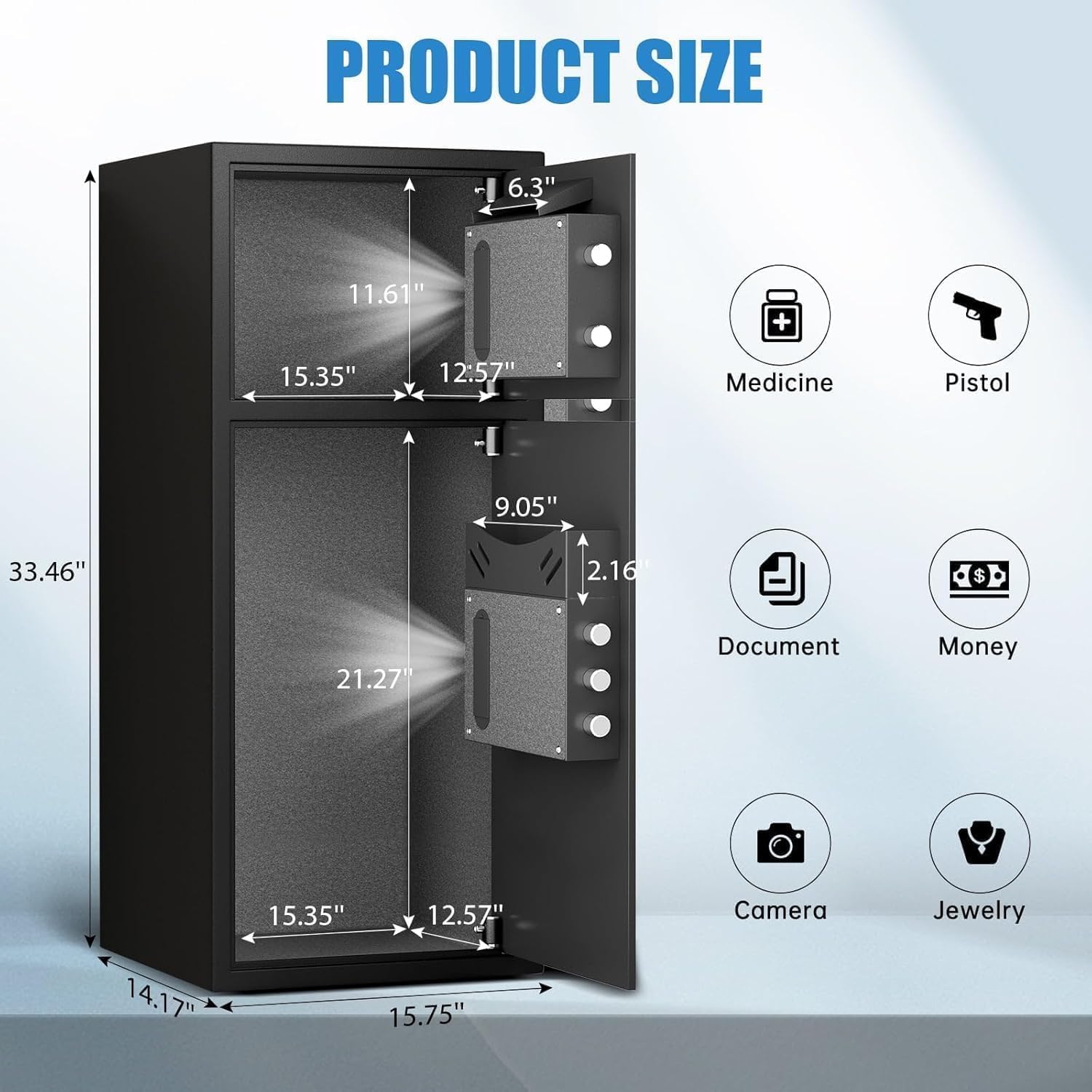
- Capacitate foarte mare: External size 14.17"D x 15.75"W x 33.5"H, with a 7.0 cubic feet capacity. Features a double-door design for separate access.
- Securitate îmbunătățită: Equipped with a fingerprint and password lock system. Features 3D glowing digital buttons and a unique embedded fingerprint design (US appearance patent).
- Slotul de depunere: A convenient front slot allows for easy deposit of money or coins without opening the main door.
- Organizare internă: Includes a metal storage box for smaller items and soft flannel lining to protect valuables from scratches. Internal LED lights illuminate the interior.
- Anti-Theft Construction: Made of reinforced low carbon alloy steel with micro-slit laser cutting precision. Features a pry-resistant thickened door and five solid live bolts.
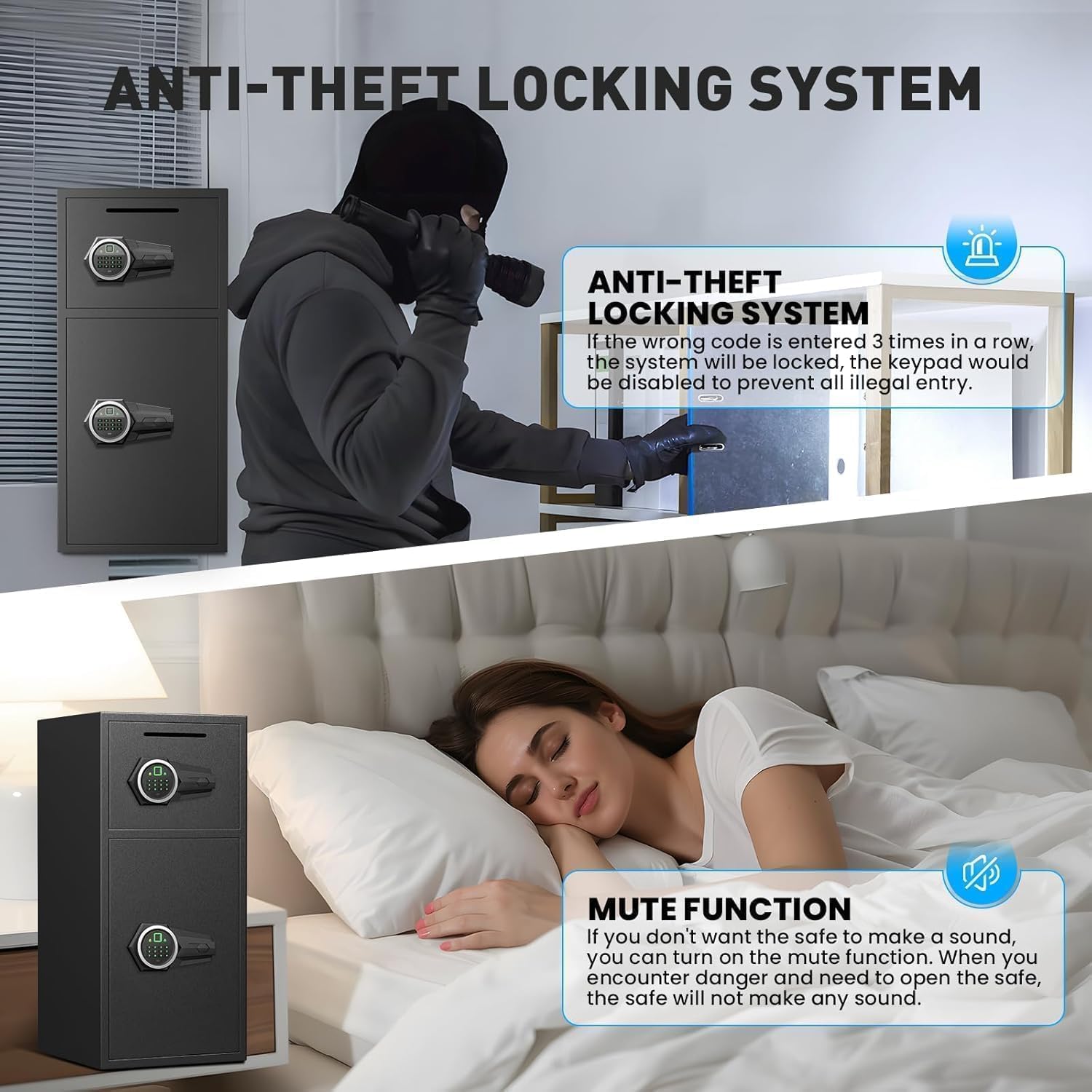
- Sistem de alarma dublu: Activates an alarm (up to 70 decibels) after three consecutive incorrect password attempts or violent vibrations. Includes a mute function for silent operation.
- Putere de urgență: Universal emergency power jack (USB Type-C) ensures access even if internal batteries are depleted.


4. Configurare
4.1 First Time Opening (Using Emergency Key)
Before initial use, you must open the safe using the emergency key to install batteries and set up your access methods.
- Localizați gaura cheii de urgență, de obicei ascunsă în spatele unui capac de pe panoul tastaturii.
- Insert an emergency key and turn it counter-clockwise to its limit.
- Rotiți butonul în sensul acelor de ceasornic pentru a deschide ușa.
4.2 Instalarea bateriei
The electronic lock requires 4 AA alkaline batteries (not included). Do not use lithium or rechargeable batteries.
- Cu ușa seifului deschisă, localizați compartimentul bateriilor în interiorul ușii.
- Scoateți capacul bateriei.
- Introduceți 4 baterii alcaline AA, asigurându-vă că polaritatea este corectă.
- Înlocuiți capacul bateriei.
4.3 Setting Up Fingerprint
You can program multiple fingerprints for convenient access.
- With the safe door open, short press the red 'SETTING BUTTON' located inside the door.
- Place your finger on the fingerprint collector. When you hear a short beep, remove your finger.
- Repeat placing and removing your finger four times until the safe confirms successful registration.
4.4 Setting Up Password
You can set a 3-8 digit user password.
- With the safe door open, short press the red 'SETTING BUTTON' located inside the door.
- Input your desired 3-8 digit user code on the keypad.
- Press '#' to confirm your password.
4.5 Montarea seifului
For added security, the safe can be mounted to a wall or floor using the provided expansion screws.
- Identify a suitable location for mounting. The safe has 4 pre-drilled holes on the back and 2 on the bottom.
- Mark the drilling points on the wall or floor through the pre-drilled holes.
- Găuriți găuri în pozițiile marcate.
- Align the safe with the drilled holes and secure it using the expansion screws.

5. Funcționarea seifului
5.1 Opening with Fingerprint or Password
- To open with fingerprint: Place your registered finger on the fingerprint collector until the lock disengages.
- To open with password: Input your 3-8 digit user code and press '#'. The lock will disengage.
- Rotiți butonul în sensul acelor de ceasornic pentru a deschide ușa.
5.2 Deschidere cu cheie de urgență
The emergency key provides manual access in case of forgotten codes or battery failure.
- Locate the emergency keyhole.
- Insert an emergency key and turn it counter-clockwise to its limit.
- Rotiți butonul în sensul acelor de ceasornic pentru a deschide ușa.
5.3 Opening with USB Cable (External Power)
If the internal batteries are dead and you don't have the emergency key, you can use a USB Type-C cable for temporary external power.
- Connect the USB Type-C cable to the port on the keypad panel and to an external power source (e.g., power bank).
- Once powered, use your registered fingerprint or password to open the safe as usual.
- Rotiți butonul în sensul acelor de ceasornic pentru a deschide ușa.
6. Caracteristici de securitate
6.1 Dual Alarm Function
The safe is equipped with a dual alarm system to deter unauthorized access:
- Alarmă parolă incorectă: If three consecutive incorrect passwords are entered, the alarm will sound for 20 seconds.
- Alarmă de vibrații: In standby mode, press and hold "4" until you hear two beeps to activate the vibration alarm. If the safe is shaken or hit violently, the alarm will sound for 20 seconds.
The alarm can only be deactivated by removing the batteries.
6.2 Funcția Mute
The safe features an upgraded mute function, suitable for various scenarios where silent operation is preferred. Refer to the quick start guide for specific instructions on activating/deactivating the mute mode.
7. Întreținere
- Înlocuire baterie: Înlocuiți bateriile imediat ce apare indicatorul de baterie descărcată pentru a asigura funcționarea continuă.
- curatenie: Curățați exteriorul seifului cu o lavetă moale șiamp Evitați produsele de curățare abrazive sau solvenții care ar putea deteriora finisajul.
- Depozitare chei: Store emergency keys in a secure location away from the safe, but easily accessible to you.
8. Depanare
- Safe not opening: Ensure batteries are correctly installed and charged. Try using the emergency key or external USB power. Verify the correct password or fingerprint is being used.
- Alarma sună neașteptat: Check if the vibration alarm is activated. Ensure no unauthorized attempts have been made to open the safe. Deactivate by removing batteries.
- Tastatura nu răspunde: Replace batteries. If using external power, ensure the USB cable is securely connected and the power source is active.
9. Specificații
| Caracteristică | Caietul de sarcini |
|---|---|
| Marca | Riflewell |
| Dimensiunile produsului | 14.17" D x 15.75" L x 33.5" H |
| Tip blocare | Electronic Combination Lock (Fingerprint & Password) |
| Capacitate | 7 picioare cubice |
| Material | Oțel aliat cu conținut scăzut de carbon armat |
| Caracteristici speciale | Alarm System, LED Light, Deposit Slot, Double Door, Soft Lining |
| Tip de montare | Montare pe podea / Montare pe perete |
| Greutatea articolului | 49.5 lire sterline |
| Numărul de model al articolului | KL-85W-shao |
10. Garanție și asistență
Riflewell is committed to customer satisfaction. If you encounter any problems with your safe, please contact us directly. We offer:
- Garanție pe viață
- 24-Hour Online Customer Service
- 90-Day Unconditional Returns
- Serviciu de potrivire a cheilor pe viață
To find seller support on Amazon:
- Conectați-vă la contul dvs. de cumpărător Amazon.
- Găsiți comanda dvs.
- Click "Get help" to contact the seller for product support.


