Introducere
This manual provides essential information for the setup, operation, maintenance, and troubleshooting of your Lenovo V15 (83CC0053IN) laptop. Please read this document thoroughly to ensure proper use and to maximize the lifespan of your device.
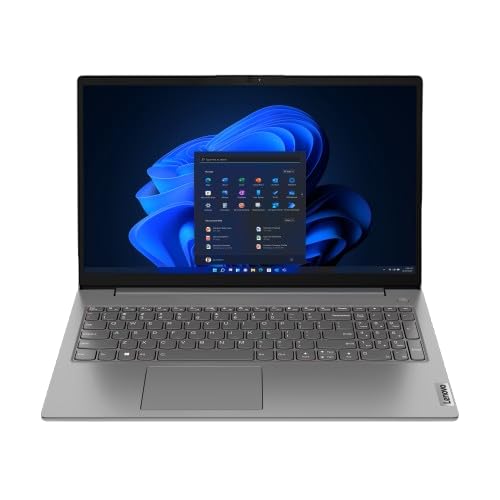
Image: The Lenovo V15 laptop, showcasing its full display and keyboard. The screen displays a graphical user interface, indicating a functional system.
Înființat
1. Despachetarea
Scoateți cu grijă toate componentele din ambalaj. Verificați dacă sunt prezente următoarele articole:
- Laptopul Lenovo V15
- Adaptor de alimentare
- Manual de utilizare (acest document)
2. Conectarea la putere
Connect the power adapter to the laptop's power input port and then plug the adapter into a grounded electrical outlet. The battery will begin charging automatically.
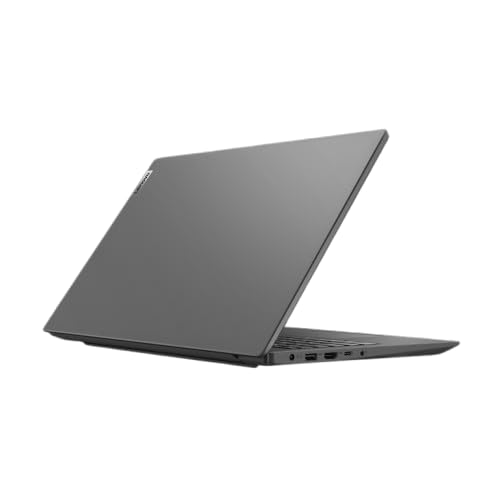
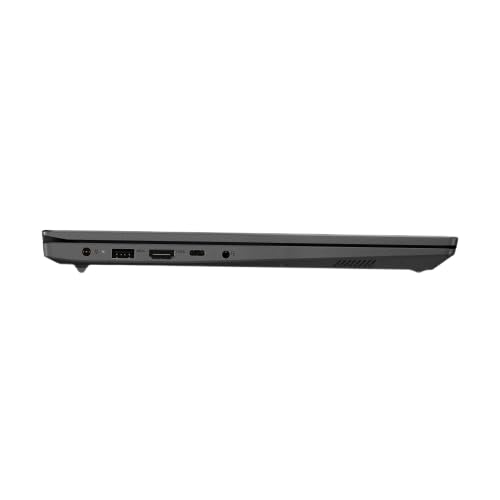
Imagine: Un profesionist secundarfile of the Lenovo V15 laptop, highlighting the various ports available for connectivity, including the power input.
3. Pornire inițială
Press the power button located on the keyboard deck to turn on the laptop. Since the laptop comes with DOS, you will need to install an operating system (e.g., Windows, Linux) to utilize its full functionality. Follow the on-screen prompts or your chosen operating system's installation guide.
Operarea laptopului
Pornire/Oprire
- Pornire: Apăsați butonul de pornire.
- Oprire: From your operating system, select the shutdown option. Alternatively, press and hold the power button for several seconds for a forced shutdown (use only when necessary).
Tastatură și touchpad
The laptop features a 6-row, spill-resistant keyboard with multimedia Fn keys and a numeric keypad. The buttonless Mylar surface multi-touch touchpad supports Precision TouchPad gestures.
Imagine: O imagine clară de sus în jos view of the Lenovo V15 laptop's keyboard, including the numeric keypad, and the integrated touchpad below.
Conectarea dispozitivelor externe
The Lenovo V15 offers various ports for connecting peripherals:
- Porturi USB: 1x USB 2.0, 1x USB 3.2 Gen 1, 1x USB-C 3.2 Gen 1 (supports data transfer, Power Delivery (20V only), and DisplayPort 1.2).
- HDMI: 1x HDMI 1.4b for connecting to external displays.
- Ethernet: 1x RJ-45 port for wired network connection.
- Audio: 1x Headphone/microphone combo jack (3.5mm).
Întreţinere
Curățarea laptopului
- Folosiți o cârpă moale, fără scame dampclătite cu apă sau cu o soluție de curățare a ecranului.
- Pentru tastatură și carcasă, folosiți o lavetă moale. Evitați substanțele chimice dure sau materialele abrazive.
- Asigurați-vă că laptopul este oprit și deconectat de la priză înainte de curățare.
Îngrijirea bateriei
- Evitați descărcarea completă frecventă a bateriei.
- Depozitați laptopul într-un loc răcoros și uscat dacă nu îl utilizați pentru perioade lungi de timp.
- Nu expuneți bateria la temperaturi extreme.
Depozitare
When storing the laptop, especially for long durations, ensure it is turned off and disconnected from power. Protect it from dust and extreme environmental conditions.
Depanare
This section addresses common issues you might encounter with your Lenovo V15 laptop.
Fără putere
- Asigurați-vă că adaptorul de alimentare este conectat corect atât la laptop, cât și la o priză electrică funcțională.
- Verificați dacă priza funcționează conectând un alt dispozitiv.
- Dacă bateria este complet descărcată, lăsați-o să se încarce câteva minute înainte de a încerca să o porniți.
Probleme de afișare
- Dacă ecranul este gol, încercați să reglați luminozitatea afișajului folosind tastele funcționale de pe tastatură.
- If an external monitor is connected, ensure the display output is correctly configured (e.g., duplicate, extend).
- Reporniți laptopul.
Periferic nedetectat
- Ensure the peripheral is correctly plugged into the appropriate port.
- Try connecting the peripheral to a different port or another device to confirm its functionality.
- Reporniți laptopul.
Specificații
| Caracteristică | Detaliu |
|---|---|
| Model | Lenovo V15 (83CC0053IN) |
| Procesor | 13th Gen Intel Core i7-13620H (10 Cores, up to 4.9 GHz) |
| Memorie (RAM) | 16GB DDR4 3200 MHz (upgradable up to 16GB) |
| Depozitare | 512GB SSD M.2 (upgradable up to 1TB) |
| Sistem de operare | DOS |
| Afişa | 15.6" FHD (1920x1080) Antiglare, 250 nits |
| Grafică | Intel UHD Graphics (DirectX 12.1) |
| Porturi | 1x USB 2.0, 1x USB 3.2 Gen 1, 1x USB-C 3.2 Gen 1 (data/PD/DP), 1x HDMI 1.4b, 1x Ethernet (RJ-45), 1x Headphone/mic combo, 1x Power Connector |
| Tastatura | Taste Fn multimedia cu 6 rânduri, rezistente la scurgeri, tastatură numerică |
| Touchpad | Buttonless Mylar surface multi-touch, Precision TouchPad support |
| Greutate | 1.65 kg |
| baterii | 1 AAA battery required (included) - 38 Wh Lithium-Ion (2 cells) |
Garanție și suport
Your Lenovo V15 laptop comes with a 1-year Carry-in Warranty. To avail of service, visit your nearest authorized service center.
It is recommended to register your laptop's warranty, starting from the date of your Amazon invoice. You can do this by visiting the official Lenovo support portal:
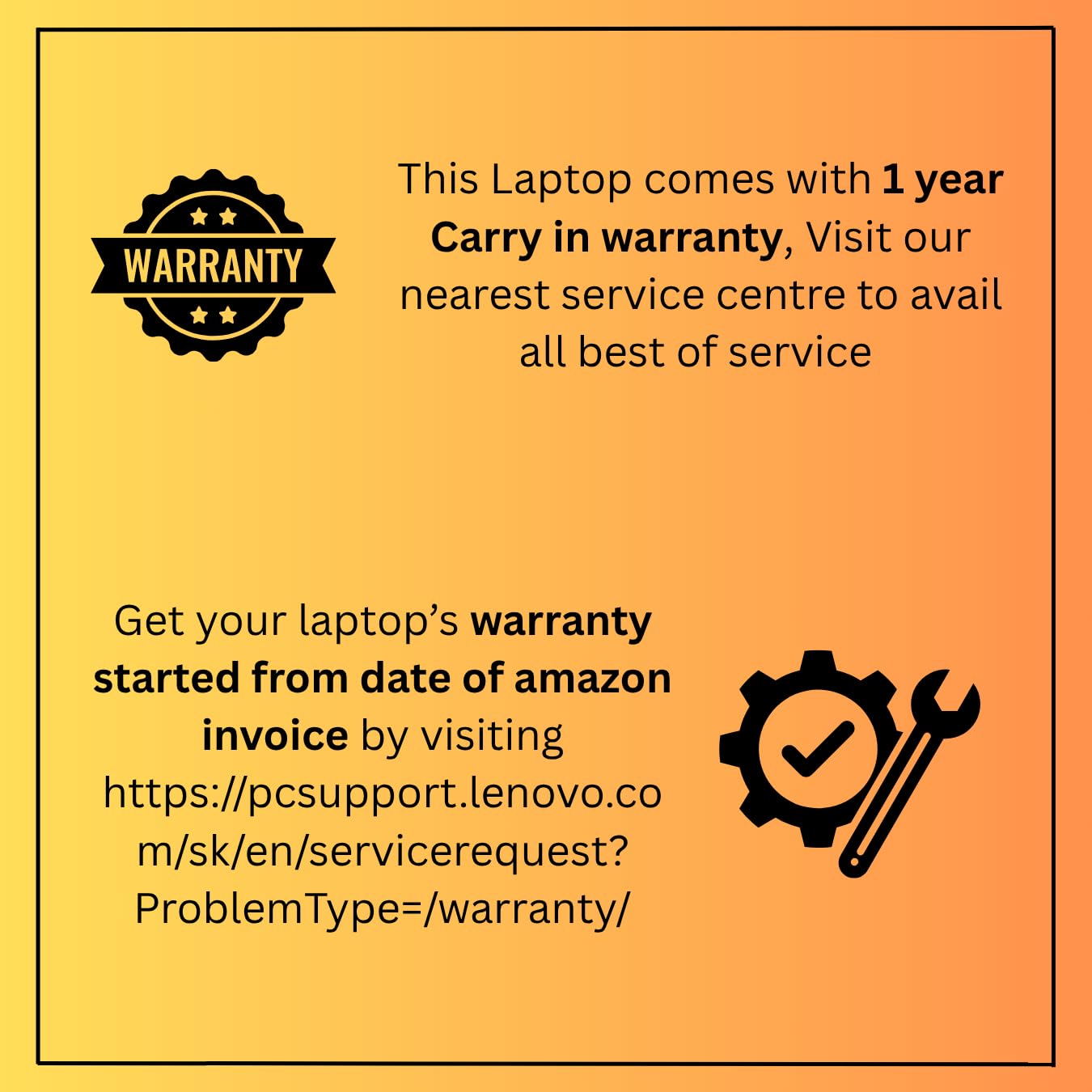
Image: A graphic detailing the 1-year carry-in warranty and providing instructions and a link for warranty registration via the Lenovo support website-ul.


