Introducere
This manual provides detailed instructions for the MageGee GK960 Wireless Gaming Keyboard. Please read this manual thoroughly before using the product to ensure proper operation and to maximize your user experience. The GK960 offers versatile connectivity, customizable RGB lighting, and an ergonomic design for extended use.

Image: The MageGee GK960 Wireless Gaming Keyboard, showcasincu aspectul său complet și iluminarea de fundal RGB.
Conținutul pachetului
Verificați dacă toate articolele enumerate mai jos sunt incluse în pachetul dumneavoastră:
- MageGee GK960 Wireless Gaming Keyboard
- Cablu de încărcare USB-C
- Receptor USB 2.4G
- Manual de utilizare
- Ghidul utilizatorului
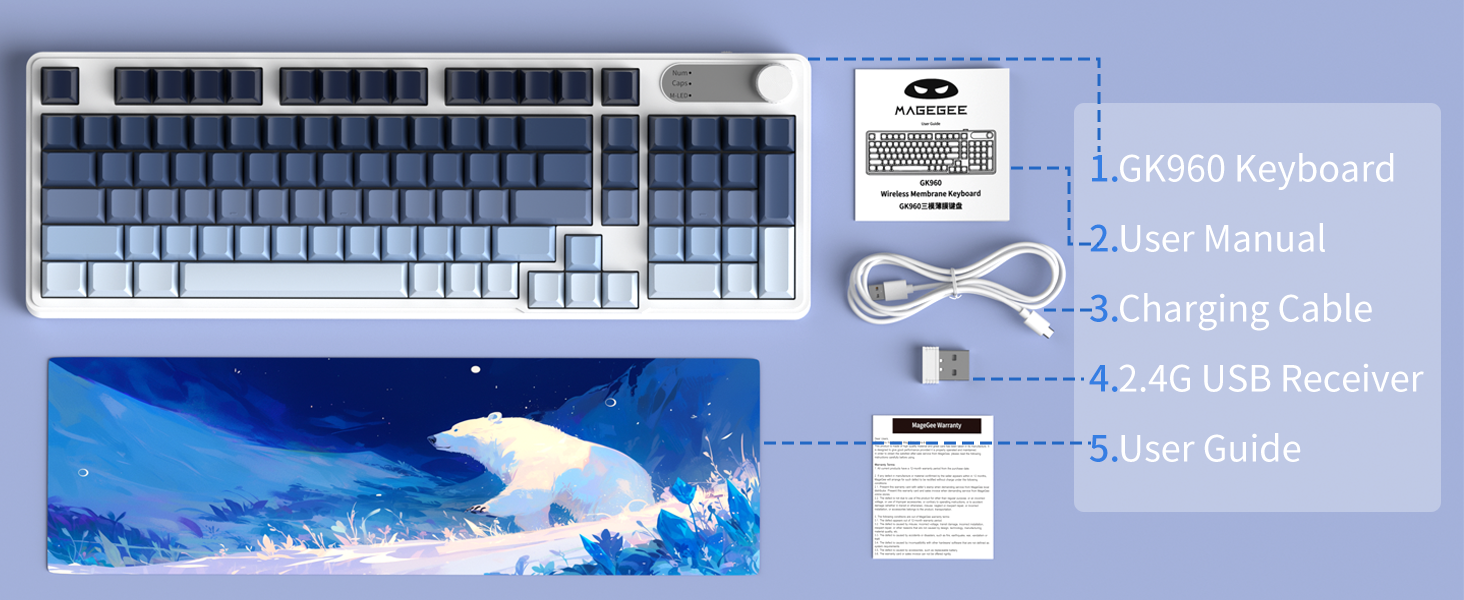
Image: An illustration showing the MageGee GK960 keyboard and its included accessories: USB-C cable, 2.4G receiver, user manual, and user guide.
Configurare și conectivitate
The GK960 keyboard supports three connection modes: Wired (USB-C), 2.4GHz Wireless, and Bluetooth.
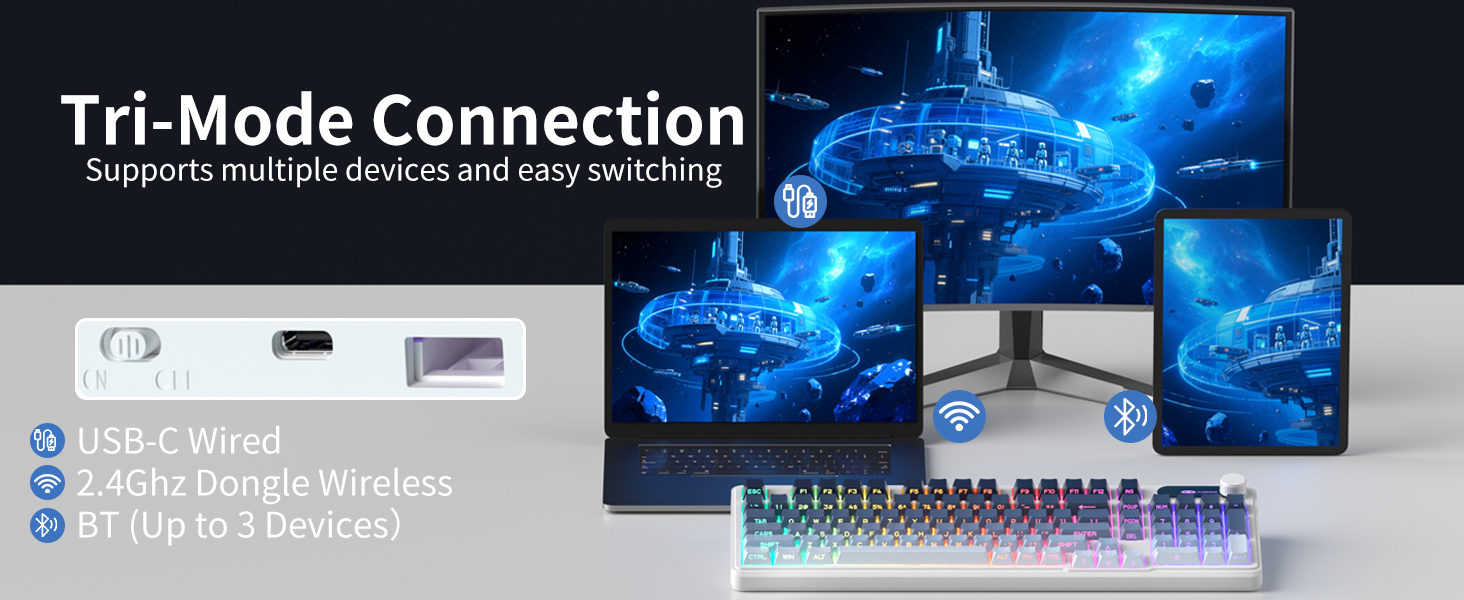
Image: A visual representation of the keyboard connecting to multiple devices (laptop, monitor, tablet) via USB-C, 2.4G dongle, and Bluetooth.
1. Conexiune prin cablu (USB-C)
- Conectați cablul USB-C furnizat la portul USB-C al tastaturii.
- Conectați celălalt capăt al cablului USB-C la un port USB disponibil de pe computer.
- Tastatura va fi recunoscută automat și gata de utilizare.
2. Conexiune wireless de 2.4 GHz
- Locate the 2.4G USB receiver in the package.
- Conectați receptorul USB 2.4G la un port USB disponibil al computerului.
- On the keyboard, switch the mode selector to the '2.4G' position.
- The keyboard will connect wirelessly to your device.
3. Conexiune Bluetooth
The GK960 supports up to three Bluetooth devices (BT1, BT2, BT3).
- On the keyboard, switch the mode selector to the 'BT' position.
- Apăsați și mențineți apăsat FN + 1 (pentru BT1), FN + 2 (pentru BT2), sau FN + 3 (for BT3) for 3-5 seconds until the indicator light flashes rapidly, indicating pairing mode.
- Pe dispozitivul dvs. (computer, tabletă, smartphone), activați Bluetooth și căutați dispozitive noi.
- Select 'GK960' from the list of available devices to pair.
- După asociere, indicatorul luminos va înceta să clipească.
Comutarea între moduri
Use the mode selector switch on the keyboard to easily switch between Wired, 2.4G, and Bluetooth modes. For Bluetooth, press FN + 1/2/3 to switch between paired Bluetooth devices.
Instrucțiuni de operare
Controlul iluminării de fundal RGB
The GK960 features vibrant RGB backlighting with adjustable effects, brightness, and speed.
- FN + INS: Switch between different light modes.
- FN + Backspace: Turn the backlight on/off.
- FN + -/_: Adjust light speed (slower).
- FN + =/+: Adjust light speed (faster).
- FN + PgUp: Increase light brightness.
- FN + PgDn: Decrease light brightness.
- FN + P: Toggle logo color.
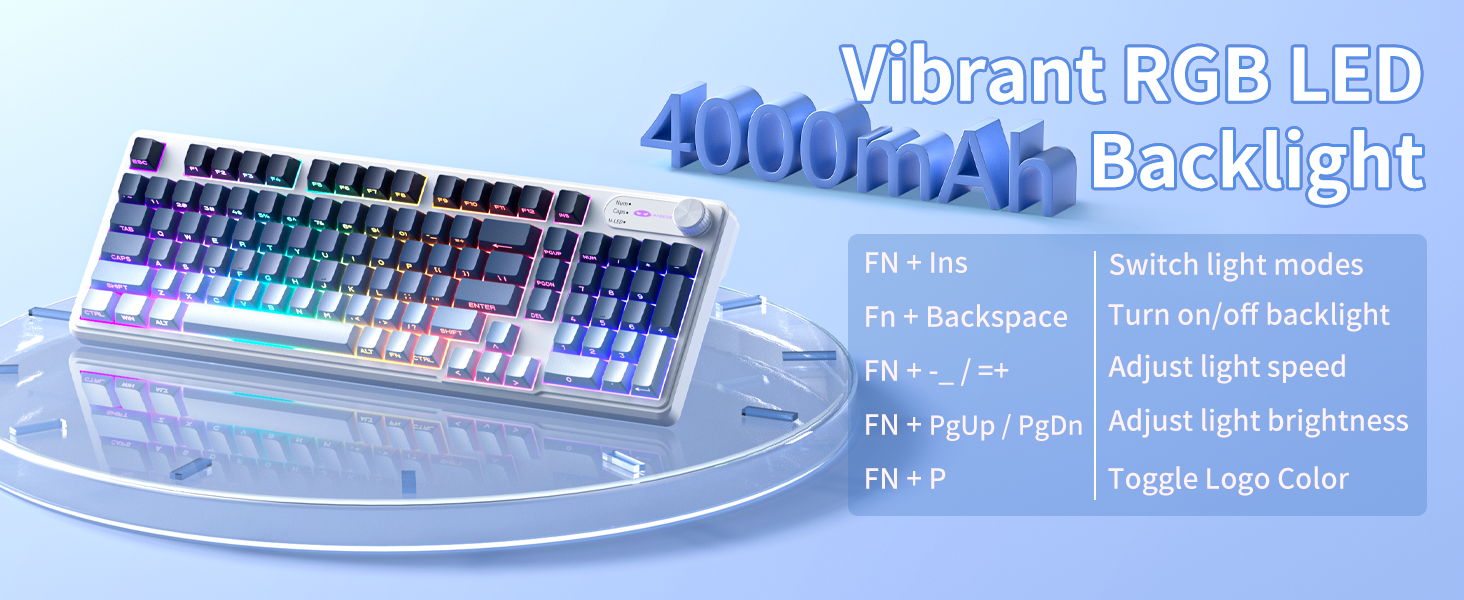
Image: A diagram illustrating the FN key combinations for controlling the RGB backlight modes, speed, brightness, and logo color.
Dual-Mode Rotary Knob
The multi-functional knob allows quick adjustments for volume and lighting.
- Modul de comutare: Long-press FN + Buton for 5 seconds to switch between Volume Mode and Light Mode.
- Mod volum: Rotate the knob to adjust volume. Press down on the knob to mute/unmute.
- Modul de lumină: Rotate the knob to adjust backlight brightness. Press down on the knob to cycle through lighting effects.
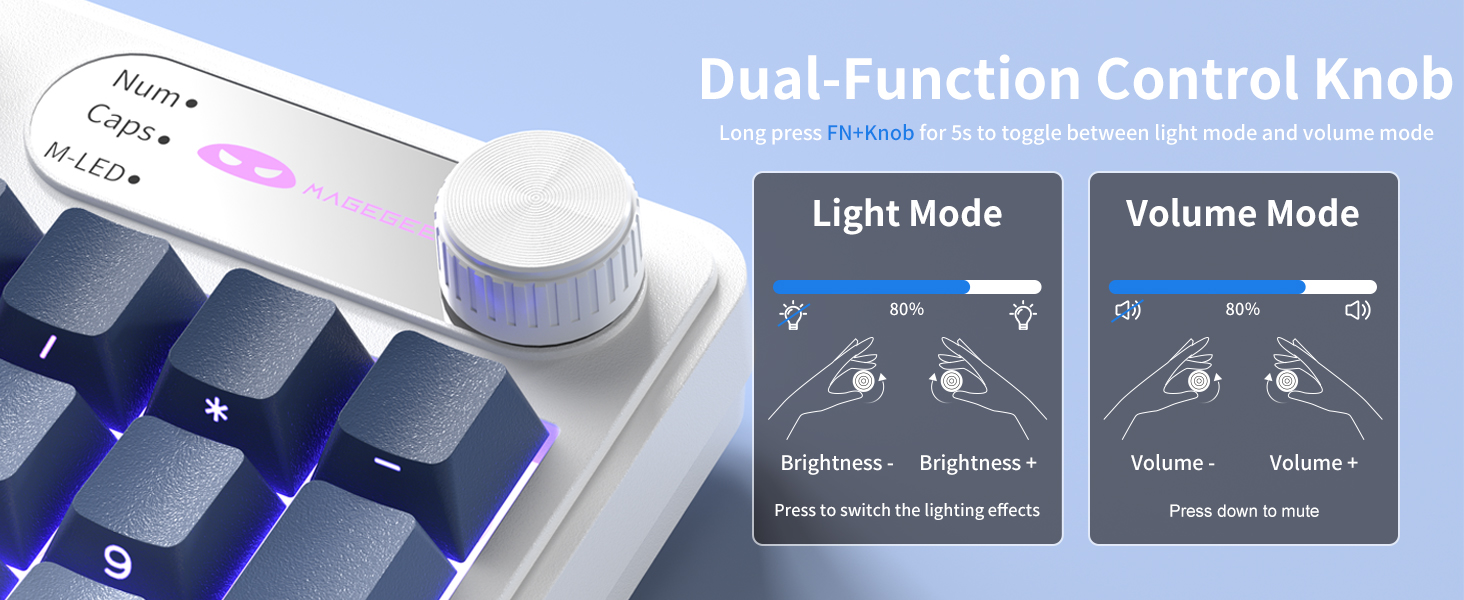
Image: A close-up of the multi-functional knob, detailing its operation for both volume and lighting adjustments, including the FN+Knob long-press for mode switching.
Side-Printed Keycaps
The GK960 features double-shot injection molded keycaps with side-printed legends. This design allows the backlight to shine through the letters, enhancing visibility and durability, preventing fading from prolonged use.

Imagine: Un prim-plan view of the keyboard's side-printed keycaps, highlighting how the backlight illuminates the legends.
Anti-ghosting cu 19 de taste
The GK960 keyboard is equipped with 19-key anti-ghosting technology. This ensures that every keystroke registers accurately, even when multiple keys are pressed simultaneously during fast-paced gaming or typing. This prevents missed inputs and enhances performance.
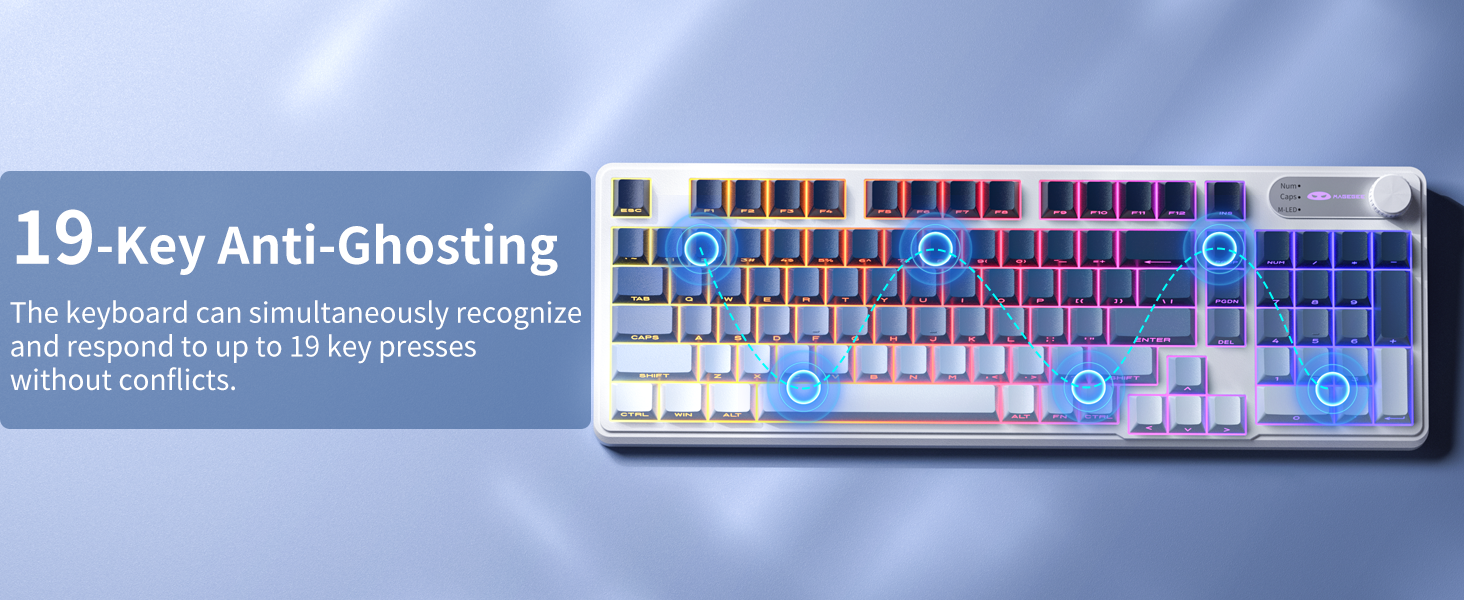
Image: A visual diagram illustrating the 19-key anti-ghosting feature, showing multiple simultaneous key presses being registered without conflict.
Compatibilitatea sistemului
The keyboard supports both Windows and Mac operating systems. You can switch between them using a simple key combination (refer to specific key combinations if provided on the keyboard or in a quick start guide).
Managementul bateriei
The GK960 is equipped with a 4000mAh high-capacity battery for extended usage.
- Încărcare: Connect the keyboard using the provided USB-C cable to a power source. The keyboard can be used in wired mode while charging.
- Durata de viață a bateriei: Approximately 22 hours with backlight on, and up to 200 hours with backlight off.
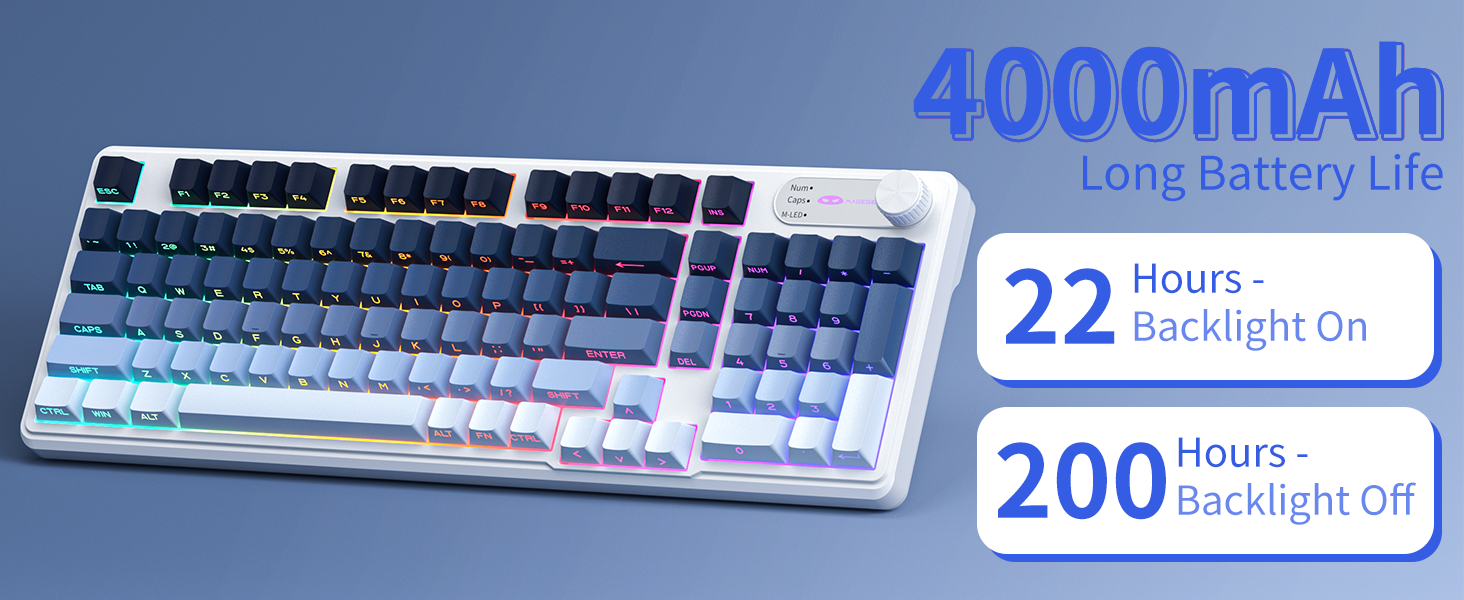
Image: A graphic displaying the 4000mAh battery capacity and estimated usage times: 22 hours with backlight on and 200 hours with backlight off.
Design ergonomic
The GK960 features a stepped keycap structure and adjustable stands to promote a comfortable typing posture. This design helps reduce wrist fatigue during long periods of use.
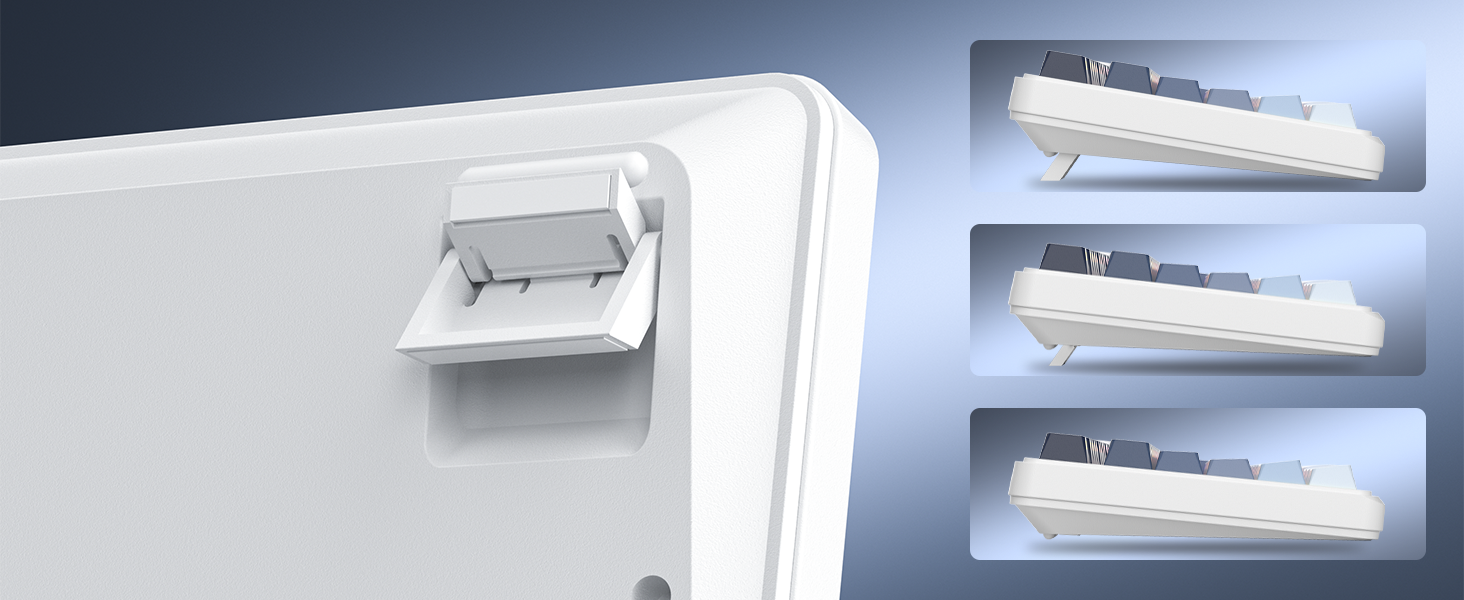
Image: A depiction of the keyboard's adjustable feet and stepped keycap profile, illustrating its ergonomic features for comfortable typing angles.
Întreţinere
- Curatenie: Use a soft, dry cloth to wipe the keyboard surface. For deeper cleaning, use compressed air to remove dust and debris from between keycaps. Avoid using harsh chemicals or abrasive materials.
- DepozitareDepozitați tastatura într-un loc răcoros și uscat, ferit de lumina directă a soarelui și de temperaturi extreme.
- Expunerea la lichid: Avoid spilling liquids on the keyboard. If liquid exposure occurs, immediately disconnect the keyboard and allow it to dry completely before reconnecting.
Depanare
- Tastatura nu răspunde: Ensure the keyboard is charged. Check the connection mode (Wired, 2.4G, BT) and ensure it matches your device's connection. For 2.4G, ensure the USB receiver is properly inserted. For Bluetooth, re-pair the device if necessary.
- Lumina de fundal nu funcționează: Apăsați FN + Backspace to toggle the backlight. Ensure brightness is not set to minimum (FN + PgUp).
- Conexiune intermitentă: Ensure the keyboard is within range of the receiver/device. Avoid sources of strong electromagnetic interference.
- Cheile nu se înregistrează: Clean under the keycaps to remove any obstructions. Ensure the keyboard is fully charged.
Specificații
| Caracteristică | Caietul de sarcini |
|---|---|
| Numele modelului | GK960 |
| Tehnologia de conectivitate | Wired (USB-C), 2.4G Wireless, Bluetooth |
| Capacitatea bateriei | 4000mAh |
| Iluminare din spate | RGB |
| Anti-Ghosting | 19-cheie |
| Tip keycap | Side-Printed, Double-Shot Injection |
| Dispozitive compatibile | Laptop, PC, Smartphone, Tabletă |
| Greutatea articolului | 1.88 lire sterline |
| Dimensiuni pachet | 17.56 x 7.17 x 2.05 inci |

Image: A diagram illustrating the physical dimensions of the MageGee GK960 keyboard.
Garanție și suport
MageGee products are designed for reliability and performance. For warranty information or technical support, please refer to the warranty card included in your package or visit the official MageGee website-ul. Păstrați chitanța de achiziție pentru cererile de garanție.


