1. Introducere
Thank you for choosing the BUGANI OWSB11 Open Ear Wireless Bluetooth Headphones. These headphones are designed to provide a comfortable listening experience while maintaining awareness of your surroundings. Featuring advanced Bluetooth 5.4 technology, immersive HiFi sound, and an IPX5 waterproof rating, they are ideal for various activities including workouts, cycling, and daily use. This manual provides detailed instructions for setup, operation, and maintenance to ensure optimal performance and longevity of your device.

Image: BUGANI B18 Open Ear Headphones banner. This image displays the product name and a tagline, showcasing the sleek design of the headphones and charging case.
2. Conținutul pachetului
Vă rugăm să verificați pachetul pentru următoarele articole:
- BUGANI OWSB11 Open Ear Wireless Bluetooth Headphones (Left & Right)
- Carcasă de încărcare
- Cablu de încărcare USB-C
- Manual de utilizare
3. Produs terminatview
Familiarize yourself with the components of your BUGANI OWSB11 headphones and charging case.

Image: BUGANI OWSB11 Open Ear Wireless Headphones in their charging case. This image shows both earbuds securely placed within the compact charging case, ready for use or charging.
Componentele căștilor:
- Cârlig pentru ureche: Oferă o fixare sigură și confortabilă peste ureche.
- Zona de control: Touch-sensitive surface for various functions.
- Microfon: Pentru apeluri și comenzi vocale.
- Indicator LED: Displays status (pairing, charging, etc.).
Componentele carcasei de încărcare:
- Port de încărcare (USB-C): Pentru conectarea cablului de încărcare.
- LED indicator de încărcare: Afișează starea de încărcare a carcasei.
4. Noțiuni introductive
4.1. Încărcarea dispozitivului
For optimal performance, fully charge your headphones and charging case before first use.
- Încărcarea carcasei: Connect the provided USB-C cable to the charging port on the case and to a USB power adapter (not included). The case's LED indicator will show charging status and turn solid when fully charged.
- Încărcarea căștilor: Place the earbuds into the charging case. Ensure they are correctly seated. The earbuds will automatically begin charging. The LED indicators on the earbuds will show their charging status.
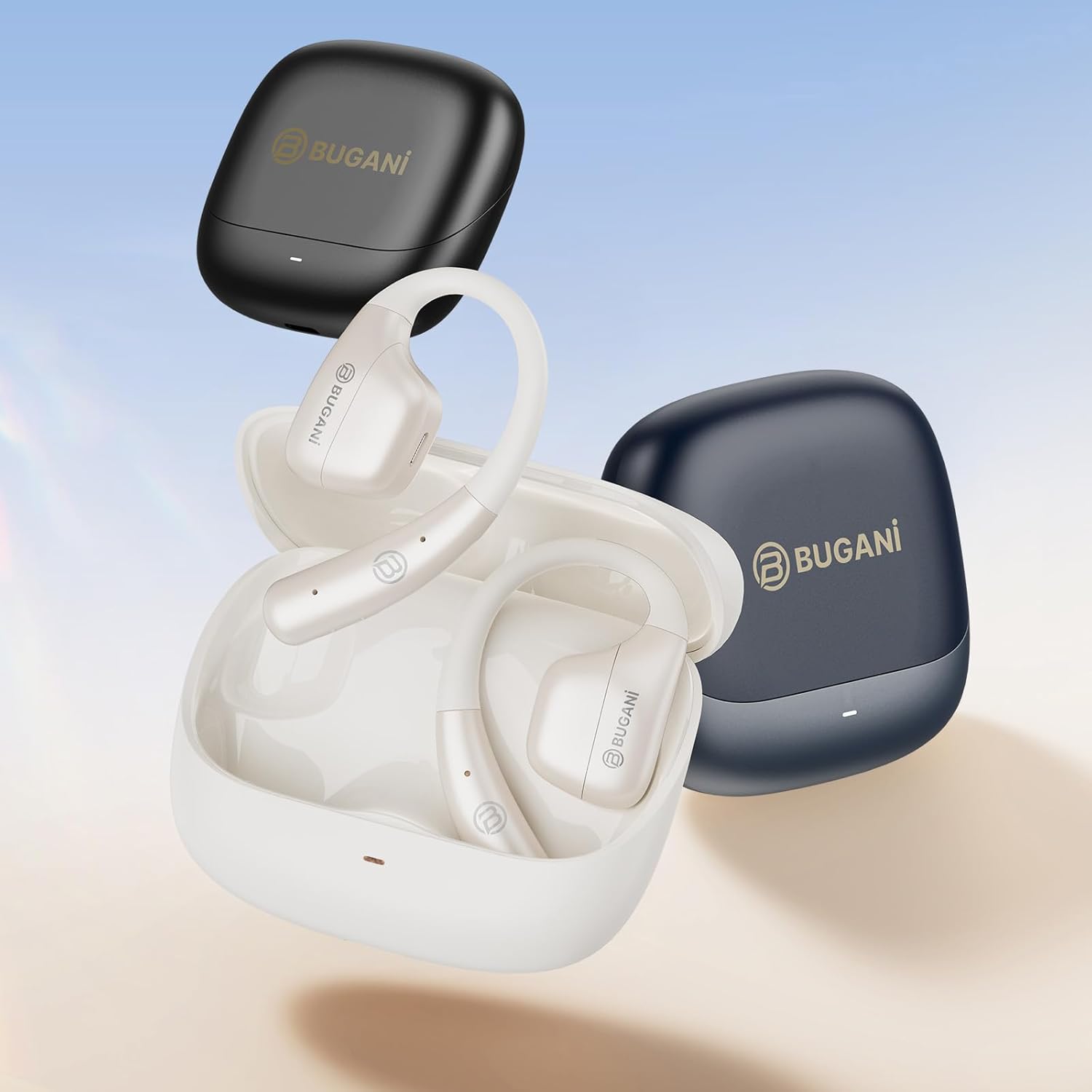
Image: An illustration showing the extended battery life cycle of the BUGANI OWSB11 headphones and charging case. This graphic highlights the 6.5 hours of music time, 1.5 hours of charging time, and 26 hours of total cycle playtime.
4.2. Pornire/Oprire
- Pornire: Deschideți carcasa de încărcare, iar căștile se vor porni automat. Alternativ, apăsați și mențineți apăsată zona de control tactil de pe ambele căști timp de 3 secunde.
- Oprire: Place the earbuds back into the charging case and close the lid. They will automatically power off. Alternatively, press and hold the touch control area on both earbuds for 5 seconds.
4.3. Asociere Bluetooth
The BUGANI OWSB11 headphones utilize Bluetooth 5.4 for a fast and stable connection.
- Prima împerechere:
- Deschideți carcasa de încărcare. Căștile vor intra automat în modul de asociere, iar indicatorii LED vor clipi.
- Pe dispozitivul dvs. (smartphone, tabletă etc.), activați Bluetooth.
- Caută "BUGANI OWSB11" in the list of available Bluetooth devices and select it to connect.
- Once connected, the earbud LED indicators will turn off or flash slowly.
- Reconectarea: After initial pairing, the earbuds will automatically connect to the last paired device when removed from the charging case and Bluetooth is enabled on your device.

Image: Diagram illustrating the Bluetooth 5.4 technology chip for stable connectivity. This image highlights the advanced Bluetooth 5.4 chip, emphasizing its role in providing a fast and reliable wireless connection.
5. Utilizarea căștilor
The touch control area on each earbud allows you to manage music playback, calls, and other functions.
5.1. Redarea muzicii
- Redare/Pauză: Atingeți o singură dată oricare dintre căști.
- Următoarea piesă: Atingeți de două ori casca intraauriculară dreaptă.
- Pista anterioară: Atingeți de două ori casca intraauriculară stângă.
5.2. Managementul apelurilor
- Răspundeți/Terminați apelul: Atingeți o singură dată oricare dintre căști.
- Respinge apelul: Apăsați și țineți apăsat pe oricare dintre căști timp de 2 secunde.
5.3. Controlul volumului
Volume control is typically managed directly from your connected device. Some models may support earbud-based volume control; refer to specific product details if available.
5.4. Situational Awareness (Open-Ear Design)
The open-ear design of the BUGANI OWSB11 allows you to hear your audio while remaining aware of your surroundings. This feature enhances safety during outdoor activities and allows for easy conversations without removing the earbuds.

Image: A person wearing the BUGANI OWSB11 Open Ear Wireless Headphones, demonstrating the secure and comfortable fit. This image illustrates how the open-ear design sits on the ear, allowing for situational awareness.
6. Îngrijire și întreținere
6.1. Curatenie
Regular cleaning helps maintain the performance and hygiene of your headphones.
- Ștergeți căștile și carcasa de încărcare cu o lavetă moale, uscată și fără scame.
- Nu utilizați agenți de curățare abrazivi, alcool sau solvenți chimici.
- Asigurați-vă că contactele de încărcare sunt curate și uscate.
6.2. Rezistență la apă (IPX5)
The BUGANI OWSB11 headphones are rated IPX5, meaning they are protected against low-pressure water jets from any direction. This makes them suitable for workouts and light rain.
- Nu scufundați căștile în apă.
- Avoid exposure to saltwater or other corrosive liquids.
- If wet, dry thoroughly before placing them back in the charging case or charging.

Image: The BUGANI OWSB11 Open Ear Wireless Headphones with water droplets, highlighting their IPX5 waterproof rating. This image visually confirms the product's resistance to sweat and splashes.
6.3. Depozitare
Depozitați căștile în carcasa lor de încărcare atunci când nu le utilizați pentru a le proteja și a le menține încărcate.
7. Depanare
Dacă întâmpinați probleme, vă rugăm să consultați următoarele soluții comune:
| Problemă | Soluție posibilă |
|---|---|
| Căștile nu pornesc. | Ensure the charging case and earbuds are charged. Place earbuds in the case and close/open the lid. |
| Nu se poate realiza asocierea cu dispozitivul. | Make sure Bluetooth is enabled on your device. Ensure earbuds are in pairing mode. Forget "BUGANI OWSB11" from your device's Bluetooth list and try pairing again. |
| Niciun sunet de la una sau ambele căști. | Check device volume. Ensure earbuds are properly paired. Try resetting the earbuds (refer to manufacturer's web(consultați site-ul pentru instrucțiuni specifice de resetare, dacă este necesar). |
| Probleme de încărcare. | Check the USB-C cable and power adapter. Ensure charging contacts on earbuds and case are clean and dry. |
8. Specificații
Technical details of your BUGANI OWSB11 Open Ear Wireless Bluetooth Headphones:
- Număr de model: OWSB11
- Versiune Bluetooth: 5.4
- Capacitatea bateriei căștilor: 70 mAh (fiecare)
- Capacitatea bateriei carcasei de încărcare: 500mAh
- Timp de redare pentru căști: 8-10 ore (o singură încărcare)
- Timp total de redare (cu carcasă): Până la 60 ore
- Evaluare rezistentă la apă: IPX5
- Greutatea articolului: 6.3 uncii
- Dimensiuni pachet: 5.12 x 4.45 x 1.85 inci
9. Informații de siguranță
Please read and follow these safety guidelines to prevent damage or injury:
- Nu dezasamblați, reparați sau modificați produsul.
- A se păstra produsul departe de temperaturi extreme, lumina directă a soarelui și flăcări deschise.
- Evitați să ascultați la niveluri mari de volum pentru perioade lungi de timp pentru a preveni deteriorarea auzului.
- A nu se lăsa la îndemâna copiilor și a animalelor de companie.
- Aruncați produsul și bateriile în mod responsabil, conform reglementărilor locale.
10. Garanție și asistență
BUGANI products are designed for reliability and performance. For warranty information, technical support, or customer service inquiries, please refer to the contact information provided on the BUGANI official website or your purchase platform. Please retain your proof of purchase for warranty claims.
Pentru asistență suplimentară, vizitați BUGANI Store on Amazon.


