1. Produs terminatview
The DEATTI F11 Cellular Trail Camera is designed for wildlife monitoring, property surveillance, and outdoor security. It features 2.7K HD video recording, cellular connectivity for remote access, no-glow night vision, and an integrated solar panel for continuous power. Its robust IP66 waterproof design ensures reliable performance in various outdoor conditions.
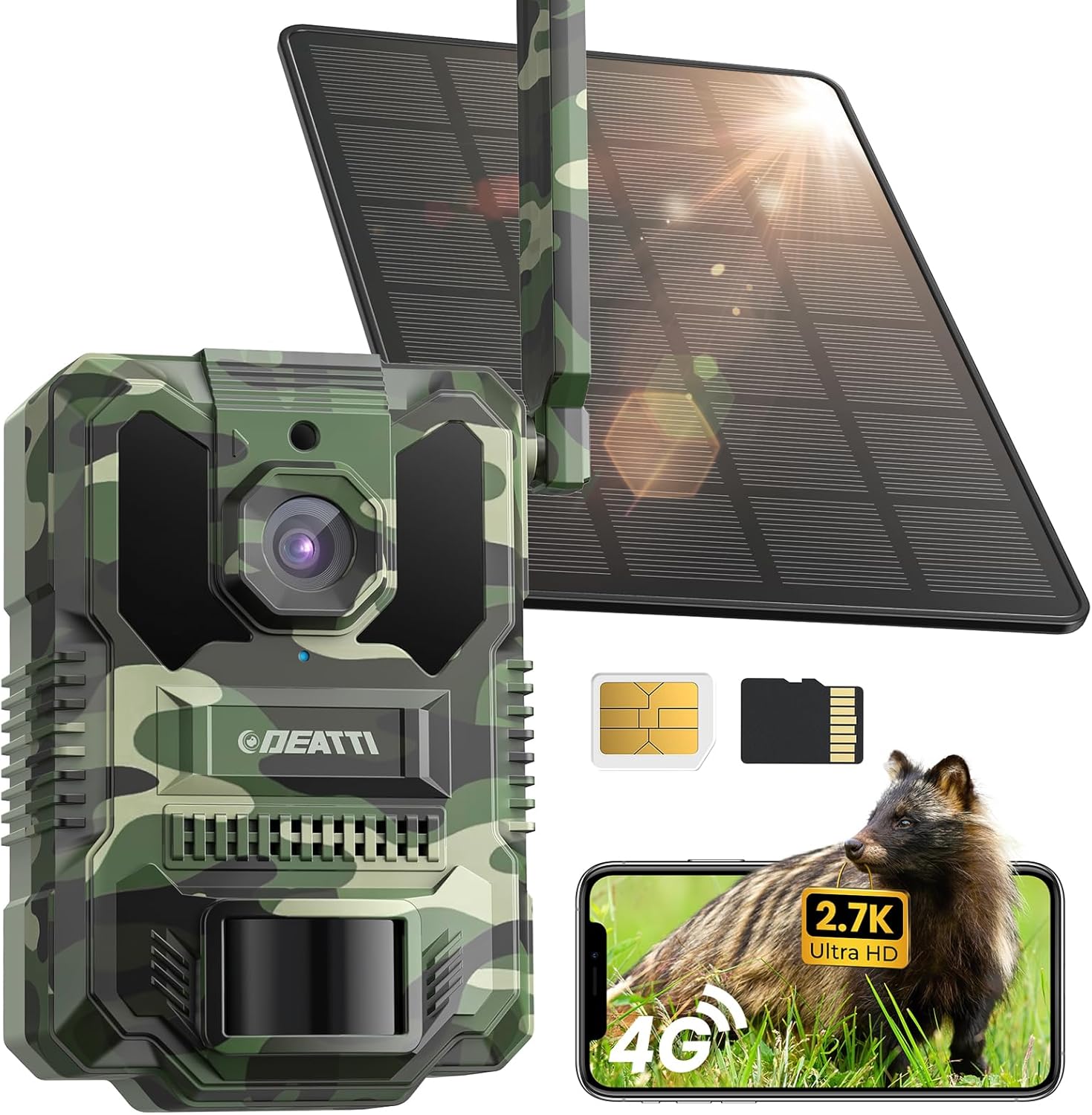
Figure 1: DEATTI F11 Cellular Trail Camera
2. Conținutul pachetului
Verificați dacă toate articolele sunt prezente în colet:
- Cameră (x1)
- Solar panel (x1)
- Curea (x1)
- Suport (x1)
- Șurubelniță (x1)
- Geantă cu șuruburi (x1)
- SIM card & 64GB SD card (pre-installed)
- Cablu de încărcare (x1)
3. Ghid de instalare
3.1. SIM Card & SD Card Installation
Your DEATTI F11 camera comes with a Nano SIM card and a 64GB TF (Micro SD) card pre-installed. Ensure they are securely seated in their respective slots. The SIM card provides cellular connectivity, and the SD card stores captured media locally.

Figure 2: SIM and TF Card Slots
3.2. Pornire
Locate the ON/OFF switch on the camera body. Slide the switch to the 'ON' position to power on the device. The camera will perform a self-check, and an indicator light will confirm it is operational.
3.3. Instalarea și asocierea aplicației
- Descărcați UCon App din App Store (iOS) sau Google Play Store (Android).
- Creați un cont și conectați-vă.
- Ensure your mobile device has cellular data enabled.
- In the UCon App, select 'Add Device' and follow the on-screen instructions to scan the QR code on your camera.
- The camera will pair with your app, allowing remote access and control.
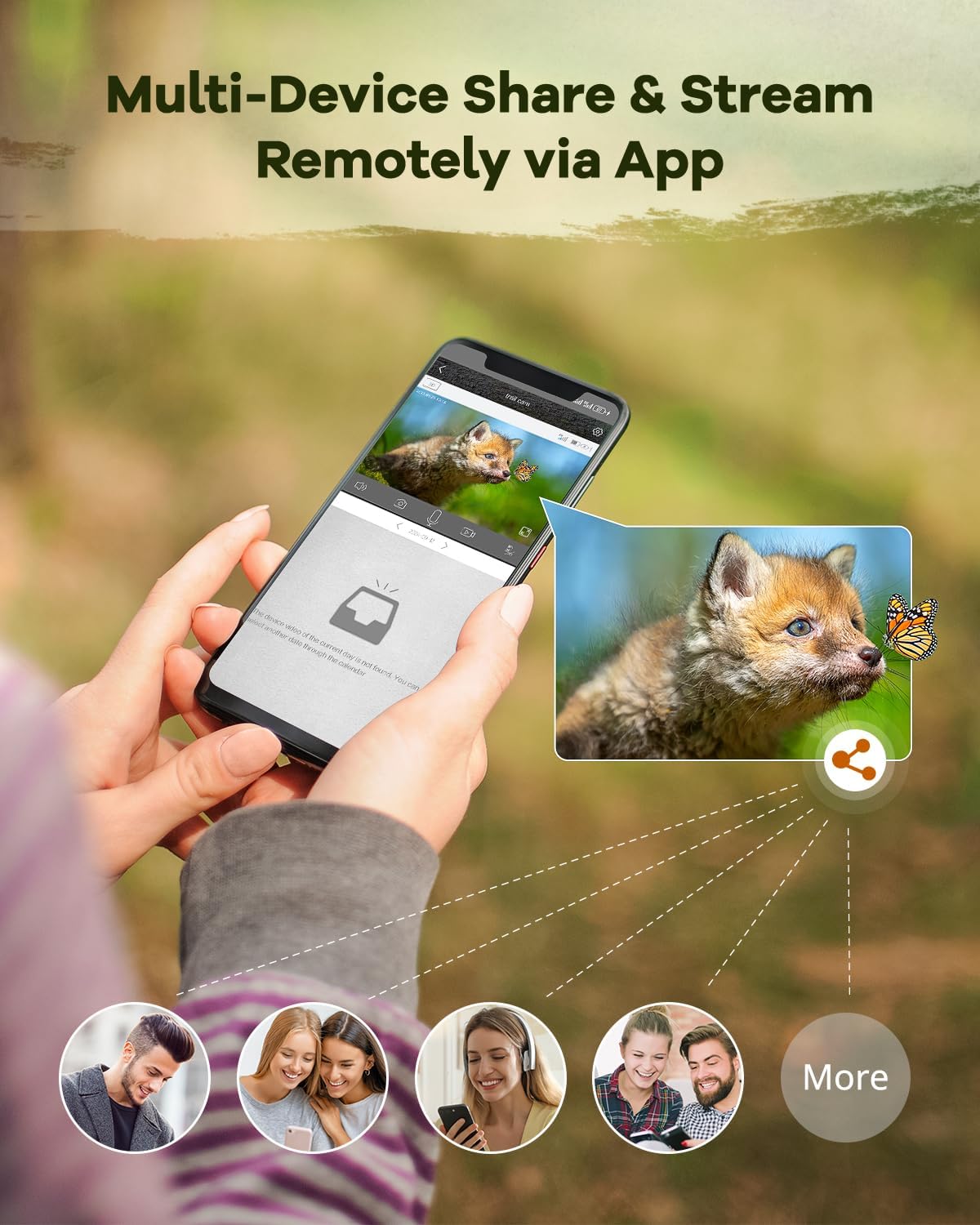
Figure 3: UCon App Setup Steps
3.4. Montarea camerei
The DEATTI F11 can be mounted using the provided strap or bracket. Choose a location that offers a clear view of the desired monitoring area and allows the solar panel to receive adequate sunlight.
- Montarea curelei: Thread the strap through the designated slots on the camera and secure it around a tree or pole.
- Montare suport: Use the bracket and screws to attach the camera to a flat surface. Adjust the angle for optimal coverage.

Figure 4: Camera Mounted with Solar Panel
4. Instrucțiuni de utilizare
4.1. în direct View & Remote Access
Once paired, use the UCon App to access a live stream from your camera. This allows real-time monitoring of your property or wildlife. You can also remotely adjust settings and review suporturi media capturate.
Figure 5: Multi-Device Sharing and Remote Streaming via App
4.2. Detectarea mișcării și alertele
The camera's advanced PIR sensor detects motion with a rapid 0.2-second trigger time, ensuring that activity is captured promptly. Instant notifications are sent to your phone via the UCon App when motion is detected.

Figure 6: Instant Alerts and 4x Digital Zoom

Figure 7: Fast Trigger Speed for Capturing Motion
4.3. Vedere de noapte
Equipped with no-glow LEDs, the camera captures clear footage in total darkness without emitting visible light, preventing disturbance to wildlife. It offers a night vision range of up to 65 feet (20 meters) and a 130° wide-angle view.

Figure 8: 65ft Night Vision Distance and 130° Wide Angle
4.4. Video & Photo Capture
The camera records in 2.7K Ultra HD, providing sharp and detailed images and videos. The 130° wide-angle lens ensures a broad field of view, capturing more of the environment.
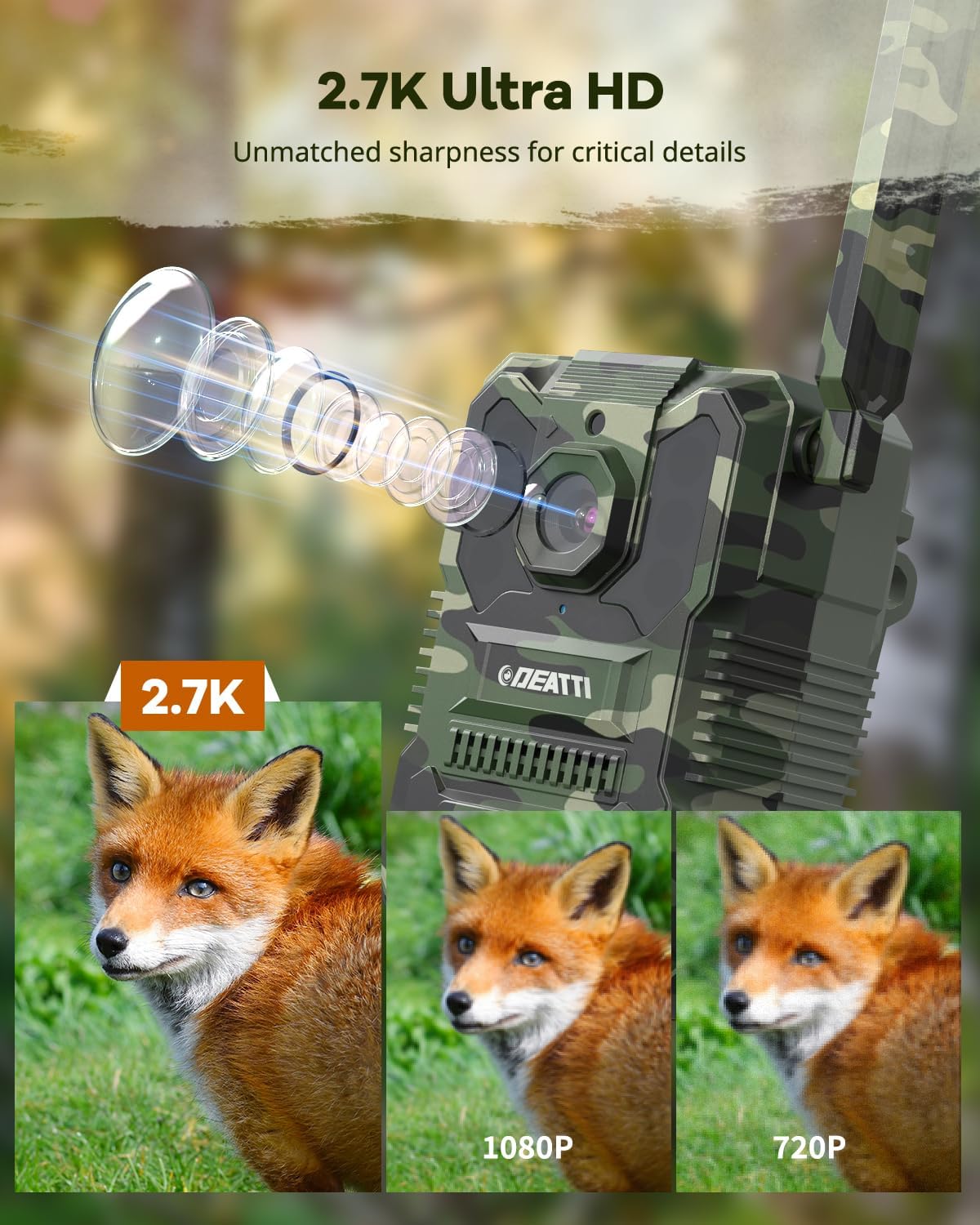
Figure 9: 2.7K Ultra HD Video Quality
4.5. Data Plans & Cloud Storage
The camera operates using cellular data. Flexible data plans are available for continuous connectivity. A 30-day free cloud storage trial is included, allowing you to store and access your recordings remotely. The camera is compatible with AT&T, T-Mobile, and Verizon networks in the US.
5. Întreținere
5.1. Îngrijirea panourilor solare
To ensure optimal charging efficiency, regularly clean the surface of the solar panel to remove dust, dirt, leaves, or snow. A clean panel maximizes sunlight absorption and extends battery life.
5.2. Protecție împotriva intemperiilor
The DEATTI F11 camera has an IP66 waterproof rating, making it resistant to rain, dust, and extreme temperatures (-22°F to 140°F). While designed for outdoor use, avoid submerging the camera in water. Ensure all ports and covers are securely closed to maintain water resistance.

Figura 10: Design impermeabil IP66
5.3. Managementul bateriei
The integrated 8000mAh battery is continuously charged by the solar panel. In periods of prolonged low light or heavy usage, the battery may require supplemental charging via the provided USB cable. Monitor battery status through the UCon App.
6. Depanare
6.1. No Connection/Offline
- Verificați cartela SIM: Ensure the Nano SIM card is correctly inserted and activated.
- Puterea semnalului: Verify that the camera is in an area with adequate cellular signal.
- Plan de date: Confirm your cellular data plan is active and has sufficient data.
- Reporniți: Opriți camera și apoi porniți-o din nou.
6.2. Calitate slabă a imaginii/videoului
- Curățați lentila: Gently clean the camera lens with a soft, dry cloth.
- Conditii de iluminare: Ensure sufficient ambient light during the day. For night vision, ensure no obstructions are blocking the IR LEDs.
- Setări aplicație: Check the UCon App settings to ensure video resolution is set to 2.7K or HD, not SD.
6.3. Motion Detection Issues
- Obstrucție senzor PIR: Ensure the PIR sensor is not blocked by foliage or debris.
- Setări de sensibilitate: Adjust the motion detection sensitivity in the UCon App.
- Plasare: Position the camera to capture motion effectively within its detection zone.
6.4. Bateria nu se încarcă
- Expunerea la panourile solare: Ensure the solar panel receives direct sunlight for several hours daily.
- Conexiune prin cablu: Check that the solar panel cable is securely connected to the camera.
- Încărcare manuală: If solar charging is insufficient, charge the camera using the provided USB cable and a 5V power adapter.
7. Specificații
| Caracteristică | Caietul de sarcini |
|---|---|
| Numele modelului | F11 |
| Rezoluție captură video | 1440p (2.7K) |
| Rezoluție video eficientă | 2.7 |
| Viewunghiul ing | 130 de grade |
| Gama de vedere nocturnă | 20 metri (65 picioare) |
| Timp de declanșare | 0.2 secunde |
| Protocol de conectivitate | Celular |
| Tehnologia comunicațiilor fără fir | Celular |
| Sursa de alimentare | Alimentat cu energie solară |
| Putere baterie | 8000 Miliamp Ore |
| Dimensiunea memoriei flash instalată | 64 GB (Micro SD) |
| Dimensiunea maximă acceptată pentru memorie flash | 128 GB |
| Evaluarea internațională de protecție | IP66 (impermeabil) |
| Temperatura de operare | -22°F până la 140°F |
| Dimensiuni articol (L x l x H) | 6.3 x 5.12 x 2.36 inci |
| Greutatea articolului | 1.72 lire sterline (0.78 kilograme) |
| Metoda de control | App (UCon) |
| Material | Plastic |
| Culoare | Verde |
8. Garanție și asistență
For warranty information, technical assistance, or any product-related inquiries, please contact DEATTI customer support. You can typically find contact details on the official DEATTI website sau prin intermediul platformei dvs. de achiziții.
Vizitați DEATTI Store on Amazon pentru mai multe informații și resurse de asistență.


