1. Introducere
This manual provides detailed instructions for the AULA S99 99-Key Tri-Mode Wireless RGB Gaming Keyboard. Please read this manual thoroughly before use to ensure proper operation and to maximize your experience with the product.
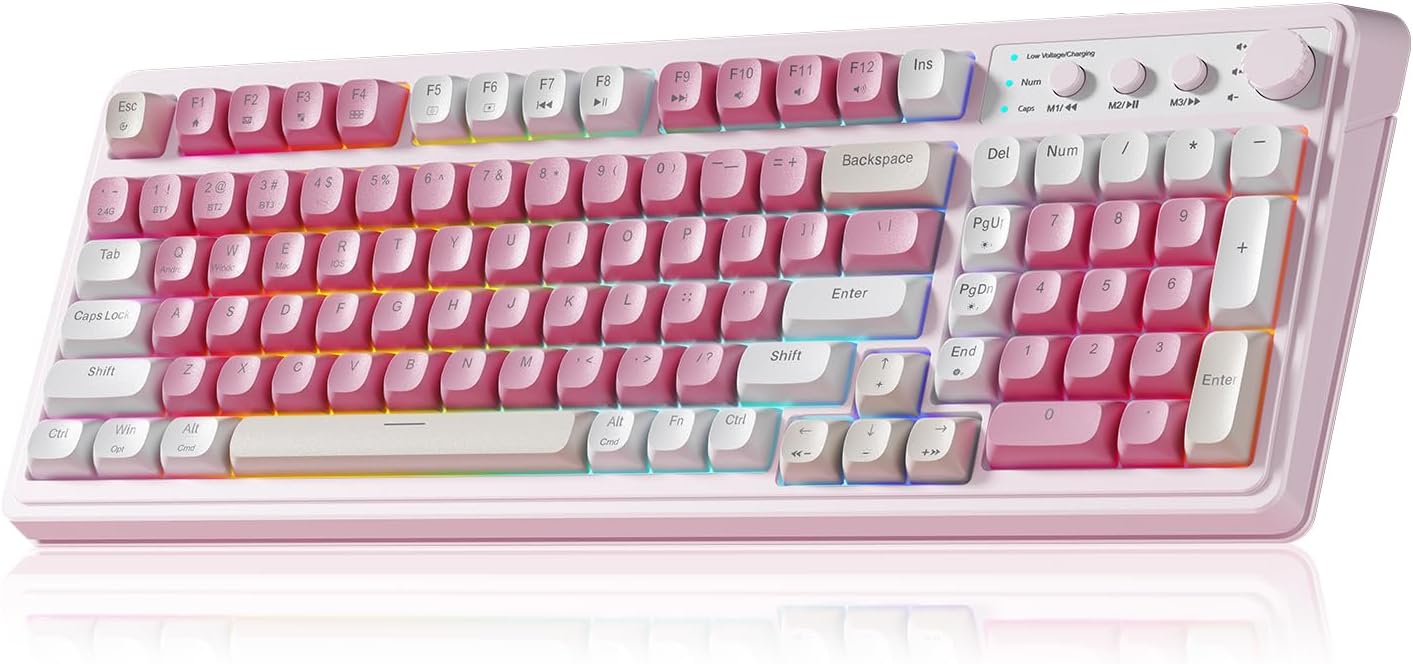
Figure 1: AULA S99 99-Key Tri-Mode Wireless RGB Gaming Keyboard (Pink variant).
2. Ce se află în cutie
- 1x AULA S99 99-Key Tri-Mode Wireless RGB Gaming Keyboard - Pink
- 1x Type-C Cable (Please use our original charging cable, otherwise it may damage the keyboard)
- 1x extractor de taste
- 1x Manual de utilizare
3. Produs terminatview
The AULA S99 keyboard is designed for versatility and performance, featuring a compact 99-key layout that includes a number pad. It offers multiple connectivity options, vibrant RGB backlighting, and ergonomic considerations for extended use.

Figure 2: Key features of the AULA S99 keyboard.
Caracteristici cheie:
- Aranjament cu 99 de taste: Compact design with a dedicated number pad.
- Conectivitate trimodală: Supports Bluetooth 5.0, 2.4GHz wireless, and USB wired connections.
- Iluminare de fundal RGB: 16.8 million colors with 16 pre-set lighting effects, adjustable brightness and speed.
- Taste programabile: M1/M2/M3 buttons for macro customization.
- Buton multifuncțional: Adjusts volume, connection mode, and backlight settings.
- Design ergonomic: Features a foldable 2-stage kickstand for adjustable tilt angles.
- Baterie de lunga durata: Equipped with a 2000mAh battery.
- Nota: This is a membrane keyboard and does not support hot-swapping of switches.
4. Configurare
The AULA S99 keyboard offers three connection modes: Bluetooth, 2.4GHz wireless, and USB wired. Follow the instructions below to set up your preferred connection.

Figure 3: Triple Mode Connection options for the AULA S99 keyboard.
4.1. Schimbarea modurilor de conectare
Pentru a restaura setările din fabrică, apăsați FN + Esc. Then, quickly switch keyboard modes using FN + ' ~ ! 1(1) / @ 2(#) / # 3($) chei.
4.2. Conexiune wireless de 2.4 GHz
- Switch the mode button on the keyboard to 2.4G.
- Presa FN + 4($). The Num indicator (blue) will flash rapidly.
- Insert the 2.4GHz USB receiver into your device.
- The Num indicator will flash slowly upon successful connection.
4.3. Conexiune Bluetooth
- Switch the mode button on the keyboard to BT.
- Presa FN + 1(!), FN + 2(@), sau FN + 3(#) to select a Bluetooth channel. The CAP indicator will flash rapidly.
- On your device, search for
Documente conexe - S99

Manual de utilizare mouse-ul de gaming wireless AULA Wolf Spider SC100
Manual de utilizare detaliat pentru mouse-ul de gaming wireless AULA Wolf Spider SC100, care acoperă dispunerea tastelor, specificațiile produsului, instalarea, instrucțiunile de utilizare, certificatul de protecție a mediului și informațiile despre garanție.
AULA Mountain S99 Gaming Keyboard User Manual
Discover the features and functions of the AULA Mountain S99 Gaming Keyboard. This manual provides detailed information on connectivity, shortcuts, charging, and mode switching for an optimal gaming experience.
Manual de utilizare a tastaturii mecanice AULA F87
Manual de utilizare pentru tastatura mecanică AULA F87, care detaliază conectivitatea în 3 moduri (USB Type-C, 2.4G, Bluetooth), funcțiile anti-ghosting, procesul de asociere manuală, indicatorii de încărcare și iluminarea RGB.
Manual de utilizare a tastaturii de gaming AULA S99Pro Tri-Mode
Ghid complet pentru tastatura de gaming AULA S99Pro Tri-Mode, care acoperă conexiunile cu fir, wireless 2.4G și Bluetooth, funcțiile tastelor, ajustările iluminării de fundal și instrucțiunile de încărcare.
AULA F98 Pro User Manual: Setup, Features, and Customization
Comprehensive user manual for the AULA F98 Pro wireless mechanical keyboard. Learn how to turn the keyboard on/off, navigate the LCD screen and knob functions, connect via Bluetooth, 2.4GHz, or USB-C, customize RGB lighting, and utilize software features.
AULA F87 3-Mode Mechanical Keyboard Quick Operation Guidelines
A comprehensive guide to operating the AULA F87 3-Mode Mechanical Keyboard, covering 2.4G and Bluetooth connectivity, as well as wired connection.