Introducere
This manual provides comprehensive instructions for the installation, operation, and maintenance of your Noorio Home Security Camera System, including models T420 and CD200. This system is designed to enhance your home security with advanced features such as 4K and 2K resolution video, AI-powered detection, and wide-area surveillance capabilities.
Vă rugăm să citiți cu atenție acest manual înainte de a utiliza produsul pentru a asigura o configurare corectă și performanțe optime. Păstrați acest manual pentru referințe ulterioare.

Image: The Noorio Home Security Camera System, featuring both the T420 and CD200 camera models. The T420 is a dome-style camera, and the CD200 is a bullet-style camera, both in white casing.
Conținutul pachetului
Verify that all items listed below are present in your package. If any items are missing or damaged, please contact Noorio customer support.
- Noorio T420 Security Camera(s)
- Noorio CD200 Security Camera(s)
- Adaptoare de alimentare
- Șuruburi de montare și dibluri de perete
- Șablon de montare
- Ghid de pornire rapidă
Înființat
1. Înainte de a începe
- Ensure you have a stable 2.4GHz or 5GHz Wi-Fi network available for camera connection.
- Prepare a microSD card (up to 256GB, not included) for local storage, if desired.
- Have your smartphone ready for app installation and camera configuration.
2. Download the Noorio App
The Noorio app is required for setting up and managing your security cameras. Caută "Noorio" in your device's app store (Google Play Store for Android or Apple App Store for iOS) and install it.

Image: A composite image displaying various features of the Noorio camera system, including the Noorio app download icon, 2K 4MP resolution, 355° pan & tilt, motion detection, IP65 waterproof rating, and color night vision capabilities.
3. Powering On the Cameras
Connect the power adapter to each camera and plug it into a power outlet. The camera's indicator light will illuminate, indicating it is powering on.
4. Adding Cameras to the App
- Open the Noorio app and create an account or log in.
- Atingeți pictograma „+” pentru a adăuga un dispozitiv nou.
- Follow the on-screen instructions to select your camera model and connect it to your Wi-Fi network. This typically involves scanning a QR code on the camera or listening for an audio prompt.
- Once connected, name your camera and assign it to a location.
5. Amplasarea și montarea camerei
Choose a location that provides optimal coverage for the area you wish to monitor. Consider the camera's pan and tilt capabilities (360° pan and 80° tilt for T420, 355° pan and 90° tilt for CD200) to maximize coverage.
- Use the provided mounting template to mark drill holes.
- Drill holes and insert wall plugs if mounting on drywall or masonry.
- Fixați baza de montare cu șuruburi.
- Atașați camera la baza de montare.
- Adjust the camera angle as needed after installation.

Image: A close-up of a Noorio camera illustrating its 360-degree pan and 80-degree tilt capabilities for comprehensive area coverage.
Operarea sistemului
1. în direct View și Redare
Access the live feed of your cameras through the Noorio app. You can switch between cameras and view inregistrat footage stocate pe cardul microSD.
- La view live feed: Select the desired camera from the device list in the app.
- La view playback: Navigate to the playback section within the camera's interface in the app and select the desired date and time.
2. AI Detection and Tracking
The Noorio system utilizes on-device AI to differentiate between humans, pets, vehicles, and general motion. This allows for more accurate alerts and recording of relevant events.
- Setting Activity Zones: In the app settings for each camera, you can define specific activity zones where detection should be active. This helps reduce false alarms from areas outside your interest.
- AI Object Tracking: The cameras can automatically track detected objects within their field of view, ensuring continuous monitoring of movement.

Image: An illustration of the Noorio camera's AI detection capabilities, showing the system identifying and tracking a child on a bicycle, a dog, and a car, ensuring only events of interest are recorded.
3. Controlul panoramic și înclinării
For models with pan and tilt functionality (T420 and CD200), you can remotely adjust the camera's viewing angle through the Noorio app.
- Navigate to the live view of the desired camera.
- Use the directional controls on the screen to pan (horizontal movement) and tilt (vertical movement) the camera.
4. Image Quality and Zoom
The T420 camera records in 4K HD resolution, providing detailed and clear video. The CD200 camera records in 2K (4MP) resolution, also offering superior image quality. Both models support 16x smart zoom for closer inspection of details.

Image: A demonstration of the Noorio camera's 4K resolution and 16x smart zoom capability, highlighting the clarity of captured details.
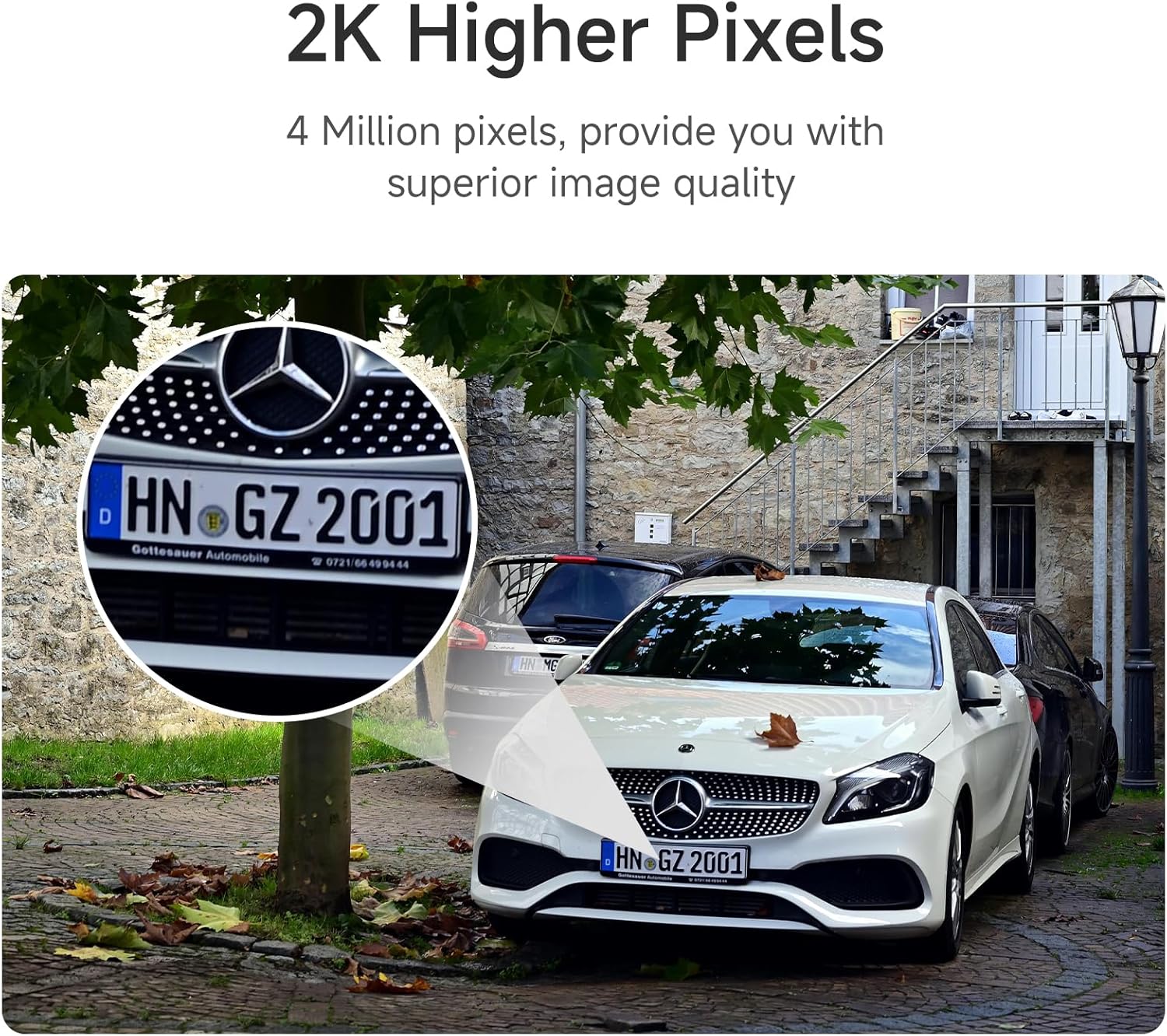
Imagine: Un fostample of the Noorio camera's 2K resolution, demonstrating its ability to capture fine details such as a vehicle's license plate.
5. Vedere de noapte
The Noorio cameras are equipped with color night vision, providing clear and detailed images even in low-light conditions, unlike traditional black and white night vision.

Image: A comparison demonstrating the superior clarity and color rendition of Noorio's color night vision compared to standard general night vision.
6. Security Features (Lights and Siren)
The cameras can deter unwanted individuals with integrated lights and a siren, enhancing your home's security. These features can be activated manually through the app or configured to trigger automatically upon detection of suspicious activity.
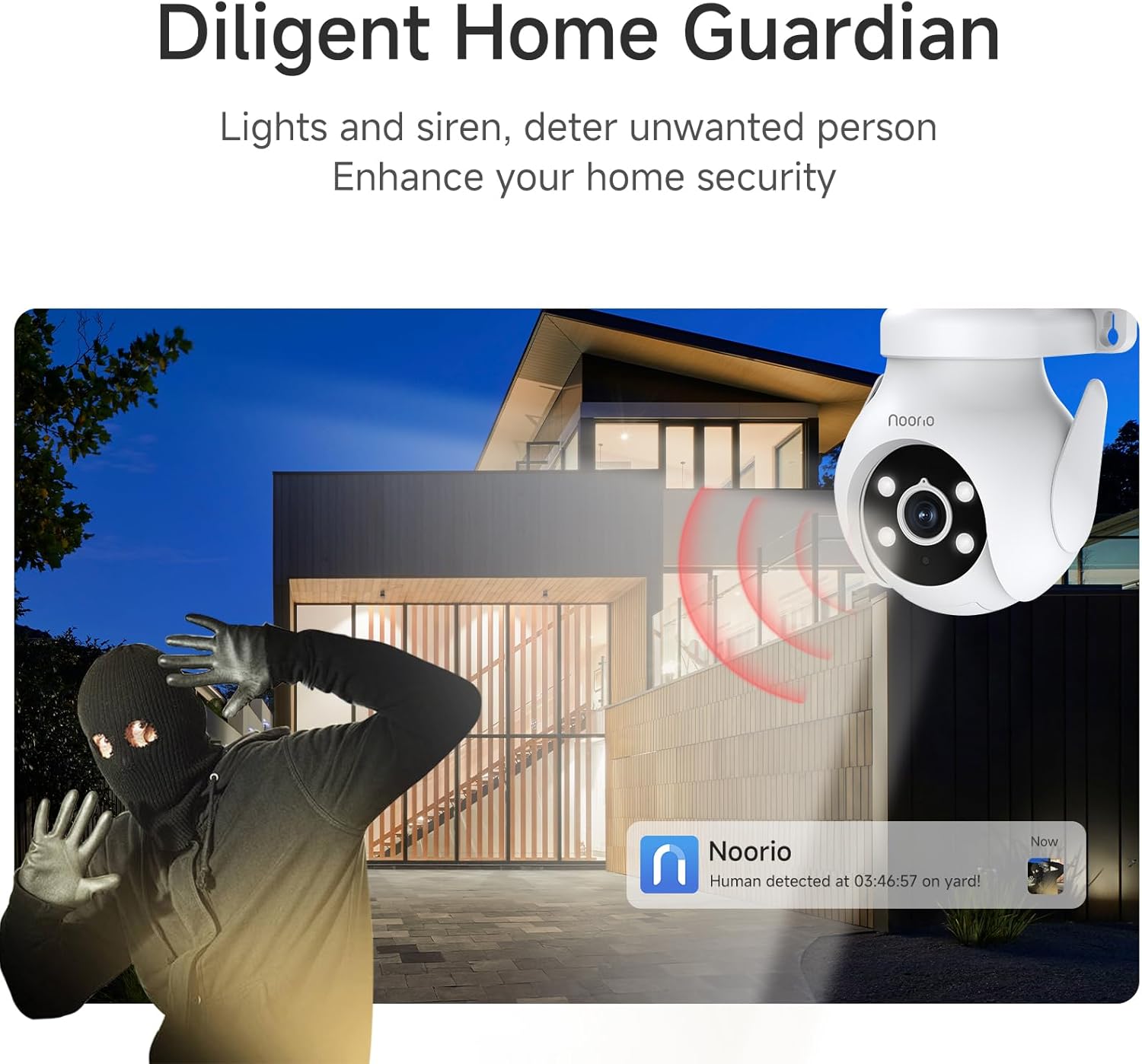
Image: A Noorio camera actively deterring a potential intruder with its integrated lights and siren, illustrating its role as a diligent home guardian.
Întreţinere
- curatenie: Ștergeți ușor obiectivul și corpul camerei cu o cârpă moale și uscată. Nu utilizați substanțe chimice dure sau produse de curățare abrazive.
- Actualizări firmware: Regularly check the Noorio app for available firmware updates. Keeping your camera's firmware up-to-date ensures optimal performance, new features, and security enhancements.
- Managementul cardului SD: If using a microSD card for local storage, periodically check its status in the app. Format the card as needed to maintain recording efficiency. Replace the card if it shows signs of degradation.
- Protecția mediului: While the cameras are designed for outdoor use (IP65 waterproof rating), ensure they are installed in locations that minimize direct exposure to extreme weather conditions for prolonged durability.
Depanare
| Problemă | Cauza posibila | Soluţie |
|---|---|---|
| Camera nu pornește. | Adaptorul de alimentare nu este conectat sau priza este defectă. | Asigurați-vă că adaptorul de alimentare este conectat corect la cameră și la o priză funcțională. Încercați o altă priză. |
| Camera este offline în aplicație. | Weak Wi-Fi signal, incorrect Wi-Fi password, or network issue. | Check Wi-Fi signal strength at camera location. Re-enter Wi-Fi password in app. Restart your router and the camera. |
| Calitate slabă a imaginii. | Dirty lens, low light, or network bandwidth issues. | Clean the camera lens. Ensure adequate lighting for optimal night vision. Check your internet speed. |
| Detecția de mișcare nu funcționează sau este prea sensibilă. | Incorrect sensitivity settings, activity zones not configured. | Adjust motion detection sensitivity in the app. Configure or refine activity zones to focus on areas of interest. |
| Cardul SD nu înregistrează. | SD card full, faulty, or not formatted correctly. | Check SD card status in the app. Format the SD card. Replace the SD card if it is faulty. |
Specificații
| Caracteristică | Descriere |
|---|---|
| Numerele de model | T420, CD200 |
| Rezoluție video | T420: 4K HD; CD200: 2K (4 Megapixels) |
| Zoom digital | Up to 16x Smart Zoom |
| Pan & Tilt (T420) | Panare 360°, înclinare 80° |
| Pan & Tilt (CD200) | Panare 355°, înclinare 90° |
| Conectivitate | 2.4GHz / 5GHz Dual-Band Wi-Fi |
| Stocare locală | Supports up to 256GB microSD card (not included) |
| Detectare AI | Human, Pet, Vehicle, Common Motion |
| Vedere de noapte | Color Night Vision |
| Rezistență la intemperii | Evaluare de impermeabilitate IP65 |
| ASIN | B0F8QH22PH |
| Data primului disponibil | 10 aprilie 2025 |
Garanție și suport
For detailed warranty information, please refer to the official Noorio website or the warranty card included with your product. Noorio typically offers a limited warranty covering manufacturing defects.
If you encounter any issues not covered in the troubleshooting section or require further assistance, please contact Noorio customer support. You can usually find contact details (email, phone, or support portal) on the official Noorio website or within the Noorio app's help section.
When contacting support, please have your product model numbers (T420, CD200) and ASIN (B0F8QH22PH) ready.


