1. Introducere
This manual provides detailed instructions for the setup, operation, and maintenance of your SUPVAN E11 Bluetooth Label Maker Machine. The E11 is designed for efficient and versatile labeling tasks, featuring both a physical keyboard and smart app connectivity for creating customized labels. It utilizes thermal printing technology, eliminating the need for ink or toner, and is powered by a rechargeable battery for portability.

Image: The SUPVAN E11 Label Maker demonstrating its inkless thermal printing capability with thermal paper.
2. Ce se află în cutie
Vă rugăm să verificați dacă toate următoarele articole sunt incluse în pachetul dumneavoastră:
- Mașină de etichetat SUPVAN E11
- Cablu de încărcare USB-C
- White Continuous Label Tape (1 roll)
- Manual de utilizare

Image: A visual representation of the SUPVAN E11 Label Maker, USB-C cable, a roll of white label tape, and the user manual, indicating the package contents.
3. Produs terminatview
The SUPVAN E11 Label Maker features a compact design with an integrated QWERTY keyboard and a clear display for direct input. It includes dedicated function keys for various settings and a side slot for label tape output. The device is powered by a built-in rechargeable battery.

Image: The SUPVAN E11 Bluetooth Label Maker Machine, showcasing its physical keyboard and a smartphone screen displaying the companion app interface.
4. Configurare
4.1 Încărcarea dispozitivului
Before first use, fully charge the label maker. Connect the provided USB-C cable to the charging port on the device and plug the other end into a compatible USB power adapter (not included). The device features a built-in 1200 mAh rechargeable battery.
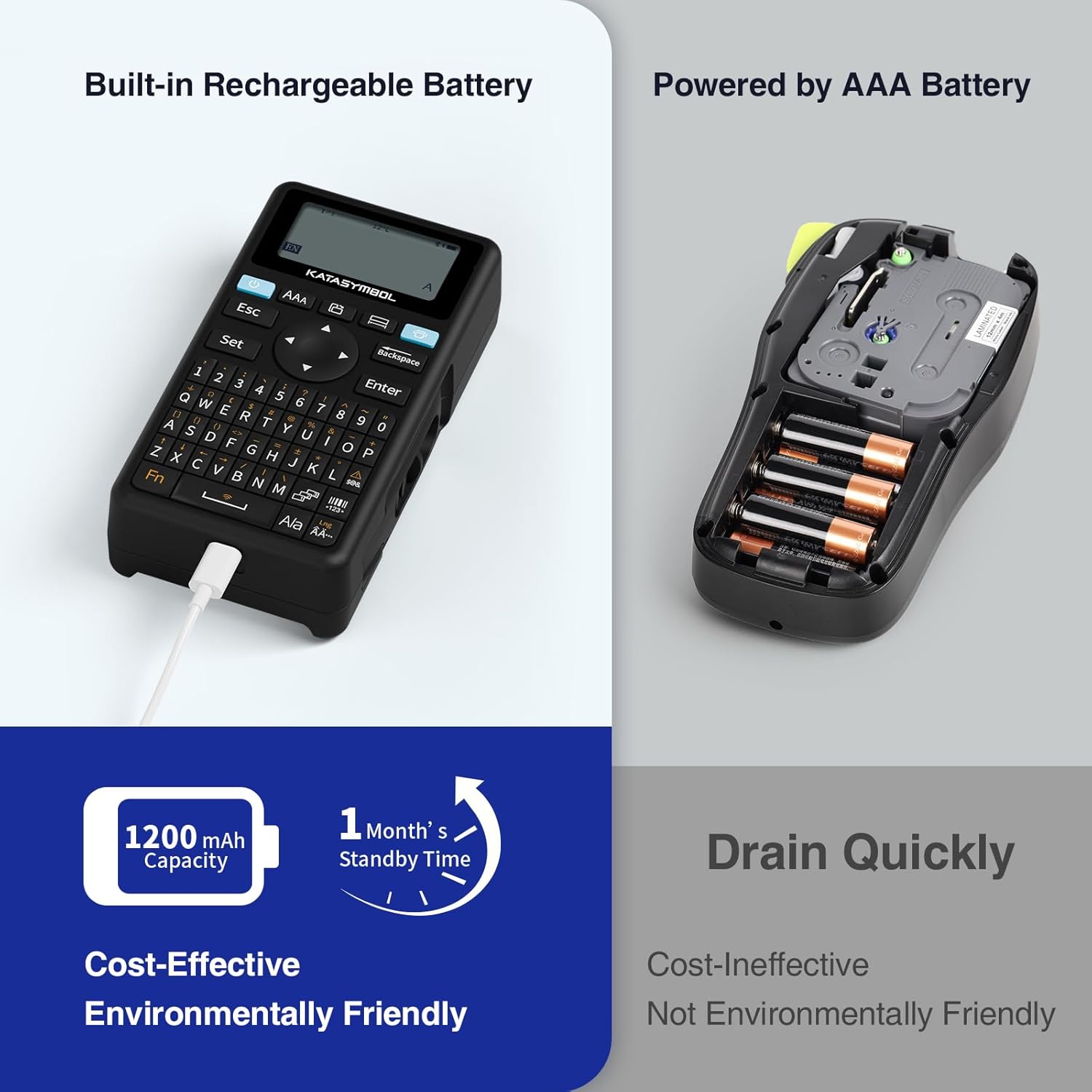
Image: The SUPVAN E11 Label Maker highlighting its built-in rechargeable battery and USB-C charging port.
4.2 Încărcarea benzii de etichete
- Open the tape compartment cover on the back of the label maker.
- Insert the label tape roll into the compartment, ensuring the tape feeds correctly through the output slot. The tape should be positioned with the printable side facing up.
- Închideți bine capacul compartimentului.
4.3 App Installation (for Bluetooth Printing)
To utilize the smart app features, download the 'Katasymbol' app from your device's app store (Google Play Store or Apple App Store). Ensure Bluetooth is enabled on your smartphone or tablet.
5. Instrucțiuni de utilizare
5.1 Printing via Keyboard
- Apăsați butonul de pornire pentru a porni dispozitivul.
- Use the QWERTY keyboard to type your desired label text.
- Adjust font size, style, or other settings using the dedicated function keys.
- Press the 'Print' button to generate the label.
5.2 Printing via Bluetooth App
- Ensure the label maker is powered on and Bluetooth is active on your mobile device.
- Open the 'Katasymbol' app and connect to your E11 label maker via Bluetooth.
- Use the app interface to design your label, including text, fonts, icons, and frames.
- Preview your label and then tap the 'Print' button in the app.
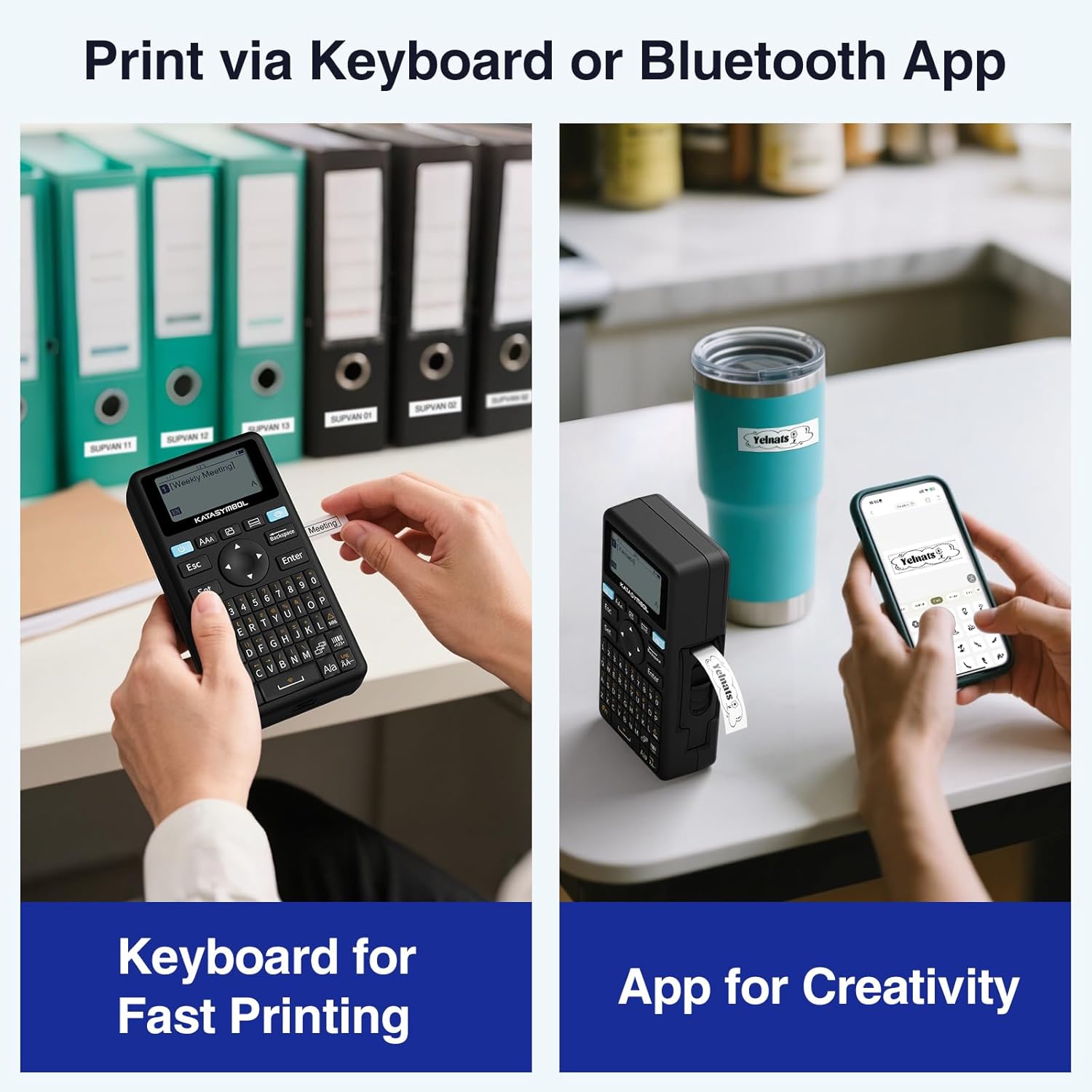
Image: A comparison showing two methods of printing with the SUPVAN E11: direct input via the physical keyboard and design/print via the Bluetooth-connected smartphone app.
5.3 Caracteristicile aplicației
The companion app offers extensive customization options:
- Fonturi: Access to 40+ fonts.
- Pictograme: Choose from 650+ icons.
- Rame: Utilize 50+ frames for label borders.
- Șabloane: Create and save custom label templates.
- Suport lingvistic: Supports 17 languages, including Spanish and French.

Image: A smartphone screen displaying the SUPVAN E11 app interface, highlighting the wide range of editing functions including fonts, icons, and frames available for label customization.
5.4 Label Types and Features
The E11 supports both continuous and fixed-size labels. It features minimal margin printing (approximately 0.2 inches), reducing tape waste. Labels are designed to be waterproof, heat-resistant, low-temperature resistant, and BPA-free, making them suitable for various environments.

Image: A close-up of a label printed by the SUPVAN E11, illustrating the minimal margin feature (0.2 inches) compared to other label makers.
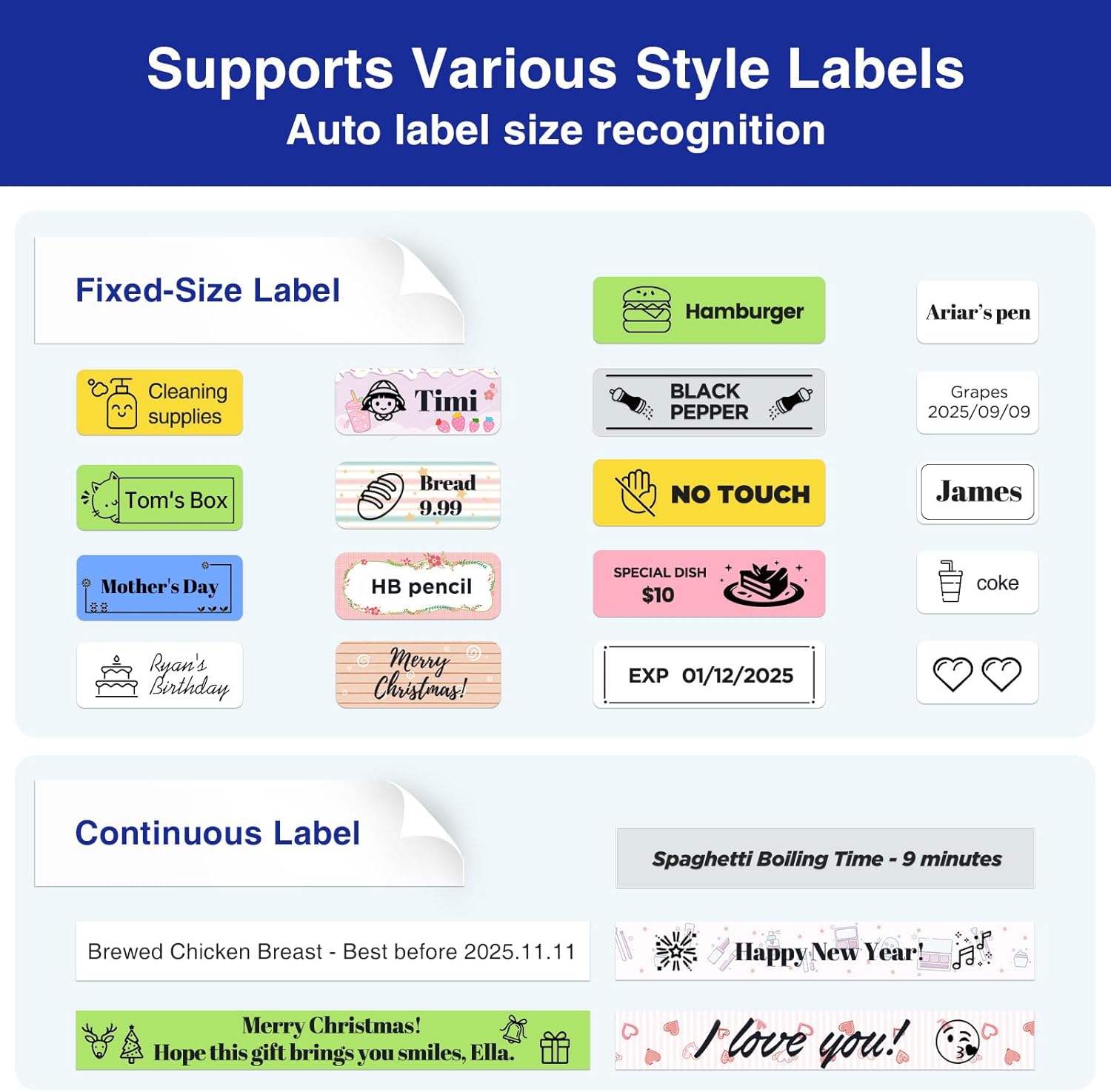
Imagine: Examples of various label styles and applications, including fixed-size labels for items like food and continuous labels for longer text, demonstrating the versatility of the SUPVAN E11.
6. Întreținere
- curatenie: Use a soft, dry cloth to clean the exterior of the label maker. Do not use abrasive cleaners or solvents.
- Cap de imprimare: Dacă calitatea imprimării se degradează, curățați ușor capul de imprimare termică cu un bețișor de bumbac.ampened with isopropyl alcohol. Ensure the device is off and dry before use.
- Depozitare: Store the label maker and tape rolls in a cool, dry place away from direct sunlight and extreme temperatures.
7. Depanare
If you encounter issues with your SUPVAN E11 Label Maker, please refer to the following common solutions:
- Dispozitivul nu pornește: Asigurați-vă că bateria este încărcată. Conectați cablul USB-C și lăsați-l să se încarce timp de cel puțin 30 de minute înainte de a încerca să îl porniți din nou.
- Calitate slabă a imprimării: Check if the label tape is loaded correctly. Clean the print head as described in the Maintenance section. Ensure you are using genuine SUPVAN thermal label tape.
- Probleme de conectivitate Bluetooth: Ensure Bluetooth is enabled on both the label maker and your mobile device. Restart both devices and try reconnecting through the 'Katasymbol' app.
- Label tape jamming: Verify the tape is inserted smoothly and not creased. Remove any jammed tape carefully.
- Label maker turns off unexpectedly: Acest lucru poate indica o baterie descărcată. Reîncărcați dispozitivul.
For further assistance, please contact SUPVAN customer support.
8. Specificații
| Numele modelului | E11 |
| Marca | SUPVAN |
| Dimensiunile produsului | 5.7" D x 2.9" L x 1.3" H |
| Greutatea articolului | 0.705 uncii (20 grame) |
| Tehnologia de conectivitate | Bluetooth, USB tip C |
| Tehnologia de imprimare | Termic |
| Ieșire imprimantă | Monocrom |
| Rezoluție maximă de imprimare alb-negru | 203 puncte pe inch |
| Dimensiune maximă a suportului media | 1/2 inch |
| Baterie | 1200 mAh Rechargeable (1 AA battery equivalent included) |
| Caracteristici speciale | Fast Keyboard, Minimal Margin, Rechargeable Battery, Smart App, Wide Label Compatibility |
9. Garanție și asistență
For warranty information and customer support, please refer to the official SUPVAN website or contact their customer service directly. Contact details can typically be found on the product packaging or the SUPVAN official website-ul.
10. Videoclip oficial al produsului
Watch the official product video for a visual guide on using your SUPVAN E11 Label Maker.
Video: An official product video demonstrating the features and usage of the SUPVAN E11 Label Maker Machine, including charging, keyboard printing, app printing, and tape loading.


