1. Introducere
Thank you for choosing the Eigsupia N18 Bluetooth Headset. This manual provides detailed instructions for setting up, operating, and maintaining your new wireless headset. Please read this manual thoroughly before use to ensure optimal performance and longevity of the product.

Figure 1: Eigsupia N18 Bluetooth Headset, USB Dongle, and Charging Case with included ear tips.
2. Ce se află în cutie
- Bluetooth Headset (x1)
- Carcasă de încărcare (x1)
- USB Type-C Cable (x1)
- Manual de instrucțiuni (x1)
- Ghid rapid (x1)
- Ear Tips (S/M/L, x5 pairs)

Figure 2: All items included in the Eigsupia N18 Bluetooth Headset package.
3. Produs terminatview
3.1 Componente
- Setul cu cască: Features an adjustable ear hook and microphone boom.
- Carcasa de incarcare: Portable case with an LED digital display for battery status.
- Dongle USB: For wireless connection to non-Bluetooth enabled devices like desktop computers.
3.2 Controale și indicatori
The headset features intuitive controls for managing calls and audio playback.
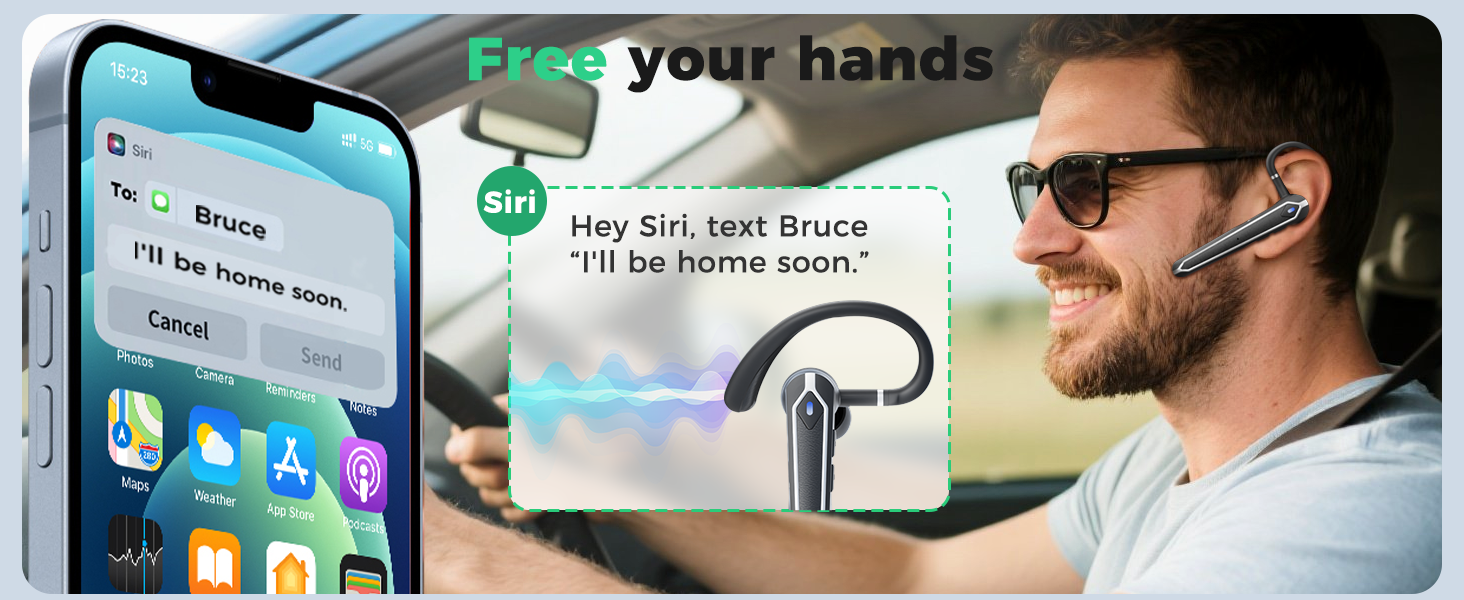
Figure 3: Multi-function button layout and controls.
- Multi-function Button (Side Button):
- Click x1: Answer Call
- Click x2: Pause/Play audio
- Click x3: Activate Voice Assistant (Siri, etc.)
- Press 2s: Mute/Unmute (during call), Hang up/Reject Call, Power On
- Press 5s: Power OFF
- Volume Up Button (Closest to ear):
- Click x1: Volume +
- Press 2s: Next Song
- Volume Down Button (Closest to mouthpiece):
- Click x1: Volume -
- Press 2s: Previous Song
- Indicator LED: Flashes red and blue when pairing, solid blue when connected.
4. Configurare
4.1 Încărcarea căștilor și a carcasei
Before first use, fully charge the headset and charging case. The charging case features an LED digital display that shows the battery percentage.
- Place the headset into the charging case. The headset will magnetically secure itself and begin charging.
- Conectați cablul de încărcare Type-C la carcasa de încărcare și la o sursă de alimentare.
- Afișajul LED de pe carcasă va arăta progresul încărcării.

Figure 4: The 430mAh charging case with LED display, indicating battery level.
4.2 Pairing with a PC (using USB Dongle)
The N18 headset comes with a USB dongle for seamless connection to computers without built-in Bluetooth.
- Insert the USB dongle into an available USB-A port on your computer. The dongle will light up, indicating it's powered on.
- Take the headset out of its charging case. It will automatically power on and enter pairing mode (LED indicator flashes red and blue).
- The headset will automatically connect to the USB dongle. Once connected, the headset's LED indicator will stop flashing.

Figure 5: The USB dongle provides wireless functionality to non-Bluetooth devices.
4.3 Pairing with a Mobile Phone/Tablet
The N18 headset utilizes Bluetooth 5.4 for a stable and fast connection with your mobile devices.
- Take the headset out of its charging case. It will automatically power on and enter pairing mode (LED indicator flashes red and blue).
- On your mobile phone or tablet, go to Bluetooth settings and ensure Bluetooth is enabled.
- Caută available devices. Select "N18" from the list.
- Once connected, the headset's LED indicator will stop flashing, and a voice prompt will confirm the connection.

Figure 6: Bluetooth 5.4 technology ensures a stable and wide-ranging connection.
4.4 Conexiune multi-dispozitiv
The N18 headset can connect to two Bluetooth devices simultaneously, allowing for seamless switching between them.
- Conectați setul cu cască la primul dispozitiv (de exemplu, telefonul) așa cum este descris în Secțiunea 4.3.
- Dezactivați Bluetooth pe primul dispozitiv. Căștile vor reintra în modul de asociere.
- Connect the headset to the second device (e.g., your laptop via Bluetooth or dongle).
- Re-enable Bluetooth on the first device. The headset will automatically reconnect to both devices.

Figure 7: The headset can easily switch between two connected devices.
5. Instrucțiuni de utilizare
5.1 Purtarea căștilor
The N18 headset is designed for comfort and flexibility. The in-ear part can be rotated 45 degrees, the ear hook can be rotated 360 degrees, and the microphone handle can be rotated 180 degrees to fit either ear.

Figure 8: Adjustable ear hook and earpiece for a secure and comfortable fit.
5.2 Gestionarea apelurilor
- Răspunde la apel: Single-click the Multi-function Button.
- Terminare/Respinge apel: Long-press the Multi-function Button for 2 seconds.
- Dezactivați/Activați sunetul: Long-press the Multi-function Button for 2 seconds during a call.
5.3 Redare audio
- Redare/Pauză: Double-click the Multi-function Button.
- Următoarea piesă: Long-press the Volume Up Button for 2 seconds.
- Pista anterioară: Long-press the Volume Down Button for 2 seconds.
5.4 Controlul volumului
- Creșteți volumul: Single-click the Volume Up Button.
- Reduceți volumul: Single-click the Volume Down Button.
5.5 Asistent vocal
- Activați Asistentul vocal: Triple-click the Multi-function Button.
6. Caracteristici
6.1 Design ergonomic
The N18 headset is designed for extended wear, featuring a lightweight and durable build. The adjustable ear hook and earpiece ensure a comfortable and secure fit for various users.

Figure 9: The ergonomic design provides comfort for long periods of wear.
6.2 Conectivitate Bluetooth 5.4
Equipped with the latest Bluetooth 5.4 chip, the N18 offers faster pairing, more stable performance, and a wider transmission range, ensuring uninterrupted audio and calls.

Figure 10: Upgrade to Bluetooth 5.4 for enhanced connectivity and lower latency.
6.3 ENC Noise Reduction and Superior Sound Quality
The headset features ENC (Environmental Noise Cancellation) dual microphones and a 13mm high-fidelity driver. This combination effectively blocks up to 90% of background noise, ensuring clear voice transmission even in noisy environments, and delivers clear audio for listening.

Figure 11: ENC dual microphones provide clear and pure sound by reducing external noise.
6.4 Long-lasting Battery and LED Display
The wireless headset offers up to 13 hours of talk time and 90 hours with the 430mAh charging case. The charging case's LED digital display intuitively shows the remaining power, eliminating battery anxiety.

Figure 12: Monitor your headset's battery level directly on your connected device.
6.5 IPX5 Water Resistance
The headset is rated IPX5 water-resistant, meaning it can easily handle sweat and light rain, ensuring long-lasting durability for various activities.
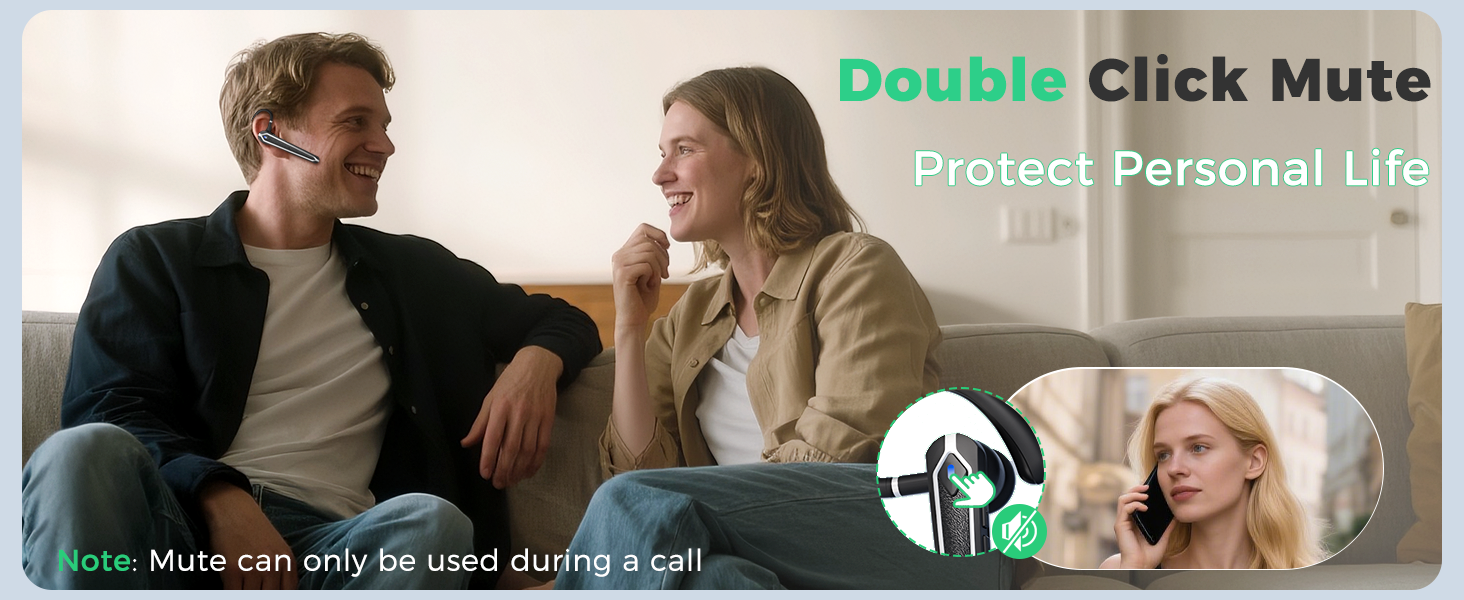
Figure 13: IPX5 water resistance for protection against sweat and light rain.
7. Scenarii de utilizare
The Eigsupia N18 Bluetooth Headset is versatile and suitable for various applications:
- Business & Office Work: Make communication clearer and work more efficient during meetings and calls.
- Conducere: Focus on driving, hear navigation and phone calls clearly, and ensure driving safety with hands-free operation.
- Voiaj: Enjoy audio and calls on the go without interruption.
- Utilizare acasă: Enjoy immersive music or take calls casually at home.
- Leisure & Sports: Listen to music while staying aware of your surroundings.
8. Depanare
If you encounter any issues with your Eigsupia N18 headset, please refer to the following common solutions:
- Nu se poate porni: Ensure the headset is fully charged. Place it in the charging case to check the battery level.
- Nu se poate realiza asocierea:
- Ensure the headset is in pairing mode (LED indicator flashing red and blue).
- Dezactivați și reactivați Bluetooth pe dispozitiv.
- If using the USB dongle, ensure it is properly inserted and its indicator light is on.
- Încercați să reporniți atât setul cu cască, cât și dispozitivul.
- Fără sunet/Calitate slabă a sunetului:
- Verificați nivelurile de volum atât pe căști, cât și pe dispozitivul conectat.
- Asigurați-vă că setul cu cască este conectat corect la dispozitiv.
- Apropiați-vă de dispozitiv pentru a evita interferențele sau problemele de rază de acțiune.
- Clean the ear tips and earpiece to ensure no obstructions.
- Microfonul nu funcționează:
- Ensure the microphone is not muted (check the mute function).
- Check microphone settings on your connected device (PC or phone).
9. Specificații
| Numele modelului | N18 |
| Tehnologia de conectivitate | Bluetooth |
| Versiune Bluetooth | 5.4 |
| Gama Bluetooth | 15 metri |
| Controlul zgomotului | Anularea zgomotului de mediu (ENC) |
| Dimensiunea driverului audio | 13 milimetri |
| Carcasă de încărcare Baterie | 430mAh |
| Timp de vorbire | Up to 13 hours (Headset), Up to 90 hours (with Charging Case) |
| Nivel de rezistență la apă | IPX5 (impermeabil) |
| Dispozitive compatibile | Telefoane mobile, desktop-uri, laptopuri, tablete, telefoane |
| Material | Acrilonitril butadien stiren (ABS), Policarbonat (PC) |
| Greutatea articolului | 5.6 uncii |
10. Garanție și asistență
Eigsupia provides comprehensive support for your N18 Bluetooth Headset:
- Garanție 12 pe lună: Your product is covered by a 12-month warranty from the date of purchase.
- Suport tehnic pe viață: Access to lifetime technical assistance for any product-related queries.
- Serviciu Clienți 24 de ore: Dedicated customer service available 24 hours for your convenience.
For further assistance, please refer to the contact information provided in your Quick Guide or visit the official Eigsupia store.


