1. Introducere
This manual provides essential information for the setup, operation, and maintenance of your iFFALCON 55-Inch Class U85 Series QD-Mini LED 4K UHD Google Smart TV. Please read this manual thoroughly before using your television to ensure proper and safe operation. Keep this manual for future reference.
The iFFALCON U85 Series TV features advanced display technologies including QD-Mini LED for precise lighting, QLED for vibrant colors, 4K UHD resolution, HDR 1000 nits peak brightness, and a 144Hz native refresh rate. It integrates Google TV for smart entertainment and offers enhanced audio with Dolby Atmos and DTS Virtual X. Gaming is optimized with features like 240Hz DLG and FreeSync Premium Pro.
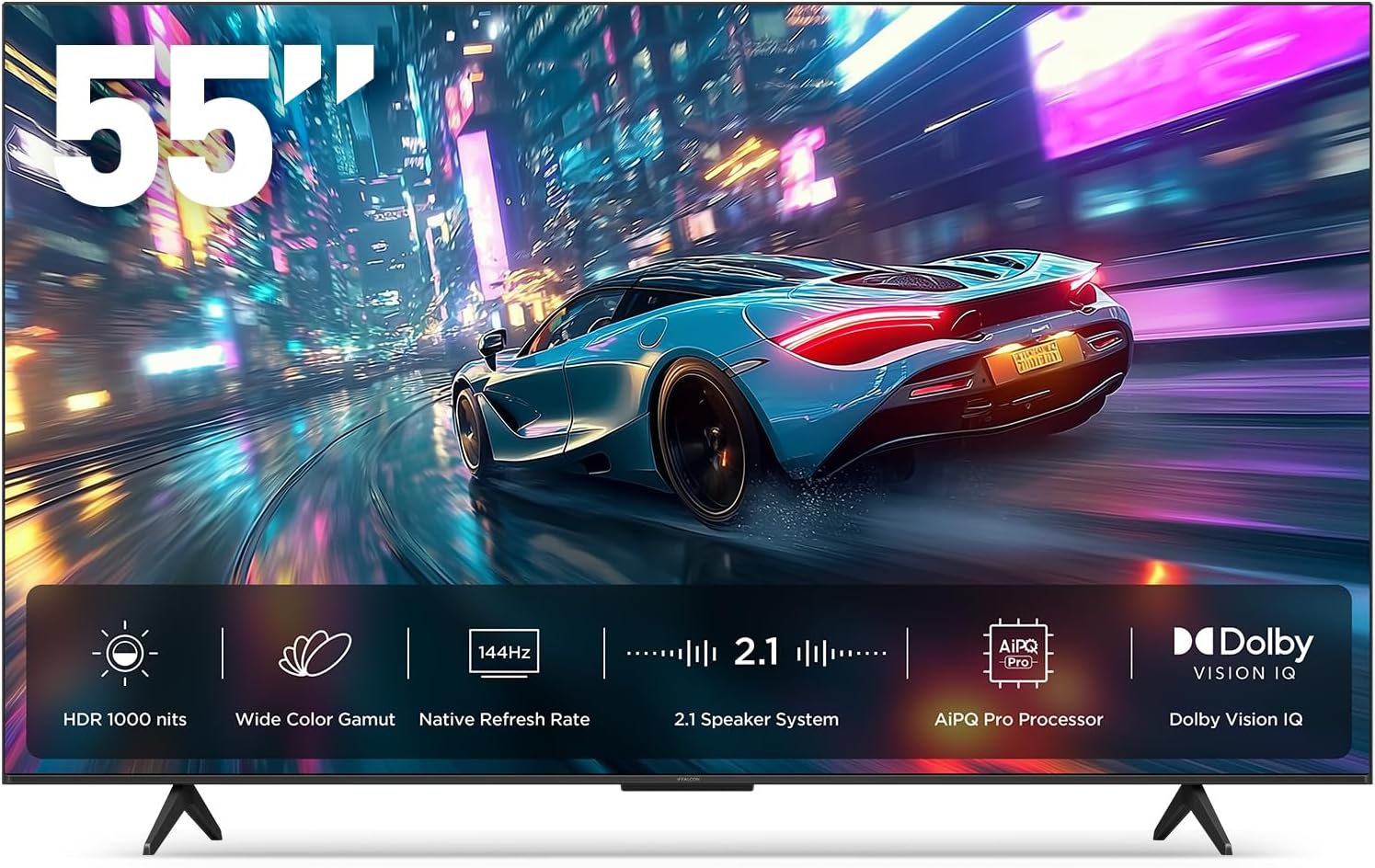
Imaginea 1.1: Față view of the iFFALCON 55-Inch U85 Series TV, showcasing its display with a vibrant image of a car on a city street.
2. Ce se află în cutie
Despachetați cu grijă televizorul și asigurați-vă că toate articolele sunt prezente. Dacă lipsesc sau sunt deteriorate articole, contactați distribuitorul.
- Mini TV LED
- Cablu de alimentare
- 2 x baterii AAA pentru telecomandă
- 6 x șuruburi de susținere
- Table stands (2 pieces)
- 5 x Cleme de cablu
- Ghid de pornire rapidă
- telecomanda
3. Configurare
3.1 Configurarea fizică
Before proceeding, ensure the TV is placed on a stable, flat surface or securely mounted to a wall. Refer to the Quick Start Guide for detailed instructions on attaching the table stands or mounting the TV to a wall bracket (wall mount sold separately).
3.2 Conectarea perifericelor
Connect your external devices such as cable boxes, gaming consoles, or Blu-ray players to the TV's HDMI ports. Ensure the power cable is securely connected to the TV and a power outlet.
3.3 Pornirea inițială și configurarea Google TV
- Conectați cablul de alimentare la o priză electrică.
- Apăsați butonul de pornire/oprire de pe telecomandă sau de pe televizor.
- Follow the on-screen instructions to complete the initial setup, including network connection, Google account sign-in, and channel scanning.
4. Operarea televizorului
4.1 Funcții de control de la distanță
The included remote control allows you to navigate menus, adjust volume, change channels, and access smart features. Familiarize yourself with the button layout for optimal use.
4.2 Smart Features: Google TV, Google Assistant, and Alexa
Your iFFALCON U85 TV is equipped with Google TV, providing access to a wide range of streaming services and apps. Use the built-in Google Assistant or connect to an Alexa-enabled device for hands-free voice control.
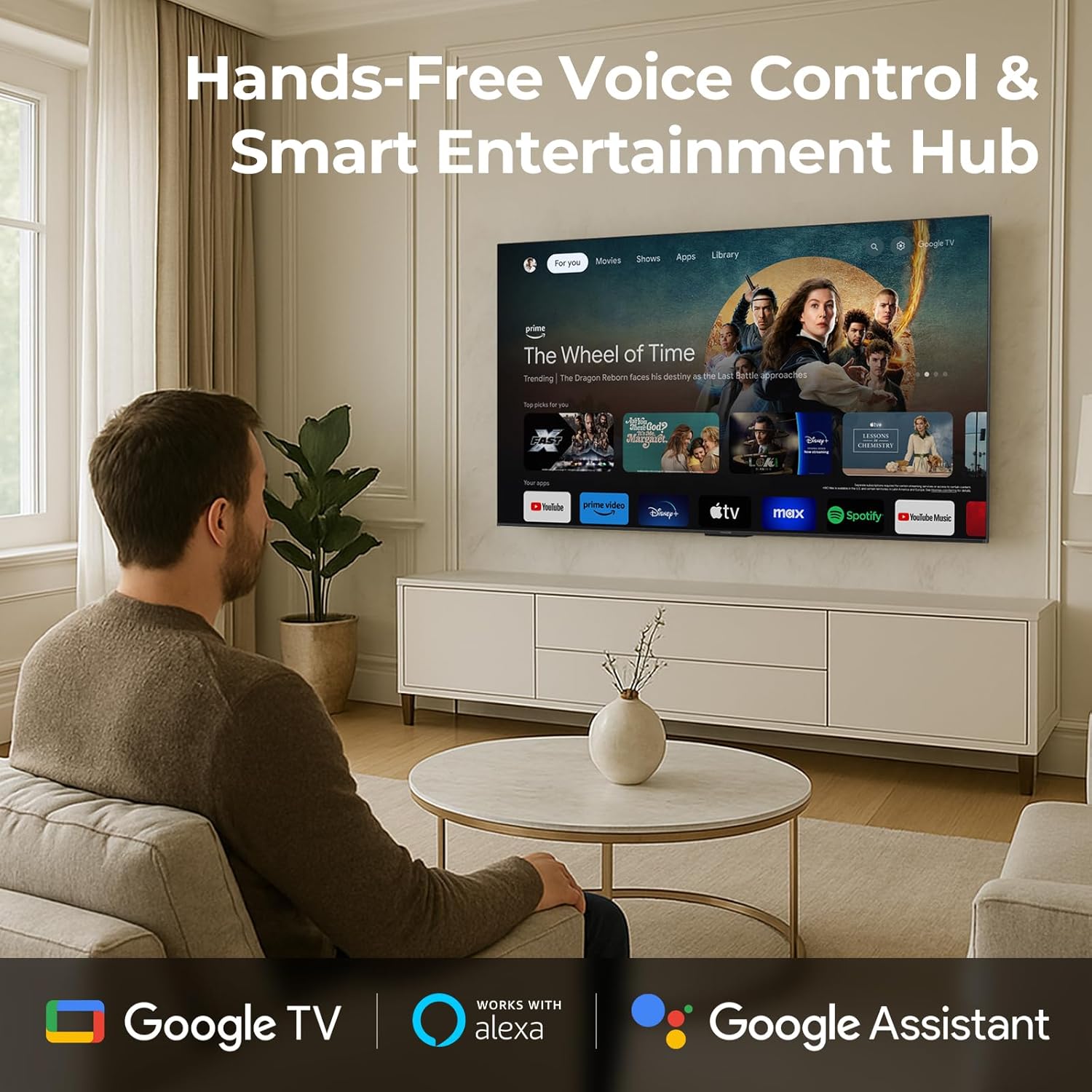
Image 4.1: A man interacting with the iFFALCON TV using voice commands, demonstrating the hands-free control feature.
4.3 Setări și calitate a imaginii
The U85 Series TV offers exceptional picture quality through several advanced technologies:
- QD-Mini LED: Provides precise lighting control with up to 144 local dimming zones and 1000 nits peak brightness for bright highlights and deep blacks.
- QLED Wide Color: Quantum Dot technology delivers a 93% DCI-P3 wide color gamut for true-to-life images.
- Procesor AiPQ Pro: Optimizes brightness, contrast, and detail in real-time for enhanced visual performance.
- Dolby Vision IQ: Automatically adjusts HDR brightness based on ambient light conditions.
- Raport de contrast 6000:1: Achieves deep blacks and vibrant colors with enhanced contrast.

Image 4.2: Visual comparison illustrating how Mini-LED technology enhances bright highlights and deep blacks compared to conventional TVs.
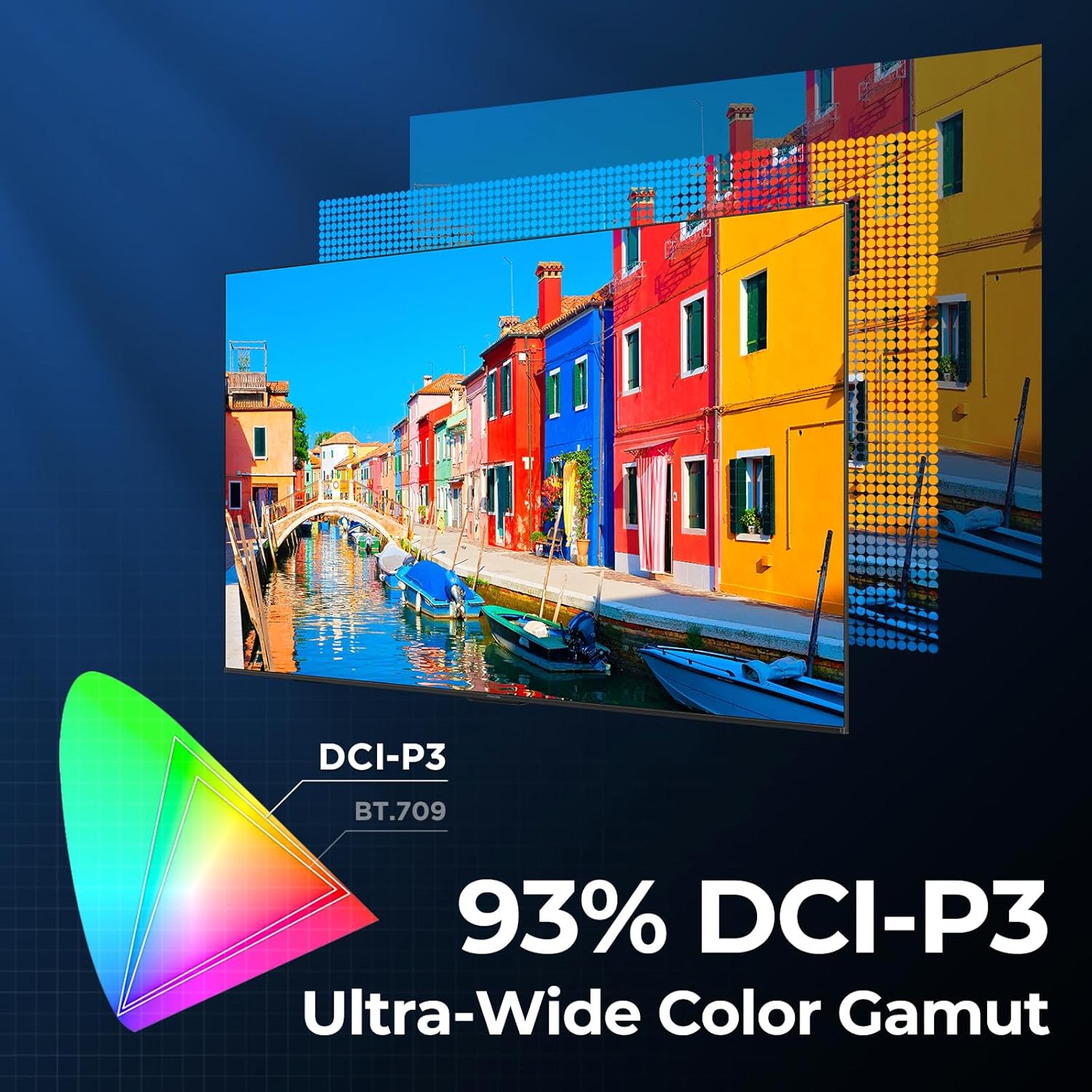
Image 4.3: Diagram showing the 93% DCI-P3 ultra-wide color gamut, indicating the TV's ability to display a broad spectrum of colors.
4.4 Audio Settings and Quality
Experience immersive sound with the TV's integrated audio features:
- 2.1-channel 50W Sound System: Delivers powerful stereo sound with deep bass.
- Dolby Atmos: Provides multi-dimensional audio that flows around and above you.
- DTS Virtual X: Creates expansive, room-filling sound with virtual height and surround effects.
- IMAX îmbunătățit: Optimizes audio and visual performance for a cinematic experience.

Image 4.4: A couple enjoying a movie on the iFFALCON TV, illustrating the immersive audio experience with sound waves emanating from the screen.
4.5 Caracteristici de joc
The iFFALCON U85 TV is designed for an optimal gaming experience:
- 4K 144Hz Panel with VRR: Ensures smooth, crystal-clear motion and reduces screen tearing.
- 240Hz DLG Acceleration: Boosts refresh rates for ultra-smooth action.
- FreeSync Premium Pro: Provides tear-free, low-latency HDR gaming.
- Game Mode & Game Bar: Dedicated settings and on-screen overlay for quick adjustments during gameplay.
- ALLM (Mod automat de latență scăzută): Comută automat la un mod cu latență redusă pentru un joc receptiv.

Image 4.5: A gaming console connected to the iFFALCON TV, highlighting the 144Hz refresh rate and other gaming features.
4.6 Caracteristici pentru confortul ochilor
For extended viewing comfort, the TV incorporates multiple eye-care technologies:
- Lumină albastră scăzută: Reduce emisiile dăunătoare de lumină albastră.
- Flicker Reduction: Minimizes screen flicker for a more comfortable viewexperiență.
5. Întreținere
To ensure the longevity and optimal performance of your iFFALCON U85 TV, follow these maintenance guidelines:
- Curățarea ecranului: Ștergeți ușor ecranul cu o lavetă moale, uscată și fără scame. Pentru petele persistente, ștergeți ușorampClătiți laveta cu apă sau cu un produs specializat de curățare a ecranelor. Evitați substanțele chimice dure sau materialele abrazive.
- Curățarea cadrului: Folosiți o lavetă moale și uscată pentru a curăța cadrul și suportul televizorului.
- Ventilare: Asigurați o ventilație adecvată în jurul televizorului. Nu blocați orificiile de ventilație.
- Cablu de alimentare: Verificați periodic cablul de alimentare pentru a depista eventualele deteriorări. Dacă este deteriorat, întrerupeți utilizarea și contactați serviciul de asistență pentru clienți.
- Evitați lumina directă a soarelui: Nu expuneți televizorul la lumina directă a soarelui sau la căldură excesivă.
6. Depanare
If you encounter issues with your TV, refer to the following common solutions. If the problem persists, contact customer support.
| Problemă | Cauza posibila | Soluţie |
|---|---|---|
| Fără putere | Cablul de alimentare nu este conectat; Priza nu funcționează | Asigurați-vă că cablul de alimentare este conectat corect; Testați priza cu un alt dispozitiv |
| Nu există imagine, dar există sunet | Incorrect input source; Loose HDMI cable | Select correct input source; Reconnect HDMI cable securely |
| Nu există sunet, dar imaginea este prezentă | Volume muted or too low; External audio device issue | Unmute or increase volume; Check connections to external audio devices |
| Telecomanda nu funcționează | Baterii descărcate; Obstrucție între telecomandă și televizor | Înlocuiți bateriile; Îndepărtați orice obstacole |
| Probleme de conexiune la rețea | Semnal Wi-Fi slab; Problemă cu routerul | Move TV closer to router or use Ethernet; Restart router |
7. Specificații
| Caracteristică | Detaliu |
|---|---|
| Marca | iFFALCON |
| Numărul de model | 55U85 |
| Dimensiunea ecranului | 55 inchi |
| Tehnologia de afișare | Mini LED, QLED |
| Rezoluţie | 4K UHD |
| Rata de reîmprospătare | 120 Hz (Native), 144Hz Game Mode Pro, 240Hz DLG |
| Luminozitate maximă | 1000 nits |
| Raport de contrast | 6000:1 |
| Zone locale de diminuare | 144 |
| Caracteristici speciale | Dynamic Contrast Enhancer, Eye Comfort Mode, Game Mode, Intelligent Voice Recognition, Local Dimming, Dolby Vision IQ, Dolby Atmos, DTS Virtual X, IMAX Enhanced, Google TV, Google Assistant, Alexa Compatibility, FreeSync Premium Pro, ALLM |
| Tehnologia de conectivitate | Bluetooth, WiFi |
| Dimensiuni produs (D x L x H) | 10.8 cm x 48.3 cm x 30.2 cm |
| Greutatea articolului | 27.3 lire sterline |
| Bateriile necesare | 2 baterii AAA (pentru telecomandă) |
8. Garanție și asistență
Your iFFALCON 55-Inch Class U85 Series QD-Mini LED 4K UHD Google Smart TV is covered by a manufacturer's warranty. For specific warranty details and duration, please refer to the warranty card included with your product or visit the official iFFALCON support website-ul.
For technical assistance, troubleshooting beyond this manual, or to inquire about warranty service, please contact iFFALCON customer support. Contact information can typically be found on the manufacturer's website sau în Ghidul de pornire rapidă.
Vă rugăm să păstrați dovada achiziției pentru cererile de garanție.


