Introducere
This manual provides detailed instructions for the safe and efficient operation of your Kuephom PM24 Portable CD Player with Speakers. Please read this manual thoroughly before using the device and retain it for future reference.
The Kuephom PM24 is a versatile audio device offering multiple playback options including CD, Bluetooth, FM Radio, USB, and TF card. It features built-in stereo speakers, a rechargeable battery for portability, and a remote control for convenient operation.

Image: The Kuephom PM24 Portable CD Player, showcasing its design with an open CD lid, remote control, and an indicator for its rechargeable battery.
Conținutul pachetului
Verificați dacă toate articolele sunt prezente în colet:
- Kuephom PM24 Portable CD Player with Speakers x 1
- Cablu de încărcare x 1
- Telecomandă x 1
- Manual de utilizare x 1
Produs terminatview
The PM24 offers a range of features for diverse audio playback. Familiarize yourself with the device's components and capabilities.

Image: A visual representation of the PM24's key features, including CD/MP3 playback, Bluetooth connectivity, USB and TF card support, FM radio, audio input, headphone jack, remote control, rechargeable battery, and sleep timer.
Caracteristici cheie:
- Redare CD/MP3: Supports standard audio CDs and MP3 filede pe discuri CD-R/RW.
- Conectivitate Bluetooth: Streaming audio wireless de pe dispozitive compatibile.
- USB & TF Card Support: Play MP3/WMA audio files directly from USB flash drives or TF cards (up to 32GB).
- Radio FM: Built-in FM tuner with retractable antenna and programmable presets.
- Intrare auxiliara: Conectați surse audio externe printr-un cablu audio de 3.5 mm.
- Jack pentru căști: Pentru ascultare privată.
- Telecomanda: Full function remote for convenient operation.
- Baterie reîncărcabilă: Oferă energie portabilă pentru utilizare extinsă.
- Temporizator de somn: Automatically turns off the device after a set period.
- Difuzoare stereo: Integrated speakers for clear audio output.
Înființat
1. Încărcarea dispozitivului
Before first use, fully charge the PM24. Connect the provided charging cable to the DC 5V input port on the device and the other end to a standard USB power adapter (not included) or a computer USB port.
- Indicatorul luminos de încărcare se va aprinde în timpul încărcării.
- O încărcare completă durează de obicei aproximativ 4 ore.
- The device provides approximately 5-8 hours of playback on a full charge, depending on volume and mode.

Image: Visual representation of the PM24's rechargeable nature, highlighting its play time and charge time.
2. Pornire/Oprire
Țineți apăsat butonul PUTERE button on the device or remote control to turn the unit on or off.
3. Instalarea bateriei telecomenzii
The remote control requires 2 AAA batteries (not included). Open the battery compartment on the back of the remote and insert the batteries, observing the correct polarity (+/-).
Instrucțiuni de operare
1. Utilizarea telecomenzii
The remote control allows for convenient operation of all functions from a distance.

Image: A user interacting with the PM24 using the remote control, illustrating various functions accessible from the remote.
- Buton de alimentare: Pornește sau oprește dispozitivul.
- Butonul de mod: Switches between CD, Bluetooth, FM, USB, TF, and AUX modes.
- Buton Redare/Pauză: Pornește sau întrerupe redarea.
- Butoane de urmărire anterioară/următoare: Sare la piesa/postul anterior sau următor.
- Butoane de volum +/-: Reglează nivelul volumului.
- Repeat/Shuffle Button: Changes playback repeat modes (e.g., repeat one, repeat all, shuffle).
- Buton Sleep: Activates and sets the sleep timer.
2. Redare CD
- Deschideți capacul compartimentului pentru CD-uri.
- Carefully place a CD (audio CD or MP3 CD) onto the spindle with the label side facing up.
- Închideți capacul compartimentului CD.
- Apăsați tasta MOD button until "CD" mode is selected.
- CD-ul va începe redarea automat. Dacă nu, apăsați butonul REDARE/PAUZĂ buton.

Image: Icons illustrating various CD playback options such as sequential play, random play, repeating a single track, repeating all tracks, and the play memory function.
3. Mod Bluetooth
- Apăsați tasta MOD button until "BT" (Bluetooth) mode is selected. The display will show "bt" and flash, indicating it's in pairing mode.
- Pe dispozitivul compatibil Bluetooth (smartphone, tabletă etc.), activați Bluetooth și căutați dispozitivele disponibile.
- Select "PM24" from the list of devices.
- Once paired, the "bt" indicator will stop flashing, and you can stream audio wirelessly to the PM24.

Image: A smartphone screen showing a successful Bluetooth connection to the PM24, with the player's display confirming 'bt' mode.
4. Modul radio FM
- Extend the telescopic antenna on the back of the unit for optimal reception.
- Apăsați tasta MOD apăsați butonul până când este selectat modul „FM”.
- Țineți apăsat butonul REDARE/PAUZĂ button to initiate an automatic station scan. The radio will scan and save available stations.
- Utilizați PISTA ANTERIOR/URMĂTOR butoane pentru a naviga prin stațiile salvate.

Image: A user enjoying FM radio on the PM24, with visual cues indicating different radio frequencies.
5. Redare de pe card USB/TF
- Insert a USB flash drive into the USB port or a TF card into the TF card slot. Ensure the card is inserted correctly.
- Apăsați tasta MOD button until "USB" or "TF" mode is selected.
- The device will automatically detect and begin playing MP3/WMA audio files din memoria introdusă.
- Utilizați PISTA ANTERIOR/URMĂTOR buttons to navigate between files.

Imagine: Prim-plan view of the USB and TF card slots on the PM24, indicating their function for playing media from external storage.
6. Intrare auxiliară (AUX)
- Connect one end of a 3.5mm audio cable (not included) to the AUX IN port on the PM24.
- Connect the other end to the headphone jack or audio output of an external audio device (e.g., smartphone, MP3 player).
- Apăsați tasta MOD apăsați butonul până când este selectat modul „AUX”.
- Controlează redarea și volumul de pe dispozitivul audio extern.
7. Funcția temporizatorului de oprire
Temporizatorul de oprire permite dispozitivului să se oprească automat după o perioadă setată.
- While the device is playing, press the DORMI butonul de pe telecomandă.
- Apăsați în mod repetat tasta DORMI button to cycle through available timer settings (e.g., 10, 20, 30, 60, 90 minutes).
- The selected time will be displayed. The device will automatically power off once the timer expires.

Image: A visual demonstration of the sleep timer function, showing the PM24 on a nightstand while a person sleeps.
8. Utilizarea căștilor
For private listening, connect 3.5mm headphones (not included) to the MUFĂ PENTRU CĂȘTI on the device. The built-in speakers will automatically mute when headphones are connected.
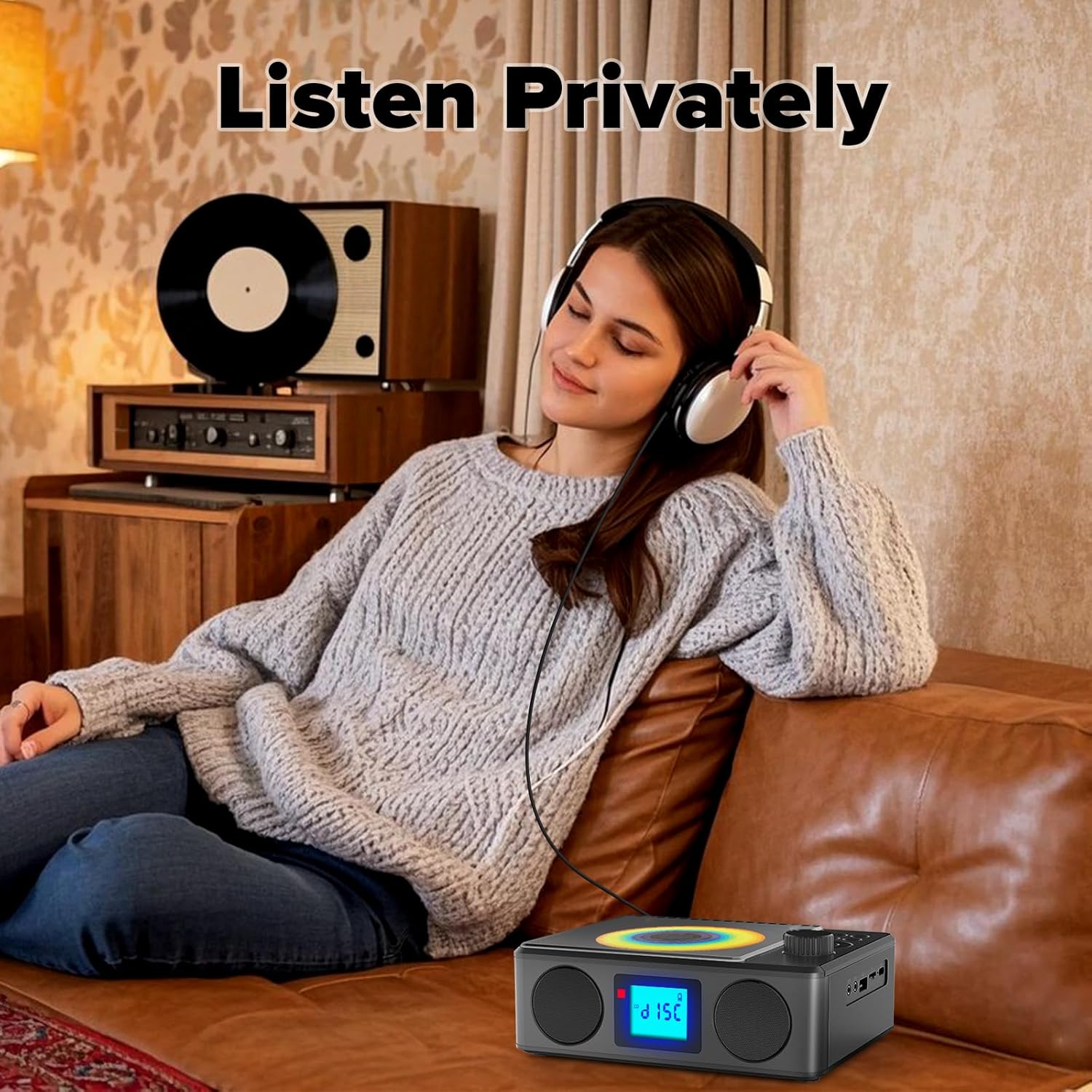
Image: A user enjoying private audio through headphones connected to the PM24.
Întreţinere
- curatenie: Folosiți o lavetă moale și uscată pentru a curăța exteriorul dispozitivului. Nu utilizați substanțe de curățare abrazive sau solvenți.
- Îngrijire CD: Manipulați CD-urile de margini. Curățați CD-urile murdare cu o lavetă moale, fără scame, ștergând din centru spre exterior.
- Depozitare: Când nu este utilizat pentru perioade lungi de timp, depozitați dispozitivul într-un loc răcoros și uscat, ferit de lumina directă a soarelui și de temperaturi extreme.
- Baterie: Pentru a prelungi durata de viață a bateriei, evitați descărcarea completă frecventă a bateriei. Încărcați dispozitivul în mod regulat, chiar dacă nu îl utilizați.
Depanare
| Problemă | Cauza posibila | Soluţie |
|---|---|---|
| Dispozitivul nu pornește. | Bateria este epuizată. | Connect the charging cable and allow the device to charge. |
| Niciun sunet de la difuzoare. | Volumul este prea mic sau dezactivat. Căștile sunt conectate. | Măriți volumul. Deconectați căștile. |
| CD-ul sare sau nu se redă. | CD-ul este murdar, zgâriat sau introdus incorect. | Clean the CD. Ensure it is placed correctly. Try another CD. |
| Asocierea Bluetooth nu reușește. | Device is too far, not in pairing mode, or already paired. | Ensure PM24 is in BT mode and flashing. Move devices closer. Disconnect from other devices. |
| Recepție radio FM slabă. | Antena nu este extinsă sau semnalul în zonă este slab. | Extindeți complet antena telescopică. Repoziționați dispozitivul pentru un semnal mai bun. |
| Telecomanda nu funcționează. | Batteries are depleted or inserted incorrectly. Obstruction between remote and device. | Replace batteries, check polarity. Remove obstructions. Ensure remote is pointed at the device. |
Specificații
- Model: PM24
- Marca: Kuephom
- Dimensiuni produs: 7.5 x 6.3 x 2.5 inchi (19.05 x 16.00 x 6.35 cm)
- Greutatea articolului: 1.96 lire (0.89 kg)
- Tehnologie de conectivitate: Auxiliar, Bluetooth, USB
- Culoare: Negru
- Tip difuzor: Stereo
- Baterii: 1 baterie non-standard (inclusă)
- Timp de joc: 5-8 ore (aprox.)
- Timp de încărcare: 4 de ore (aprox.)
Garanție și suport
Kuephom products are designed for reliability and performance. For warranty information or technical support, please refer to the contact details provided on the product packaging or visit the official Kuephom website-ul.
Vă rugăm să păstrați dovada achiziției pentru cererile de garanție.


