Introducere
Thank you for choosing the WOLFBOX G850 PRO Mirror Dash Cam and WOLFBOX X5 Dash Cam. This comprehensive system provides advanced vehicle recording and safety features, including 4K resolution, STARVIS 2 technology, Advanced Driver Assistance Systems (ADAS), and Blind Spot Detection (BSD). This manual will guide you through the setup, operation, and maintenance of your new dash cam system to ensure optimal performance and a safe driving experience.
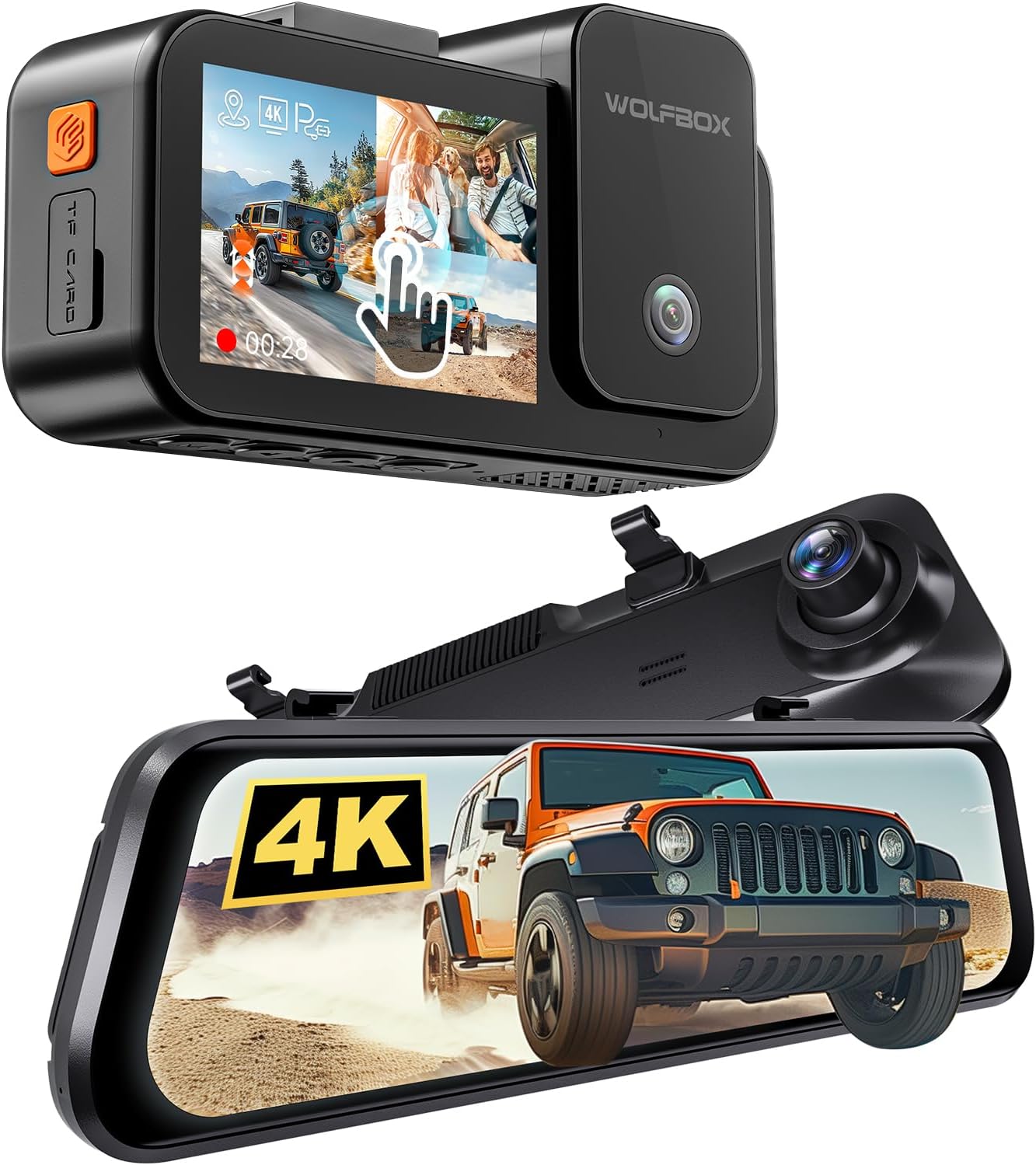
Imagine: Pesteview of the WOLFBOX G850 PRO Mirror Dash Cam and WOLFBOX X5 Dash Cam components.
Conținutul pachetului
Vă rugăm să verificați dacă toate articolele sunt prezente în coletul dumneavoastră:
- WOLFBOX G850 PRO Mirror Dash Cam
- Cameră auto WOLFBOX X5
- Rear Camera (for G850 PRO)
- Interior Camera (for X5)
- Încărcător auto
- Memory Card (64GB for G850 PRO, 128GB for X5)
- Hardware de montare
- Modul GPS

Image: Components included with the WOLFBOX G850 PRO, including the mirror dash cam, rear camera, GPS module, and 64GB memory card, alongside a smartphone displaying the companion app.

Image: Components included with the WOLFBOX X5, showing the main dash cam unit, interior camera, 128GB memory card, and a smartphone displaying the companion app.
Configurare și instalare
1. Introducerea cardului de memorie
Insert the provided memory card into the designated TF card slot on both the G850 PRO and X5 units. Ensure the card is inserted correctly until it clicks into place. It is recommended to format the memory card within the device settings before first use.
2. G850 PRO Mirror Dash Cam Installation
- Securely attach the G850 PRO mirror dash cam over your existing rearview mirror using the provided straps or mounting hardware.
- Connect the rear camera cable to the G850 PRO unit. Route the cable neatly to the rear of your vehicle and mount the rear camera on the rear windshield, ensuring a clear view.
- Connect the GPS module to the G850 PRO unit. Position the GPS module in an area with a clear view cerului pentru o recepție optimă a semnalului.
- Connect the car charger to the G850 PRO unit and plug it into your vehicle's 12V power outlet.
3. X5 Dash Cam Installation
- Mount the X5 dash cam on your front windshield, typically behind the rearview oglindă, asigurându-vă că nu vă obstrucționează vederea view. Use the provided adhesive mount or suction cup.
- Connect the interior camera cable to the X5 unit. Position the interior camera to capture the cabin view.
- Connect the car charger to the X5 unit and plug it into your vehicle's 12V power outlet.
Route all cables carefully to avoid interference with driving controls and to maintain a tidy interior. Use cable clips if necessary.
Instrucțiuni de operare
Operare de bază
- Pornire/Oprire: The devices will automatically power on and begin recording when your vehicle starts and power off when the engine is turned off.
- Înregistrare: Both units continuously record video. The G850 PRO records front and rear, while the X5 records front, rear (if connected to G850 PRO system, or its own rear if standalone), and interior.
- Înregistrare în buclă: Mai în vârstă files are overwritten automatically when the memory card is full, ensuring continuous recording.
- Senzor G: In case of a sudden impact or collision, the G-Sensor will automatically lock the current video segment to prevent it from being overwritten.
Caracteristici avansate
Advanced Driver Assistance System (ADAS) - G850 PRO
The G850 PRO provides real-time alerts to enhance driving safety:
- Avertizare coliziune frontală: Te avertizează dacă te apropii prea repede de un vehicul.
- Pedestrian Collision Warning: Warns of potential collisions with pedestrians.
- Avertisment de părăsire a benzii: Notifies you if you drift out of your lane without signaling.
- Lead Vehicle Start: Informs you when the vehicle in front starts moving after a stop.
- Distance Monitoring: Helps maintain a safe following distance.

Image: Visual representation of ADAS warnings including Forward Collision, Pedestrian Collision, and Lane Departure warnings, as displayed on a vehicle's screen.
Blind Spot Detection (BSD) - G850 PRO
The G850 PRO monitors your blind spots and provides alerts for approaching vehicles, enhancing safety during lane changes and preventing rear collisions.

Image: Diagram illustrating Blind Spot Detection warnings, showing alerts for both rear and side collision risks from vehicles in blind spots.
Voice Control & Touch Screen - X5
The X5 dash cam supports hands-free operation with 12 voice commands. Simply speak commands like "take picture," "turn on Wi-Fi," or "lock the video." The intuitive touch screen also allows easy access to all functions and settings.
Conectivitate Wi-Fi
Both units feature 5.8GHz Wi-Fi for fast data transfer. Connect your smartphone to the dash cam via the dedicated WOLFBOX app to view trăi footage, download recordings, and adjust settings.
Enhanced Night Vision - X5
Equipped with the STARVIS 2 IMX678 image sensor and 3D Noise Reduction, the X5 provides clear and detailed video even in low-light conditions, ensuring excellent night recording performance.

Image: Comparison demonstrating the improved clarity and reduced noise of WOLFBOX's enhanced 3D Noise Reduction Night Vision compared to other brands, highlighting the Sony Starvis IMX678 sensor, HDR & WDR, and 3D DNR features.
Întreţinere
- Formatarea cardului de memorie: To maintain optimal performance and prevent data corruption, it is recommended to format the memory card within the dash cam settings at least once a month.
- Curățarea lentilelor: Regularly clean the camera lenses with a soft, lint-free cloth to ensure clear video recording. Avoid abrasive materials.
- Actualizări firmware: Verifică WOLFBOX-ul oficial website or app periodically for firmware updates. Keeping your device's firmware up-to-date can improve performance and add new features.
Depanare
| Problemă | Cauză/Soluție posibilă |
|---|---|
| Dispozitivul nu pornește. | Check the car charger connection and ensure the vehicle's 12V outlet is functioning. Test with another power source if possible. |
| Înregistrarea se oprește sau se blochează. | The memory card may be full or corrupted. Format the card in the device settings. Ensure you are using a high-speed (Class 10 or U3) memory card. |
| Poor video quality (blurry/dark). | Clean the camera lenses. Ensure the protective film has been removed. Check settings for resolution and exposure. For night vision, ensure the area is not completely dark beyond the camera's capabilities. |
| ADAS/BSD alerts are not working. | Ensure the GPS module is connected and receiving a signal. Calibrate the ADAS system as per on-screen instructions. Ensure settings for these features are enabled. |
| Comanda vocală nu răspunde. | Speak clearly and ensure the environment is not too noisy. Check if voice control is enabled in the settings. |
Specificații
Key technical specifications for the WOLFBOX G850 PRO and X5 Dash Cam system:
- Model: WOLFBOX G850 PRO (Mirror Dash Cam), WOLFBOX X5 (Dash Cam)
- Rezoluția camerei frontale: 4K (G850 PRO & X5)
- Rezoluția camerei din spate: 2.5K (X5), 1080P (G850 PRO)
- Interior Camera Resolution: 1080P (X5)
- Senzor de imagine: STARVIS 2 IMX678 (X5)
- Canale: 3-Channel Recording (Front, Rear, Interior for X5; Front, Rear for G850 PRO)
- Conectivitate: Wi-Fi de 5.8 GHz
- Depozitare: Supports up to 512GB (128GB card included with X5, 64GB with G850 PRO)
- Caracteristici: Advanced Driver Assistance System (ADAS), Blind Spot Detection (BSD), Voice Control, Touch Screen, G-Sensor, Loop Recording, Parking Monitor (requires hardwire kit, sold separately).
- Afişa: 12-inch Touch Screen (G850 PRO)

Image: Diagram illustrating the 4K 3-channel recording capability of the WOLFBOX X5, showing simultaneous recording from the front (4K), cabin (1080P), and rear (2.5K HDR) cameras.

Image: Comparison showing the visual improvement from 1080P to 2.5K HDR for the rear camera, and a diagram explaining the benefits of digital signal transmission over analog for enhanced clarity and anti-interference.

Imagine: Detaliată view of the SONY STARVIS 2 IMX678 image sensor, highlighting its benefits such as 68% larger image sensor size, 3.5x better low light performance, and 2.5x wider dynamic range for improved video quality.
Garanție și suport
WOLFBOX products are designed for reliability and performance. For any questions, technical assistance, or warranty claims, please contact WOLFBOX customer support directly. You can typically find contact information on the official WOLFBOX website sau prin intermediul platformei dvs. de achiziții.
Please note that a 30-day return/replacement policy is typically available through the retailer. For specific warranty terms beyond this period, refer to the documentation provided with your product or contact WOLFBOX support.
Visit the official WOLFBOX store for more information and product updates: WOLFBOX Store


