Produs terminatview
The Uineer Vertical Wireless Mouse (Model A06P) is designed for comfort and reduced wrist strain, promoting a more natural hand posture. It features 2.4G wireless technology, adjustable DPI settings, and a convenient battery indicator for seamless use in various environments.

Figure 1: Uineer Vertical Wireless Mouse (White) with its USB receiver.
Ce este în cutie
- 1 x Wireless Vertical mouse
- 1 x USB-A receiver (stored at the bottom of the mouse)
- 1 x 50CM Type-C charging cable
- 1 x Manual de utilizare
Ghid de instalare
Follow these steps to set up your Uineer Vertical Wireless Mouse:
- Locate the USB-A Receiver: The USB-A receiver is conveniently stored in a compartment at the bottom of the mouse. Gently slide open the cover to retrieve it.
- Conectați receptorul: Insert the USB-A receiver into an available USB-A port on your computer or device.
- Pornirea mouse-ului: Localizați comutatorul ON/OFF din partea inferioară a mouse-ului și glisați-l în poziția „ON”.
- Conexiune automată: The mouse will automatically connect to your device. No additional drivers are required for instant use.

Figure 2: Bottom of the mouse, highlighting the USB receiver compartment and power switch.
Video 1: Demonstrates the setup process, including inserting the USB receiver and turning on the mouse.
Instrucțiuni de operare
Design ergonomic
The Uineer Vertical Mouse is designed to provide an ergonomic solution with a comfortable grip, reducing wrist strain and promoting better posture during long periods of use. Its dimensions are L x W x H 11.6 x 7.2 x 7.5 cm (4.57 x 3.03 x 2.95 inches).
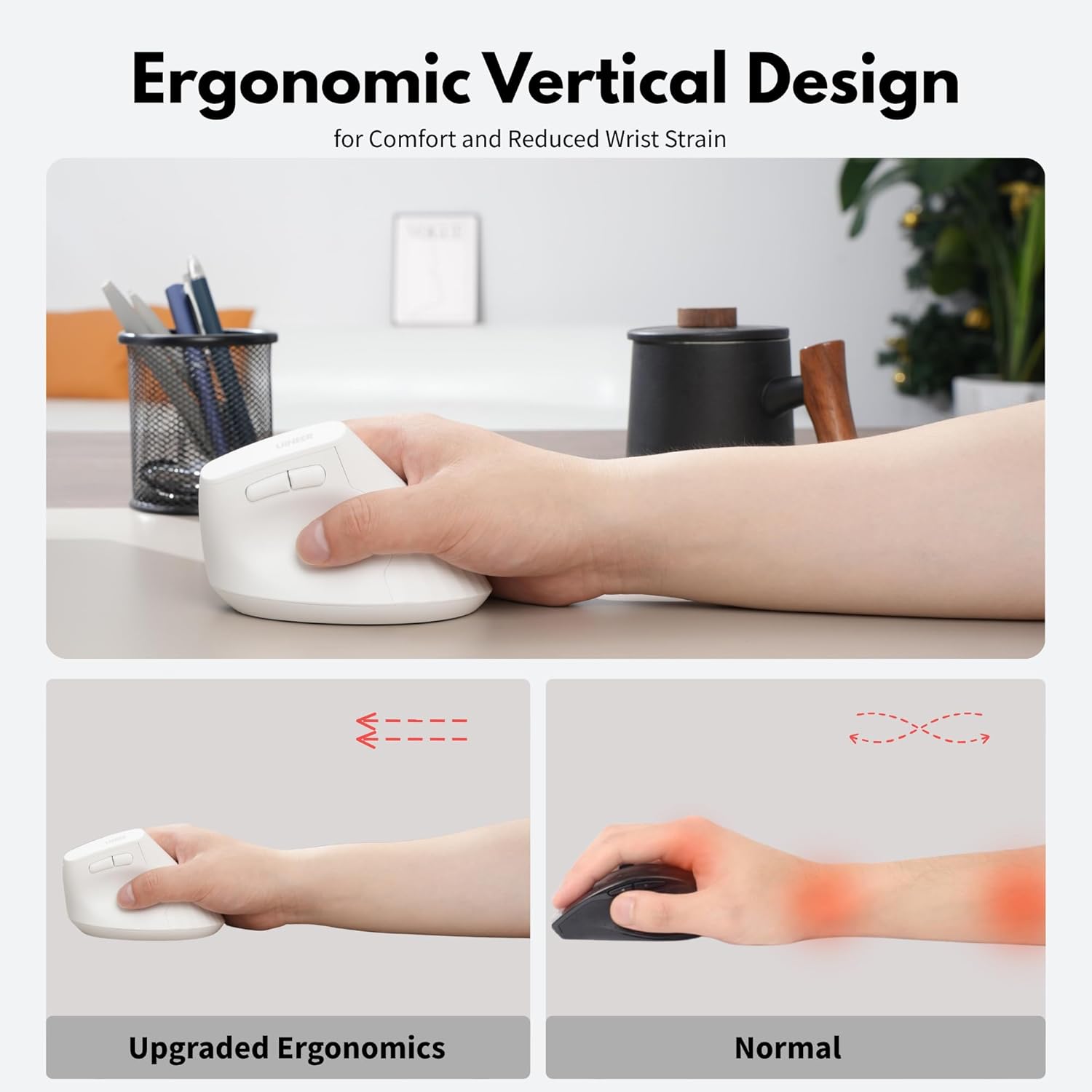
Figure 3: Illustration of the ergonomic vertical design, showing how it reduces wrist strain compared to a traditional mouse.
Ajustare DPI
The mouse supports four adjustable DPI settings: 800, 1200, 1600, and 2400. You can easily switch between these settings by pressing the DPI button located on the top of the mouse, allowing you to customize sensitivity for various tasks from document editing to graphic design or gaming.

Figure 4: The DPI button and its four adjustable levels (800, 1200, 1600, 2400).
Funcțiile butoanelor
The mouse features several buttons for enhanced functionality:
- Click stânga: Butonul stâng standard al mouse-ului.
- Click dreapta: Butonul dreapta standard al mouse-ului.
- Rotiță de defilare: Pentru derulare verticală.
- Butonul DPI: Adjusts mouse sensitivity (800/1200/1600/2400 DPI).
- Buton înainte: Navighează înainte în web browsere sau file exploratori. (Note: Forward/Backward buttons are not compatible with Mac OS.)
- Buton înapoi: Navighează înapoi în web browsere sau file exploratori. (Note: Forward/Backward buttons are not compatible with Mac OS.)
Figure 5: Detailed diagram of the mouse buttons and their functions.
Indicator baterie
The mouse includes a clear battery indicator light, allowing you to monitor the power level and avoid unexpected power loss during use.

Figure 6: Visual representation of the battery indicator on the mouse.
Întreţinere
Încărcarea mouse-ului
The Uineer Vertical Wireless Mouse is rechargeable. When the battery is low, connect the included 50CM Type-C charging cable to the Type-C charging port on the mouse and a USB power source (e.g., computer USB port, USB wall adapter). A full charge typically takes 2-3 hours.
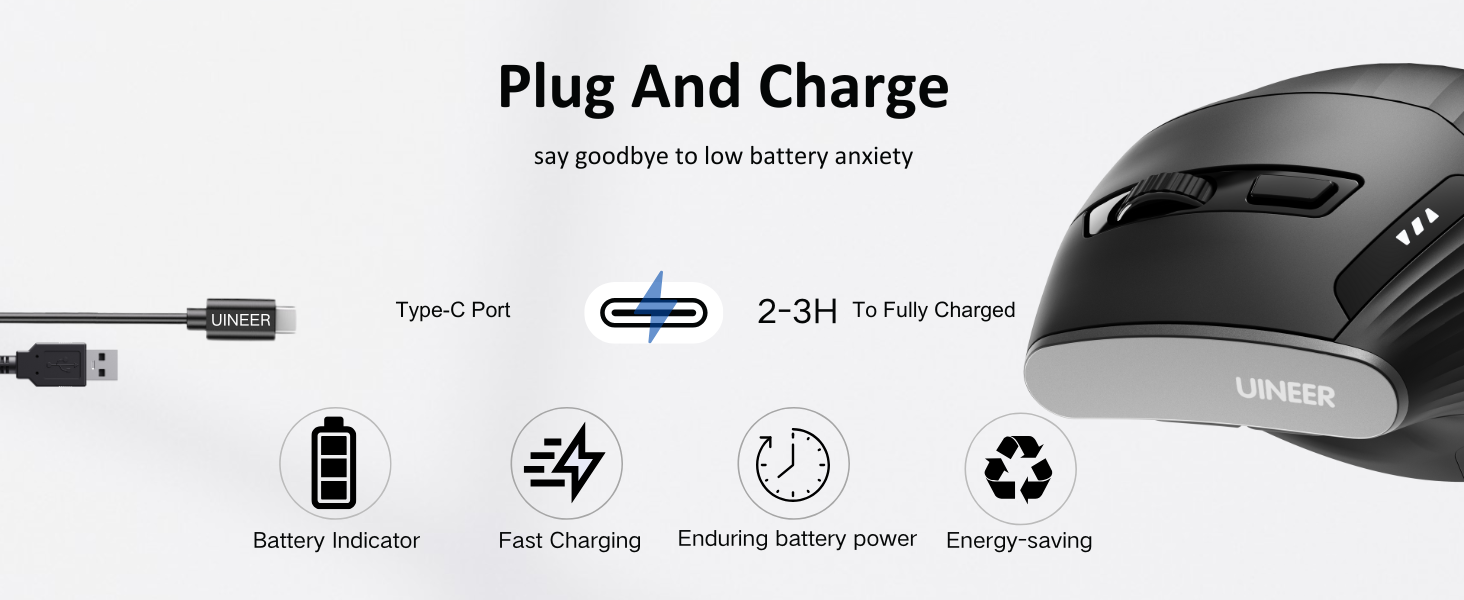
Figure 7: Charging port location and charging process illustration.
Curatenie
Pentru a curăța mouse-ul, folosiți o lavetă moale și uscată. Pentru murdăria persistentă, folosiți o cârpă ușor uscată.amp Se poate folosi o cârpă, dar asigurați-vă că nu pătrunde umezeală în componentele interne. Evitați utilizarea substanțelor chimice dure sau a materialelor abrazive.
Depanare
- Mouse-ul nu răspunde:
- Ensure the USB-A receiver is securely plugged into a working USB port.
- Check if the mouse is powered on (ON/OFF switch on the bottom).
- Recharge the mouse if the battery indicator shows low power.
- Încercați să conectați receptorul la un alt port USB.
- Conexiune cu întârziere sau intermitentă:
- Ensure the mouse is within the 10-meter transmission range of the receiver.
- Minimizează interferențele de la alte dispozitive wireless.
- Forward/Backward buttons not working on Mac OS:
- Please note that the Forward/Backward buttons are not compatible with Mac OS. This is a system limitation.
- DPI adjustment not changing sensitivity:
- Asigurați-vă că apăsați butonul DPI corect.
- Încercați să reporniți mouse-ul oprindu-l și pornindu-l din nou.
Specificații
| Caracteristică | Detaliu |
|---|---|
| Numărul de model | A06P |
| Tehnologia de conectivitate | 2.4G Wireless (USB-A) |
| Niveluri DPI | 800, 1200, 1600, 2400 |
| Tehnologia de detectare a mișcării | Optic |
| Dimensiunile produsului | 11.6 x 7.2 x 7.5 cm (4.57 x 3.03 x 2.95 țoli) |
| Greutatea articolului | 3.7 uncii |
| Baterie | Rechargeable (internal battery) |
| Compatibilitate | Windows 11/10/8/7/XP/Vista, Mac OS X/Linux/Android/iOS(13+) (devices with USB-A ports) |
Garanție și suport
Uineer offers a 45-day no-reason refund policy si a Serviciu de înlocuire de 12 luni for quality issues. This ensures a worry-free shopping experience.
For further assistance or support, please contact Uineer customer service through the platform where you purchased the product or refer to the contact information provided in your product packaging.


