1. Introducere
Thank you for choosing the UPERFECT 18.4-Inch 4K UHD Portable Monitor. This manual provides essential information for setting up, operating, and maintaining your new monitor. Please read this manual thoroughly before use to ensure proper functionality and to maximize your viewexperiență.
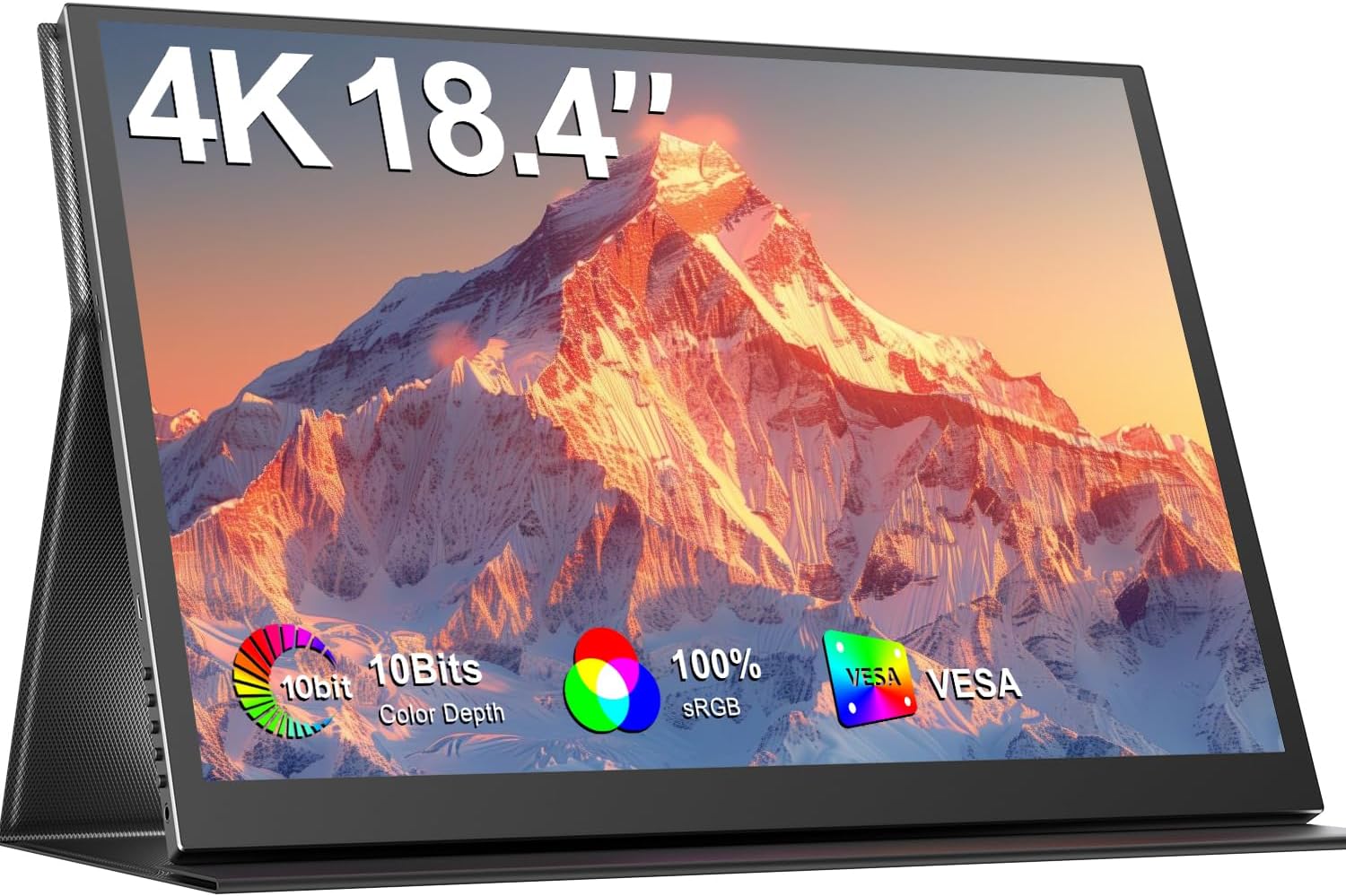
Image 1.1: The UPERFECT 18.4-Inch 4K UHD Portable Monitor, showcasinafișajul și designul său subțire.
2. Produs terminatview
2.1 Caracteristici cheie
- Large 18.4-Inch 4K UHD Display: Features a 3840x2160 resolution IPS panel for detailed visuals.
- Vivid 10-Bit Color & HDR: Offers 10-bit color depth, 100% sRGB coverage, and HDR support for accurate and vibrant images.
- Montabil VESA: Equipped with 75mm VESA holes for flexible mounting options.
- Compatibilitate largă a dispozitivelor: Connects via USB-C and Mini HDMI ports to various devices including laptops, smartphones, and gaming consoles.
- Design portabil: Slim, lightweight, and includes a protective leather cover for travel and use as a stand.
- Audio integrat: Features built-in speakers and a headphone jack.
- Caracteristici de îngrijire a ochilor: Includes Blue Light Filter and Flicker-Free technology.

Image 2.1: Visual comparison illustrating the larger display area of the 18.4-inch monitor compared to a 15.6-inch model, enhancing productivity.
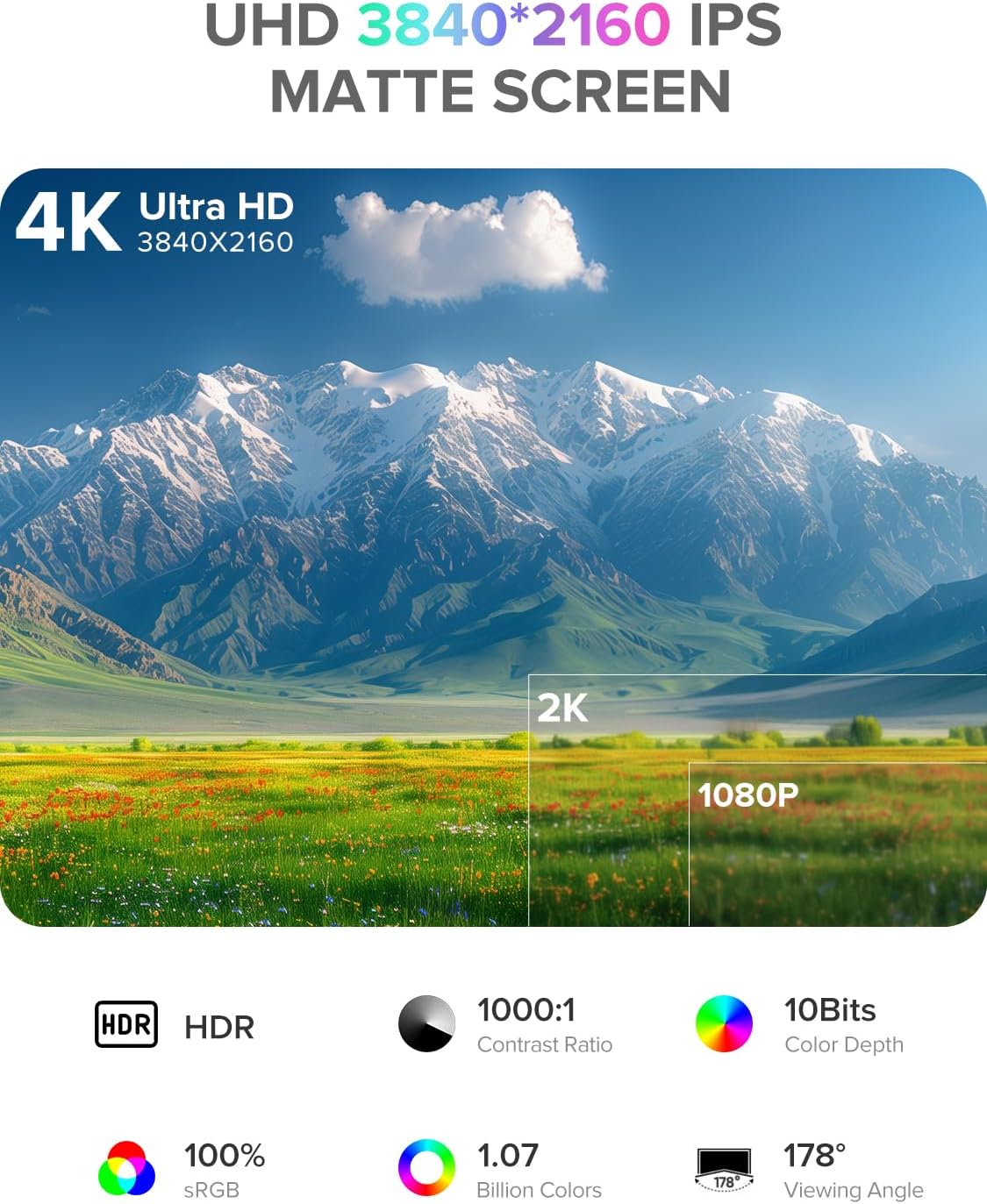
Image 2.2: Details of the monitor's 4K UHD (3840x2160) IPS matte screen, highlighting HDR, 1000:1 contrast ratio, 10-bit color depth, 100% sRGB, 1.07 billion colors, and 178° viewunghiul de ing.

Image 2.3: Illustration of 10-bit color depth, demonstrating smoother color transitions compared to 8-bit, resulting in 1.07 billion colors.
2.2 Conținutul pachetului
Vă rugăm să verificați pachetul pentru următoarele articole:
- UPERFECT 18.4-Inch 4K UHD Portable Monitor
- Protective Leather Cover (doubles as a stand)
- USB-C to USB-C Cable (for power and video)
- Mini HDMI to HDMI Cable (for video)
- Adaptor de alimentare (USB-C)
- Manual de utilizare
3. Instrucțiuni de configurare
Urmați acești pași pentru a configura monitorul portabil:
- Despacheta: Scoateți cu grijă monitorul și toate accesoriile din ambalaj.
- Poziţie: Place the monitor on a stable, flat surface. You can use the included leather cover as a stand by folding it appropriately.
- Conectare alimentare: Connect the provided power adapter to a power outlet and then to one of the USB-C ports on the monitor. An external power source is recommended for optimal performance, especially when connecting to devices that do not provide sufficient power or when using the monitor at high brightness.
- Conectați-vă la dispozitiv:
- Conexiune USB-C: If your device (laptop, smartphone, tablet) has a full-featured USB-C port that supports DisplayPort Alternate Mode and power delivery, connect it to the monitor using the provided USB-C to USB-C cable. This single cable can transmit video, audio, and power.
- Conexiune mini HDMI: If your device uses HDMI, connect it to the monitor's Mini HDMI port using the provided Mini HDMI to HDMI cable. In this setup, you will also need to connect the monitor to an external power source via USB-C.
- Pornire: Apăsați butonul de pornire de pe monitor pentru a-l porni.
4. Instrucțiuni de utilizare
The monitor features an On-Screen Display (OSD) menu for adjusting various settings.
4.1 Controale
The control buttons are typically located on the side of the monitor.
- Buton ON/OFF: Press to power the monitor on or off.
- Buton de meniu: Press to access the OSD menu.
- Navigation Buttons ("-" / "+"): Use these buttons to navigate through the OSD menu options and adjust values.
- Buton de întoarcere: Used to go back to the previous menu level or exit the OSD.
4.2 Navigare în meniul OSD
- Apăsați tasta Meniu buton pentru a deschide meniul OSD.
- Utilizați „-” or „+” buttons to navigate between menu categories (e.g., Picture, Color, OSD Settings).
- Apăsați tasta Meniu button again to enter a selected category.
- Utilizați „-” or „+” buttons to select an option within the category and adjust its value.
- Apăsați tasta Reveni button to exit the current menu or the OSD entirely.
4.3 Setări comune
- Luminozitate/Contrast: Ajustați luminanța generală și diferența dintre zonele luminoase și cele întunecate.
- Temperatura de culoare: Select predefined color temperature settings or customize RGB values.
- Modul HDR: Activați sau dezactivați High Dynamic Range pentru conținut compatibil.
- Raport de aspect: Choose between 16:9, 4:3, or other available aspect ratios.
- Volum: Adjust the output volume for the built-in speakers or connected headphones.
- Sursa de intrare: Manually select between USB-C and Mini HDMI inputs if auto-detection fails.
5. Conectivitate
The UPERFECT portable monitor offers versatile connectivity options to suit various devices.

Imaginea 5.1: Prim-plan view of the monitor's ports, including Mini HDMI, Type-C 3.1, Micro-USB OTG, and audio jack, along with icons illustrating compatibility with phones, pads, laptops, MacBooks, Switch, PS4, PS5, and PCs.
- USB-C (Full-featured): Two USB-C ports are available. These ports support video, audio, and power delivery. Connect to compatible laptops, smartphones, and tablets with a single USB-C cable.
- Mini HDMI: For devices with an HDMI output, use the Mini HDMI port for video and audio transmission. An additional USB-C connection for power is required when using Mini HDMI.
- Micro-USB OTG: This port allows you to connect peripherals such as a keyboard or mouse directly to the monitor, expanding its functionality.
- Mufă audio de 3.5 mm: Connect headphones or external speakers for private listening or enhanced audio.
Important Note on Power: For optimal brightness and stable operation, especially when using Mini HDMI or connecting to devices with limited power output, always connect the monitor to an external power source using the provided USB-C power adapter.
6. Montare VESA
The monitor is VESA compatible, allowing for flexible mounting on monitor arms or wall mounts.

Image 6.1: The portable monitor mounted on a VESA arm, demonstrating its ability to transition between landscape and portrait modes. The VESA size is 75x75 mm, and the recommended screw size is M4x4 mm.
- Standard VESA: The monitor supports the 75mm x 75mm VESA mounting standard.
- Dimensiunea șurubului: Use M4x4 mm screws for mounting. Ensure screws are not too long to avoid damaging internal components.
- Instalare: Attach the VESA mount adapter (if included or purchased separately) to the monitor, then secure it to your desired VESA-compatible arm or stand.
7. Întreținere
Proper care will extend the life and performance of your monitor.
- Curățarea ecranului:
- Turn off the monitor and unplug all cables.
- Ștergeți ușor ecranul cu o lavetă moale, fără scame (de exemplu, o lavetă din microfibră).
- Pentru pete persistente, frecați ușorampClătiți laveta cu apă sau cu o soluție de curățare a ecranelor special concepută pentru electronice. Nu pulverizați lichid direct pe ecran.
- Evitați utilizarea substanțelor chimice dure, a alcoolului sau a produselor de curățare abrazive.
- Curățarea C-uluiasing: Ștergeți monitorul casinștergeți cu o cârpă moale și uscată.
- Depozitare: When not in use, store the monitor in its protective leather cover to prevent scratches and dust accumulation.
- Manipulare: Evitați aplicarea unei presiuni excesive asupra ecranului sau scăparea monitorului.
8. Depanare
Dacă întâmpinați probleme cu monitorul, consultați următoarele probleme frecvente și soluții.
| Problemă | Soluție posibilă |
|---|---|
| Fără semnal / Ecran negru |
|
| Monitorul nu pornește |
|
| Afișaj pâlpâitor sau instabil |
|
| Fără sunet |
|
9. Specificații
| Caracteristică | Detaliu |
|---|---|
| Marca | UPPERFECT |
| Numărul de model | 184T02 |
| Dimensiunea ecranului | 18.4 inchi |
| Rezoluția afișajului | 3840 x 2160 pixeli (4K UHD) |
| Tip panou | IPS |
| Adâncimea culorii | 10 de biți |
| Gama de culori | 100% sRGB |
| Suport HDR | Da |
| Raport de contrast | 1000:1 |
| Timp de răspuns | 1 milisecundă |
| Rata de reîmprospătare | 60 Hz |
| Raportul de aspect | 16:9 |
| Suprafața ecranului | Mate |
| Conectivitate | 2x USB-C (Full-featured), 1x Mini HDMI, 1x Micro-USB OTG, 1x 3.5mm Audio Jack |
| Compatibilitate VESA | 75mm x 75mm (M4x4 mm screws) |
| Caracteristici speciale | Blue Light Filter, Built-In Speakers, Eye Care, Flicker-Free, Frameless |
| Culoare | Negru |
10. Garanție și asistență
UPERFECT products are designed for reliability and performance. This monitor comes with a standard manufacturer's warranty. Please refer to the warranty card included in your package or visit the official UPERFECT website-ul pentru termenii și condițiile detaliate ale garanției.
For technical assistance, troubleshooting, or any product-related inquiries, please contact UPERFECT customer support. Our support team is available to provide prompt and knowledgeable assistance.
You can typically find contact information on the UPERFECT official website-ul web sau prin intermediul comerciantului de unde ați achiziționat produsul.


