1. Produs terminatview
The Ulecoce Keyless Entry Door Lock offers advanced security and convenience for your home. This smart lock integrates multiple unlocking methods and smart features for seamless access control.
- Metode de deblocare 4 în 1: Built-in Wi-Fi control, fingerprint recognition, keypad passcode, and traditional mechanical key.
- Conectivitate Wi-Fi încorporată: Manage your door lock remotely via a dedicated app, including locking/unlocking, creating temporary codes, and viewing access records.
- Recunoaștere rapidă a amprentelor digitale: Ultra-fast 0.3-second fingerprint recognition with a 99.99% accuracy rate, supporting up to 50 unique fingerprints.
- Caracteristici de securitate îmbunătățite: Includes auto-lock (adjustable from 10-30 seconds), one-touch locking, low battery alerts, and an advanced anti-tamper sistem.
- Instalare ușoară: Designed for simple installation with just a screwdriver, compatible with both left and right-hand doors.

Image: The Ulecoce smart door lock shown installed on a door, with a smartphone screen demonstrating the mobile app control for unlocking.
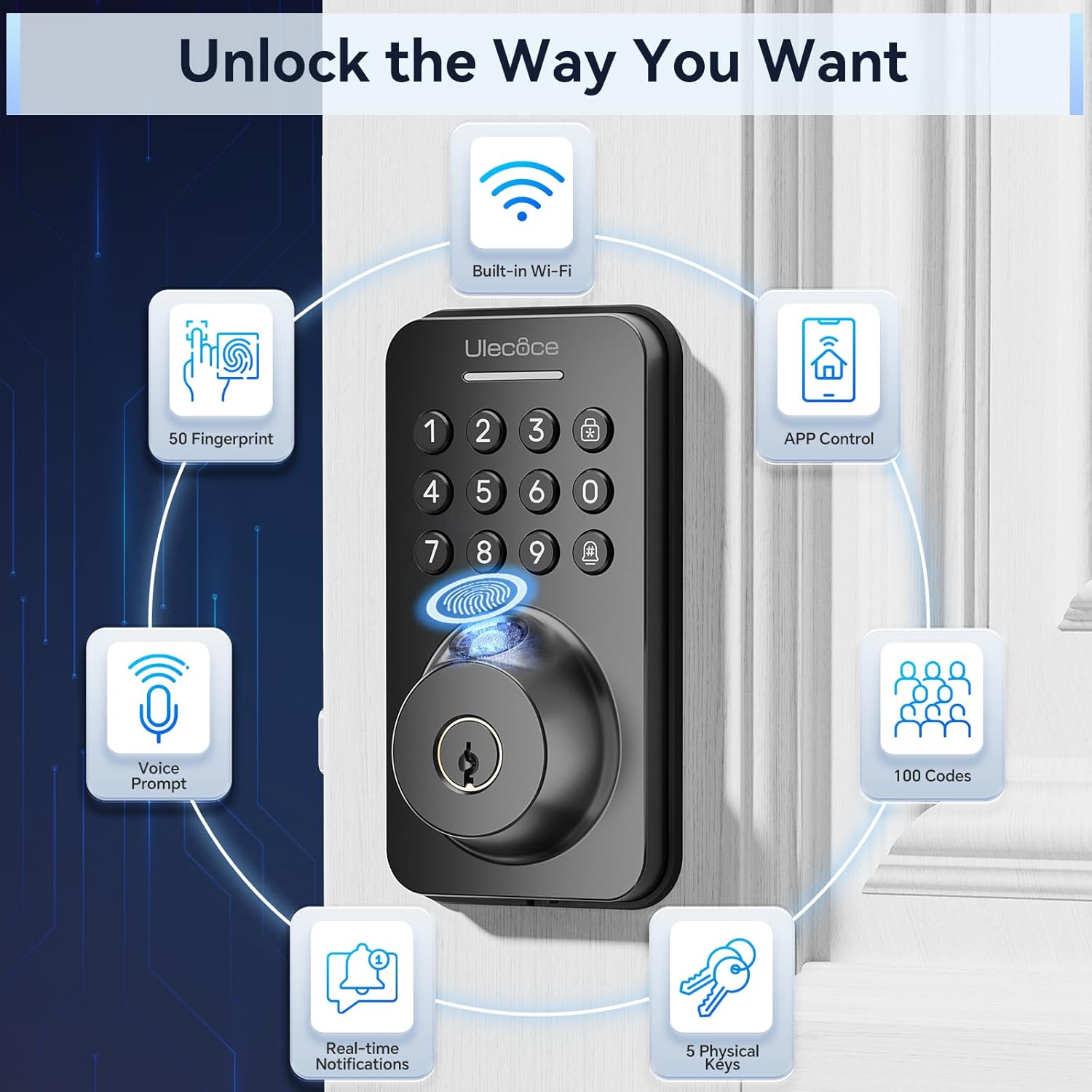
Image: A visual representation of the various ways to unlock the Ulecoce smart door lock, including fingerprint, app control, passcodes, and physical keys.
2. Configurare și instalare
The Ulecoce smart door lock is designed for straightforward installation, requiring minimal tools. Please ensure your door's dimensions are compatible before beginning the installation process.
2.1. Verificare compatibilitate
Before installation, verify that your door's dimensions and existing hardware are compatible with the Ulecoce lock. Refer to the diagram below for specific measurements.

Image: Detailed measurements and compatibility checks for door thickness, backset, and bore hole size to ensure proper fit of the smart lock.

Image: Visual guide demonstrating the wide compatibility of the Ulecoce smart lock with different existing door hardware configurations.
2.2. Etape de instalare
Installation can be completed in minutes with just a screwdriver. Follow the step-by-step instructions provided in the included manual for a smooth setup. No extra drilling is typically required.

Image: The smart lock components laid out with a screwdriver, highlighting the ease of installation without the need for additional drilling.

Image: A complete set of components included with the Ulecoce smart lock, ready for installation.
3. Instrucțiuni de utilizare
The Ulecoce smart lock provides multiple convenient ways to secure and access your property.
3.1. Metode de deblocare
- Deblocarea amprentei digitale: Place your registered finger on the sensor for instant access. The lock features 0.3s biometric identification with a 99.9% accuracy rate.
- Deblocare cu parolă: Enter your programmed passcode on the keypad. The anti-peeping password feature allows you to enter random digits before or after your actual code to protect it from onlookers.
- Controlul aplicației: Use the dedicated mobile application to remotely lock or unlock your door.
- Cheie mecanică: For traditional access or in case of emergencies, use the provided mechanical keys.

Image: The fingerprint sensor in action, highlighting its quick and accurate biometric identification.

Imagine: O explozie view of the fingerprint recognition technology, emphasizing its speed and accuracy.

Image: Demonstrating the use of the keypad for passcode entry.

Image: Illustrating the use of the backup mechanical key for access.
3.2. Control inteligent al aplicațiilor
The Ulecoce smart lock can be securely managed from anywhere using its dedicated mobile application. The Wi-Fi function activates when the doorbell button is pressed, ensuring efficient battery usage.
- Telecomanda: Lock/unlock your door from anywhere.
- Gestionarea accesului: Create temporary, recurring, or one-time access codes for guests or service providers.
- Jurnal de activitate: View all access records directly in the app for enhanced security monitoring.
- Împerecherea în rețea: Follow the in-app guide for easy Wi-Fi pairing.
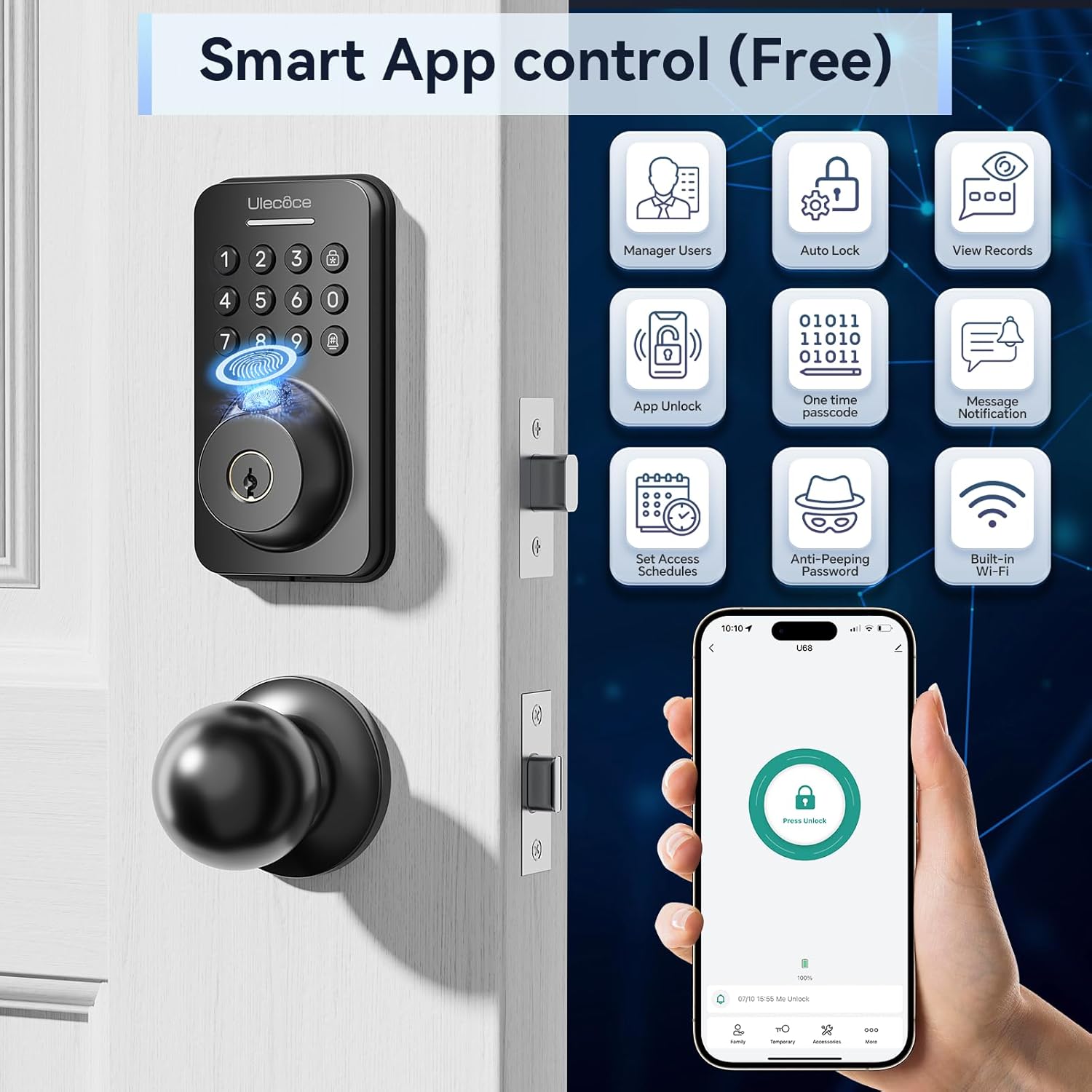
Imagine: Pesteview of the smart app control features, including user management and access logs.

Image: Visual representation of the smart lock's app control functionality via Wi-Fi.

Image: Screenshots guiding users through the network pairing process within the app.

Image: The timed passcode feature, allowing generation and sharing of temporary access codes.

Image: The app's entry records feature, displaying a detailed history of lock activity.

Image: Different options for passcode settings, catering to various user needs and access types.
3.3. Auto-Lock and One-Touch Locking
The lock features an automatic locking function, adjustable from 10 to 30 seconds, ensuring your door is always secured after closing. For immediate locking, use the one-touch lock function on the rear lock body.

Image: The auto-lock feature in action, providing peace of mind for busy individuals.

Image: Demonstrating the auto-lock setting and one-touch locking for quick security.
3.4. Modul Silențios
The keypad beep sounds can be muted to provide a noise-free environment, ideal for quiet homes or late-night entries.

Image: The silent mode feature, allowing for quiet operation of the keypad.
4. Întreținere
4.1. Înlocuirea bateriei
The Ulecoce smart lock operates on 4 AA batteries (not included). It is designed for long-lasting battery life, approximately 180 days based on 20 unlocks per day. The lock will provide a low battery alert when replacement is needed.

Image: Illustration of the smart lock's battery compartment and its extended battery life.

Image: The low battery alert system, prompting users to replace batteries, and indicating a Type-C charging option for temporary power.
Note: Battery consumption may increase in colder temperatures.
5. Depanare
This section provides solutions to common issues you might encounter with your Ulecoce smart lock.
5.1. Lock Not Responding
- Verificați bateriile: Asigurați-vă că bateriile sunt instalate corect și au o încărcare suficientă. Înlocuiți-le dacă este necesar.
- Ciclu de alimentare: Remove and reinsert the batteries to reset the lock.
- Cheie mecanică: Use the mechanical key to confirm if the issue is electronic or mechanical.
5.2. Fingerprint Not Recognized
- Curățați senzorul: Asigurați-vă că senzorul de amprentă este curat și fără murdărie sau umezeală.
- Plasarea corectă: Asigurați-vă că degetul acoperă întreaga suprafață a senzorului.
- Reînregistrare amprentă: If issues persist, delete and re-register your fingerprint in the app.
5.3. Passcode Issues
- Cod corect: Double-check that the correct passcode is being entered.
- Anti-Peeping: Remember to include random digits if using the anti-peeping feature.
- Resetare cod: If forgotten or not working, reset the passcode via the app or mechanical key.
- Automatic Locking System: After five consecutive failed attempts, the lock will activate an automatic locking system for 1 minute to prevent unauthorized access.
5.4. Probleme de conectivitate a aplicațiilor
- Semnal Wi-Fi: Ensure your lock is within range of a strong Wi-Fi signal.
- Actualizare aplicație: Make sure your mobile app is updated to the latest version.
- Reconectați dispozitivul: Try re-pairing the lock with the app if connectivity is lost.
6. Specificații
| Caracteristică | Detaliu |
|---|---|
| Marca | Ulecoce |
| Numele modelului | WZ-U68-WIFI-TP-0327 |
| Tip blocare | Zăvor, Tastatură |
| Caracteristici speciale | Anti-Peeping Password, Auto-Lock, Fingerprint, One-Touch Lock, Passcode Unlock |
| Dimensiuni articol (L x l x H) | 2.7 x 1.32 x 5 inci |
| Material | Zinc |
| Greutatea articolului | 3.5 lire sterline |
| Culoare | Negru |
| Sursa de alimentare | 4 baterii AA (nu sunt incluse) |
| Metoda de control | Atingere |
| UPC | 768383681345 |
7. Garanție și asistență
For warranty information and customer support, please refer to the documentation included with your product packaging or visit the official Ulecoce website. Contact details for technical assistance are typically found in the quick start guide or on the manufacturer's support page.


