1. Introducere
Mulțumesc pentru achizițieasing the Gembird GMB Audio TWS-LCD-ANC-01-W Wireless In-Ear Headphones. These headphones are designed to provide a high-quality audio experience for music and calls, featuring Active Noise Cancellation (ANC) and an integrated microphone. This manual provides essential information for setting up, operating, maintaining, and troubleshooting your device.
2. Conținutul pachetului
- 1x Pair of Gembird GMB Audio TWS-LCD-ANC-01-W Wireless In-Ear Headphones
- 1x carcasă de încărcare
- 1x cablu de încărcare USB tip C
3. Produs terminatview
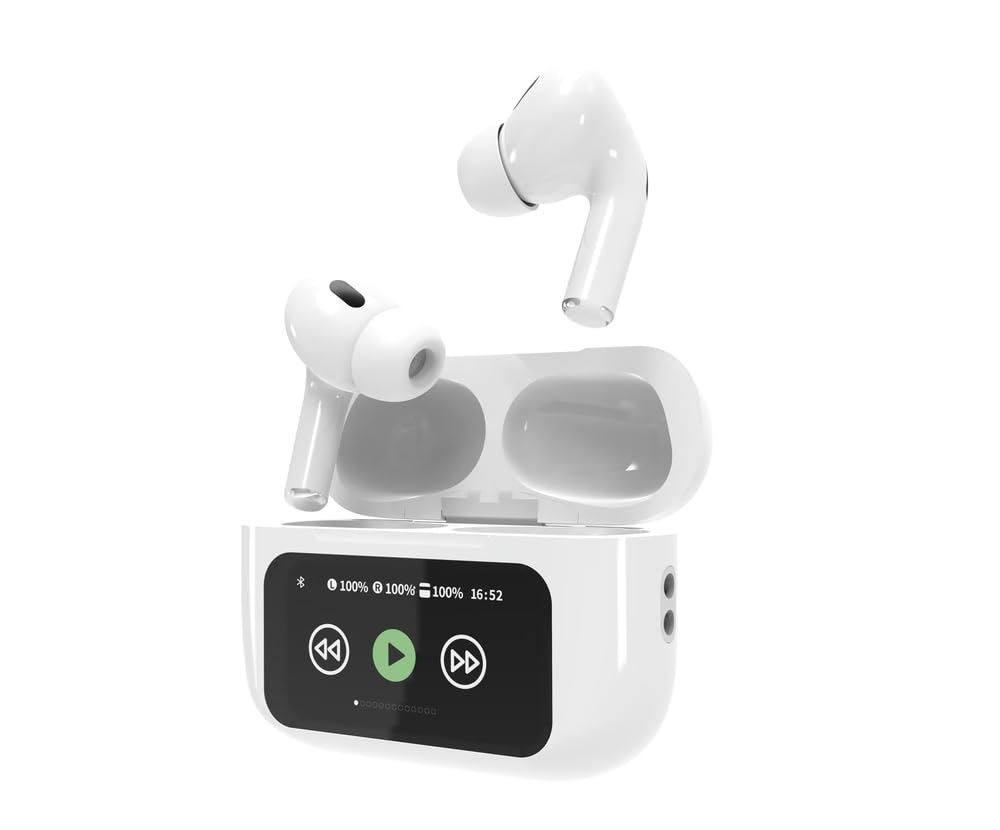
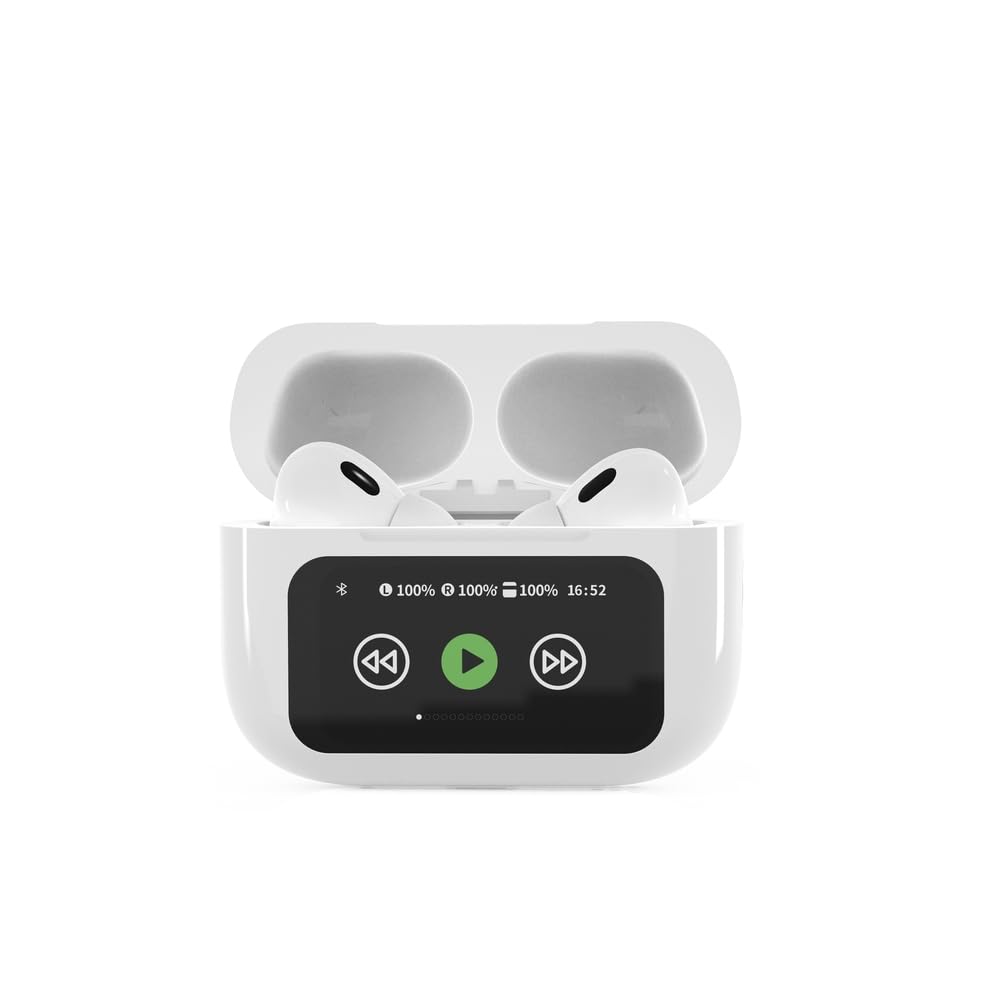

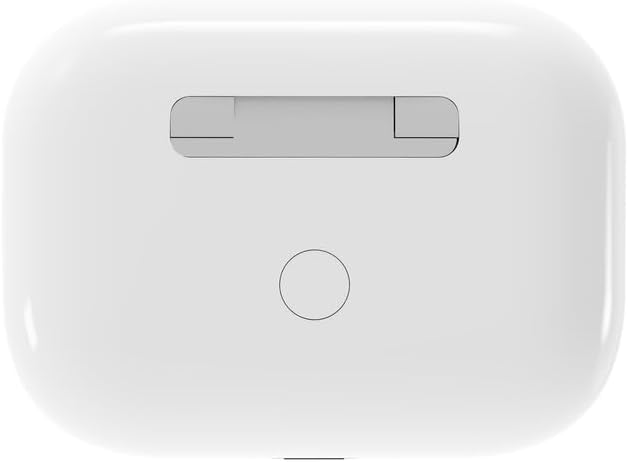

4. Configurare
4.1 Încărcare inițială
Before first use, fully charge the headphones and the charging case. Connect the supplied USB Type-C cable to the charging port on the case and plug the other end into a compatible USB power source (e.g., computer, wall adapter). The LED indicator on the case will show charging status. A full charge typically takes approximately 2 hours.
4.2 Asociere Bluetooth
- Ensure the headphones are in the charging case and the case is open. The headphones will automatically enter pairing mode.
- Pe dispozitivul mobil (smartphone, tabletă, laptop), activați Bluetooth.
- Caută available Bluetooth devices and select 'Gembird TWS-LCD-ANC-01-W' from the list.
- Once connected, the headphones will indicate successful pairing, and the device name will appear as 'Connected' on your mobile device.
5. Instrucțiuni de utilizare
5.1 Pornire/Oprire
- Pornire: Căștile se pornesc automat când sunt scoase din carcasa de încărcare.
- Oprire: The headphones automatically power off and begin charging when placed back into the charging case and the lid is closed.
5.2 Redarea muzicii
Control music playback using the touch-sensitive areas on the earbuds or the display on the charging case.
- Redare/Pauză: Single tap on either earbud or press the play/pause icon on the case display.
- Următoarea piesă: Double tap on the right earbud or press the 'next' icon on the case display.
- Pista anterioară: Double tap on the left earbud or press the 'previous' icon on the case display.
5.3 Gestionarea apelurilor
When an incoming call is received, music playback will automatically pause.
- Răspunde la apel: Atingeți o singură dată oricare dintre căști.
- Terminare apel: Atingeți o singură dată oricare dintre căști în timpul unui apel.
- Respinge apelul: Apăsați și țineți apăsat fiecare cască timp de 2 secunde.
5.4 Anularea activă a zgomotului (ANC)
Activate or deactivate the Active Noise Cancellation feature to reduce ambient noise.
- Comutare ANC: Press and hold the touch-sensitive area on the left earbud for 2 seconds, or use the dedicated ANC control on the charging case display.
5.5 Controlul volumului
Adjust the volume directly from your connected device or through the touch controls on the earbuds (if supported by the specific model's firmware) or the charging case display.
6. Întreținere
6.1 Curățare
- Ștergeți căștile și carcasa de încărcare cu o lavetă moale, uscată și fără scame.
- Nu utilizați produse de curățare abrazive, solvenți sau substanțe chimice dure.
- Asigurați-vă că contactele de încărcare de pe ambele căști și de pe carcasă sunt curate și uscate.
6.2 Depozitare
- Depozitați întotdeauna căștile în carcasa lor de încărcare atunci când nu le utilizați, pentru a le proteja și a le menține încărcate.
- A se pastra intr-un loc racoros si uscat, ferit de lumina directa a soarelui si de temperaturi extreme.
6.3 Îngrijirea bateriei
- Încărcați dispozitivul în mod regulat, chiar dacă nu îl utilizați frecvent, pentru a menține bateria sănătoasă.
- Evitați descărcarea completă frecventă a bateriei.
7. Depanare
| Problemă | Cauza posibila | Soluţie |
|---|---|---|
| Căștile nu pornesc. | Baterie descărcată sau deloc. | Place headphones in the charging case and ensure the case is charged. Charge the case fully. |
| Niciun sunet din căști. | Not connected via Bluetooth; volume too low; media paused. | Verify Bluetooth connection. Increase volume on both headphones and connected device. Check if media is playing. |
| Nu se poate realiza asocierea cu dispozitivul. | Headphones not in pairing mode; device already connected to another Bluetooth device; interference. | Ensure headphones are in pairing mode (open case). Turn off Bluetooth on other nearby devices. Forget the device in your phone's Bluetooth settings and try re-pairing. |
| Active Noise Cancellation (ANC) is ineffective. | ANC not activated; improper earbud fit. | Ensure ANC is toggled on. Adjust earbud position for a secure and sealed fit in your ear canal. |
| Microfonul nu funcționează în timpul apelurilor. | Microfon blocat; setări dispozitiv. | Ensure the microphone port on the earbuds is not obstructed. Check your device's audio input settings to ensure the headphones are selected. |
8. Specificații
- Model: TWS-LCD-ANC-01-W
- Conectivitate: Wireless, Bluetooth 5.3
- Bluetooth Profiles: A2DP, AVRCP, HPF, HSP
- Port de încărcare: USB tip C
- Gama de frecvențe audio: 20 - 20000 Hz
- Microfon: Integrat
- Tip căști: In-ear, Binaural
- Metoda de control: Atingere
- Controlul zgomotului: Anularea zgomotului activ (ANC)
- Tip baterie: Integrated Lithium Polymer (LiPo)
- Capacitatea bateriei carcasei de încărcare: 300 mAh
- Capacitatea bateriei căștilor: 30 mAh (fiecare)
- Continuous Audio Playback: Până la 8 ore
- Timp de încărcare: Aproximativ 2 ore
- Greutate produs: 66 g
- Product Dimensions (Case): 40 mm (lățime) x 60 mm (adâncime) x 25 mm (înălțime)
- Dispozitive compatibile: Laptop, Tabletă, Telefon mobil
- Rezistenta la apa: Rezistent la apă
- Certificari: RoHS
9. Garanție și asistență
9.1 Informații despre garanție
This product comes with a three-year warranty against manufacturing defects from the date of purchase. Please retain your proof of purchase for warranty claims. The warranty does not cover damage caused by misuse, accidents, unauthorized modifications, or normal wear and tear.
9.2 Asistență pentru clienți
For technical support, warranty claims, or further assistance, please contact your retailer or visit the official Gembird website. Contact information can typically be found on the product packaging or the Gembird corporate website-ul.


