1. Introducere
Thank you for choosing the GOBOULT Flex On-Ear Bluetooth Headphones. This manual provides essential information for setting up, operating, and maintaining your headphones. Please read it carefully before use to ensure optimal performance and longevity of your device.

Image: GOBOULT Flex On-Ear Bluetooth Headphones in Jet Black, showcasindesignul elegant.
2. Ce se află în cutie
Verificați dacă toate articolele sunt prezente în colet:
- GOBOULT Flex On-Ear Bluetooth Headphones
- Cablu de încărcare rapidă de tip C
- AUX Cable (for wired connection)
- Manual de utilizare (acest document)
- Card de garanție
3. Produs terminatview
The GOBOULT Flex headphones feature an adjustable headband and soft earcups designed for comfort during extended use. Key components include:
- Bandă pentru cap reglabilă: For a customized fit.
- Căști pentru urechi: Padded for comfort, housing the 40mm audio drivers.
- Butoane de control: Power, Volume Up/Down, Multi-function Button.
- Port de încărcare tip C: Pentru reîncărcarea bateriei interne.
- Port AUX: Pentru conexiune audio prin cablu.
- Microfon: Integrated Zen™ ENC mic for clear calls.

Image: Close-up of the GOBOULT Flex headphones highlighting the adjustable headband and earcups for comfortable wear.
4. Configurare
4.1 Încărcarea căștilor
Before first use, fully charge your headphones. Connect the provided Type-C charging cable to the headphone's charging port and the other end to a USB power source (e.g., wall adapter, computer USB port).
- O încărcare completă durează aproximativ 60 de minute.
- O încărcare de 10 minute oferă până la 5 ore de redare.
- Indicatorul LED va afișa starea de încărcare (de exemplu, roșu pentru încărcare, albastru pentru încărcare completă).
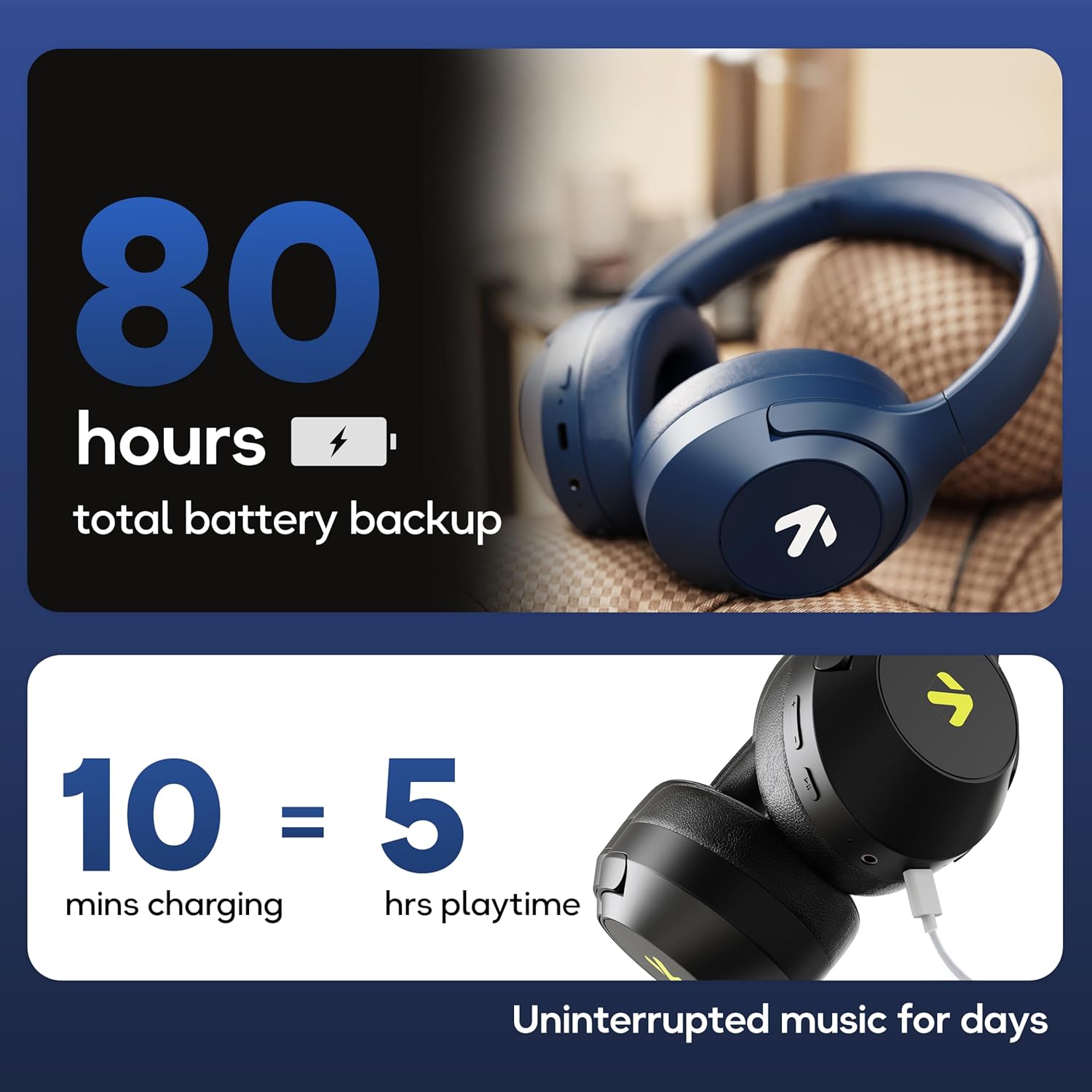
Image: Visual representation of the GOBOULT Flex headphones' battery life and fast charging capability.
4.2 Pornire/Oprire
- Pentru a porni: Press and hold the Power button for 3 seconds. The LED indicator will flash.
- Pentru a opri: Apăsați și țineți apăsat butonul de pornire timp de 5 secunde. Indicatorul LED se va stinge.
4.3 Asociere Bluetooth
The GOBOULT Flex headphones utilize Bluetooth 5.4 for stable and fast connections.
- Asigurați-vă că căștile sunt oprite.
- Apăsați și mențineți apăsat butonul de pornire timp de aproximativ 5-7 secunde, până când indicatorul LED clipește alternativ în roșu și albastru, indicând modul de asociere.
- Pe dispozitivul dvs. (smartphone, tabletă, laptop), activați Bluetooth și căutați dispozitivele disponibile.
- Select "GOBOULT Flex" from the list of devices.
- După conectare, indicatorul LED va clipi lent în albastru.

Image: Illustration of the GOBOULT Flex headphones connecting via Bluetooth 5.4, highlighting the fast pairing feature.
4.4 Conexiune AUX
You can use the headphones with a wired connection when the battery is low or for devices without Bluetooth. Connect one end of the 3.5mm AUX cable to the headphone's AUX port and the other end to your audio source's 3.5mm jack.
5. Instrucțiuni de utilizare
5.1 Controale de bază
| Funcţie | Acţiune |
|---|---|
| Redare/Pauză | Apăsați butonul multifuncțional o dată. |
| Creșterea volumului | Apăsați butonul de creștere a volumului (+). |
| Reducerea volumului | Apăsați butonul de reducere a volumului (-). |
| Următoarea piesă | Apăsați și mențineți apăsat butonul de creștere a volumului (+). |
| Piesa anterioară | Apăsați și mențineți apăsat butonul de reducere a volumului (-). |
5.2 Gestionarea apelurilor
The integrated Zen™ ENC (Environmental Noise Cancellation) microphone ensures clear communication during calls.

Imagine: Detaliată view of the GOBOULT Flex headphones highlighting the Zen™ ENC mic for noise-reduced calls.
| Funcţie | Acţiune |
|---|---|
| Răspundeți/Terminați apelul | Apăsați butonul multifuncțional o dată. |
| Respinge apelul | Țineți apăsat butonul multifuncțional timp de 2 secunde. |
5.3 Asistent vocal
Activează asistentul vocal al dispozitivului (de exemplu, Asistentul Google, Siri) direct din căști.
- Activați Asistentul vocal: Apăsați de două ori butonul multifuncțional.

Image: GOBOULT Flex headphones showing compatibility with voice assistants and IPX5 water resistance.
Mod de joc 5.4 (latență redusă)
For an optimized gaming experience, activate the 60ms ultra-low latency Combat™ Gaming Mode.
- Activează modul de jocuri: Refer to your device's specific instructions or the product's quick start guide for the button combination to toggle gaming mode.

Image: GOBOULT Flex headphones illustrating the Combat™ Gaming Mode with 60ms ultra-low latency for mobile gaming.
5.5 moduri EQ
The headphones feature 4 EQ modes to customize your audio experience:
- Bas
- stâncă
- Pop
- Vocal
To switch between EQ modes, refer to the specific button press sequence in your quick start guide or product packaging. This functionality allows you to tailor the sound profile după preferința dvs.

Imagine: Pesteview of GOBOULT Flex features, including the 4 EQ modes for sound customization.
6. Întreținere
6.1 Curățare
Wipe the headphones with a soft, dry cloth. Do not use abrasive cleaners or solvents. For earcups, gently wipe with a damp o cârpă și lăsați să se usuce complet la aer înainte de utilizare.
6.2 Depozitare
Depozitați căștile într-un loc răcoros și uscat, ferit de lumina directă a soarelui și de temperaturi extreme. Designul pliabil permite depozitarea compactă.
6.3 Rezistență la apă (IPX5)
The GOBOULT Flex headphones are rated IPX5, meaning they are resistant to sweat and light splashes of water. They are not designed for submersion in water. Avoid exposing them to heavy rain or showering.
7. Depanare
| Problemă | Soluție posibilă |
|---|---|
| Căștile nu pornesc. | Ensure the headphones are charged. Connect to a power source using the Type-C cable. |
| Nu se poate conecta prin Bluetooth. | Ensure headphones are in pairing mode (flashing red/blue). Turn off and on your device's Bluetooth. Move closer to the device. |
| Nici un sunet. | Check volume levels on both headphones and connected device. Ensure headphones are properly paired or AUX cable is fully inserted. |
| Calitate slabă a apelurilor. | Ensure the microphone is not obstructed. Move to a quieter environment. |
8. Specificații
| Caracteristică | Detaliu |
|---|---|
| Numele modelului | Flex (ProBass) |
| Conectivitate | Bluetooth 5.4, AUX |
| Dimensiunea driverului audio | 40mm |
| Timp de joacă | Până la 80 ore |
| Port de încărcare | Tip-C |
| Timp de încărcare | Aproximativ. 60 minute |
| Microfon | Zen™ ENC Mic |
| Mod de latență scăzută | 60ms (Combat™ Gaming Mode) |
| Rezistenta la apa | IPX5 |
| Raspuns in frecventa | 20 Hz |
| Sensibilitate | 118 dB |
| Impedanta | 32 ohmi |
| Greutatea articolului | 214 grame |
9. Garanție și asistență
The GOBOULT Flex headphones come with a 1-year warranty. To avail of the extended warranty and for any support inquiries, please register your product on the official GOBOULT website. For technical assistance or customer service, refer to the contact information provided on your warranty card or the GOBOULT official website-ul.
Manufacturer: Exotic Mile Private Limited
Țara de origine: China


