1. Introducere
Thank you for choosing the CTOLITY AP400 Portable Power Station. This device is a versatile and reliable power source equipped with a 481Wh LiFePO4 battery and 500W output. It is designed to provide electricity for outdoor activities, emergency backup, and mobile work. This manual provides essential information for safe operation, setup, maintenance, and troubleshooting.
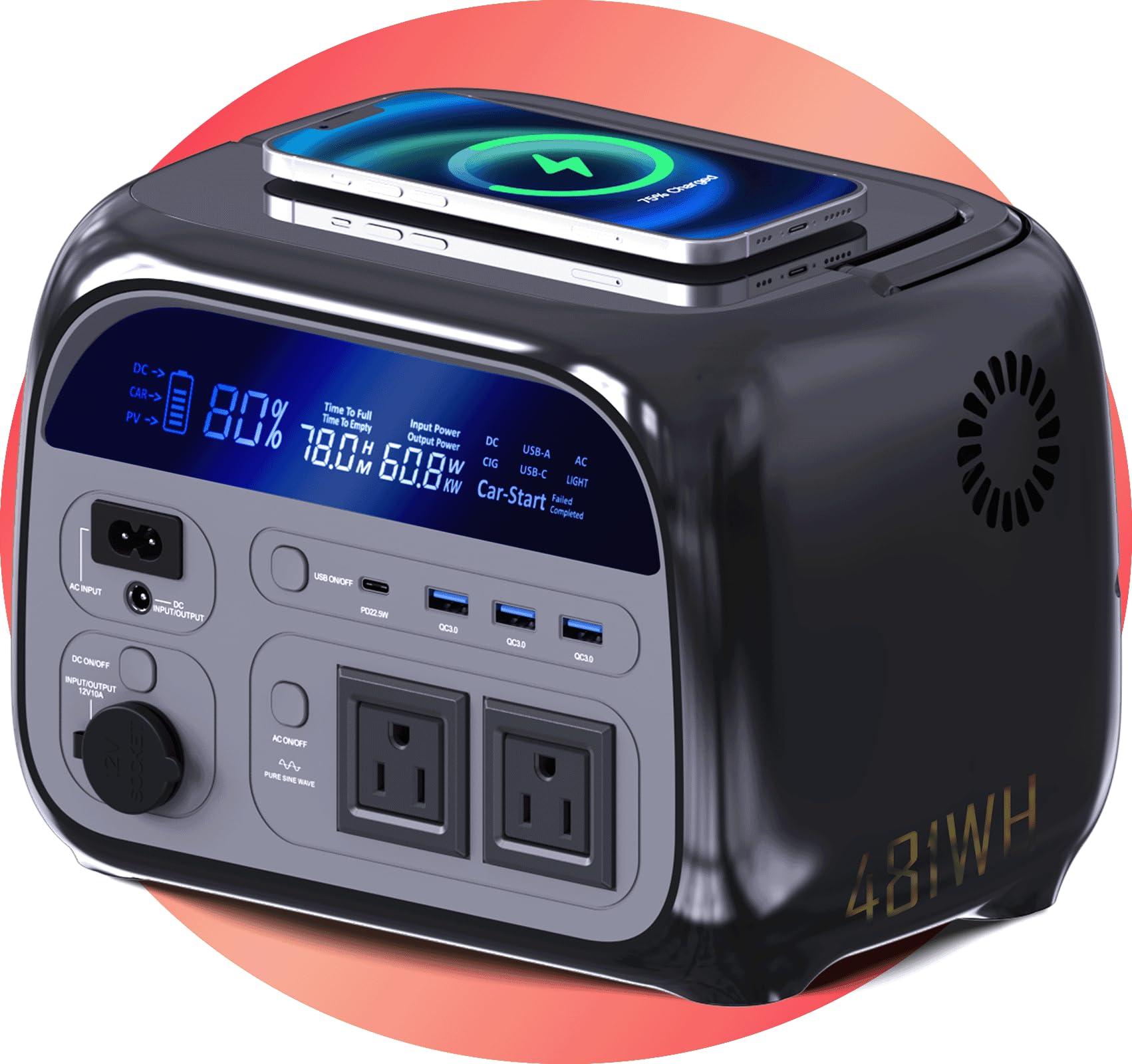
Image 1.1: CTOLITY AP400 Portable Power Station. This image shows the power station positioned on a rock in a natural, forested environment, highlighting its suitability for outdoor use.
2. Instrucțiuni de siguranță
Please read and understand all safety instructions before operating the power station. Failure to follow these instructions may result in electric shock, fire, or serious injury.
- Nu dezasamblați, reparați sau modificați unitatea.
- Nu expuneți unitatea la foc sau temperaturi extreme.
- Păstrați unitatea departe de apă, umiditate și substanțe corozive.
- Asigurați o ventilație corespunzătoare în timpul utilizării și încărcării pentru a preveni supraîncălzirea.
- Nu introduceți obiecte străine în porturi.
- A nu se lăsa la îndemâna copiilor și a animalelor de companie.
- Folosiți doar accesorii și cabluri de încărcare aprobate.
- If the unit emits smoke, strange odors, or unusual noise, discontinue use immediately and contact support.
3. Conținutul pachetului
Verificați dacă toate articolele sunt incluse în pachetul dvs.:
- CTOLITY AP400 Power Station
- Adaptor AC
- Cablu încărcător auto
- Manual de utilizare (acest document)
4. Caracteristicile produsului și alteleview
The AP400 Power Station is designed with multiple features for convenience and safety.
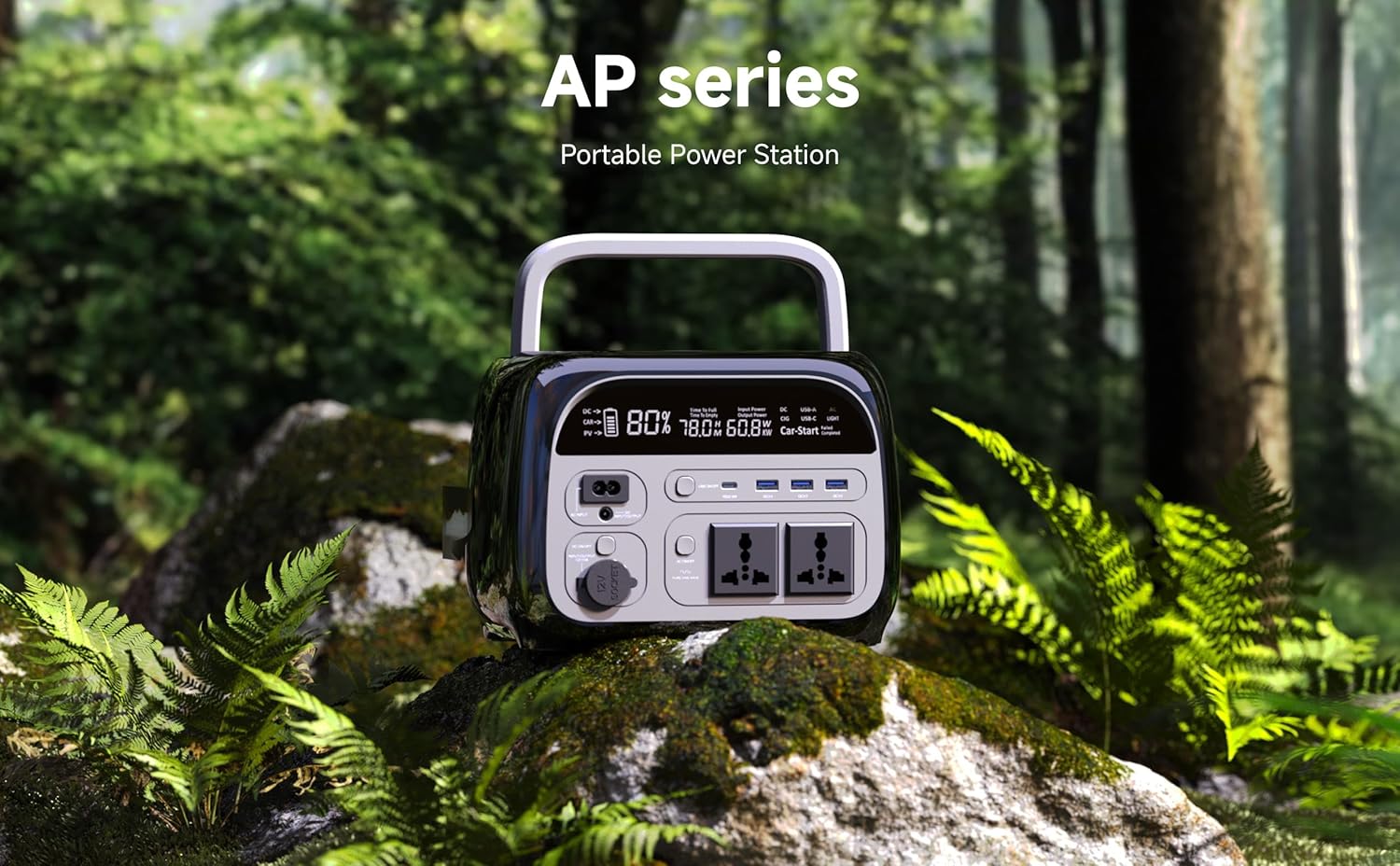
Image 4.1: Front Panel Overview. This image displays the front of the power station, highlighting the LCD screen, AC outlets, USB ports, and DC ports.
Caracteristici cheie:
- Baterie LiFePO4 de 481 Wh: Provides long-lasting and stable power.
- Putere de ieșire CA 500W: Two pure sine wave AC outlets for sensitive electronics.
- Multiple DC & USB Ports: Includes 2 DC ports and 4 USB ports (including USB-C) for diverse device charging.
- Display LCD: Shows real-time battery level, input/output wattage și timpul de execuție rămas.
- Opțiuni multiple de încărcare: Supports AC wall outlet, solar panel (not included), and car charging.
- Compact și ușor: Cântărește aproximativ 10 kg pentru o portabilitate ușoară.
- Funcționalitatea UPS-ului: Features a 0.03-second instant switch for uninterruptible power supply.
- Încărcare fără fir: Supports WPC Qi v1.2.4 for compatible devices.
5. Configurare
Încărcare inițială:
- Upon receiving your AP400, it is recommended to fully charge the unit before first use.
- Connect the provided AC adapter to the AC input port on the power station.
- Conectați adaptorul de curent alternativ la o priză standard de perete.
- The LCD display will indicate charging status. The unit is fully charged when the battery icon shows 100%.
Înțelegerea afișajului:
Ecranul LCD oferă informații esențiale:
- Nivel baterie: Procenttage indicator of remaining battery capacity.
- Put de intraretage: Shows the power being drawn during charging.
- Putere de ieșiretage: Displays the power being consumed by connected devices.
- Remaining Runtime: Estimated time the power station can operate based on current load.
6. Instrucțiuni de utilizare
Pornire/Oprire:
- To turn on the power station, press and hold the main power button for 3 seconds. The LCD display will illuminate.
- To turn off the power station, press and hold the main power button for 3 seconds again. The display will turn off.
Încărcarea centralei electrice:
The AP400 offers multiple charging methods:

Image 6.1: Charging Options. This image illustrates the three primary ways to charge the power station: via AC wall outlet, solar panels, and a car charger.
- Priză AC de perete: Connect the AC adapter to the AC input port and a wall outlet.
- Solar Panel (not included): Connect compatible solar panels (up to 200W input) to the DC input port. Ensure the solar panel voltage este în intervalul specificat.
- Încărcător auto: Use the provided car charger cable to connect the power station to your vehicle's 12V cigarette lighter port.
Utilizarea porturilor de ieșire:
Activate the desired output section by pressing its respective button (AC, DC, USB) on the front panel.
- Prize AC: Press the AC button to enable the two 110V AC outlets. Plug in devices requiring up to 500W total.
- Porturi USB: Press the USB button to activate the 4 USB ports (including USB-C). Connect smartphones, tablets, and other USB-powered devices.
- Porturi DC: Press the DC button to enable the two 12V DC ports. Suitable for devices like car refrigerators or portable air pumps.
- Încărcare fără fir: Place your Qi-compatible device on the wireless charging pad located on the top of the unit.
Always ensure the total power consumption of connected devices does not exceed the power station's maximum output capacity (500W).
7. Întreținere
- Depozitare: Depozitați stația de alimentare într-un loc răcoros și uscat, ferit de lumina directă a soarelui și de temperaturi extreme.
- Îngrijirea bateriei: For optimal battery life, fully charge the unit every 3-6 months, even if not in use. Avoid completely draining the battery for extended periods.
- curatenie: Folosiți o cârpă uscată și moale pentru a curăța exteriorul unității. Nu utilizați substanțe chimice dure sau materiale abrazive.
- Ventilare: Asigurați-vă că orificiile de ventilație sunt lipsite de praf și resturi pentru a preveni supraîncălzirea.
8. Depanare
| Problemă | Cauza posibila | Soluţie |
|---|---|---|
| Stația de alimentare nu pornește. | Bateria este complet descărcată. | Connect to an AC outlet and charge for at least 30 minutes. |
| Ieșirea de curent alternativ nu funcționează. | AC output not enabled; device exceeds 500W; power station overheated. | Press the AC button; check device wattage; allow unit to cool down. |
| Ieșirea USB/DC nu funcționează. | USB/DC output not enabled; device is incompatible. | Press the USB/DC button; ensure device is compatible. |
| Încărcarea este lentă sau nu are loc. | Faulty cable/adapter; solar panel not optimally positioned; car charger issue. | Check connections and cables; reposition solar panel; check car's 12V outlet. |
| Afișajul LCD este gol. | Power station is off; display timeout. | Press the main power button briefly to wake the display or turn on the unit. |
Dacă problema persistă, vă rugăm să contactați serviciul de asistență pentru clienți.
9. Specificații
| Caracteristică | Detaliu |
|---|---|
| Numele modelului | AP400 |
| Tip baterie | LiFePO4 |
| Capacitatea bateriei | 481Wh |
| Ieșire AC | 500W (Pure Sine Wave), 110V |
| Ieșire continuă | 12V (2 ports) |
| Ieșire USB | 4 ports (including USB-C) |
| Încărcare fără fir | WPC Qi v1.2.4 compatible |
| Intrare de încărcare | AC Adapter, Solar Panel (up to 200W), Car Charger |
| Greutatea articolului | 10 livre (aproximativ) |
| Dimensiunile produsului | 15 cm L x 9 cm l x 11 cm Î (aprox.) |
| Material | Metal, plastic |
10. Garanție și asistență
Informații despre garanție:
Stația de alimentare portabilă CTOLITY AP400 este dotată cu un Garanție de 2 an de la producător de la data achiziției. Această garanție acoperă defectele de materiale și de fabricație în condiții normale de utilizare. Nu acoperă daunele cauzate de utilizarea necorespunzătoare, accidente, modificări neautorizate sau dezastre naturale.
Asistență clienți:
For technical assistance, warranty claims, or any questions regarding your CTOLITY AP400 Portable Power Station, please contact our customer support team. Please have your purchase receipt and model number (AP400) ready when contacting support.
Informații de contact:
E-mail: support@ctolity.com
Website: www.ctolity.com (Vă rugăm să rețineți: Acesta este un substituent) URL. Refer to your product packaging or official website for actual contact details.)


