1. Introducere
Welcome to the TABWEE T80 Tablet user manual. This guide provides comprehensive instructions to help you get the most out of your new Android 15 tablet. The T80 is designed for a seamless and powerful user experience, featuring advanced AI capabilities, a vibrant display, and robust performance for both work and entertainment.
Caracteristici cheie:
- Sistem de operare Android 15: Experience the latest features and security enhancements.
- Gemini AI 2.0: Enhanced AI for smarter interactions and controls.
- 10.5-inch HD+ IPS Display: Enjoy clear and vibrant visuals with a wide viewunghiul de ing.
- Performanță puternică: Equipped with a 2.0GHz CPU, 12GB RAM, and 64GB ROM (expandable up to 2TB via TF card).
- Baterie de lunga durata: 6000mAh mega battery for extended use.
- Conectivitate avansată: Supports 5G WiFi and Bluetooth 5.0.
- 5MP Google Lens Camera: For clear photos and smart scene recognition.

Figure 1.1: The TABWEE T80 Tablet, showcasindesignul și afișajul său elegant.
2. Configurare
2.1 Despachetare și încărcare inițială
Carefully remove your TABWEE T80 Tablet from its packaging. Before first use, it is recommended to fully charge the device using the provided USB-C cable and power adapter. The charging port is located on the side of the tablet.
2.2 Pornirea și configurarea inițială
- Press and hold the Power button (located on the side) until the TABWEE logo appears on the screen.
- Urmați instrucțiunile de pe ecran pentru a selecta limba, a vă conecta la o rețea Wi-Fi și a configura contul Google.
- Review și acceptați termenii și condițiile pentru a finaliza procesul de configurare.

Figura 2.1: O pesteview of the TABWEE T80's core specifications and features.
3. Utilizarea tabletei
3.1 Caracteristici Android 15
Your TABWEE T80 runs on the latest Android 15, offering enhanced user experience, improved privacy, and smart features.
Split-Screen Combo
The split-screen feature allows you to run two applications simultaneously, enhancing multitasking and productivity. You can easily save app pairs for quick access.
Video 3.1: Demonstrates how to use the split-screen feature to run two applications concurrently on the TABWEE T80 tablet.
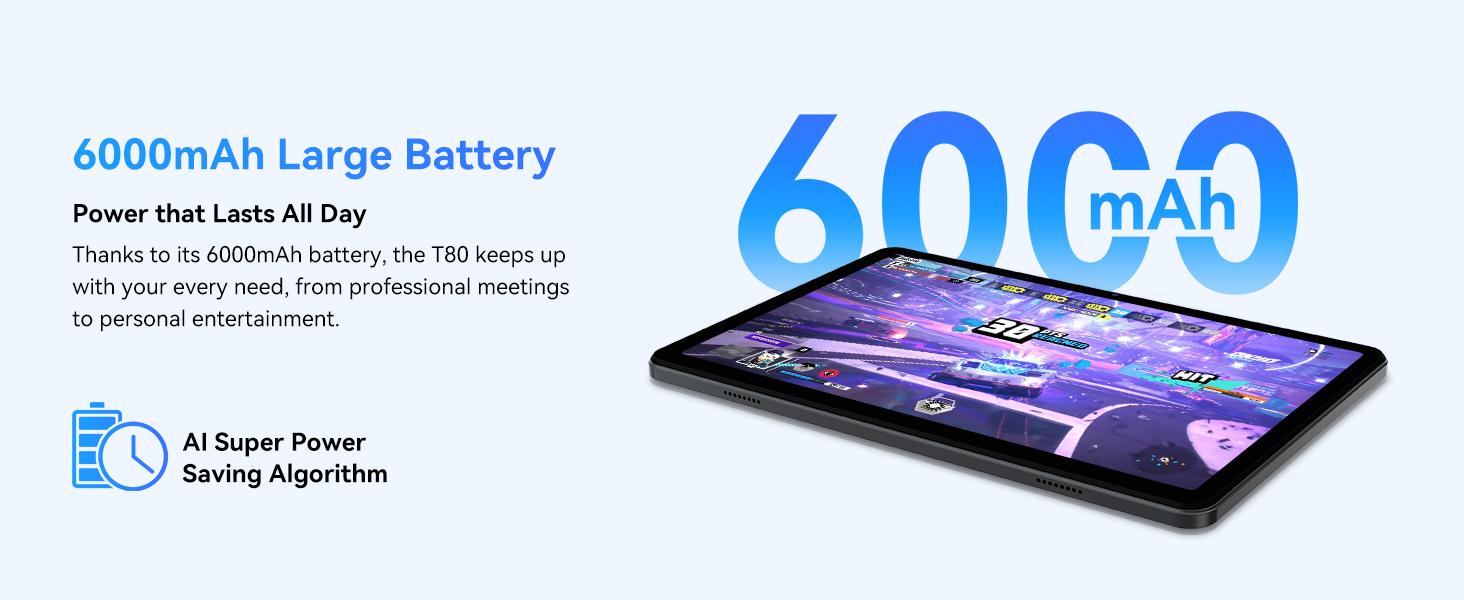
Figure 3.1: Visual representation of the split-screen functionality, allowing for efficient multitasking.
Desktop Customization and Widgets
Personalize your home screen by dragging and grouping apps freely. You can also add various widgets, such as the calendar, to quickly access information and tasks.
Video 3.2: Illustrates how to customize your desktop layout and add widgets for quick access to information.
Controlul confidențialității
Android 15 offers enhanced privacy controls, allowing you to manage app permissions and secure your data. You can block app access to sensitive information like location.
Video 3.3: Shows how to manage privacy settings and control app access to your data on the TABWEE T80.
Parental Controls with Gemini AI
Utilize Gemini AI parental controls to manage screen time, automatically lock games during homework, and ensure a safe digital environment for children.
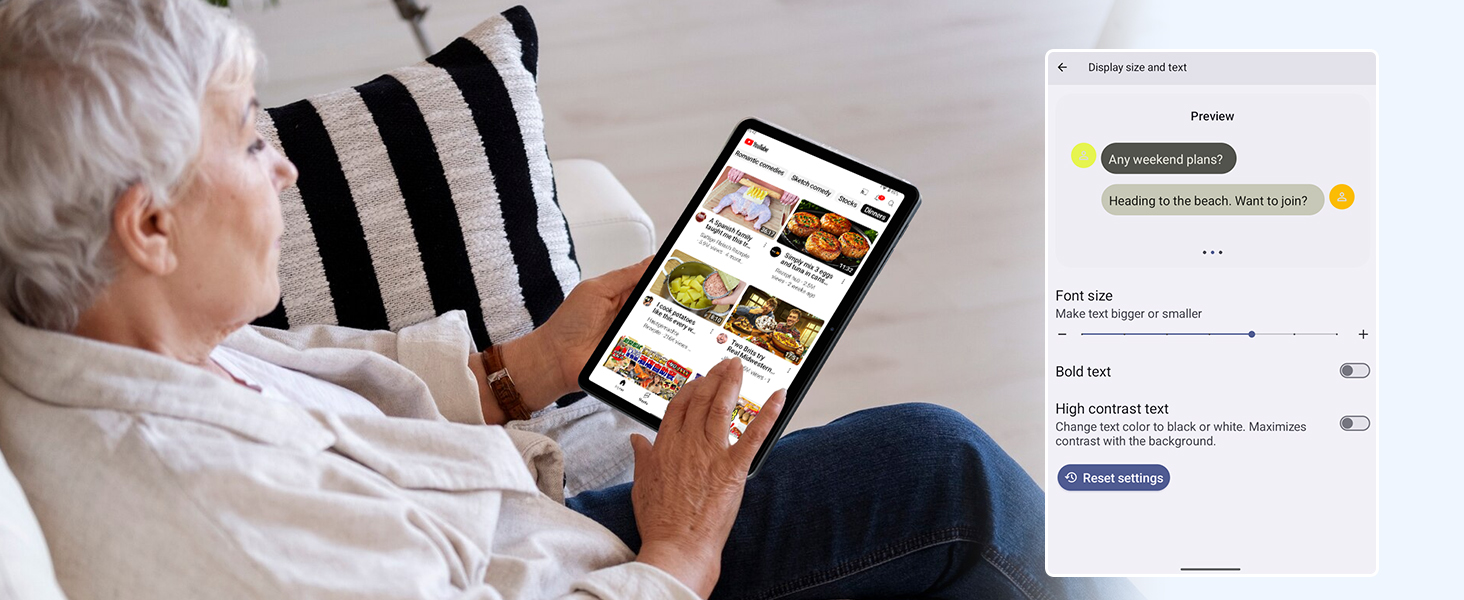
Figure 3.2: The Digital Wellbeing interface, demonstrating options for managing screen time and parental controls.
3.2 Afișaj și elemente vizuale
The 10.5-inch HD+ IPS display provides a clear and immersive viewing experience with a 1280x800 resolution and 84.9% screen-to-body ratio. It's ideal for watching videos, browsing, and reading.

Figure 3.3: Details of the tablet's display, highlighting its resolution and IPS full view capabilități.
3.3 Performanță și stocare
Powered by a 2.0GHz Unisoc T310 CPU and 12GB RAM (expandable via software memory extension), the T80 ensures smooth multitasking and responsive performance. With 64GB of internal storage and support for up to 2TB TF cards, you have ampspațiu pentru toți ai tăi fileaplicații și media.

Figure 3.4: Illustration of the tablet's processing power and memory, enabling seamless multitasking and productivity.
3.4 Durata de viață a bateriei
The 6000mAh mega battery provides extended usage, offering up to 8 hours of video streaming, 6 hours of gaming, or 30 hours of music playback. Smart power-saving modes further optimize battery longevity.

Figure 3.5: Depiction of the tablet's large 6000mAh battery and its USB-C charging port.
3.5 Caracteristicile camerei
The T80 features a 5MP Google Lens enabled camera. This allows for scene recognition, night mode optimization, and useful functions like text translation and object identification.

Figura 3.6: O pesteview of the tablet's camera and its integration with Google Lens for smart functions.
4. Întreținere
To ensure the longevity and optimal performance of your TABWEE T80 Tablet, follow these maintenance guidelines:
- curatenie: Folosiți o lavetă moale, fără scame, pentru a curăța ecranul și carcasa. Evitați materialele abrazive sau substanțele chimice dure.
- Actualizări de software: Verificați și instalați periodic actualizări de sistem pentru a beneficia de cele mai recente funcții, corecții de securitate și îmbunătățiri de performanță.
- Îngrijirea bateriei: Evitați temperaturile extreme. Nu lăsați bateria să se descarce complet frecvent. Pentru depozitarea pe termen lung, încărcați bateria până la aproximativ 50%.
- Managementul stocării: Curățați periodic inutilul fileaplicații pentru a elibera spațiu de stocare și a menține o funcționare fără probleme.
- Protecţie: Luați în considerare utilizarea unei huse de protecție și a unui protector de ecran pentru a vă proteja împotriva căzăturilor și zgârieturilor.
5. Depanare
This section addresses common issues you might encounter with your TABWEE T80 Tablet.
5.1 Dispozitivul nu pornește
- Verificați bateria: Ensure the tablet has sufficient charge. Connect it to the charger and wait a few minutes before attempting to power on again.
- Hard Reset: Press and hold the Power button for about 10-15 seconds until the device restarts.
5.2 Probleme de conectivitate Wi-Fi
- Comutare Wi-Fi: Turn Wi-Fi off and then on again in Settings.
- Reporniți routerul: Opriți și reporniți routerul Wi-Fi.
- Uită de rețea: Go to Wi-Fi settings, forget the problematic network, and then reconnect.
5.3 Performanță lentă
- Închideți aplicațiile în fundal: Închideți aplicațiile neutilizate care rulează în fundal.
- Ștergeți memoria cache: Regularly clear app caches in Settings > Apps.
- Eliberați spațiu de stocare: Ștergeți inutil filesau dezinstalați aplicațiile utilizate rar.
- Reporniți dispozitivul: A simple restart can often resolve temporary slowdowns.
5.4 Aplicațiile se blochează sau nu răspund
- Aplicație de oprire forțată: Go to Settings > Apps, select the problematic app, and choose 'Force Stop'.
- Clear App Data/Cache: In the same app settings, try clearing its cache or data (note: clearing data will reset the app to its default state).
- Reinstalați aplicația: Uninstall and then reinstall the app from the Google Play Store.
6. Specificații
Detailed technical specifications for the TABWEE T80 Tablet:
| Caracteristică | Caietul de sarcini |
|---|---|
| Marca | TABWEE |
| Numele modelului | T80 |
| Sistem de operare | Android 15 |
| Dimensiunea ecranului | 10.5 inchi |
| Rezoluția ecranului | 1280 x 800 pixeli |
| Procesor | 2.0 GHz Unisoc T310 |
| Memorie (RAM) | 12 GB |
| Stocare (ROM) | 64 GB |
| Stocare extensibilă | Up to 2TB TF Card |
| Spate WebRezoluția camerei | 5 MP |
| Tip fără fir | 802.11n, 802.11b, 802.11a, 802.11ac, 802.11g (5G WiFi) |
| Bluetooth | Bluetooth 5.0 |
| Capacitatea bateriei | 6000mAh |
| Durata medie a bateriei | 550 Hours (Standby) |
| Greutatea articolului | 1.1 livre (aproximativ 523 grame) |
| Dimensiunile produsului | 9.5 x 6.4 x 0.3 inci |
| Culoare | Gri |
7. Garanție și asistență
TABWEE is committed to quality and customer satisfaction. Your T80 Tablet comes with comprehensive support to ensure a worry-free experience.
7.1 Informații despre garanție
The TABWEE T80 Tablet is backed by a 2 an garanție. This warranty covers manufacturing defects and ensures free repair service for eligible issues. Please retain your proof of purchase for warranty claims.
7.2 Asistență pentru clienți
For any questions, technical assistance, or warranty claims, please contact our dedicated support team:
- 24/7 Online Call Support: Disponibil pentru asistență imediată.
- Suport tehnic pe viață: Expert help whenever you need it.
- Hassle-Free Service: Assistance available through the TABWEE Official Flagship Store.
We are dedicated to providing prompt and effective solutions to all your inquiries.

Figura 7.1: Echipa noastră dedicată de asistență clienți este gata să vă ajute.


