1. Produs terminatview
The Riflewell Large Double Door Digital Safe Box is designed to secure your valuables with advanced locking mechanisms and a robust construction. This manual will guide you through its features and functions.

Imaginea 1.1: Pesteview of the Riflewell Large Double Door Digital Safe Box, showcasing its dual compartments and digital keypads.
Caracteristici cheie:
- Dual Door Design: Allows for separate access to each compartment.
- Digital Keypad: For secure and quick access.
- Emergency Access: Includes master keys and external power option.
- Anti-Theft Alarm System: Activates after multiple incorrect entries or violent vibrations.
- Mute Function: For silent operation.
- Internal LED Lighting: Illuminates the interior for visibility.
- Soft Interior Lining: Protects valuables from scratches.
- Deposit Slot: For quick and easy deposits without opening the main door.
2. Conținutul pachetului și configurarea
2.1 Conținutul pachetului:
Before proceeding with setup, please verify that all components are present:
- 1 x Riflewell Digital Safe Box
- 4 x Chei de urgență
- 6 x Șuruburi de expansiune (pentru montare)
- 1 x USB Type-C Cable (for external power)
- 4 x Tampoane antiderapante
- 1 x Manual de utilizare
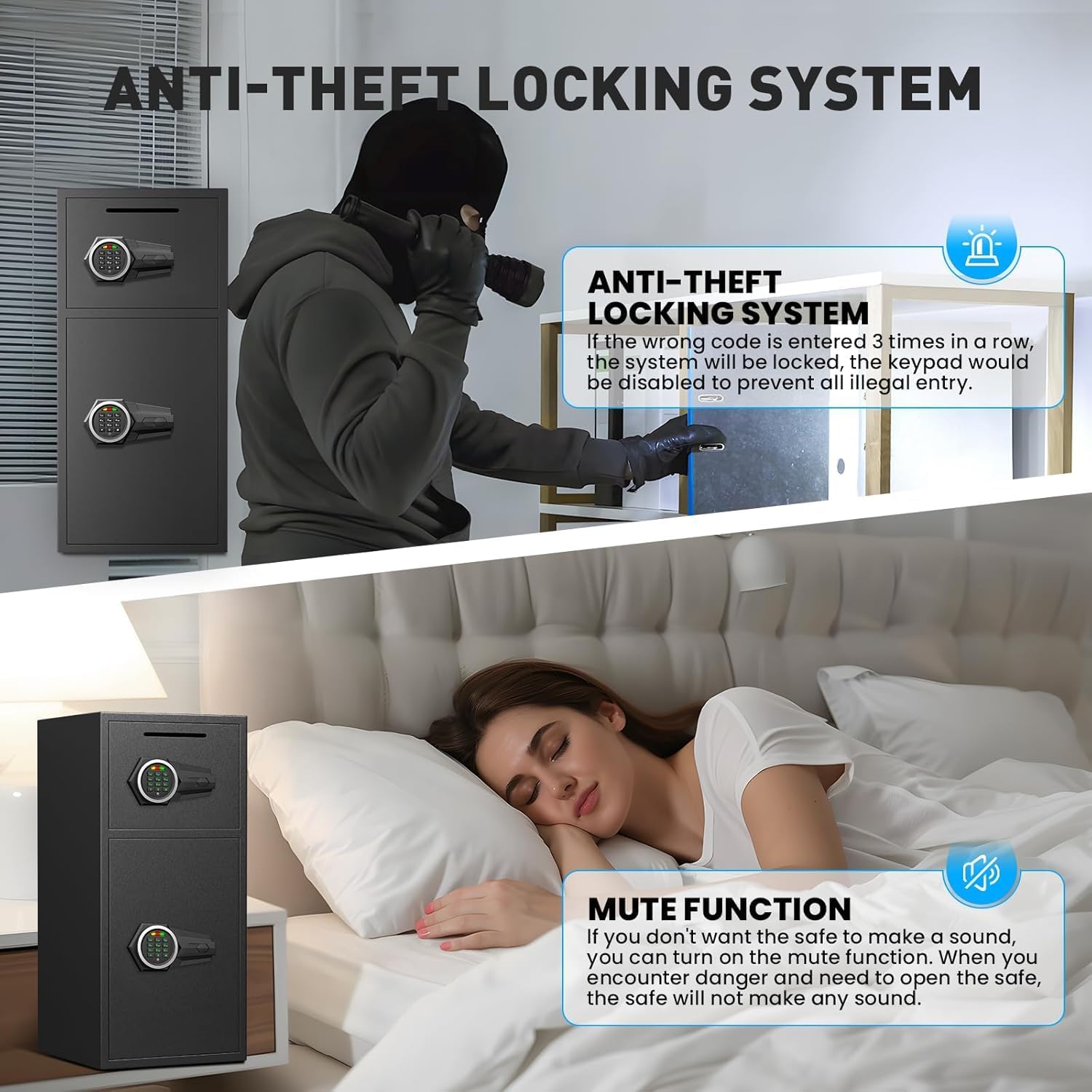
Image 2.1: Visual representation of the safe's dimensions and included accessories.
2.2 Despachetare și inspecție inițială:
Carefully remove the safe from its packaging. Inspect the safe for any signs of damage during transit. Ensure all protective materials are removed.
Video 2.1: A short demonstration of the unboxing process and removal of protective packaging from the safe.
2.3 Instalarea bateriei:
The safe requires batteries for the digital keypad to function. Locate the battery compartment, typically inside the door. Insert the required batteries (usually AA, not included) according to the polarity markings.

Image 2.2: Close-up of the built-in battery box and the passcode reset button, located inside the safe door.
2.4 Mounting the Safe:
For enhanced security, it is recommended to mount the safe to a floor or wall using the provided expansion screws. Choose a secure location and follow these steps:
- Poziționați seiful în locația dorită.
- Mark the drilling points through the pre-drilled holes in the safe's base or back.
- Drill pilot holes into the floor or wall.
- Align the safe and secure it using the expansion screws.
3. Instrucțiuni de utilizare
3.1 Initial Passcode Setup:
Upon first use, or after battery replacement, you will need to set your personal passcode. Refer to the specific instructions provided on the inside of your safe door or in the included user manual for detailed steps on setting and changing the passcode.
3.2 Opening the Safe:
There are multiple ways to open your Riflewell safe:
- Digital Passcode: Enter your programmed passcode on the keypad, then turn the handle to open.
- Cheie de urgență: In case of forgotten passcode or battery failure, insert the emergency key into the keyhole, turn it, and then turn the handle.
- External Power + Passcode: If batteries are depleted and emergency keys are not readily available, connect the USB Type-C cable to the external power port, enter your passcode, and turn the handle.

Image 3.1: Illustration of the three primary methods for unlocking the safe.
Video 3.2: Demonstration of opening the safe using the digital keypad and turning the handle.
3.3 Using the Deposit Slot:
The safe features a convenient front slot for depositing money or small items without needing to open the main door. Simply insert the items into the slot.
3.4 Mute Function:
To operate the safe silently, activate the mute function. This is useful in situations where audible feedback from the keypad or alarm is undesirable. Refer to your specific user manual for instructions on enabling/disabling the mute function.

Image 3.4: Depicts the anti-theft system and the mute function, illustrating their respective uses.
4. Întreținere
4.1 Înlocuirea bateriei:
When the battery indicator light signals low power, or if the keypad becomes unresponsive, replace the batteries promptly. Use the emergency key to open the safe if necessary, then replace the batteries in the compartment located inside the door.
4.2 Curățare:
Ștergeți exteriorul seifului cu o lavetă moale șiamp cloth. Avoid using abrasive cleaners or solvents that could damage the finish. Ensure the keypad and locking mechanisms are free from dust and debris.
4.3 Emergency Key Storage:
Store emergency keys in a secure location outside the safe. Do not keep them inside the safe, as they will be inaccessible if the digital lock fails or batteries run out.
5. Depanare
5.1 Alarm System Activation:
The safe's alarm system will activate if three consecutive incorrect passcodes are entered or if the safe experiences violent vibrations. The alarm sound is approximately 70 decibels. To deactivate the alarm, enter the correct passcode or use the emergency key.
5.2 Keypad Unresponsive:
If the keypad does not respond, check the batteries. If batteries are low or depleted, use the external USB Type-C power cable or the emergency key to open the safe and replace the batteries.
5.3 Door Not Opening:
Ensure the correct passcode is entered and the handle is turned promptly. If using the emergency key, ensure it is fully inserted and turned before attempting to open the door. Check for any obstructions preventing the door from opening.
6. Specificații
| Caracteristică | Detaliu |
|---|---|
| Marca | Riflewell |
| Numărul de model | KL-65D-01 |
| Dimensiunile produsului | 13.8" D x 13.8" L x 25.5" H |
| Tip blocare | Blocare electronică cu combinație |
| Capacitate | 6.5 picioare cubice |
| Material | Oțel aliat cu conținut scăzut de carbon |
| Caracteristici speciale | Alarm System, LED Light, Mute Function, Double Door, Deposit Slot |
| Tip de montare | Montare pe podea |
| Greutatea articolului | 39.5 lire sterline |
7. Garanție și asistență
Riflewell offers a lifetime warranty for this product, along with 24-hour online customer service and 90-day unconditional returns. A lifetime key matching service is also provided.
Contactarea Serviciului Clienți:
If you encounter any issues or have questions regarding your safe, please contact Riflewell customer service. You can typically find contact information in the product packaging or on the official Riflewell website-ul.
For Amazon purchases, you can also:
- Conectați-vă la contul dvs. de cumpărător Amazon.
- Find your order for the Riflewell safe.
- Click "Get help" to contact the seller directly.


