1. Introducere
This manual provides essential information for the setup, operation, and maintenance of your MINIX Z150-0dB Fanless Mini PC. Designed for quiet and efficient performance, this mini PC is suitable for a variety of applications including home office, industrial, and commercial environments. Please read this manual thoroughly before using your device.
2. Produs terminatview
The MINIX Z150-0dB is a high-performance, fanless mini PC featuring an Intel N150 processor. Its design prioritizes silent operation, reliability, and energy efficiency. Key features include:
- Intel N150 Processor: An efficient entry-level CPU (up to 3.6GHz, upgraded from N100) with Intel UHD Graphics, suitable for basic tasks, web navigare și aplicații de birou.
- Fanless Passive Cooling: Ensures silent operation, reduced maintenance, dust-free performance, and no vibration, making it ideal for noise-sensitive environments.
- Efficient RAM Cooling: An exclusive feature that enhances thermal dissipation for memory, preserving performance and reliability.
- No Throttling: The system maintains full CPU power without underclocking to mitigate heat, ensuring sustained performance and optimal power usage.
- Anti-Static Design: Robust hardware protection minimizes the risk of damage from electrostatic discharge, enhancing component longevity and stability.

Image 2.1: The MINIX Z150-0dB Fanless Mini PC, showcasindatorită designului său compact și antenelor externe.

Imaginea 2.2: O suprapunereview of the MINIX Z150-0dB's key specifications, including Intel N150 processor, 4 cores, 4 threads, Intel UHD Graphics, 2.5Gbps LAN, WiFi 6, DDR4 3200MHz, PCIe x4 512GB SSD, and Quiet-0dB design.
3. Ce se află în cutie
Upon unpacking your MINIX Z150-0dB, please ensure all the following items are present:
- 1 x MINIX NEO Z150 Mini PC
- 2 x Dual-band Antennas
- 1 x cablu HDMI
- 1 x Suport VESA cu șuruburi
- 1 x Power Adapter with US/EU/UK Plugs
- 1 x Manual de utilizare (acest document)
4. Ghid de instalare
Follow these steps to set up your MINIX Z150-0dB Mini PC:
- Atașați antene: Screw the two dual-band antennas onto the designated connectors at the rear of the mini PC. Ensure they are securely fastened.
- Conectați afișajul: Connect your monitor or TV to one of the HDMI 2.0 ports on the mini PC using the provided HDMI cable. The device supports dual 4K@60Hz displays.
- Conectați periferice: Plug in your USB keyboard and mouse into the available USB 3.2 Gen 2 or USB 2.0 ports.
- Conexiune retea: For a wired connection, connect an Ethernet cable to the 2.5G Ethernet port. For Wi-Fi, ensure antennas are attached; the device supports Wi-Fi 6.
- Conexiune de alimentare: Connect the power adapter to the DC 12V-19V power jack on the mini PC, then plug the adapter into a power outlet.
- Pornire: Press the power button located on the front of the mini PC. The system will boot up, typically running Windows 11 Pro.

Image 4.1: Detailed diagram showing the port layout and dimensions of the MINIX Z150-0dB Mini PC, including TF Card Slot, USB-C (Data Only), USB 3.2 Gen 2, 3.5 mm Audio Jack, Power Button, Reset Button, DC 12V-19V Power Jack, USB 2.0, 2.5G Ethernet, HDMI 2.0, and Antenna Screw Mounts.
5. Instrucțiuni de utilizare
Your MINIX Z150-0dB Mini PC comes pre-installed with Windows 11 Pro, offering a familiar user experience.
- Pornire/Oprire: Press the power button once to turn on the device. To shut down, use the standard Windows shutdown procedure. A quick press of the power button can also initiate sleep mode.
- Dual Display Setup: Connect two monitors to the HDMI 2.0 ports for an extended desktop experience. The system supports 4K resolution at 60Hz on both displays simultaneously.
- Conectivitate la rețea: Utilize the 2.5G Ethernet port for high-speed wired internet or connect to a wireless network via the integrated Wi-Fi 6 (AX201) and Bluetooth 5.2.
- Port USB-C: The USB-C port is for data transfer only and does not support video output or power delivery.

Image 5.1: The MINIX Z150-0dB Mini PC connected to two external monitors, demonstrating its dual HDMI 4K display capability for enhanced productivity.
6. Întreținere
The fanless design of the MINIX Z150-0dB significantly reduces maintenance requirements compared to traditional PCs. However, proper care ensures optimal performance and longevity.
- Funcționare fără praf: The fanless design prevents dust accumulation inside the unit, reducing the need for internal cleaning.
- Disiparea căldurii: The mini PC utilizes a special metal shell for passive cooling. The surface, especially the top aluminum heat dissipation shell, may become warm or hot during intensive tasks. This is normal for fanless mini PCs.
- Asigurați fluxul de aer: Always ensure adequate airflow around the mini PC to improve its cooling performance. Do not obstruct the ventilation fins.
- Manipulare: Avoid touching the metal heat conduction shell with bare hands during operation, especially when the device is under heavy load, as it may be hot.

Image 6.1: Illustration highlighting the anti-static hardware protection of the MINIX Z150-0dB, contributing to component longevity and stability.

Imaginea 6.2: O explozie view illustrating the internal cooling layers and heat dissipation mechanism of the MINIX Z150-0dB, showing how heat is conducted away from components.
7. Depanare
If you encounter issues with your MINIX Z150-0dB, refer to the following common troubleshooting steps:
- Fără afișare:
- Ensure the power adapter is securely connected and the power button is pressed.
- Verify that the HDMI cable is firmly connected to both the mini PC and the monitor.
- Testează cu un alt cablu HDMI sau monitor, dacă este posibil.
- Fără putere:
- Verificați adaptorul de alimentare și cablul pentru a vedea dacă sunt deteriorate.
- Asigurați-vă că priza este funcțională.
- Probleme de conectivitate la rețea:
- Pentru conexiunile prin cablu, verificați starea cablului Ethernet și a routerului.
- For Wi-Fi, ensure the antennas are properly attached and the device is within range of your wireless network. Check Wi-Fi settings in Windows.
- Probleme de încetinire/performanță a sistemului:
- While the Z150-0dB is designed for no throttling, ensure adequate ventilation around the device.
- Close unnecessary applications to free up RAM and CPU resources.
- Asigurați-vă că Windows este actualizat.

Image 7.1: Diagram illustrating the 'No Throttling' feature of the MINIX Z150-0dB, showing how it maintains full CPU power without underclocking, unlike other systems.
8. Specificații
| Caracteristică | Detaliu |
|---|---|
| Procesor | Intel N150 (up to 3.6 GHz Celeron, 4 Cores, 4 Threads) |
| Grafică | Intel UHD Graphics (24 EUs, 750MHz Max Dynamic Frequency) |
| RAM | 16GB DDR4 3200MHz SO-DIMM (Single-channel support up to 32GB Max) |
| Depozitare | 512GB PCIe Gen3 x 4 NVMe SSD (Read >2000 MB/s, Write >1500 MB/s) |
| Sistem de operare | Windows 11 Pro |
| Ieșire afișată | 2 x HDMI 2.0 (Supports Dual 4K@60Hz Display) |
| LAN | 2.5G Ethernet (RTL8125BG-CG) |
| Conectivitate wireless | Wi-Fi 6 (AX201), Bluetooth 5.2 (5 GHz Radio Frequency) |
| Porturi USB | 2 x USB 3.2 Gen 2, 2 x USB 2.0, 1 x USB-C (Data Only) |
| Audio | 1 x 3.5 mm Audio Jack |
| Cititor de carduri | Slot pentru carduri TF |
| Dimensiuni (Lxlxh) | 4.84 x 4.72 x 1.81 inchi (123 x 120 x 46 mm) |
| Greutate | 1.96 lire sterline |
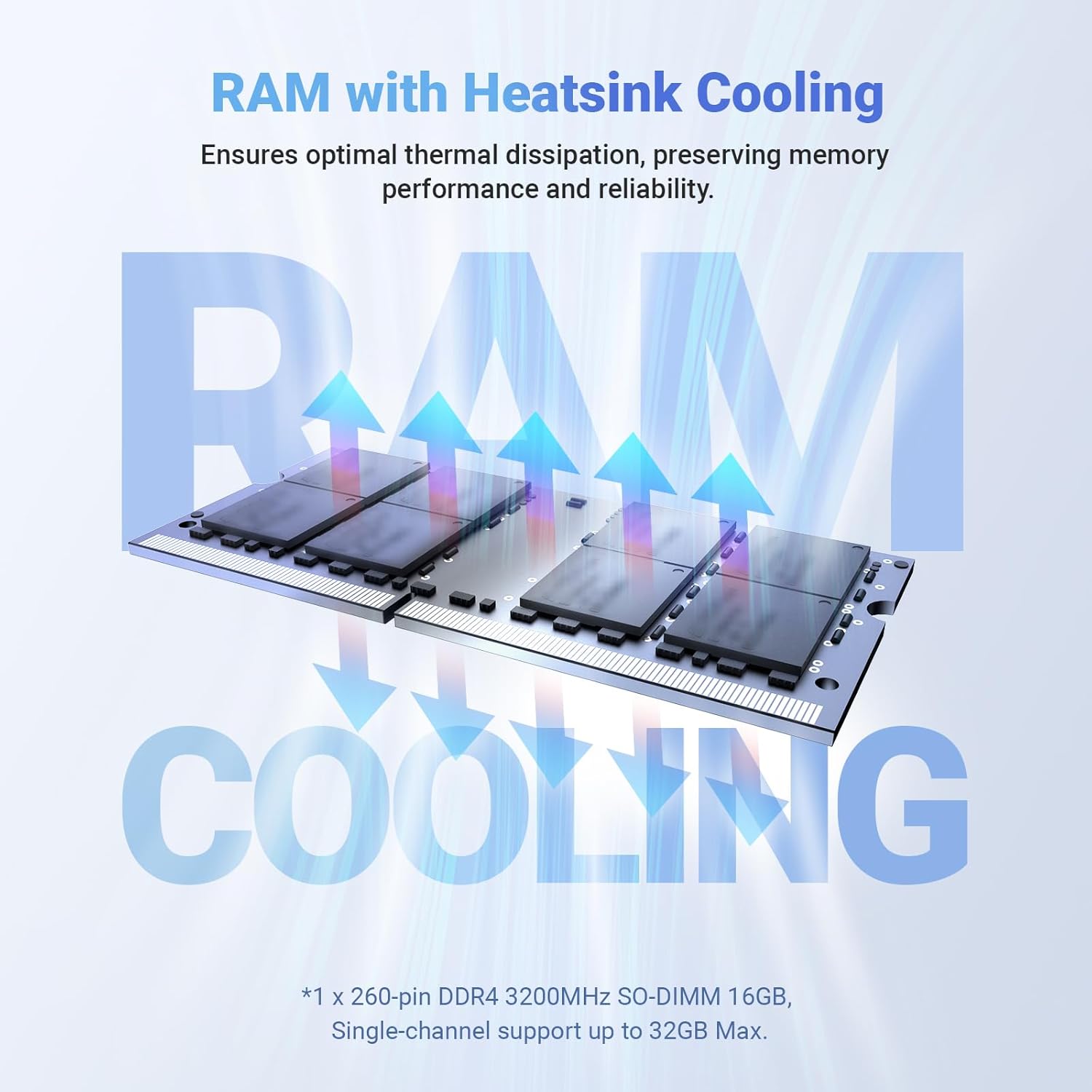
Image 8.1: Illustration of the RAM with heatsink cooling, demonstrating how thermal dissipation is optimized to preserve memory performance and reliability.

Image 8.2: Visual representation of the PCIe 3.0 x 4 SSD, highlighting its read and write speeds (Read >2000 MB/s, Write >1500 MB/s) and comparing it to SATA SSD performance.
9. Garanție și asistență
For warranty information, please refer to the official MINIX website or the documentation included with your purchase. MINIX products are designed for reliability and durability.
Asistență clienți:
If you require assistance or have questions regarding your MINIX Z150-0dB, you can reach customer support through the following methods:
- Asistență Amazon: Log in to your Amazon account, navigate to "Your Account" > "Your orders," and select "Ask Product Question" for your MINIX Z150-0dB purchase.
- Oficial Website: Visit the official MINIX website for additional support resources, FAQs, and contact information for offline maintenance services.


