1. Introducere
This manual provides detailed instructions for the installation, operation, and maintenance of your ieGeek S2 Outdoor Security Camera. Please read this manual thoroughly before using the product to ensure proper functionality and safety.
The ieGeek S2 is a wireless, battery-powered outdoor security camera featuring 3MP HD resolution, 300° pan functionality, high-efficiency solar charging, PIR human detection, two-way audio, and IP65 weather resistance for reliable outdoor surveillance.
2. Produs terminatview și Componente
The ieGeek S2 camera system includes the following components:
- Battery-powered Security Camera (with magnetic bracket) x1
- Panou solar x1
- Cablu de alimentare x1
- Screws x3, Anchors x3
- Manual de instrucțiuni x1
- Baza x1
- Adhesive Tape x1

3. Configurare
3.1 Metode de instalare
The ieGeek S2 camera offers flexible installation options:
- Atașament magnetic: For metal surfaces, the camera can be directly attached using its powerful magnetic base. This allows for quick and tool-free placement.
- Bandă adezivă: For non-magnetic surfaces like walls or railings, use the provided adhesive tape with the magnetic sheet. Ensure the surface is clean and dry for optimal adhesion.
- Montare cu șuruburi: For a more permanent and secure installation, use the included screws and anchors. This method is recommended for long-term outdoor use.


3.2 App Setup and Wi-Fi Connection
To set up your camera, download the dedicated ieGeek Cam app on your smartphone. Follow the in-app instructions to connect the camera to your home Wi-Fi network. The camera supports enhanced Wi-Fi 6 technology, providing a stable and extended connection range, reducing latency and communication interruptions.

3.3 Conectarea panoului solar
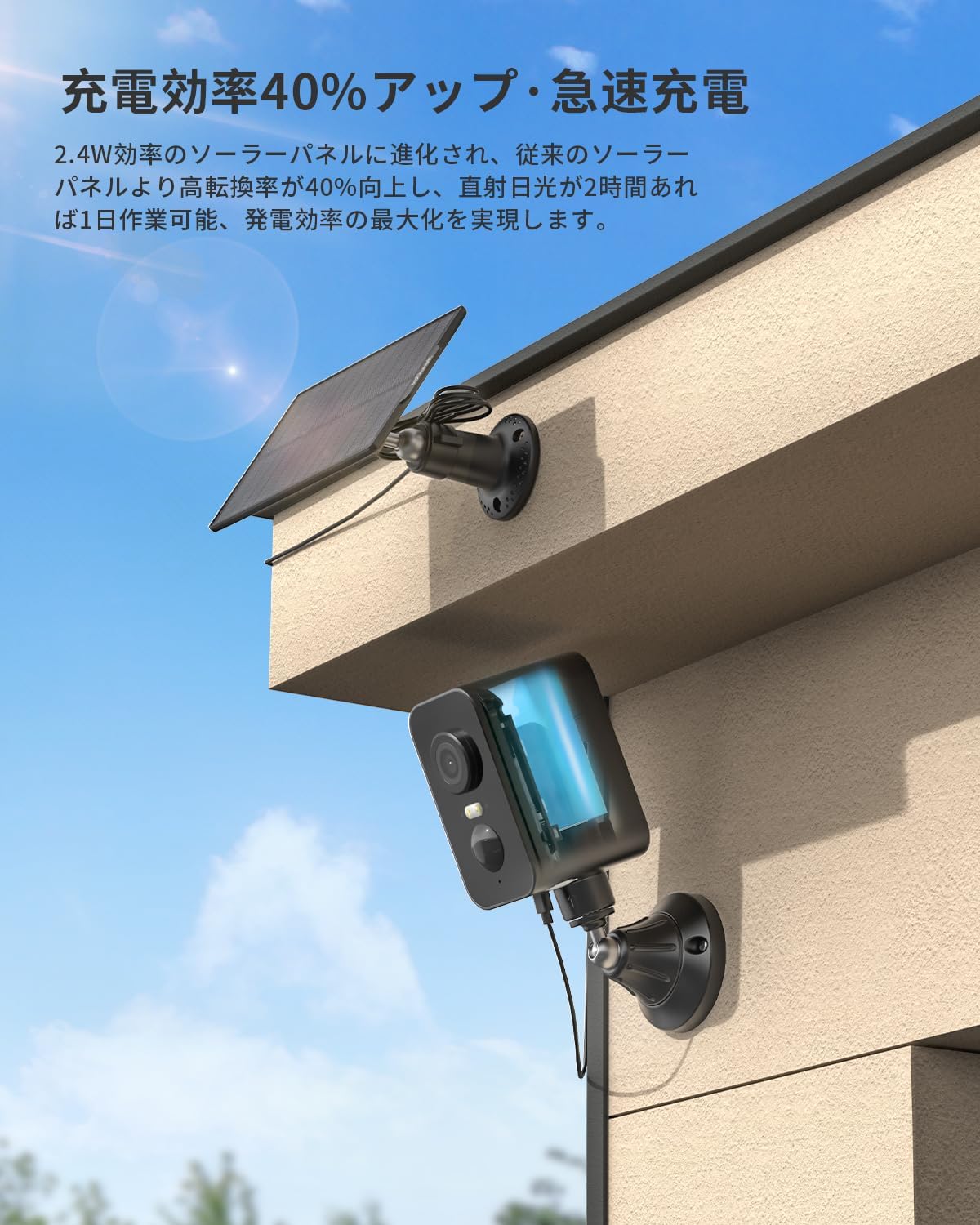
Connect the included solar panel to the camera for continuous charging. Position the solar panel in an area that receives at least 2 hours of direct sunlight daily to ensure optimal charging efficiency. The upgraded 2.4W solar panel offers 40% higher charging efficiency compared to previous versions, allowing for year-round operation without frequent manual recharging.
4. Instrucțiuni de utilizare
4.1 Video Monitoring and PTZ Functionality
The camera provides 3MP HD video quality (2304x1296 resolution) with a high-performance CMOS sensor and high-sensitivity lens. This allows for clear capture of details such as facial expressions and vehicle license plates.
Utilize the PTZ (Pan-Tilt-Zoom) function to remotely adjust the camera's viewing angle from your smartphone. The camera offers 300° horizontal rotation and a 130° ultra-wide-angle lens, providing 360° coverage without blind spots. This is ideal for monitoring gardens, entrances, and garages.

4.2 Vedere nocturnă
The camera features full-color night vision up to 15 meters. Equipped with infrared auxiliary lights and white LED auxiliary lights, it captures clear images even in darkness. When human motion is detected, the camera automatically switches to full-color recording mode, providing clear evidence of any activity.

4.3 Detectarea mișcării și alertele
The integrated PIR thermal sensor detects human movement and sends real-time notifications to your smartphone. The detection accuracy is approximately 99%, with minimal false alarms from falling leaves or insects. You can set multiple detection areas. If an intruder enters a defined area, the camera will automatically activate sound and light deterrence.
The camera also features smart AI detection analysis, which can differentiate between people, pets, vehicles, and packages, helping to reduce unnecessary notifications and streamline video searches.


4.4 Sunet bidirecțional
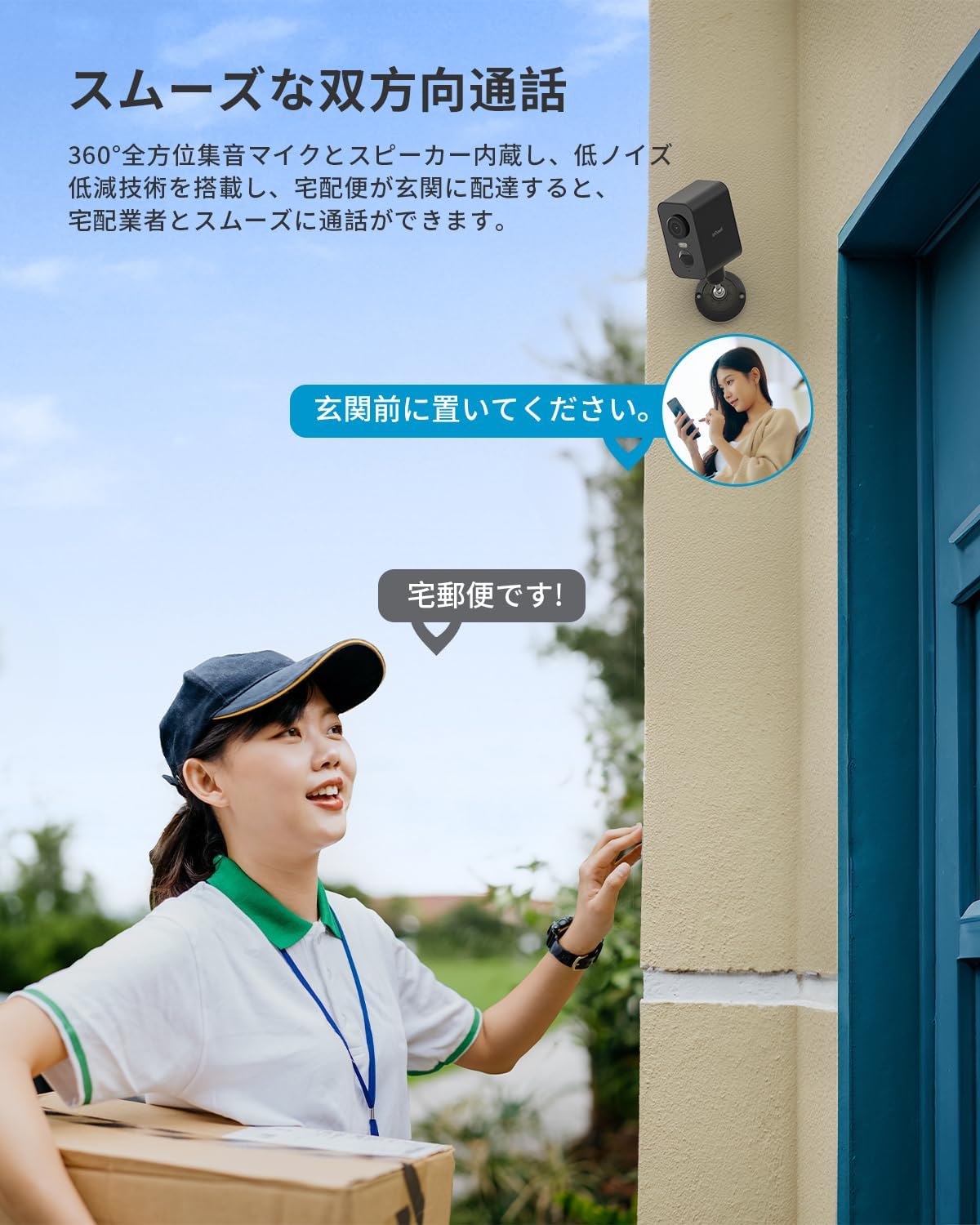
Equipped with a 360° omnidirectional microphone and speaker, and noise reduction technology, the camera enables smooth two-way communication. You can speak with family members from a remote location or communicate with visitors at your doorstep, enhancing convenience and security.
4.5 Înregistrare și stocare
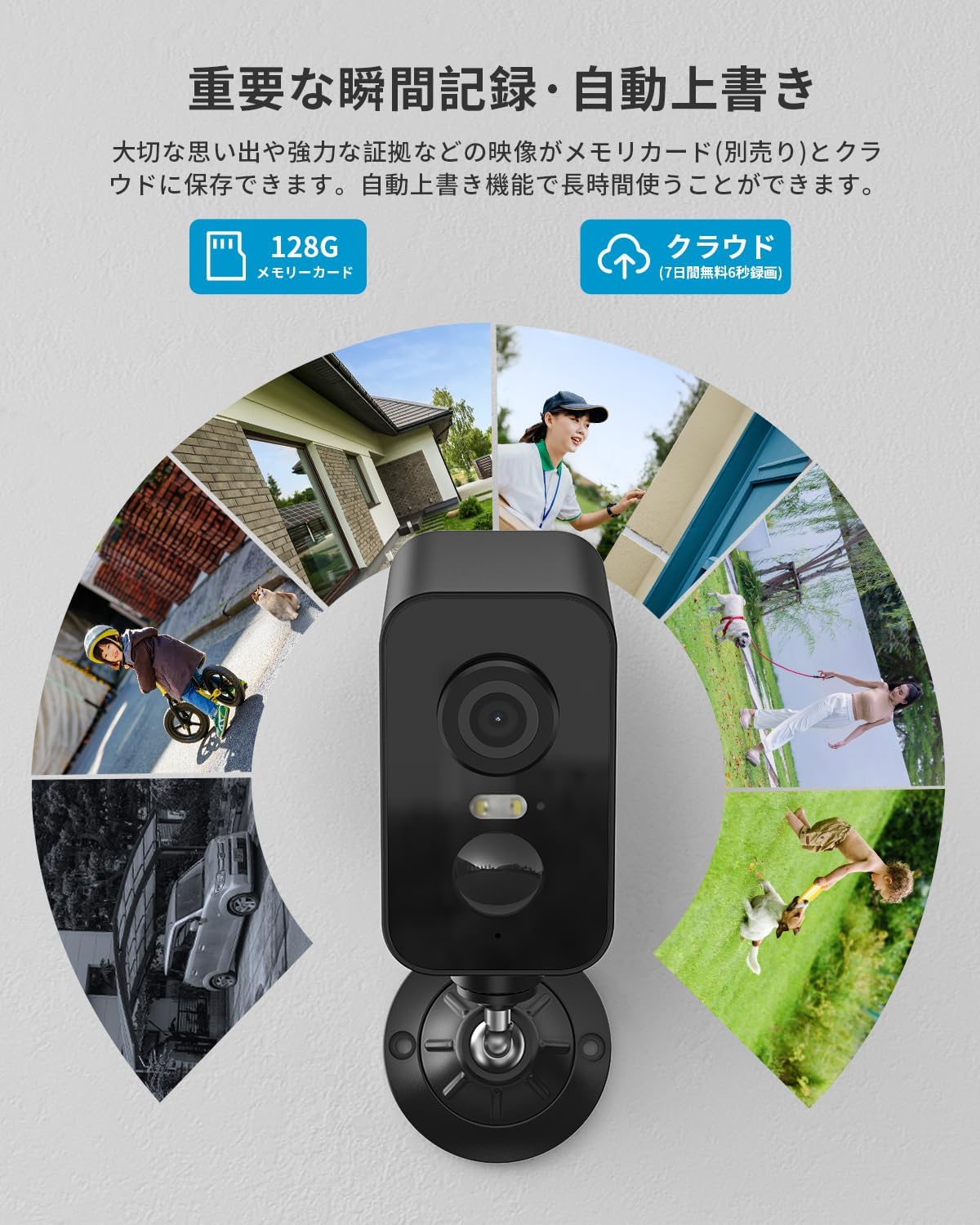
Foo înregistrattage can be saved to a MicroSD card (8GB to 128GB, sold separately) or to the cloud service. A permanent free 6-second cloud storage option is available. The camera supports automatic overwriting when the storage is full, ensuring continuous recording.
4.6 Integrare Alexa
The camera is compatible with Alexa. By linking the camera with Alexa, you can use voice commands to monitor your garden, entrance, or garage, providing convenient hands-free control.

5. Întreținere
5.1 Weather Resistance and Durability
The ieGeek S2 camera is designed with IP65 waterproofing, making it resistant to rain, sun, storms, and snow. It operates reliably in temperatures ranging from -20°C to 50°C, ensuring excellent durability and long-term use in various weather conditions.

5.2 Curățare
To maintain optimal performance, periodically clean the camera lens and solar panel surface with a soft, damp cloth. Avoid using abrasive cleaners or solvents that could damage the surfaces.
6. Depanare
- Camera nu se conectează la Wi-Fi: Ensure your Wi-Fi signal is strong at the camera's location. Check that the camera is within range of your router.
- Bateria nu se încarcă: Verify the solar panel is positioned to receive adequate direct sunlight. Ensure the charging cable is securely connected.
- Alerte false de mișcare: Adjust the PIR detection sensitivity settings in the app. Define specific detection zones to minimize unwanted alerts.
- Calitate video slabă: Check your Wi-Fi connection stability. Ensure the camera lens is clean and free from obstructions.
7. Specificații
| Caracteristică | Caietul de sarcini |
|---|---|
| Marca | adică Geek |
| Numele modelului | S2 |
| Culoare | Negru |
| Tehnologia de conectivitate | Fără fir (Wi-Fi, Bluetooth) |
| Tip de instalare | Adhesive, Wall Mount |
| Gama de vedere nocturnă | 15 metri |
| Dimensiunile produsului (Lxlxh) | 10 x 10 x 10 mm |
| Greutatea produsului | 710 g |
| Rezoluție captură video | 1920p (3MP HD) |
| Caracteristici speciale | HD Resolution, PTZ Technology, Image Sensor, Two-Way Audio, Night Vision |
| Utilizare în interior/exterior | În aer liber |
| Dispozitive compatibile | Smartphone-uri |
| Sursa de alimentare | Alimentat cu baterie |
| Evaluare rezistentă la apă | IP65 |
| Temperatura de operare | -20 °C până la 50 °C |
8. Garanție și asistență
ieGeek products are designed for high quality and reliability. The ieGeek S2 Outdoor Security Camera comes with a 1-year warranty. A special 2-year warranty extension plan is also offered, providing a maximum total warranty period of 3 years.
For any inquiries or support, please contact us through one of the following methods:
- Refer to the official ieGeek email address provided in the instruction manual.
- Through Amazon: Go to 'Order History' > 'Purchase History' > 'Ask a Question'. We aim to respond within 1 business day.


