1. Introducere
Welcome to the user manual for your new Tiqvi 7-inch Digital Photo Frame. This device is designed to help you easily display and share your cherished photos and videos with family and friends, no matter where they are. Featuring a vibrant IPS touch screen, WiFi connectivity, and compatibility with the intuitive Frameo app, your digital photo frame offers a modern way to relive memories. Please read this manual carefully to ensure proper setup, operation, and maintenance of your device.

This image illustrates the Tiqvi digital photo frame in use, showcasing a vibrant family photo on its screen. Next to it, a smartphone displays the Frameo application, highlighting the seamless integration for sharing memories directly to the frame.
2. Ce se află în cutie?
Vă rugăm să verificați conținutul pachetului pentru a vă asigura că toate articolele sunt prezente și în stare bună.
- Tiqvi 7-inch Digital Photo Frame
- Adaptor de alimentare
- Stand detașabil
- Manual de utilizare (acest document)

This image displays all items typically found inside the product packaging: the Tiqvi digital photo frame itself, its power adapter, and a detachable stand. Key dimensions of the frame are also provided for reference.
3. Ghid de instalare
3.1 Powering On Your Frame
Connect the provided power adapter to the DC port on the back of the digital photo frame. Plug the adapter into a standard electrical outlet. The frame will automatically power on.
3.2 Conectarea la Wi-Fi
Upon first power-on, the frame will guide you through the initial setup process, including connecting to your Wi-Fi network.
- Selectați limba preferată.
- Alegeți fusul orar.
- Selectați rețeaua Wi-Fi din listă.
- Enter your Wi-Fi password using the on-screen keyboard and tap "Connect".
- Once connected, the frame will display a unique Frameo ID.
3.3 Installing the Frameo App
To send photos and videos to your frame, you need to download the Frameo app on your smartphone or tablet.
- Caută "Frameo" in the Apple App Store (for iOS devices) or Google Play Store (for Android devices).
- Descărcați și instalați aplicația.
- Deschide aplicația și creează un cont sau autentifică-te.
- Add your frame by entering the unique Frameo ID displayed on your digital photo frame.

This image emphasizes the integration with the Frameo app, showing the frame alongside the Google Play and App Store logos, indicating where users can download the necessary application for managing and sharing photos.
4. Utilizarea ramei foto digitale
4.1 Trimiterea fotografiilor și videoclipurilor
Once your frame is connected to the Frameo app, you can easily send photos and short videos (up to 15 seconds) from your smartphone.
- Deschide aplicația Frameo pe smartphone.
- Selectați fotografiile sau videoclipurile pe care doriți să le trimiteți.
- Choose your Tiqvi frame as the recipient.
- Add a caption if desired, then tap "Send".
Photos and videos will appear on your frame shortly after being sent, provided the frame is connected to Wi-Fi. You can connect up to 500 users to share memories with your frame.

This image illustrates the ease of sharing photos and videos with the Tiqvi digital photo frame. It shows a photo being sent from a smartphone to the frame, symbolizing the ability to connect and share memories with loved ones anywhere.
4.2 Navigare pe ecran tactil
The Tiqvi digital photo frame features an intuitive touch screen for easy navigation.
- Glisați la stânga/dreapta: Navigate through photos.
- Robinet: Access settings, view photo details, or pause slideshow.
- Ciupește pentru zoom: Măriți sau micșorați fotografiile.
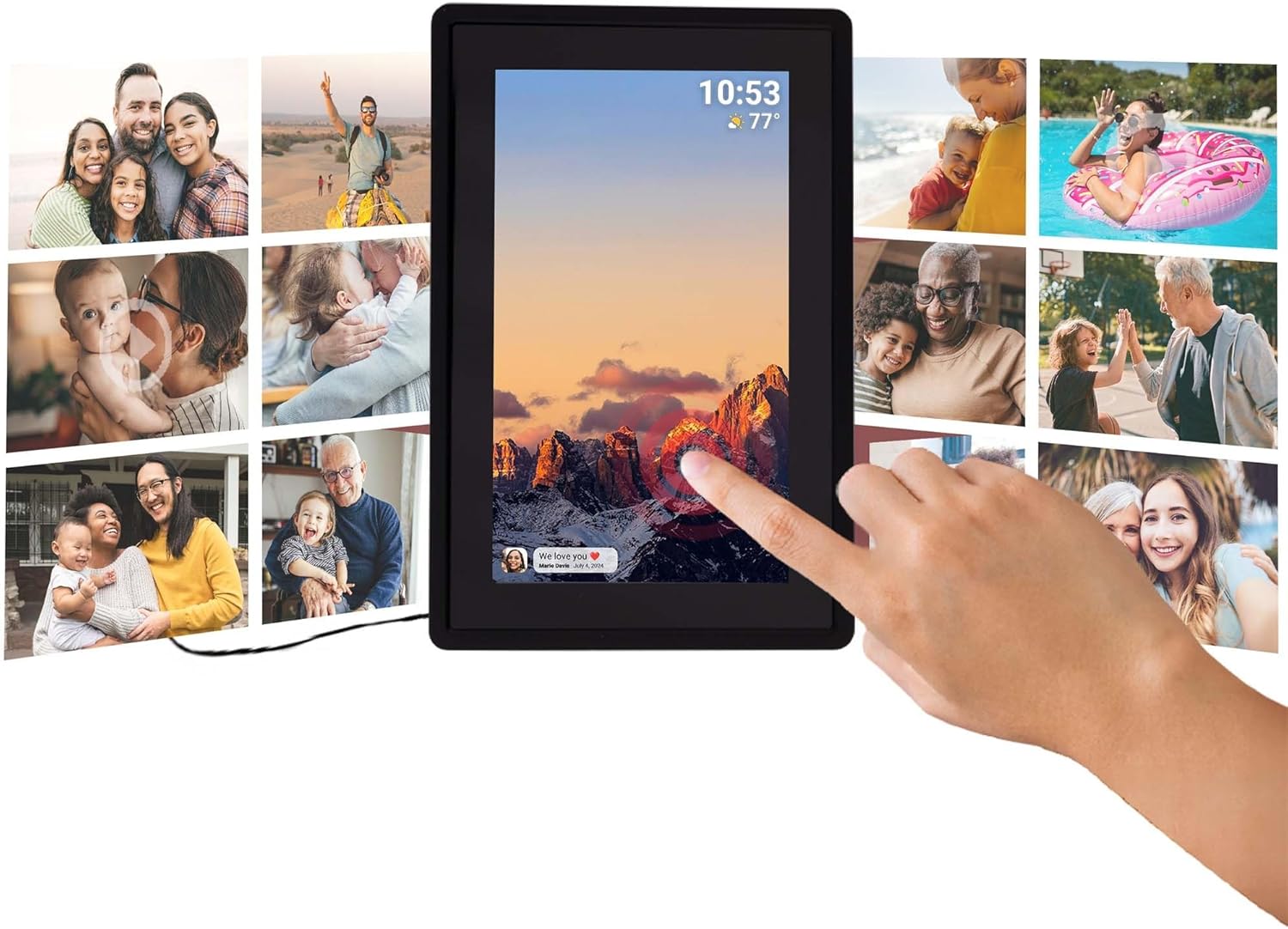
This image illustrates the intuitive touch screen functionality of the digital photo frame, showing a hand interacting directly with the display to navigate through photos and settings.
4.3 Auto-Rotate Function
The frame automatically detects its orientation (landscape or portrait) and adjusts the display of photos accordingly, ensuring your memories are always shown correctly.

Two Tiqvi digital photo frames are shown, one in landscape and one in portrait orientation, demonstrating how the auto-rotate function automatically adjusts the photo display for perfect viewing.
5. Depozitare
Your Tiqvi digital photo frame comes with 16 GB memorie internă, capable of storing thousands of photos and short videos.
For additional storage, the frame includes a slot pentru card microSD, supporting cards up to 32 GB. This allows you to expand the frame's capacity significantly.

Acest detaliat view of the frame's screen highlights its key technical specifications and features, including WiFi connectivity, 16GB internal storage, the 7-inch IPS display with 1024x600 resolution, support for microSD cards up to 32GB, and compatibility with the Frameo application.

This visual demonstrates the extensive storage capability of the digital photo frame, showing a screen filled with a diverse collage of photos.
6. Specificații
| Caracteristică | Caietul de sarcini |
|---|---|
| Marca | Tiqvi |
| Numărul de model | TVH10005 |
| Dimensiunea ecranului | 7 inchi |
| Tip de afișare | Ecran tactil IPS |
| Rezoluţie | 1024x600 (16:9 aspect ratio) |
| Memoria internă | 16 GB |
| Stocare externă | MicroSD card slot (max. 32GB) |
| Conectivitate | Wifi |
| Compatibilitatea aplicațiilor | Aplicația Frameo |
| Culoare | Negru |
| Sursa de alimentare | Electric (AC Adapter) |
| Dimensiuni produs (L x l x H) | 22 x 15 x 2.51 cm |
| Greutatea produsului | 600 grame |
7. Întreținere
7.1 Curățarea cadrului
To keep your digital photo frame in optimal condition, follow these cleaning guidelines:
- Ecran: Folosiți o lavetă moale, fără scame (de exemplu, o lavetă din microfibră) pentru a șterge ușor ecranul. Pentru petele persistente, ștergeți ușor.ampClătiți laveta cu apă sau cu o soluție de curățare a ecranelor special concepută pentru electronice. Evitați substanțele chimice dure sau materialele abrazive.
- Corpul cadrului: Wipe the body of the frame with a dry or slightly damp soft cloth. Do not use excessive moisture.
- Oprire: Always unplug the power adapter before cleaning.
7.2 Îngrijire generală
- Avoid placing the frame in direct sunlight or near heat sources.
- Keep the frame away from water and high humidity.
- Do not drop or subject the frame to strong impacts.
8. Depanare
If you encounter any issues with your Tiqvi digital photo frame, please refer to the table below for common problems and their solutions.
| Problemă | Cauza posibila | Soluţie |
|---|---|---|
| Rama nu pornește. | Adaptorul de alimentare nu este conectat sau priza este defectă. | Ensure the power adapter is securely plugged into the frame and a working electrical outlet. Try a different outlet. |
| Nu se poate conecta la Wi-Fi. | Parolă incorectă, semnal slab sau problemă cu routerul. | Double-check the Wi-Fi password. Move the frame closer to the router. Restart your Wi-Fi router. |
| Photos are not appearing on the frame. | Frame not connected to Wi-Fi, incorrect Frameo ID, or app issue. | Verify Wi-Fi connection on the frame. Ensure the correct Frameo ID is entered in the app. Restart the Frameo app on your phone. |
| Ecranul nu răspunde. | Eroare temporară de software. | Unplug the power adapter, wait 10 seconds, then plug it back in to restart the frame. |
| Photos are blurry or low quality. | Original photo resolution is low. | Ensure you are sending high-resolution photos to the frame for best display quality. |
9. Garanție și asistență
9.1 Garanția producătorului
Your Tiqvi digital photo frame is covered by a Garanție de 1 an de la producător from the date of purchase. This warranty covers defects in materials and workmanship under normal use. It does not cover damage caused by misuse, accidents, unauthorized modifications, or external causes. Please retain your proof of purchase for warranty claims.
9.2 Asistență pentru clienți
For further assistance, technical support, or warranty inquiries, please refer to the product packaging or the official Tiqvi website for contact information. When contacting support, please have your product model number (TVH10005) and purchase details ready.


