1. Introducere
This manual provides comprehensive instructions for the LG gram 17 laptop. Please read this manual thoroughly before using your device to ensure proper operation and to prevent damage. Keep this manual for future reference.
Produs terminatview
The LG gram 17 is a lightweight, high-performance laptop featuring a 17-inch WQXGA touchscreen display. It is powered by an Intel Core Ultra 7 processor, offering advanced computing capabilities for both personal and professional use. The device comes with Windows 11 pre-installed and includes a backlit keyboard for enhanced usability.

Image: The LG gram 17-inch display, highlighting its IPS WQXGA (2560 x 1600) resolution, 16:10 aspect ratio, and DCI-P3 99% color gamut.
2. Configurare
Despachetarea și inspecția inițială
- Scoateți cu grijă laptopul și toate accesoriile din ambalaj.
- Verificați dacă sunt prezente toate componentele: laptopul, adaptorul de curent alternativ și cablul de alimentare.
- Inspect the laptop for any visible damage. If damage is found, contact your retailer immediately.
Conectarea adaptorului de alimentare
Connect the AC adapter to the laptop's power input port and then plug the power cord into a wall outlet. Ensure the connection is secure.
Prima pornire
Press the power button located on the keyboard to turn on the laptop. Follow the on-screen instructions to complete the initial Windows 11 setup, including language selection, network connection, and user account creation.

Imagine: O imagine detaliată view of the LG gram laptop's side ports, including 1x Micro SD Slot, 2x USB Type A, 1x Kensington Lock Port, 1x Full HDMI 2.0, 2x USB Type C Thunderbolt™ 4, and 1x Headphone Out.
3. Operating the LG gram 17
Folosind ecranul tactil
The LG gram 17 features a responsive touchscreen display. You can interact with the operating system and applications directly using your fingers or a compatible stylus. Common gestures include tapping, swiping, pinching to zoom, and rotating.
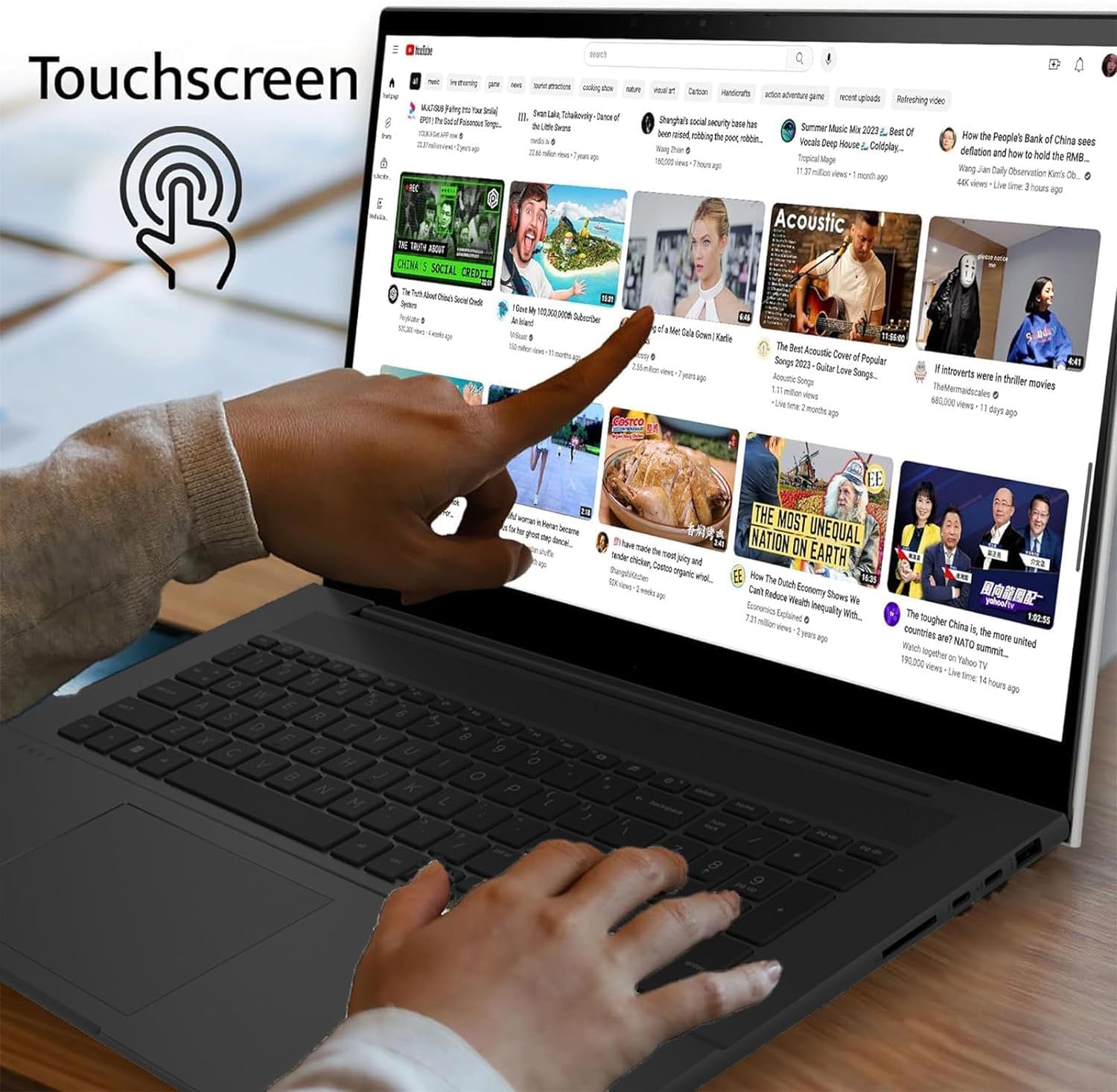
Image: A hand demonstrating touchscreen interaction on the LG gram laptop, showing a finger tapping the display.
Tastatură și touchpad
The laptop is equipped with a full-size backlit keyboard and a precision touchpad. The backlit keyboard allows for comfortable typing in various lighting conditions. The touchpad supports multi-touch gestures for navigation and control.

Imagine: Un prim-plan view of the LG gram laptop's backlit keyboard, illustrating the illuminated keys for use in low-light environments.
Windows 11 and AI Copilot
The LG gram 17 runs on Windows 11, offering a modern interface and enhanced productivity features. It is designed as an AI Copilot PC, leveraging the Intel Core Ultra 7 processor's NPU (Neural Processing Unit) for AI-driven tasks, improving performance and efficiency in applications that utilize artificial intelligence.
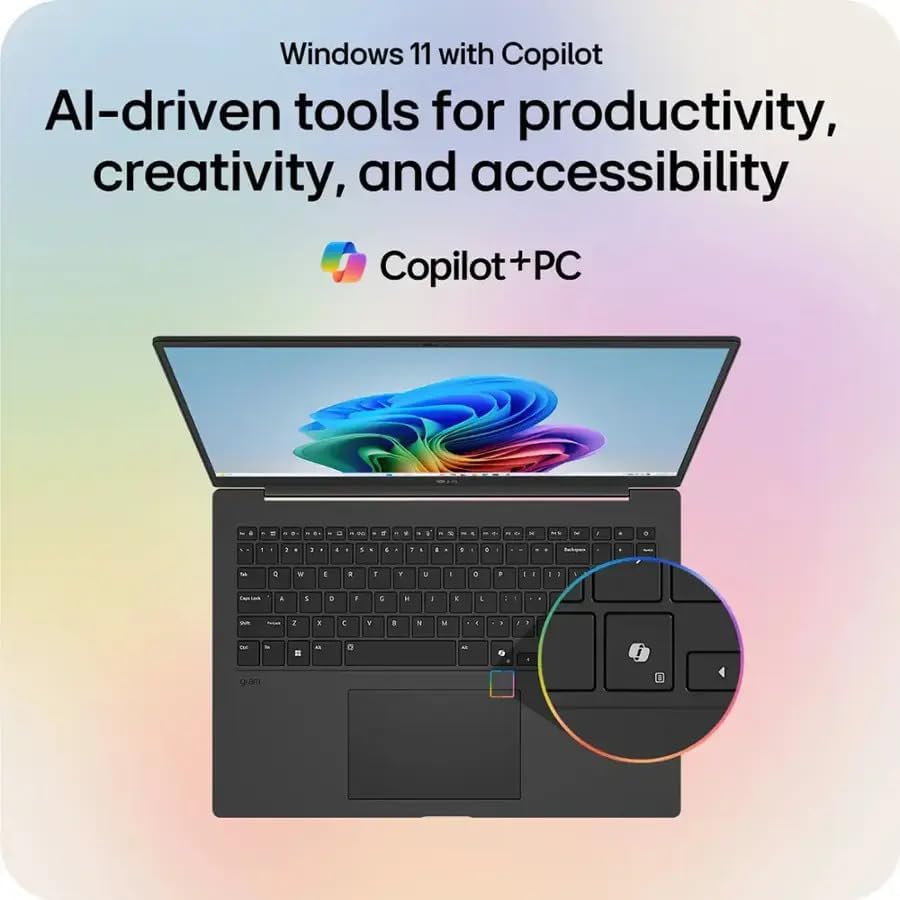
Image: The LG gram laptop screen showing the Windows 11 interface with the Copilot icon highlighted, indicating AI-driven tools for productivity, creativity, and accessibility.

Image: An illustration of the LG gram laptop with a diagram of the Intel Core Ultra processor, emphasizing its AI capabilities with up to 47 TOPS NPU.
4. Specificații
Below are the detailed technical specifications for the LG gram 17 laptop:
| Caracteristică | Caietul de sarcini |
|---|---|
| Numele modelului | LG gram 17 |
| Sistem de operare | Windows 11 Home |
| Procesor | Intel Evo Platform Powered by Intel Core Ultra 7 258V Processor (3.7 GHz) |
| Grafică | Grafică Intel Arc (integrată) |
| Afişa | 17.3-inch IPS WQXGA (2560 x 1600) Touchscreen, DCI-P3 99% |
| RAM | 32 GB RAM DDR5 |
| Depozitare | SSD PCIe de 2 TB |
| Tehnologia fără fir | Intel Wi-Fi 7 + Bluetooth |
| Tastatura | Backlit Keyboard; Precision Touch Pad with Scroll and Gesture Function |
| Audio | 2x Stereo Speakers 1.5W with HD Audio and Atmos |
| Camera foto | HD integrat Webcam with Dual Mics |
| Baterie | Lithium Ion 77WHr Battery, up to 23.5 Hours maximum Battery Run Time |
| Porturi | 2x Thunderbolt 4 USB 4.0 Gen 3 Type-C (Power Delivery & DisplayPort), 2x USB 3.2 Gen 2 Type-A, 1x HDMI, 1x Headphone-out, 1x Micro SD Slot, 1x Kensington Lock Port |
| Dimensiuni (Lxlxh) | 14 x 11 x 0.7 inchi (35.56 x 27.94 x 1.78 cm) |
| Greutate | 3.19 lbs (1.45 kg) |

Image: The LG gram laptop screen displaying a graphic indicating up to 23.5 hours of battery life from its 77Wh battery, based on video playback testing.
5. Întreținere
Curățarea laptopului
- Ecran: Folosiți o cârpă moale, fără scame dampclătiți cu apă sau cu un detergent de ecran. Evitați substanțele chimice dure.
- Tastatură și Casing: Folosiți o cârpă moale și uscată. Pentru murdăria persistentă, uscați ușor.amp se poate folosi o lavetă. Asigurați-vă că nu pătrunde lichid în dispozitiv.
Îngrijirea bateriei
- Pentru a prelungi durata de viață a bateriei, evitați descărcarea completă frecventă a acesteia.
- Depozitați laptopul într-un loc răcoros și uscat dacă nu îl utilizați pentru perioade lungi de timp.
- Nu expuneți bateria la temperaturi extreme.
Actualizări de software
Actualizați periodic sistemul de operare și driverele Windows pentru a asigura performanțe și securitate optime. Windows Update poate fi accesat prin meniul Setări.
6. Depanare
Probleme comune și soluții
- Laptopul nu pornește: Asigurați-vă că adaptorul de curent alternativ este conectat corect și că priza de alimentare funcționează. Încercați o altă priză.
- Ecranul este gol: Check if the laptop is powered on. If connected to an external display, ensure the correct display output is selected (Fn + F7 or similar key combination).
- Performanță lentă: Close unnecessary applications. Check for background processes consuming high resources. Ensure sufficient free space on the SSD. Run a system scan for malware.
- Probleme de conectivitate Wi-Fi: Verify Wi-Fi is enabled. Restart your router and the laptop. Check network settings and ensure drivers are up to date.
- Ecranul tactil nu răspunde: Restart the laptop. Check for any pending system updates or driver updates for the touchscreen.
7. Garanție și asistență
Informații despre garanție
The LG gram 17 laptop typically comes with a standard manufacturer's warranty. For specific details regarding your warranty coverage, including duration and terms, please refer to the warranty card included with your product or visit the official LG support website. Please note that for units with upgraded SSDs, a 1-year standard warranty is provided specifically for the upgraded SSD component.
Asistență pentru clienți
For technical assistance, troubleshooting beyond this manual, or warranty claims, please contact LG Customer Support. You can find contact information (phone numbers, email, or online chat) on the official LG website. When contacting support, please have your laptop's model number (LG gram 17) and serial number ready.
Resurse online: Vizitați pagina oficială LG website for drivers, FAQs, and additional support documentation.