1. Introducere
Thank you for choosing the BoyKeep 2K Outdoor Security Camera. This manual provides essential information for the proper installation, operation, and maintenance of your camera. Please read this manual thoroughly before using the product and retain it for future reference.
Informații de siguranță
- Asigurați-vă că sursa de alimentare corespunde cerințelor camerei pentru a preveni deteriorarea.
- Nu expuneți camera la temperaturi extreme, umiditate sau imersare directă în apă.
- Evitați amplasarea camerei în apropierea unor câmpuri electromagnetice puternice.
- Handle the camera with care; avoid dropping or subjecting it to strong impacts.
- For outdoor installation, ensure the camera is securely mounted to prevent falling.
2. Produs terminatview și conținutul pachetului
The BoyKeep K20-6 is a 2K outdoor security camera featuring 360° pan/tilt capabilities, color night vision, motion detection, tracking, and two-way audio communication. It connects via 2.4GHz Wi-Fi for remote monitoring.

Image: Multiple BoyKeep K20-6 cameras, showcasindatorită designului și factorului lor de formă compact.
Ce este în cutie
- Camera Body (K20-6)
- Adaptor de alimentare (cu fir)
- Șuruburi de montare și dibluri de perete
- Manual de utilizare (acest document)
Note: A memory card for local storage is not included and must be purchased separately if desired.
3. Ghid de instalare
3.1 Instalare fizică
Camera este concepută pentru montare pe perete. Alegeți o locație care oferă imaginea dorită viewing angle and is within reach of a power outlet. Ensure the mounting surface is sturdy enough to support the camera.

Image: Illustrates the camera's mounting and its 360° pan and tilt capabilities.
- Marcați pozițiile de găurire pe perete folosind baza camerei ca șablon.
- Dați găuri și introduceți diblurile de perete.
- Fixați baza camerei pe perete folosind șuruburile furnizate.
- Adjust the camera angle as needed after mounting.
3.2 Conexiune la alimentare
Conectați adaptorul de alimentare furnizat la portul de intrare al camerei și apoi introduceți-l într-o priză electrică standard. Camera se va porni automat.
3.3 Instalarea aplicației și conexiunea Wi-Fi
The camera operates via a smartphone application. Please ensure your Wi-Fi network is 2.4GHz, as the camera does not support 5GHz Wi-Fi.
- Descarcă aplicația oficială BoyKeep din magazinul de aplicații al smartphone-ului tău (iOS sau Android).
- Înregistrează-te pentru un cont nou sau autentifică-te dacă ai deja unul.
- Follow the in-app instructions to add your new camera. This typically involves scanning a QR code on the camera or entering its serial number, and then connecting it to your 2.4GHz Wi-Fi network.
- Odată conectat, veți putea view the live feed and control the camera through the app.
4. Instrucțiuni de utilizare
4.1 În direct View și control panoramic/înclinat
Open the BoyKeep app and select your camera to access the live video feed. You can control the camera's pan (horizontal) and tilt (vertical) movements directly from the app interface to achieve a 360° field of view.

Image: Demonstrates the 360° view capability controlled via the smartphone app.
4.2 2K Image Quality and Night Vision
The camera provides clear 2K resolution video. It features both color night vision and infrared night vision modes. In low-light conditions, the camera can automatically switch to night vision. Color night vision is activated when sufficient ambient light or the camera's spotlight is on, providing full-color images even in darkness.

Image: Highlights the 2K Full HD resolution for clear video capture.
Image: Compares Color Night Vision (with spotlight) and Infrared Night Vision (without spotlight).
4.3 Detectarea și urmărirea mișcării
The camera is equipped with intelligent motion and sound detection. When motion or sound is detected, the camera can automatically track the moving object or person, ensuring comprehensive coverage. You will receive warning messages on your mobile phone via the app.

Image: Depicts the smart motion tracking feature, showing the camera's ability to follow moving subjects.
4.4 Customize Activity Area
You can define specific activity zones within the camera's field of view through the app. This allows you to focus motion detection on critical areas and reduce false alarms from irrelevant movements.
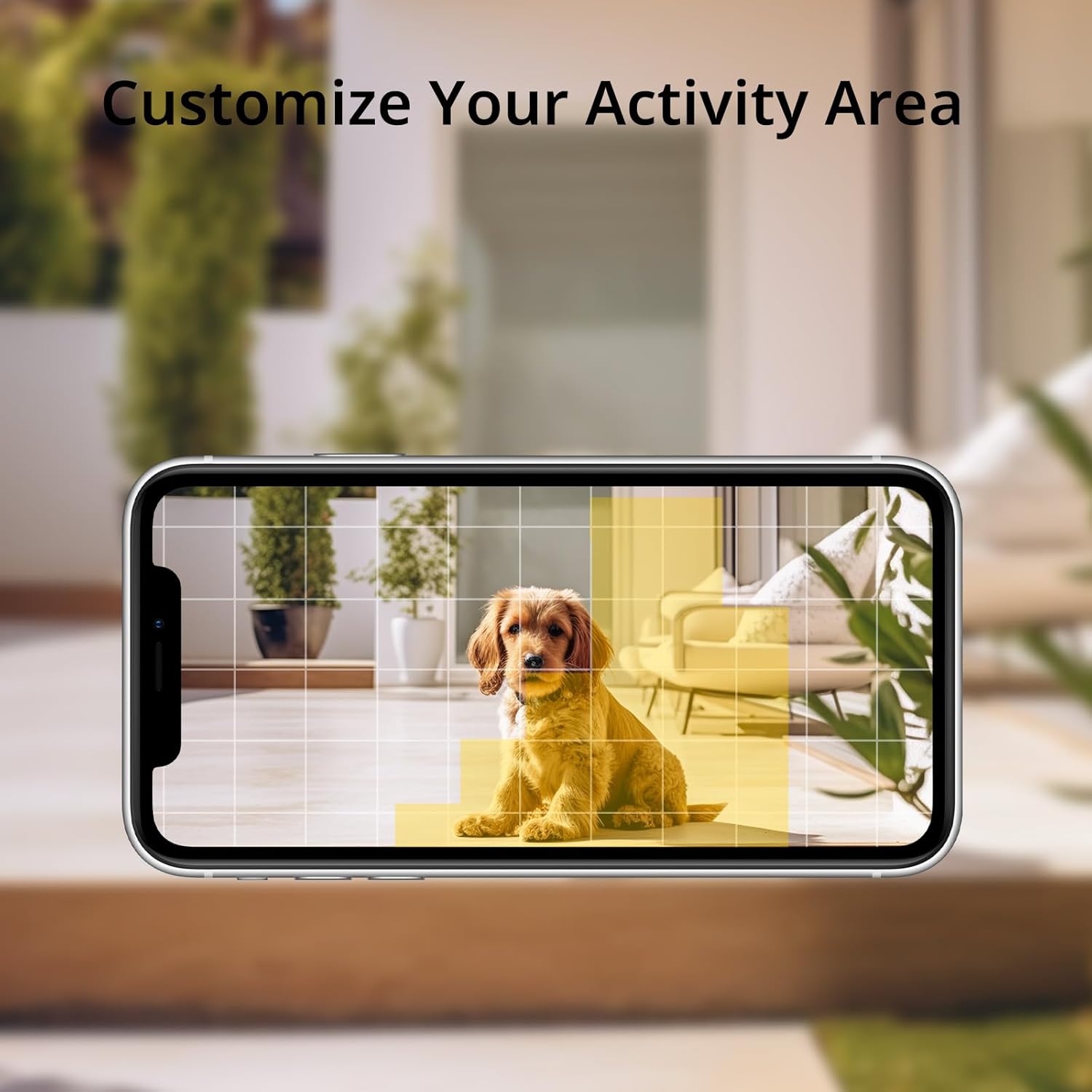
Image: Shows how to customize activity areas for motion detection within the app.
4.5 Sunet bidirecțional
The camera supports two-way audio communication. You can speak through the camera using your smartphone app and hear responses from the camera's location, allowing for real-time interaction with visitors or delivery personnel.
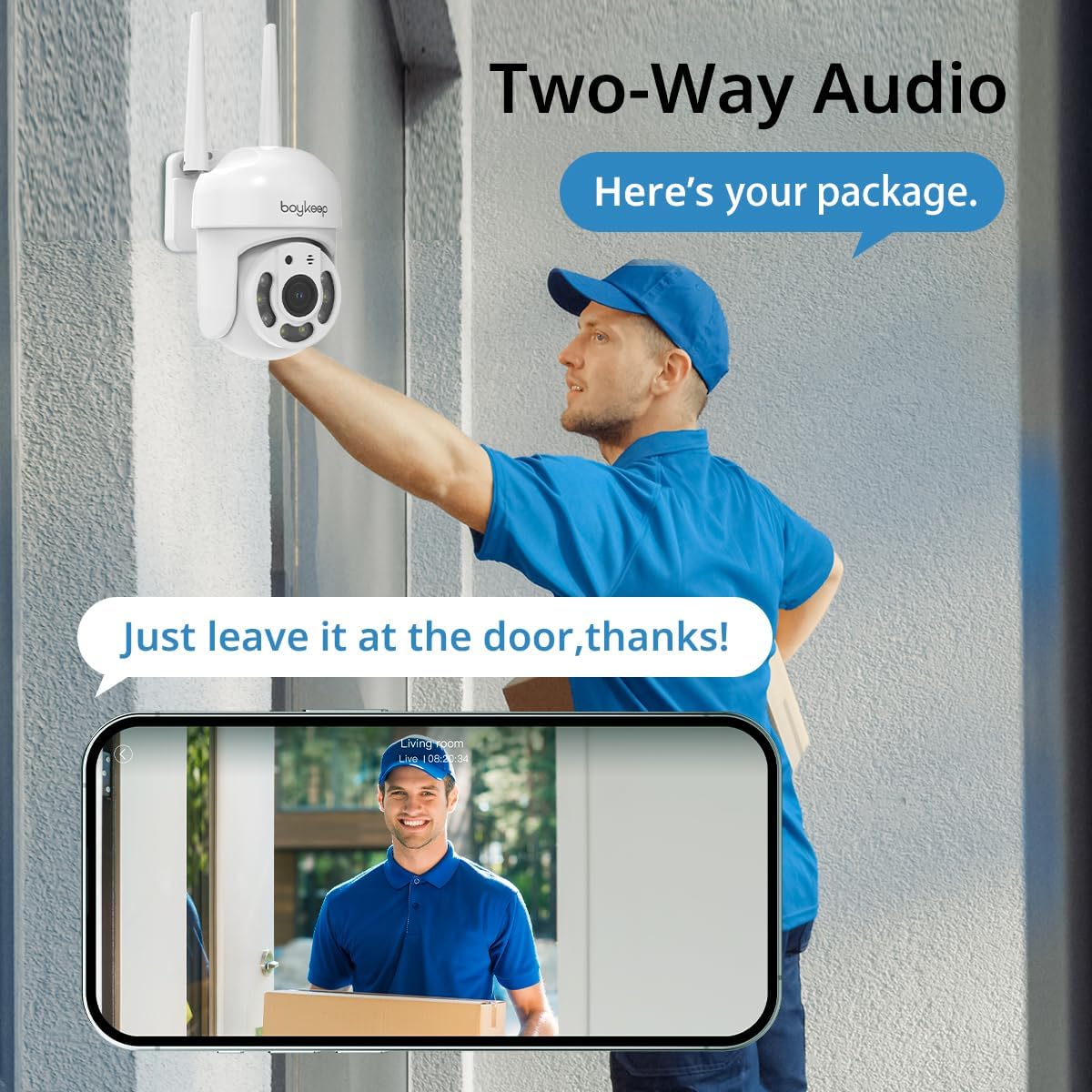
Image: Illustrates the two-way audio feature, enabling communication through the camera.
4.6 Înregistrare și stocare
The camera supports both cloud storage and local storage via a memory card (not included). You can enable 24/7 continuous recording to a memory card to minimize the risk of losing important information. A 30-day free trial of cloud storage is also available.
4.7 Multi-dispozitiv Viewși partajare
The BoyKeep app allows you to add multiple cameras and view up to four real-time video feeds simultaneously. You can also share camera access with family members on up to 10 devices, enabling multiple users to monitor the property.
5. Întreținere
- curatenie: Ștergeți ușor obiectivul și corpul camerei cu o cârpă moale și uscată. Nu utilizați substanțe chimice dure sau produse de curățare abrazive.
- Actualizări firmware: Verificați periodic aplicația BoyKeep pentru actualizări de firmware disponibile. Menținerea firmware-ului camerei la zi asigură performanță și securitate optime.
- Verificarea conexiunii: Regularly verify that the power cable and Wi-Fi connection are secure and stable.
6. Depanare
| Problemă | Cauza posibila | Soluţie |
|---|---|---|
| Camera nu pornește | Fără curent, adaptor defect, conexiune slăbită | Check power outlet, ensure adapter is securely connected to camera and outlet. Try a different outlet. |
| Nu se poate conecta la Wi-Fi | Incorrect Wi-Fi password, 5GHz network, camera too far from router | Ensure correct 2.4GHz Wi-Fi password. Move camera closer to router. Restart router and camera. |
| Calitate slabă a imaginii | Dirty lens, poor network connection, low light | Clean the camera lens. Check Wi-Fi signal strength. Ensure adequate lighting for color night vision. |
| Detectarea mișcării nu funcționează | Detection sensitivity too low, activity zone not set correctly, disabled in app | Adjust motion detection sensitivity in the app. Verify activity zones. Ensure motion detection is enabled. |
| Probleme audio bidirecționale | Microphone/speaker blocked, app permissions, network delay | Ensure nothing is obstructing the microphone or speaker. Check app permissions for microphone access. Verify stable network connection. |
If you encounter issues not listed here or if troubleshooting steps do not resolve the problem, please contact BoyKeep customer support for assistance.
7. Specificații
| Caracteristică | Detaliu |
|---|---|
| Numărul de model | K20-6 |
| Rezoluție captură video | 3 MP (2K) |
| Protocol de conectivitate | Wi-Fi (doar 2.4 GHz) |
| Interval Pan/Tilt | 355° orizontală, 120° verticală |
| Vedere de noapte | Vedere nocturnă color, vedere nocturnă în infraroșu |
| Audio | Discuție bidirecțională |
| Opțiuni de stocare | Memory Card (not included), Cloud Service |
| Sursa de alimentare | Electric cu fir |
| Tip de montare | Montare pe perete |
| Utilizare în interior/exterior | În aer liber |
| Dispozitive compatibile | Smartphone (via App) |
8. Garanție și asistență
BoyKeep provides a 24 luni garantie for this product. If you encounter any issues or have suggestions, please do not hesitate to contact our customer service team. We are committed to providing 100% satisfactory solutions within 3 working days.
Pentru asistență, vă rugăm să consultați informațiile de contact furnizate în aplicația BoyKeep sau pe pagina oficială BoyKeep. website-ul.


