1. Introducere
The ARENTI B2 360° View Indoor Camera is designed to provide comprehensive monitoring for various indoor environments, including nurseries, pet areas, or general home surveillance. This camera offers advanced features such as 2K ultra-clear video, enhanced night vision, two-way audio communication, and smart detection capabilities. It operates independently via a smartphone application, providing flexible monitoring options.

Image 1.1: ARENTI B2 Indoor Camera with its smartphone application interface.
2. Ce se află în cutie
- ARENTI B2 Indoor Camera (x1)
- Adaptor de alimentare (x1)
- Cablu de alimentare USB (x1)
- Suport de montare (x1)
- Șuruburi de montare (x2)
- Ghid de pornire rapidă (x1)
- Reset Pin (x1)
3. Configurare
3.1 Initial Power-Up and App Installation
- Connect the camera to a power source using the provided USB power cable and adapter.
- Download the ARENTI smartphone application from your device's app store.
- Înregistrează-te pentru un cont sau autentifică-te dacă ai deja unul.
3.2 Conectarea la Wi-Fi
- Follow the in-app instructions to add a new device. Select the B2 camera model.
- Ensure your smartphone is connected to a 2.4GHz Wi-Fi network. The camera supports 2.4GHz Wi-Fi only.
- The app will guide you through generating a QR code. Present this QR code to the camera lens for scanning.
- Once the camera successfully scans the QR code, it will connect to your Wi-Fi network.
Video 3.1: Instructions on how to connect the ARENTI B2 camera to your smartphone via the app.
3.3 Montarea camerei
The camera can be placed on a flat surface or mounted to a wall or ceiling using the provided bracket and screws. Ensure the camera has a clear line of sight to the area you wish to monitor.
4. Instrucțiuni de utilizare
4.1 În direct View și control panoramic/înclinat
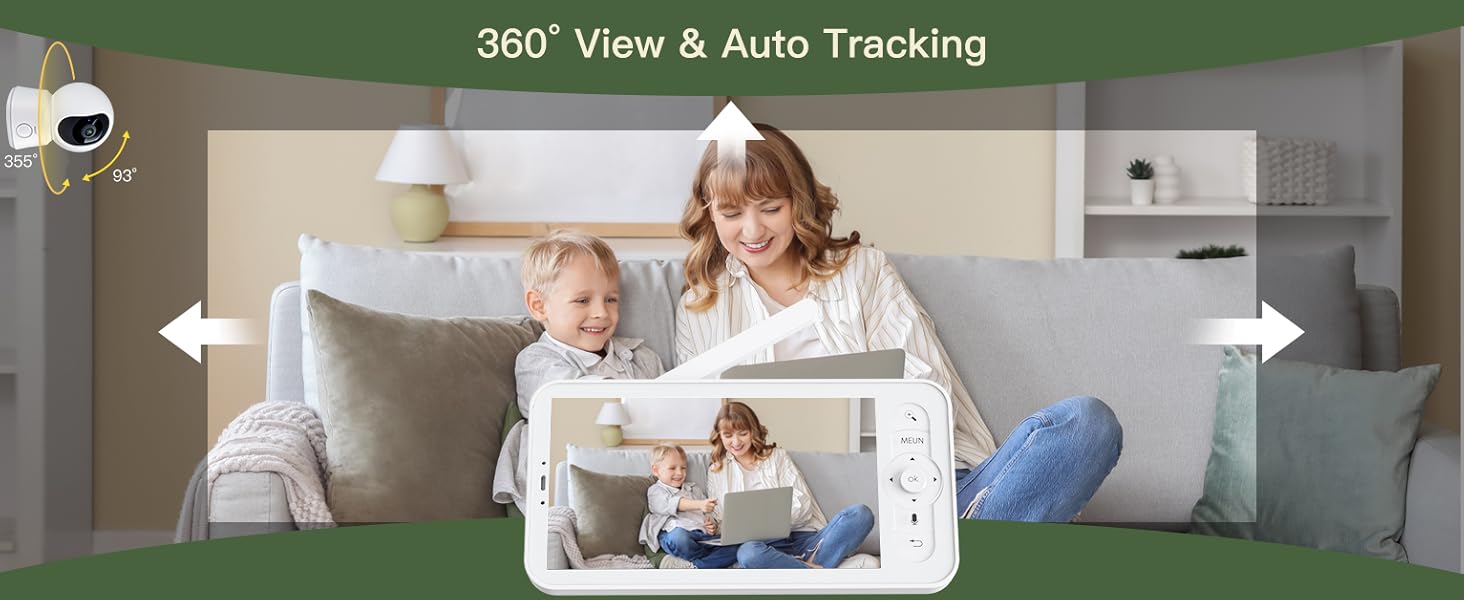
Access the live video feed through the ARENTI smartphone app. The camera features a 100° wide-angle lens with 355° horizontal and 60° vertical rotation, allowing for a 360° panoramic view. Use the app's controls to pan and tilt the camera remotely.
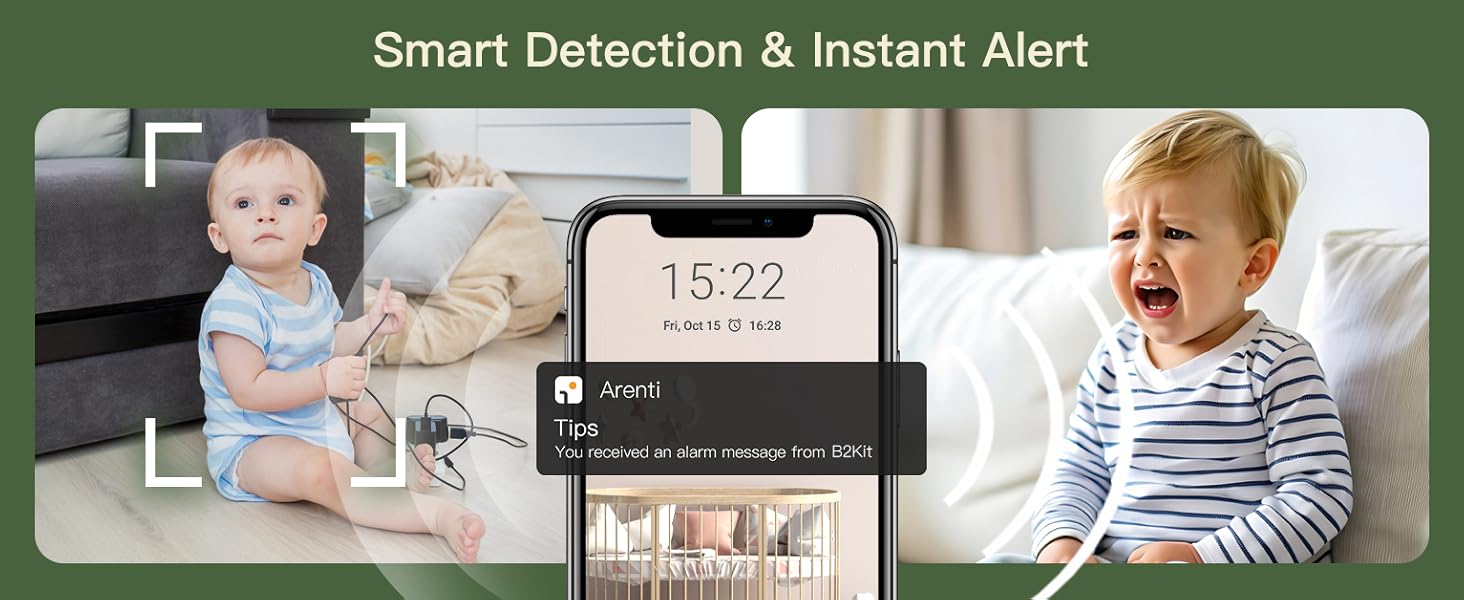
Image 4.1: The camera's 360° view and auto-tracking capabilities.
Video 4.1: Demonstration of the ARENTI B2 camera's functionality with the smartphone application.
4.2 Video Quality and Night Vision
The camera delivers 2K ultra-clear video via the app. It features infrared night vision, allowing you to monitor in low-light conditions up to 33 feet.
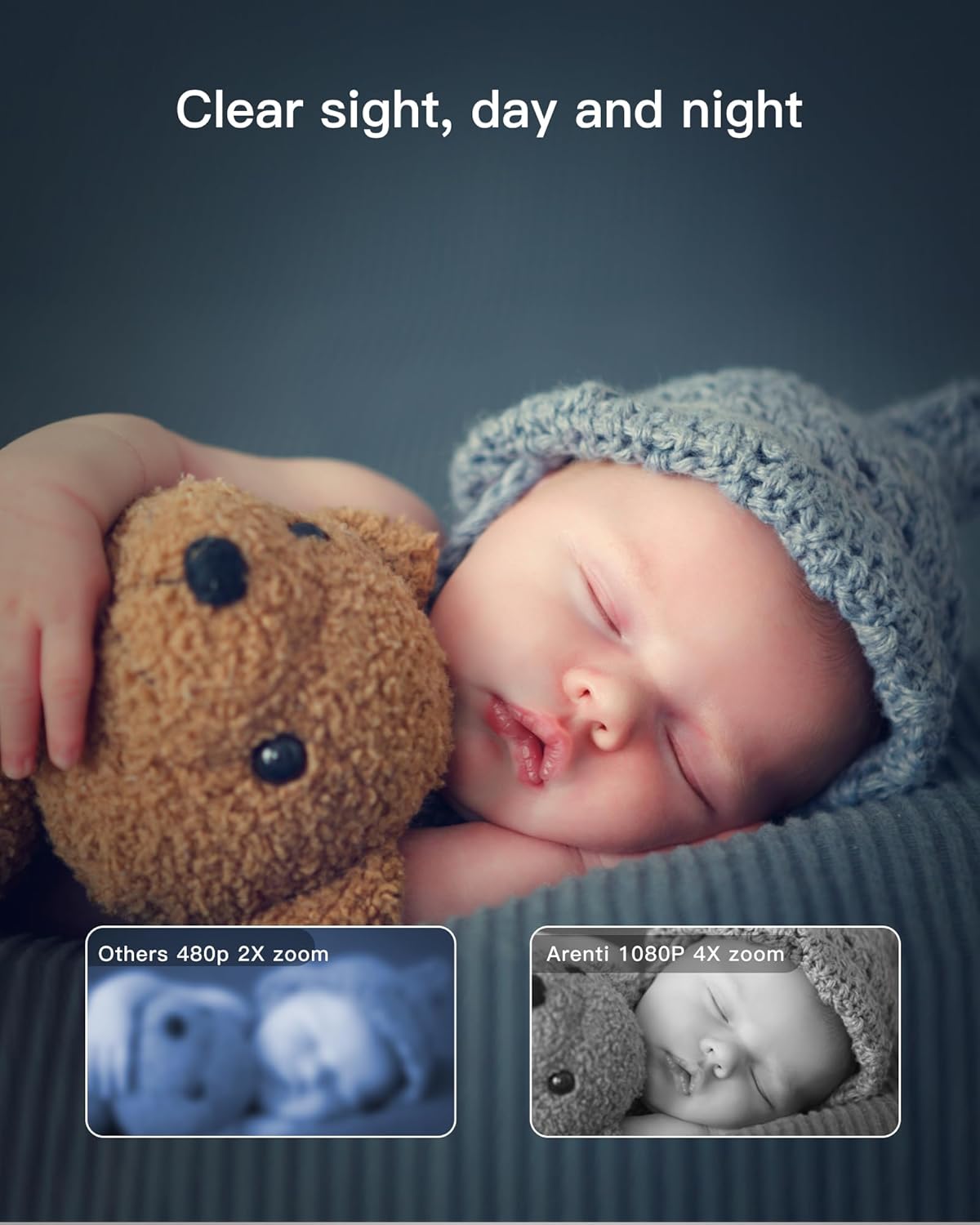
Image 4.2: Night vision clarity comparison, highlighting the 2K HD video quality.
4.3 Two-Way Audio and Interactive Features
Utilize the built-in microphone and speaker for real-time two-way communication. You can speak through the app to the camera's location and hear audio from the camera's environment. The camera also supports playing lullabies and white noise, and setting nursing reminders.

Image 4.3: Camera features including temperature sensing, lullabies, and white noise.

Image 4.4: One-touch call feature for instant communication.
4.4 Smart Alerts and Environmental Monitoring
The camera detects motion, crying, and can be configured with custom detection zones. Real-time alerts are sent to your smartphone. A built-in temperature sensor provides 24/7 environmental monitoring.

Image 4.5: Motion and sound detection with real-time alerts.
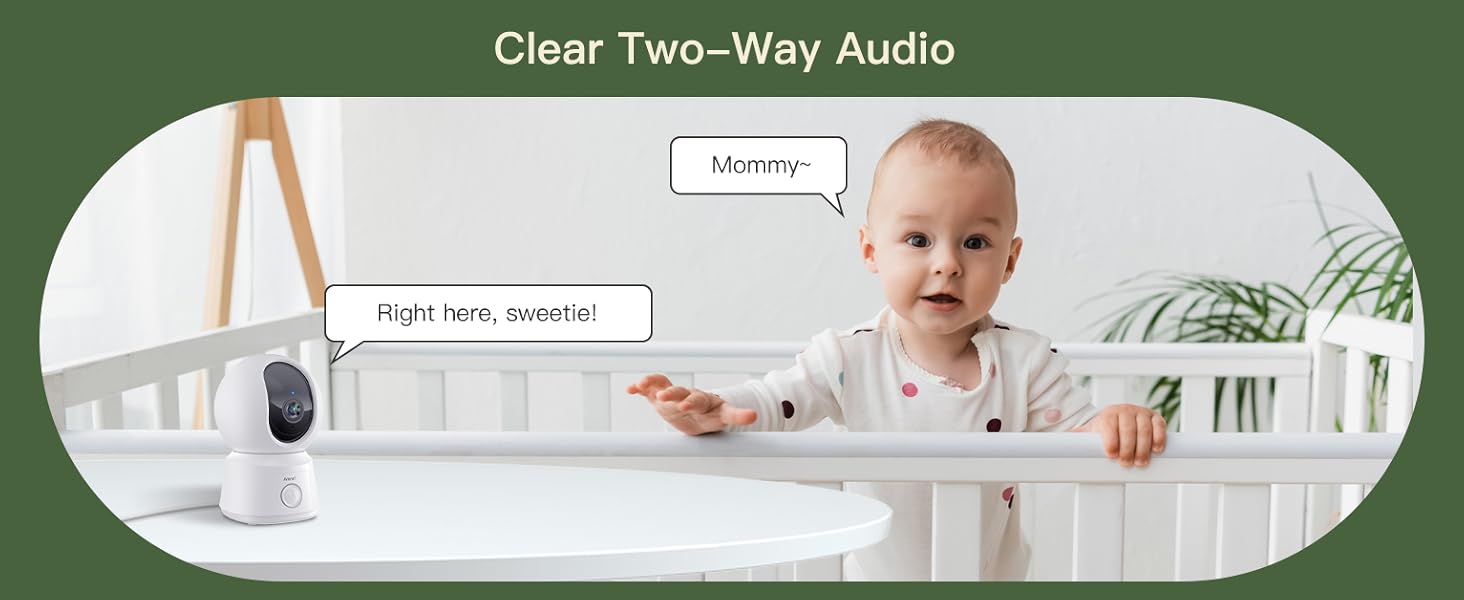
Image 4.6: Environmental monitoring and smart alert features.
4.5 Storage and Privacy
The camera supports up to a 256GB Micro SD card for local storage. Optional Amazon AWS cloud storage is available with end-to-end encryption. Free 6-second event clips are included with a 7-day loop. Data is accessible only to authorized users.
Image 4.7: Storage options and event recording details.
Imaginea 4.8: Pesteview of privacy and security features.
4.6 Multiple Device Support
The ARENTI app allows viewing on multiple devices, including smartphones, tablets, and laptops. You can also share access with family members and manage permissions.

Image 4.9: Multiple device and account sharing support.
Video 4.2: How the ARENTI B2 camera works with the smartphone app.
Video 4.3: Demonstration of the ARENTI B2 camera's non-WiFi functionality.
Videoclipul 4.4: Terminatview of the ARENTI B2 camera with audio features.
Video 4.5: O scurtă introducereview of the ARENTI B2 camera's features.
5. Întreținere
- curatenie: Folosiți o cârpă moale și uscată pentru a curăța obiectivul și corpul camerei. Evitați substanțele chimice dure sau materialele abrazive.
- Actualizări firmware: Regularly check the ARENTI app for firmware updates to ensure optimal performance and security.
- Plasare: Asigurați-vă că așezați camera într-un loc stabil, ferit de lumina directă a soarelui, surse de căldură și umiditate.
6. Depanare
- Fără putere: Ensure the power adapter and USB cable are securely connected and the power outlet is functional.
- Probleme de conexiune Wi-Fi: Verify your Wi-Fi network is 2.4GHz. Ensure the camera is within range of your router. Try resetting the camera using the provided reset pin.
- Calitate video slabă: Verificați puterea semnalului Wi-Fi. Asigurați-vă că obiectivul camerei este curat și fără obstrucții.
- Fără audio: Check the volume settings on your smartphone app. Ensure the camera's microphone and speaker are not obstructed.
- Alerte neprimite: Verify motion and sound detection settings are enabled in the app. Check your smartphone's notification settings for the ARENTI app.
7. Specificații
| Caracteristică | Caietul de sarcini |
|---|---|
| Numele modelului | B2 Cam |
| Utilizare în interior/exterior | De interior |
| Tehnologia de conectivitate | Fără fir (Wi-Fi 2.4 GHz) |
| Rezoluție captură video | 2K HD (via app), 1080p (general) |
| Viewunghiul ing | 100 de grade |
| Rotație Pan/Tilt | 355° orizontală, 60° verticală |
| Gama de vedere nocturnă | 33 picioare |
| Tip de alertă | Audio and Motion, Crying Detection |
| Metoda de control | App |
| Depozitare | Micro SD (up to 256GB), Cloud Storage (optional) |
| Sursa de alimentare | Electric cu fir (5 volți, 4.5 wați) |
| Dimensiuni articol (L x l x H) | 2.99 x 2.87 x 4.61 inci |
| Caracteristica specială | Easy to Install, Temperature Sensor, Two-Way Audio |
8. Garanție și asistență
The ARENTI B2 Indoor Camera typically comes with a 1-year protection plan. For detailed warranty information, product support, or troubleshooting assistance beyond this manual, please refer to the official ARENTI website-ul sau contactați serviciul pentru clienți.


