1. Introducere
Thank you for choosing the MESWAO 15.6 inch Android 14 Tablet Pro. This tablet is designed to provide a superior visual and performance experience with its large Full HD display, powerful octa-core processor, and extended battery life. This manual will guide you through the setup, operation, maintenance, and troubleshooting of your new device, ensuring you get the most out of its advanced features.
2. Ce se află în cutie
Vă rugăm să verificați conținutul coletului. Dacă lipsesc sau sunt deteriorate articole, contactați serviciul de asistență pentru clienți.
- 1 x MESWAO 15.6 inch Android Tablet
- 1 x adaptor de alimentare
- 1 x cablu tip C
- 1 x Manual de utilizare
- 1 x adaptor de tip C la USB
- 1 x Stuck pin (SIM ejector tool)

Image: Visual representation of the MESWAO tablet and its included accessories.
3. Produs terminatview
3.1 Caracteristici cheie
- 15.6-inch 1080P FHD IPS Display: Large screen with 1920x1080p resolution, 16:9 aspect ratio, 85% screen-to-body ratio, and 350 nits adjustable brightness for clear visuals.
- Sistem de operare Android 14: Latest Android version for faster app launches, intuitive user interface, split-screen multitasking, and GMS certification for Google Play access.
- MediaTek Helio G99 CPU: Octa-core processor (6nm, up to 2.2GHz) and ARM Mali-G57 GPU for smooth performance in multitasking, streaming, and gaming.
- 12,000mAh Mega Battery & 30W Fast Charging: Provides up to 15 hours of video playback and 12+ hours of daily use, with 90% charge in 3 hours.
- 6GB RAM + 128GB ROM (Expandable to 1TB): Ample storage for apps, photos, and videos, with expandable memory via microSD card (FAT32 format).
- Dual-band Wi-Fi & Bluetooth 5.0: High-speed 2.4G/5G Wi-Fi and efficient Bluetooth connectivity for peripherals.
- 5MP Front + 32MP Rear Cameras: Capture moments and conduct clear video calls.
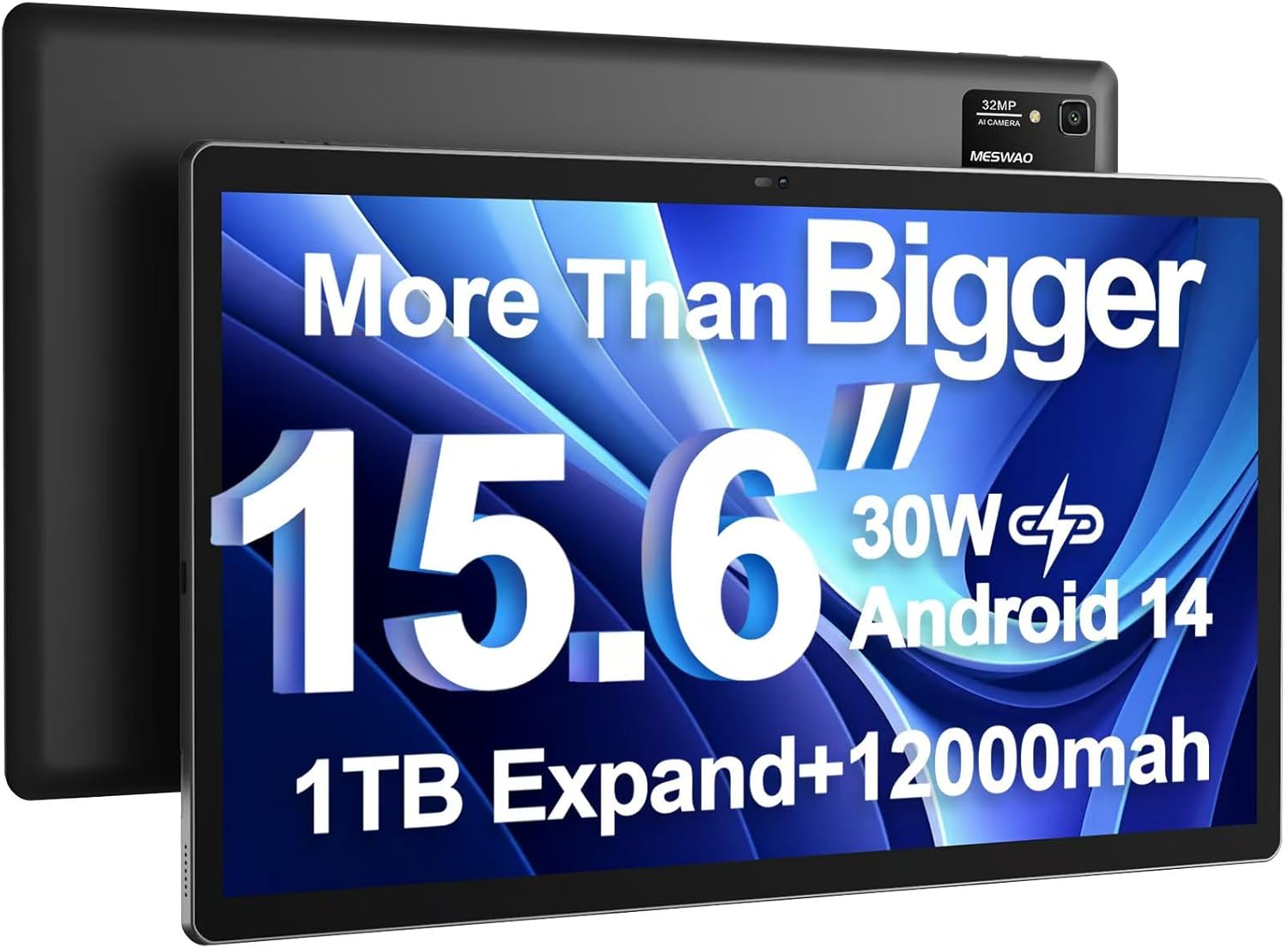
Image: The MESWAO 15.6 inch Android 14 Tablet Pro, showcasinecranul său mare și modulul camerei din spate.

Image: Visual comparison highlighting the significantly larger screen area of the 15.6-inch tablet compared to a standard 10-inch tablet.

Image: Illustration of the tablet's 12,000mAh ultra-large capacity battery and 30W fast charging, indicating quick charge times and extended usage.
3.2 Tablet Components
Familiarize yourself with the physical components of your MESWAO tablet:
- Buton de alimentare: Located on the side, used to turn the tablet on/off or wake/sleep the screen.
- Butoane de volum: Reglați nivelurile de ieșire audio.
- Camera frontală: 5MP camera for video calls and selfies.
- Camera spate: 32MP camera with flash for high-resolution photos and videos.
- Port de tip C: Pentru încărcare și transfer de date.
- Slot pentru carduri TF: For expanding storage with a microSD card.
- Difuzoare stereo: Quad speakers for enhanced audio experience.
- Mufă pentru căști de 3.5 mm: For wired audio connection (requires included Type-C to 3.5mm adapter).
4. Configurare
4.1 Pornirea inițială
- Țineți apăsat butonul Buton de alimentare until the MESWAO logo appears on the screen.
- Urmați instrucțiunile de pe ecran pentru a selecta limba, regiunea și a vă conecta la o rețea Wi-Fi.
- Sign in with your Google account or create a new one to access Google Play Store and other services.
4.2 Încărcarea tabletei
Before first use, fully charge the tablet. Use the provided power adapter and Type-C cable.
- Connect the Type-C cable to the tablet's Type-C port.
- Conectați adaptorul de alimentare la o priză de perete.
- The charging indicator will appear on the screen. A full charge takes approximately 3 hours with the 30W fast charger.
4.3 Introducerea unui card MicroSD
To expand storage, insert a microSD card (FAT32 format, up to 1TB, sold separately).
- Locate the TF card slot on the side of the tablet.
- Use the provided stuck pin to gently press into the small hole next to the slot to eject the tray.
- Introduceți cardul microSD în tavă cu contactele aurii orientate în jos.
- Reintroduceți cu grijă tava în slot până când se fixează în poziție cu un clic.
5. Instrucțiuni de utilizare
5.1 Navigare de bază
- Ecranul principal: Glisați la stânga sau la dreapta pentru a naviga între ecranele de pornire.
- Sertarul de aplicații: Access all installed applications (if using a launcher with an app drawer, otherwise apps are on home screens).
- Notificări și setări rapide: Glisează în jos din partea de sus a ecranului pentru a accesa notificările și setările rapide (Wi-Fi, Bluetooth, Luminozitate etc.).
- Aplicații recente: Tap the square icon (or swipe up and hold from the bottom if using gesture navigation) to view și comutați între aplicațiile utilizate recent.
5.2 Multitasking cu ecran divizat
The Android 14 OS supports split-screen functionality for enhanced productivity.
- Deschide prima aplicație pe care vrei să o utilizezi.
- Go to the Recent Apps view.
- Atingeți pictograma aplicației din partea de sus a cardului primei aplicații și selectați „Ecran divizat”.
- Choose the second app from your recent apps or app drawer to open it in the other half of the screen.
- Adjust the size of each app by dragging the divider in the middle.

Imagine: Pesteview of key features of the Android 14 operating system on the tablet, including multitasking capabilities.
5.3 Conectivitate
- Wifi: Du-te la Setări > Rețea și internet > Wi-Fi to connect to available networks. Supports 2.4Ghz and 5Ghz bands.
- Bluetooth: Du-te la Setări> Dispozitive conectate> Preferințe conexiune> Bluetooth to pair with Bluetooth headphones, keyboards, or other devices.
- Transmitere ecran: The tablet supports wireless screen casting to compatible displays. Access this feature from Quick Settings or Setări > Dispozitive conectate > Preferințe de conectare > Cast.

Image: Depiction of the tablet's stable dual-band Wi-Fi and Bluetooth 5.0 capabilities, enabling seamless wireless connections.
6. Întreținere
6.1 Îngrijirea bateriei
- Evitați temperaturile extreme (căldură sau frig), deoarece acestea pot afecta durata de viață a bateriei.
- Nu lăsați bateria să se descarce complet frecvent. Încărcați-o înainte să ajungă la 0%.
- Use only the provided charger or a certified 30W PD fast charger.
6.2 Curățare
- Folosiți o lavetă moale, fără scame, pentru a curăța ecranul și carcasa.
- Pentru pete persistente, ușor dampClătiți laveta cu apă sau cu un detergent de ecran. Evitați substanțele chimice dure.
- Nu pulverizați lichide direct pe tabletă.
6.3 Actualizări de software
Verificați și instalați periodic actualizări de sistem pentru a asigura performanță și securitate optime.
- Connect your tablet to a stable Wi-Fi network.
- Du-te la Setări > Sistem > Actualizare sistem.
- Urmați instrucțiunile de pe ecran pentru a descărca și instala orice actualizări disponibile.
7. Depanare
Dacă întâmpinați probleme cu tableta, consultați următoarele soluții comune:
| Problemă | Cauza posibila | Soluţie |
|---|---|---|
| Tableta nu pornește | Baterie descărcată; Prăbușire sistem | Încărcați tableta timp de cel puțin 30 de minute. Apăsați și mențineți apăsat butonul de pornire timp de 10-15 secunde pentru a forța repornirea. |
| Slow performance/Lag | Prea multe aplicații rulează; Spațiu de stocare insuficient; Software învechit | Închide aplicațiile din fundal. Șterge memoria cache. Eliberează spațiu de stocare. Verifică dacă există actualizări de sistem. |
| Probleme de conexiune Wi-Fi | Incorrect password; Router issue; Tablet Wi-Fi off | Ensure Wi-Fi is on. Re-enter password. Restart router. Forget and reconnect to network. |
| Bateria se descarcă rapid | High screen brightness; Background apps; Heavy usage | Reduce screen brightness. Close unused apps. Limit background data. Check battery usage in settings. |
| Touchscreen unresponsive/Phantom touches | Temporary software glitch; Defective unit | Restart the tablet. If the issue persists, contact MESWAO customer support for assistance. |
If the problem persists after trying these solutions, please contact MESWAO customer support for further assistance.
8. Specificații
| Caracteristică | Detaliu |
|---|---|
| Numele modelului | MES-B3 Pro |
| Sistem de operare | Android 14 |
| Dimensiunea ecranului | 15.6 inchi |
| Rezoluția ecranului | 1920 x 1080 pixeli (IPS Full HD) |
| Procesor | MediaTek Helio G99 Octa-core (până la 2.2GHz) |
| Coprocesor grafic | ARM Mali-G57 |
| RAM | 6 GB |
| Stocare internă (ROM) | 128 GB |
| Stocare extensibilă | Up to 1TB via MicroSD card (FAT32 format) |
| Capacitatea bateriei | 12,000mAh |
| Durata de viață a bateriei (medie) | 13 Hours (up to 15 hours video playback) |
| Încărcare | Încărcare rapidă 30W PD |
| Conectivitate wireless | 802.11a/b/ac/ax (2.4G/5G Dual-band Wi-Fi), Bluetooth 5.0 |
| Cameră frontală | 5MP |
| Camera spate | 32MP |
| Greutatea articolului | 4.42 livre (aprox. 2 kg) |
| Dimensiunile produsului | 14.49 x 8.66 x 0.39 inchi (36.8 x 22 x 1 cm) |
9. Garanție și asistență
MESWAO products come with a standard manufacturer's warranty. Please refer to the warranty card included in your package for specific terms and conditions. For technical support, troubleshooting assistance, or warranty claims, please contact MESWAO customer service through the contact information provided on the official MESWAO website-ul sau platforma dvs. de cumpărare.
Informații de contact: Please visit the official MESWAO website or refer to the support card included in your product packaging for the most up-to-date contact details.


